
darktable Review: A Complete Darkroom That Costs Nothing
Summary
Library on the left, darkroom on the right, and every adjustment stored as history rather than baked in. Raw support for new cameras arrives quickly, and the licence is whatever you can afford.
Recommend- Name
- darktable
- Version
- 5.6.1
- Pricing
- Free
- Open source
- Open source
- Operating system
- WindowsmacOSLinux
- Website
- https://www.darktable.org/
- Updated
- 2026-10-08 12:22
The raw file is a negative, not a photograph
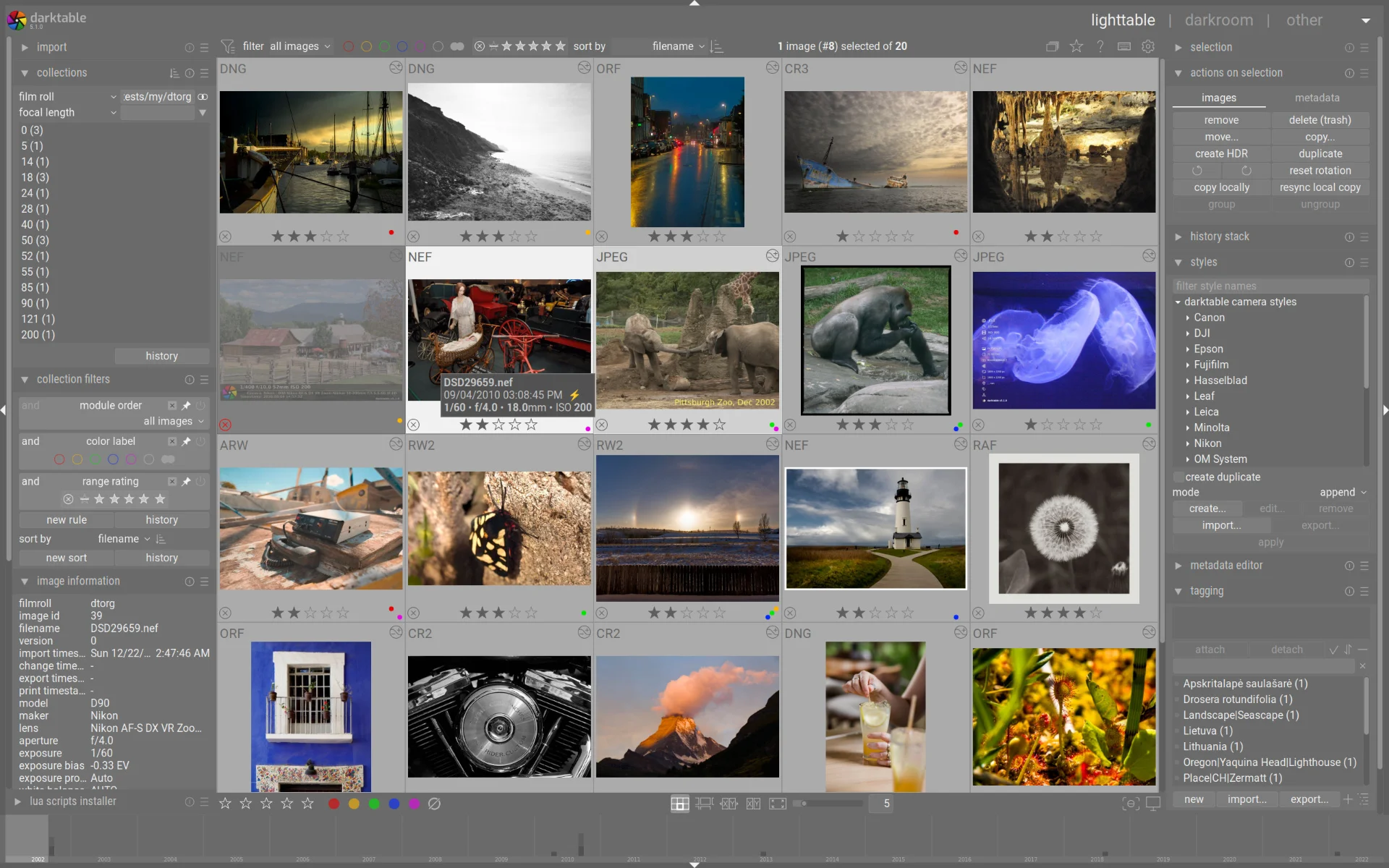
A camera produces a data file that describes what the sensor saw, and every decision about how that becomes an image is made afterwards. Exposure, white balance, colour, contrast, sharpening, noise: all of it is interpretation, and the quality of the interpretation sets the ceiling on the final picture. darktable is a complete workshop for that work, and the arrangement is the traditional one: a library on the left for importing, rating, tagging, filtering and locating on a map, a darkroom on the right where the development happens.
The single most important design decision is that nothing is baked in. The original file is never modified. Every adjustment is a module in a processing pipeline, recorded as an entry in a history stack, which means the edit made today can be undone next year, the order of operations can be rearranged, and the same recipe can be copied from one photograph to a series. A tool that writes changes into the file has made a promise about your taste that it cannot keep.
Why the pipeline matters
The module pipeline is not a marketing word, it is the mental model. Light passes through a sequence: raw preparation, white balance, exposure, colour reconstruction, tone mapping, local contrast, sharpening, output. Putting a module in the wrong position produces the wrong result even with the right values, which is why understanding the sequence is the actual skill being learned. Once it clicks, the software stops feeling arbitrary and starts behaving like an instrument.
The colour handling is rigorous and, once configured, consistent across camera bodies, which is what allows a photographer to work on files from two different systems in one session without the pictures arguing with each other. Profiles for specific cameras and lenses are maintained by the community, so distortions and vignetting can be corrected automatically, and the support for newly released bodies tends to arrive quickly.
What it expresses is the best shape of the open source idea: no money asked, no compromise on the professional standard, and a complete darkroom available to anyone who cares about pictures.
The learning curve is real
It should be said plainly: this is not an application that flatters a beginner. The interface shows dozens of modules, the vocabulary is technical, and the default output often looks flat next to a phone's automatic rendering, because the phone has already made the decisions. That flatness is the point, since it leaves room to work, but it is also the reason people give up in the first week.
The way through is narrow and reliable: learn five modules first. Exposure, white balance, a tone curve, colour balance, and sharpening. Use only those for a month. Ignore the rest of the panel, which will still be there. Then add one more when a specific problem demands it, and read the manual for that one page. Photographers who take this path are competent within weeks; those who try to understand everything at once are still reading documentation a year later.
Habits that keep a library usable
Decide the folder structure and the import routine before importing anything, because a photo library is much harder to reorganise than a folder of documents. Import into the library, let it copy the files to a dated structure, and never move files behind its back. Rate as you import, even crudely, since a rating given at import time is worth ten given a month later when nobody remembers which frame was the good one.
Back up the database as well as the photographs. The edits live in a small sidecar or database, and losing that while keeping the raw files means the pictures survive and the work does not. Export a copy of the developed file for anything that matters, because a raw plus a recipe is not a picture until someone renders it.