
Zhixi Mind Map: drawing maps that keep working with the network off
Summary
Zhixi is a Chinese online mind mapping tool with 18 map structures, one sentence AI generation and document to map conversion, syncing across Windows, macOS, Android, iOS and HarmonyOS, with offline editing added in iOS 3.3.0.
Recommend- Name
- Zhixi Mind Map
- Version
- 3.3
- Open source
- Proprietary
- Operating system
- WindowsmacOSLinuxAndroidiOS网页版
- Website
- https://www.zhixi.com/
- Updated
- 2026-10-06 02:23
Drawing the shape of a thought can be quick
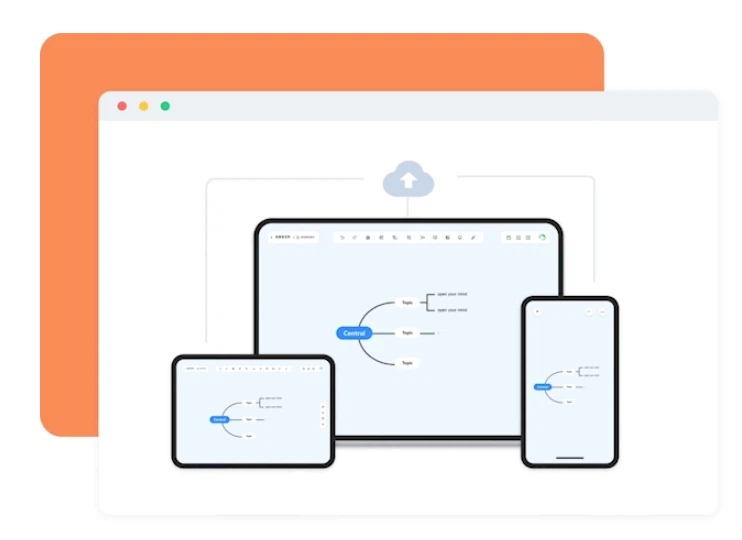
Reading notes, a work plan, the revision of a subject before an exam: a mind map is the cheapest way to put a pile of loose items into an order you can look at. Zhixi, a tool built in China, pushes the entry barrier down almost to nothing. The web version opens and works immediately, and Windows, macOS, Linux, Android, iOS and even HarmonyOS are covered. One account syncs across all of them, so a map half finished on the computer can be continued on the phone during the commute, with progress aligned in real time rather than merged later by hand. The free tier creates documents and works normally; membership mainly unlocks an unlimited document count and more AI runs.
That last sentence matters more than it looks. Plenty of tools advertise a free tier that turns out to be a viewer, and the useful part here is that ordinary work is not blocked. The paid step is about volume, not about permission.
AI: from one sentence to one map
The AI side is what made the tool known. Type a single sentence and a structurally complete map appears within seconds, ready to be adjusted by hand. More practical in daily use is the conversion in the other direction: a PDF, a Word file or a spreadsheet is dropped in, and the AI pulls out the key points and lays them out as a map. For a long document that removes the first pass of reading, which is usually the most expensive hour of the whole job.
The iOS 3.3.0 update of 2026-09-07 added something heavier: offline editing. On the underground or in the air, with no network at all, maps can still be created and changed. The data is kept locally, and once the connection returns it is uploaded and merged into the cloud. Version history sits underneath, so a wrong deletion or a change made in the wrong place can be recovered afterwards. For anyone who works in transit, this is the difference between a tool that is usable and one that is not. What the 3.3 release really changes is not the feature list but where the work is allowed to happen.
Enough structures, plenty of templates
On structure it offers 18 map types. Beyond the ordinary mind map and the logic chart, the fishbone suits cause analysis, the timeline suits planning, the organisation chart suits team structure, and bubble and circle maps cover the diagrams used in teaching. Having that many shapes available means the tool does not force one way of thinking onto every problem.
The template library holds more than thirty thousand entries, from school subjects to career planning, ready to apply rather than to study. Export covers images, PDF, Word and PPT, and online collaboration with link sharing is supported as well, so a map can leave the tool in whatever form the recipient actually needs.
There is a quieter benefit on the export side. A map that can leave as an image, a PDF, a Word document or a slide fits almost any meeting, and link sharing means the other side does not have to create an account before looking at it. That is often the whole difference between a private note and something a team can act on.
For students and for people in their first years of work, the practical point is that the cost of starting is close to zero. Nothing has to be bought before the first map exists, and nothing has to be installed on a borrowed machine to look at one.
Zhixi takes a pragmatic line: instead of deep customisation it hardens three frequent needs, drawing quickly, finding a template, and not losing data across devices, and then uses AI to move the starting point from a blank canvas to a finished draft. A tool is worth what it is actually used for, and this is the kind that produces something on the day you sign up.