
Xmind 26.04: the mind map that also carries the schedule
Summary
Xmind has spent twenty years on mind maps and now puts project management on the same canvas: topics become tasks, tasks land on a Gantt chart with owners and dependencies, and a timeline appears by itself. The 2026 update adds work breakdown, condensed summaries and a presentation mode, next to timeline, matrix, fishbone and org-chart layouts, real-time collaboration and sync across devices.
Recommend- Name
- Xmind
- Version
- 26.04
- Open source
- Proprietary
- Operating system
- WindowsmacOSLinux
- Website
- https://xmind.cn/
- Updated
- 2026-10-06 21:46
Draw the idea, then run it
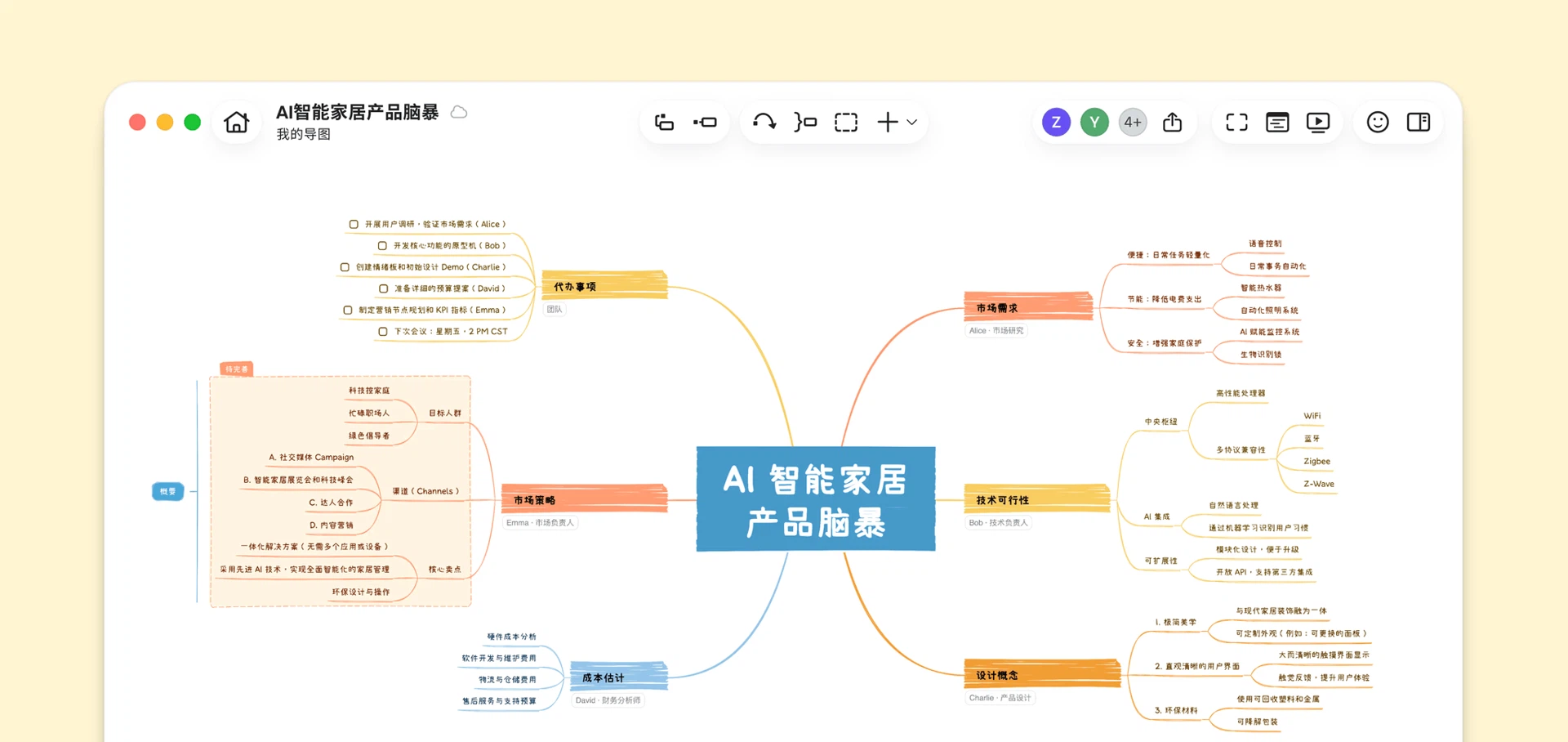
Between a good brainstorming session and a project that actually ships there is a gap, and most plans fall into it: the ideas are fine, the execution scatters. This tool's answer is to keep both on one canvas — spread the points out as a map, then turn a topic into a task, place the tasks on a Gantt chart, give each one an owner and dependencies, and the timeline grows on its own. Twenty years of iteration have moved it from a drawing program to a workbench that holds the rhythm of a project.
What the assistant is good for
The 2026 round of updates is mostly about the parts people skip when they are in a hurry. Ask for a work breakdown and a large goal comes back as a task tree with levels, which is useful precisely because the tree is easy to argue with and easy to edit. A summary collapses scattered branches into a conclusion, which is what a meeting needs at the end. A presentation mode turns the map into a talk, so the same file serves both the thinking and the reporting.
The structures go well beyond the classic radial map: timeline, matrix, fishbone and org chart all live in the same program, and switching between them is a menu action rather than a new document. A full-screen focus mode leaves nothing but the branch you are on, and an outline mode turns the same content into something you can write quickly instead of something you have to arrange.
Several people, several devices
In a team, real-time editing and comments let several people work on one map without stepping on each other, and comments turn a silent diagram into a thread of conversation. Sync across devices means a map half-finished on a laptop can be read on a phone, which sounds minor until the meeting starts and the laptop is in another room.
The install base is past a hundred million users, and the privacy statement is unusually direct: content is not collected and not inspected, local files stay on your own device, and cloud files sit behind the security stack of a major cloud provider. That is the shape of answer an IT department wants — a statement about where the data is, rather than a promise about how careful everyone is.
What the free version covers
Local editing is free, and the subscription is what unlocks sync and the full set of styles. For everyday drawing the free tier is enough, and that is worth saying plainly because tools of this kind often hide the basic act of saving behind a paywall. The honest reading of the paid tier is that it buys the moment a map stops being private: sharing it, syncing it, presenting from it.
What it does not do is think for you. A map reflects decisions you have already made; a bad plan drawn beautifully is still a bad plan, and the arrows do not add judgement. Four diagram types are available, but most projects need one of them and the discipline to prune the rest, because a map that keeps every branch ends up as unreadable as the notes it replaced.
One evening with it
A concrete case is a launch checklist. The first draft belongs in a map because a map is simply faster to think in: the markets, the channels, the dependencies, the people who have to say yes. Halfway through, one branch turns out to be a project of its own, so it becomes a task with an owner and a date — and the chart quietly shows that the date rests on something nobody had scheduled.
That moment, the map exposing a dependency you had not drawn, is the whole argument for keeping thinking and scheduling in one file. Split across two, the dependency lives in somebody's memory until the week it breaks. Kept together, it shows up as a thin bar with nothing underneath it.
The same file then carries the review. Collapse it to the outline, walk the branch that slipped, and the conversation starts from the structure rather than from recollection. Nothing there is clever; it is what happens when the artifact and the plan turn out to be the same object, and it is the reason the tool survives the novelty of drawing pretty trees.
The test for a tool like this is short: can you draw quickly, can someone else read it, and can it carry what comes after. All three hold here, and the part that matters most is turning a topic into a task and a task into a date — it removes the export-and-retype step that usually sits between thinking and scheduling.