
x64dbg Debugger: Watching a Program While It Runs
Summary
A debugger for Windows programs, both 64 bit and 32 bit, that shows what a binary actually does while it runs: breakpoints, memory that can be read and changed, dynamic analysis and a plugin system. Open source, and used by developers and security researchers alike.
Recommend- Name
- x64dbg Debugger
- Version
- 2026.05.27
- Pricing
- Free
- Open source
- Open source
- Operating system
- Windows
- Website
- https://x64dbg.com/
- Updated
- 2026-10-14 22:00
Source code tells you what should happen
Reading a program is one way to understand it. Watching it is another, and for a binary that arrives without source, watching is the only option. A debugger is the instrument for that second approach: it pauses the program at chosen points, shows the state of everything at that instant, and lets you step forward one instruction at a time. x64dbg is a debugger for Windows programs, covering both the 64 bit and the 32 bit variants, and it is the kind of tool that turns an opaque executable into a sequence of observable decisions.
The interface carries the weight
Debugging produces a great deal of information at once, and how it is arranged decides whether the activity is workable. x64dbg presents the disassembly, registers, memory and the call stack as panes that stay visible together, so the relationship between an instruction and its effect is a glance rather than a search. That is not cosmetic. A debugger that hides context behind tabs forces the user to hold state in their head, and human memory is the wrong place to keep it.
Breakpoints, and the discipline they impose
The central operation is stopping execution at a chosen place and looking around. Software breakpoints, hardware breakpoints and conditional forms all exist, which matters because the interesting moment is often not a single address but an address reached under a particular condition. Watching a value and stopping only when it changes is the difference between reading a log of a thousand events and looking at the one that broke something.
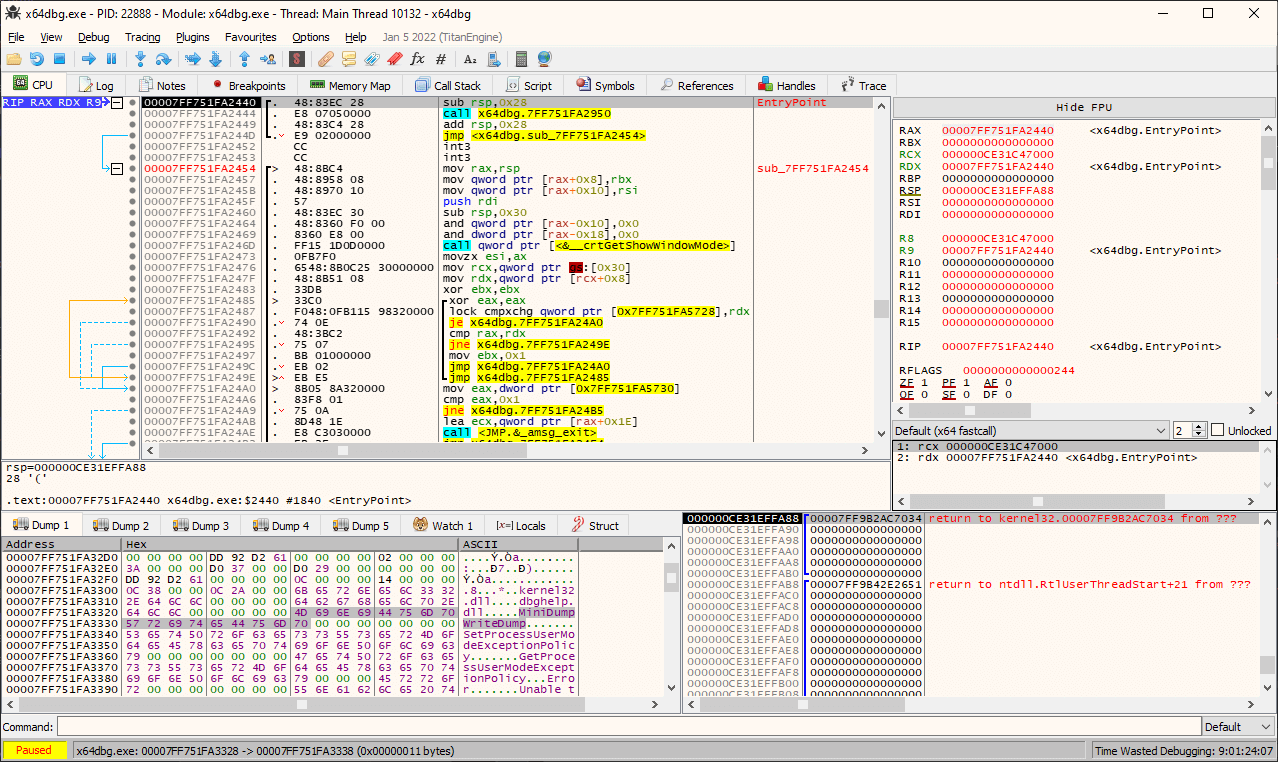
Memory you can read and change
Programs keep their state in memory, so a debugger that can display it accurately and modify it deliberately becomes a way to test hypotheses. Change a byte and see whether the branch goes the other way. Inspect a buffer and see whether the length the program believes matches the length that arrived. This is the part that separates debugging from guessing, because a hypothesis that can be tested against a running program stops being an opinion.
Local and remote sessions
Debugging the program on the machine in front of you is the common case. Debugging a program running elsewhere is the case that appears when the fault only reproduces on a specific system, or when the software under examination must not be disturbed by the analysis. Supporting both means the same investigation can move between the convenient setup and the necessary one without changing instruments.
Dynamic analysis as a method
Static inspection reads a file and reasons about it. Dynamic analysis runs it and observes. The second is what a debugger is for, and it answers questions static reading cannot: which branches are actually taken with this input, what is loaded and when, where execution stops when the data is malformed. For security work this is often the only way to see behaviour that is assembled at runtime rather than written into the file.
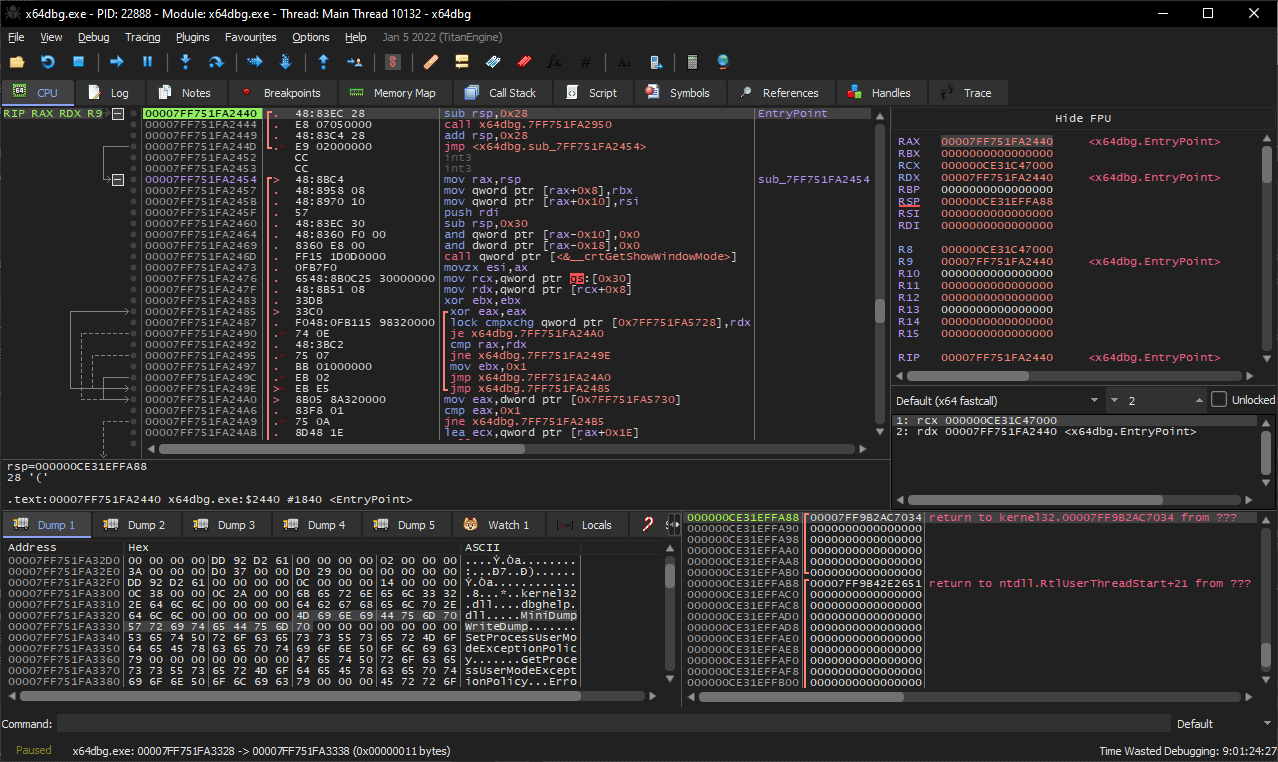
Extensions, because analysis is specific
Every investigation has its own shape, and a debugger cannot ship with a feature for each. The plugin system lets the tool grow toward the task: routines for unpacking, scripts for repetitive inspection, views tailored to a particular file format. The result is that the same debugger serves a developer hunting a memory error and a researcher mapping an unfamiliar binary, without either of them paying for the other's requirements.
Open source as an argument here
For a tool that inspects other software, being open source is more than licensing. It means the debugger itself can be examined rather than trusted, which is a reasonable demand when the instrument sits between you and the thing you are analysing. It also means the tool can be modified for an unusual architecture of investigation instead of waiting for a vendor to consider it worth the effort.
Who uses it, and for what
Developers use it to find the reason a program crashes when the source alone does not explain it, especially in code they did not write. Security researchers use it to understand what an unknown binary does, whether the question is malicious behaviour or simply undocumented behaviour. Students use it to see how a compiled program actually executes, which is a lesson no amount of reading conveys. The common thread is a need to observe rather than assume.
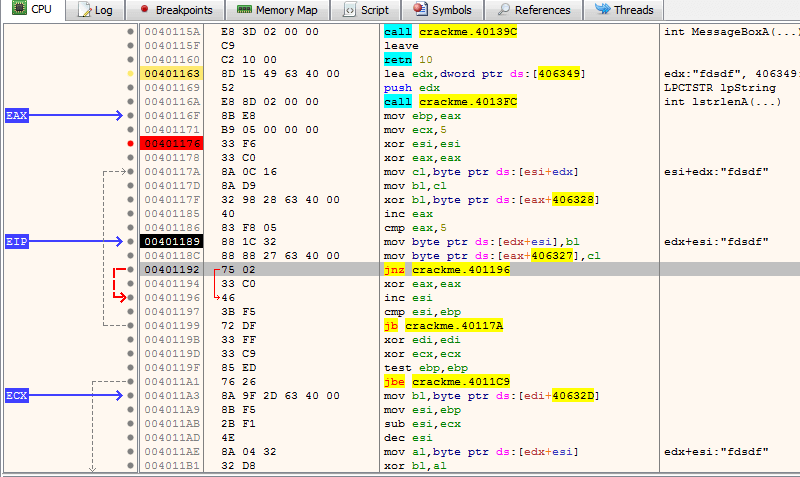
What it asks of the user
This is not a tool that hides its subject. Assembly reading, memory layout and calling conventions are the vocabulary, and a user without them will find the interface honest to the point of unfriendly. The documentation and tutorials exist and are worth the time, because the alternative is not a simpler debugger but no ability to answer the question at all. It is a tool that rewards knowledge and teaches it slowly.
A reasonable position on scope
It is a Windows debugger, and it does that job thoroughly rather than spreading itself thin across platforms. It is free and open source, which for a research tool matters because access should not depend on a budget approval. And it is not a decompiler, a disassembler suite or a malware sandbox; it is the part of the workflow where the program runs and someone watches. That is a narrow description of a tool that ends up central to a great deal of work.
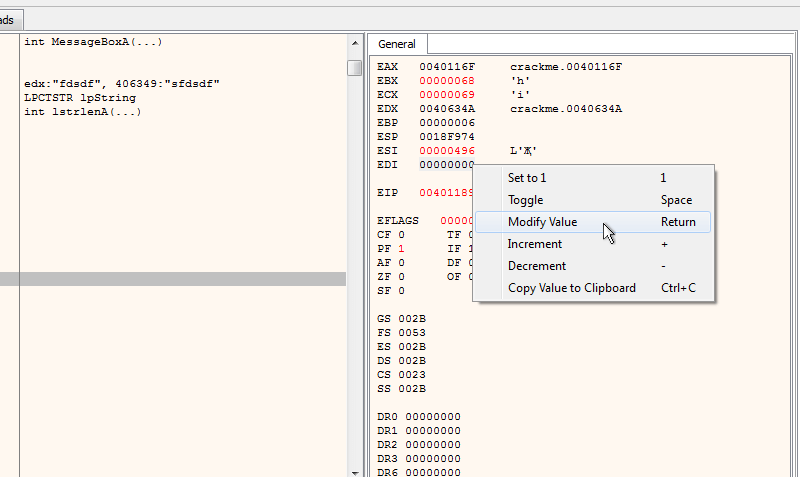
Why it stays installed
Most debugging tools are opened rarely and matter enormously when they are. What decides whether one stays is how little it gets in the way on the day it is needed: whether it starts quickly with a binary, whether the panes are where memory expects them, whether a plugin for the current problem already exists. x64dbg has been built by people who use it, which is visible in those details, and that is the practical reason it has become a default answer to a question that arrives without warning.