
Razer Cortex: A Free Game Booster With AI-Drafted Graphics Presets
Summary
Razer Cortex is Razer's free game optimisation and launcher platform, gathering game clips, a booster, an AI-driven preset engine, a system cleaner, price comparison and a rewards programme in one window.
Recommend- Name
- Razer Cortex
- Version
- 11.2.10
- Pricing
- Free
- Open source
- Proprietary
- Operating system
- Windows
- Website
- https://www.razer.com/cortex
- Updated
- 2026-10-11 20:19
Letting the machine breathe before a session is a fixed ritual for many players, and Razer Cortex tries to fold that ritual into a single window.
Six tools behind one entry point
Razer Cortex is a free game optimisation and launcher platform from Razer. The headline on the official site promises to unlock the full potential of your PC, and the subtitle is more specific: one powerful platform to boost system performance for a better gaming experience and to find the best prices on games. The English site puts three promises side by side, higher frame rates and faster load times through system tuning, help finding good deals, and a central place to launch the games you play most. The system requirements printed under the download button are Windows 11 and Windows 10, 64-bit.
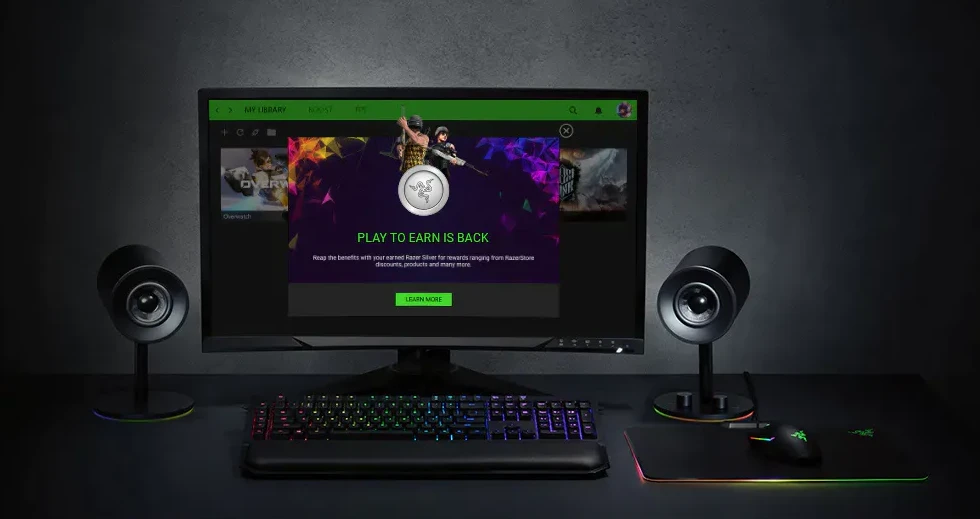
The feature set splits into six blocks. Game Clips captures evidence: one press trims the last thirty seconds of play, aimed at streamers, creators and ordinary players who like sharing highlights. Game Booster applies a set of optimisation tools to the machine with higher frame rates and faster load times as the goal. System Booster is the one-stop option that detects and removes junk files to free up space. Deals is a price comparison engine that scans popular digital game stores and gathers cheaper prices, with frequent giveaways listed alongside. Play to Earn is the rewards programme: time spent playing on the PC earns Razer Silver loyalty points that can be exchanged for Razer gear, games and other rewards.
Letting an algorithm try the settings for you
The largest of the six is BOOSTER PRIME. Officially it uses advanced AI to tune PC settings for the experience you want; its machine learning algorithms have already worked out the best settings for playing top competitive titles, so a player can pick the game to optimise according to how they like to play. In other words, the chore of trying graphics options one by one is handed to an algorithm. The official text adds that the AI keeps learning and can serve each game with different settings.
Four presets are provided. Competitive Advantage cuts unnecessary effects and tunes the game for esports-level performance. High Quality optimises image quality without hurting performance. High Performance does the reverse, optimising performance without hurting image quality. Balanced sits between the two for smooth play. The official instructions are to open the BOOSTER PRIME tab, click optimise for the chosen game, start with the recommended settings for a balanced style, then switch to another preset as taste dictates. Optimised items are highlighted in green, and the restore button returns the game configuration to its original state.
Two supporting features deserve their own mention. Predictive FPS means the official tooling can forecast how a game will run before it loads; the machine learning lets you run a frame rate detection first and get an accurate prediction for your own hardware, then drag to the frame rate you want and optimise, after which all graphics settings are adjusted to match. Enhanced visuals fine-tune colour and brightness through hue, brightness, contrast and digital vibrance. The limits are stated too: an option greyed out means the graphics card or monitor does not support that adjustment, and optimisation cannot complete while the game process is still running or while its GameUserSettings.ini file is read-only. The FAQ adds that as long as the PC meets the minimum requirements of the game, BOOSTER PRIME can make the corresponding adjustments, so lower-end machines are covered as well.
Item | Official notes |
|---|---|
Publisher | Razer |
Features | Game Clips, Game Booster, BOOSTER PRIME, System Booster, Deals, Play to Earn |
System requirements | Windows 11, Windows 10 (64-bit) |
BOOSTER PRIME presets | Competitive Advantage, High Quality, High Performance, Balanced |
Games cited | Fortnite, PUBG, Valorant, Apex Legends, League of Legends |
Open source | Uses FFmpeg code under LGPLv2.1 |
It changes settings, not rules
On the positioning of BOOSTER PRIME, the official FAQ gives a direct limit: it only adjusts the graphics and performance settings of a game to improve the experience. That is worth spelling out. What it touches are image quality, frame rate and picture parameters, the very items games already expose to players; it does not reach into how a game runs its rules, and it cannot change the outcome of a match. For players who care about account safety, that boundary matters more than any acceleration figure.
Cortex also ships some open source components. The official page states that the software uses FFmpeg code under the LGPLv2.1 licence, and provides the corresponding source download, with the file marked v7.0.2. The Cortex client itself is closed source, but the part handling audio and video encoding is open and traceable.

Putting picture tuning, system cleaning and game price comparison behind one entry point saves the few scattered minutes before every session.
Practical notes. Quit the game completely and check that its settings file is not read-only before optimising, or BOOSTER PRIME will fail. Start from Balanced and move to High Quality only when there is frame rate headroom left. Game Booster and System Booster can run together, but the latter deletes files, so read the list it proposes first. And since every BOOSTER PRIME change can be reverted with restore, check the result after each attempt.