
Winaero Tweaker finds the switches Windows hid
Summary
Windows is full of features that work but have no discoverable switch: taskbar behaviour, explorer details, context menus, animation timing. Winaero Tweaker collects several hundred of those adjustments into one tree, applies each change immediately, and exports the whole set so a reinstall does not mean starting over.
Recommend- Name
- Winaero Tweaker
- Version
- 1.65
- Pricing
- Free
- Open source
- Proprietary
- Operating system
- Windows
- Updated
- 2026-10-06 20:54
The switches buried in the registry, lit up at once
Windows carries a large collection of features that work perfectly well and have no switch you can find. The taskbar can be told to behave differently, but not from the taskbar settings page. The file explorer has details worth changing that never appear in its options. The context menu, the length of an animation, the way a window snaps, the exact text of a system message: all of it exists, and all of it is controlled somewhere a normal person would never look. Doing it by hand means editing the registry, which is both tedious and, done carelessly, a way to break a working system.
Winaero Tweaker takes those several hundred scattered adjustments and puts them in one tree. The left side is organised by area, appearance, taskbar, explorer, privacy, performance, network, and the right side is one switch per item. Change it and the effect arrives immediately, without a restart ritual. Items that carry real risk come with a note explaining the consequence, which is the difference between a tool that respects its user and one that just offers a long list of checkboxes.
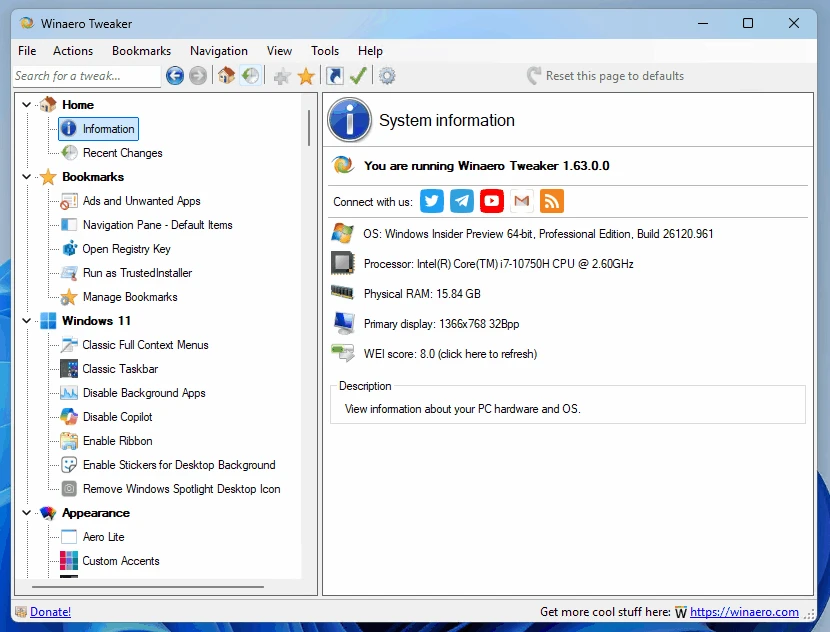
For someone who wants a machine set up the way they like it, this is the settings panel the operating system arguably should have shipped with. Not because every option is essential, but because a preference you cannot express is a preference the system does not actually support, however many features it claims to contain.
Keeping pace with the system itself
The rarest quality here is diligence. Every major Windows 11 update arrives with new interface decisions and new behaviours, and the author tracks them rather than letting the utility drift into reporting last year's truth. The February 2026 release, version 1.65 (2026-02), covers the current builds, which matters more than any single feature list: a tweaking tool that does not keep up becomes a source of confusion rather than control.
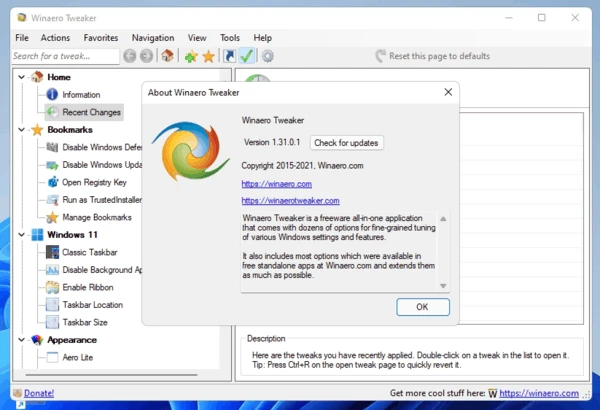
Results can be exported to a file, which solves the oldest annoyance in this genre. Reinstalling an operating system usually means redoing every preference by hand, rediscovering the ones you had forgotten, and living with a few you never noticed were wrong. Carrying the exported set across turns a two hour ritual into a single restore, and it also makes the settings portable between machines that should behave identically.
The attitude is that default settings should not be the end of the story: the system belongs to the person using it, and a hidden option deserves a name. The freedom to tune is part of what makes a computer enjoyable in the first place.
The principles of use are simple enough to state in one breath. Change one or two things at a time rather than twenty. Read the explanation before flipping a switch and skip anything you do not understand, because a setting you cannot explain is one you cannot debug. If something behaves oddly after a major system update, return to the relevant entry and restore the default there, which is a two click operation rather than a system repair.
For anyone who has just finished installing a fresh system, walking through the privacy and taskbar categories is the highest return ten minutes available: fewer things reporting home, a taskbar that stops rearranging itself, a context menu with the entries you actually use. The tool is free, downloads from the official site, and also comes in a portable build for machines you would rather not install anything on.