
Privacy Eraser clears the traces a machine leaves behind
Summary
A computer accumulates history, cache, recent documents, run records and thumbnails until the day it is lent or sold. Privacy Eraser gathers hundreds of those targets under one tree, clears them in a single pass, and adds a shredder plus free space wiping for the files that must not come back.
Recommend- Name
- Privacy Eraser
- Version
- 6.31
- Pricing
- Free
- Open source
- Proprietary
- Operating system
- Windows
- Website
- https://www.cybertronsoft.com/
- Updated
- 2026-10-06 21:04
A digital life needs a cleaning now and then
A machine that has been in use for a year or two carries more traces than its owner expects. The browser keeps a list of where it has been and a cache of what it found there. The system remembers which documents were opened recently, which programs ran and when, and keeps a copy of every thumbnail it ever drew. Applications leave temporary files behind without asking. None of this is harmful on its own. Together it forms a reasonably complete record of how the machine has been used, and that record turns into a liability the moment the computer is lent to someone, sold, or pointed at a project that should not leak.
Privacy Eraser treats that as one job rather than a dozen. Several hundred cleaning targets are grouped by browser, by system area and by application, so the list is browsable instead of overwhelming. Tick what should go and clear it in a single pass. Each entry carries a note explaining what it removes and where the risk lies, which turns the scope of a sweep into a decision rather than a guess. That sounds like a small thing until you meet a cleaner that offers a hundred checkboxes and no explanation of any of them.
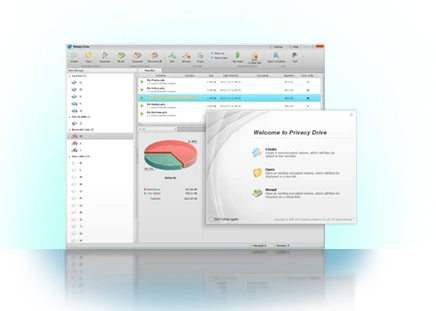
The interface is deliberately unglamorous. Areas on the left, items on the right, a progress line at the bottom. Nothing invites you to press a large friendly button and hope. For a tool whose job is deletion, that restraint is the right instinct: the interesting question is never whether the sweep was fast, but whether it took exactly what you meant and nothing else.
From cleaning to destroying
What separates this from an ordinary cleaner is the destruction layer. A file deleted in the normal way can usually be brought back by recovery software, because deletion only removes the index entry and leaves the bytes where they were. The built-in shredder overwrites the content several times following established patterns, so what remains is not a file waiting to be rescued but material with no meaning left in it.
Wiping the free space goes a step further. Files deleted before the tool was ever installed leave shadows in the unused area of the disk, invisible to the file manager and perfectly readable to a recovery program. A pass over that area takes the shadows with it. For an old drive about to be handed on, or a work machine changing owners, this is the layer that actually delivers peace of mind, more than any list of cleaned categories.
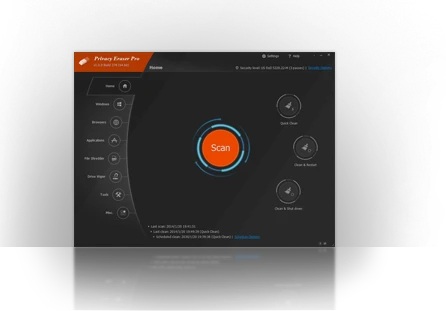
Startup management is included as well, which closes the loop: the same tool that removes traces also decides what is allowed to run at boot. Cleaning and controlling live in one window, instead of three utilities that each handle half of the problem and disagree about the rest.
The idea is to make privacy housekeeping a habit rather than an event: a quick sweep after using the computer, and sensitive files sent to the shredder instead of the recycle bin. Peace of mind is the accumulation of small actions, not one dramatic cleanup.
A few notes from practice. The browser cache does not need clearing every day, because it exists to make pages load faster, and emptying it regularly makes browsing slower for no privacy gain. The items worth attention are history, saved form data and system traces. Shredding should be reserved for files that genuinely must be destroyed, since there is no undo and no recovery beyond it. The free edition covers the core cleaning; the professional edition adds finer rules and scheduled automatic sweeps for anyone who wants the habit handled without thinking about it.
The larger point is that this kind of maintenance only works when it is cheap. A minute at a regular interval, the same minute you would spend closing tabs, and the record of a year of use stops accumulating in the background. Waiting until the machine changes hands means the cleaning happens exactly once, at the worst possible moment, under time pressure.