
Warp Turns the Terminal Into Blocks You Can Read Back
Summary
A terminal that keeps every command and its output inside a separate block you can fold, copy or run again, completes from the context of the line, edits text the way an editor does and renders through the GPU. It runs on macOS and Linux.
Recommend- Name
- Warp
- Version
- 20260430
- Pricing
- Paid
- Open source
- Proprietary
- Operating system
- macOSLinux
- Website
- https://warp.dev/
- Updated
- 2026-10-16 22:00
The terminal is the last tool anyone redesigns
Every few years the editor is rebuilt, the browser is rebuilt, the build system is rebuilt, and the terminal sits where it has always sat: the oldest window on the screen, opened at the first login and never really reconsidered since. That is not because nothing about it needs fixing. It is because the plain scrolling text buffer is assumed so completely that most people stopped seeing it as a design decision and started seeing it as the shape a terminal simply has. Warp starts from the other side of that assumption. The buffer is a decision, it was made decades ago for machines that no longer exist, and therefore it can be made again.
One command, one block, kept together
The first difference is structural rather than cosmetic. Instead of a single stream where commands and results interleave into a wall of text, each command and the output it produced are held together as one block. A block can be folded down to a single line, copied whole, or run again on its own, and moving back through a session means stepping between blocks instead of scrolling and squinting at prompt characters to work out where one thing ended and the next began. Anyone who has spent ten minutes scrolling up a noisy build log trying to find the line where the failure started already knows what this is worth, and knows that the answer is not a nicer font.
Completion that reads the line, not just the prefix
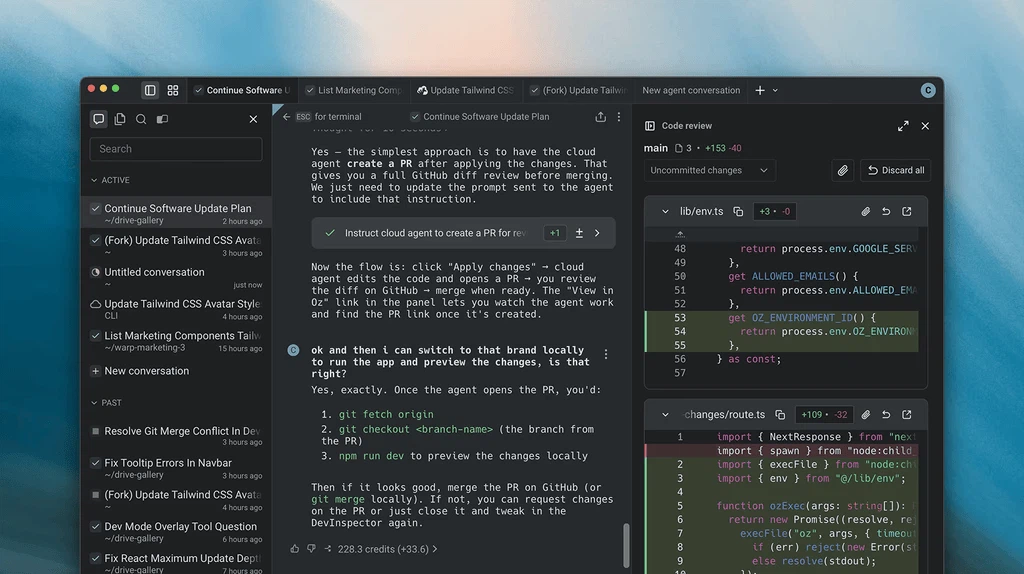
Completion in a classic shell matches a prefix against a list of names. It knows what exists, not what you are trying to do. Here the suggestion is drawn from the context of the whole line, so a partially typed command can be finished into the form that fits the arguments already given, and a command that is unfamiliar can be explained rather than merely extended. The practical effect is largest for people who are still learning an environment: the gap between knowing that a tool exists and knowing how to invoke it stops costing a documentation search every time. Search over history works the same way, by keyword across past sessions rather than by pressing an arrow key forty times.
Editing the command as if it were code
Typing into a traditional prompt is a single-line affair: the cursor sits at the end, and anything that needs changing has to be walked back to. Warp treats the command line as a text field with an editor behind it, so selection, multiple cursors and the usual key combinations all work on what has been typed. For anyone who spends the day in a modern code editor, this removes a small but constant friction, because the hands no longer have to switch between two sets of habits depending on which window has focus. Results are handled the same way: a long output can be inspected and acted on inside the block instead of being copied somewhere else first.
Commands as something a team can keep
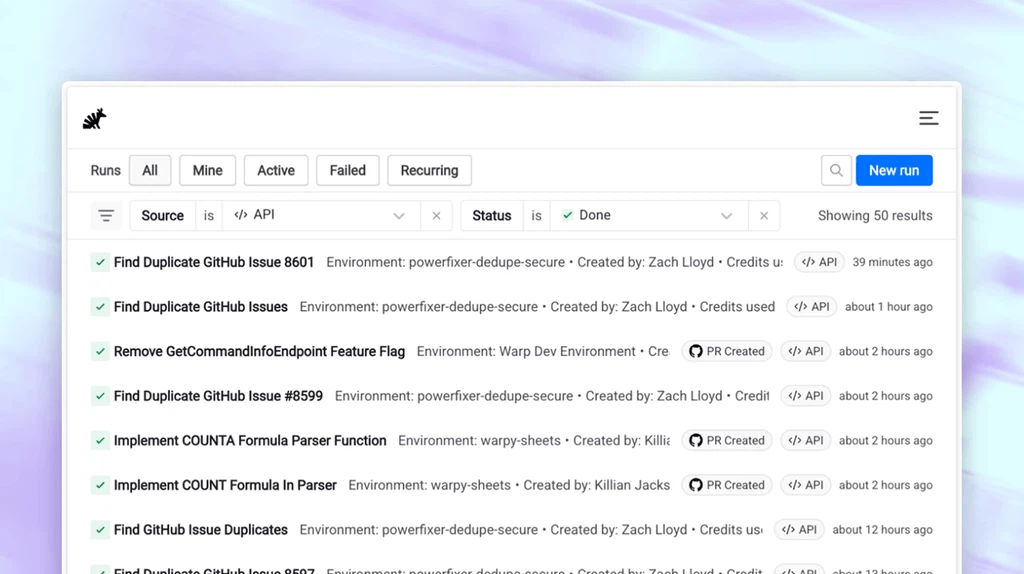
Warp Drive is the part with the longest reach. Frequently used commands, small scripts and whole procedures can be stored as named, shareable items and passed around a team, so a working sequence is written once and reused instead of being reconstructed from memory by each person who needs it. The interesting consequence is not convenience but memory: a terminal that holds what a team has learned stops being purely personal, and the knowledge that usually lives in one person's shell history becomes something the group owns. Onboarding a new colleague looks different when the standard procedures are already there, spelled out, in the place where they will actually be run.
Rust underneath, and a GPU drawing the text
Two implementation choices explain much of how it feels. The application is written in Rust, a language chosen across the industry for speed and for memory safety, which matters here because a terminal's job is to stay responsive while something else floods it with output. Interfaces are rendered through the GPU, so scrolling, redrawing and laying out dense content are handled by hardware built for exactly that, in contrast to terminals that ask the processor to repaint the screen. The difference is not visible in a quiet session. It becomes obvious the moment a test suite prints thousands of lines, or a log file is opened with no filter and the screen has to keep up.
What it still asks of you
None of this arrives without a cost. Platform coverage is narrower than that of a terminal that has shipped with every Unix for decades: macOS and Linux are the supported ground, and people who work across other systems should check before moving their daily habits here. Highly customized shell setups are the second place where friction shows up, since a configuration built up over years around a specific prompt framework may not carry over unchanged. The third cost is the least visible and the most real: the interaction model is different enough that long-time terminal users need a few days before their fingers stop reaching for habits that no longer apply. That is a strange thing to list as a drawback, but pretending otherwise would be dishonest.
Whether the trade is worth making
A terminal is used more often than almost anything else on a developer's machine and reconsidered less often than anything else, which is exactly the combination that makes a redesign worth examining on its merits rather than dismissing as decoration. Structured blocks, context-aware completion, editor-grade text handling and a shared store of team procedures each solve a problem that people currently solve by scrolling, by searching documentation, or by asking whoever wrote the script. Someone who lives entirely inside a familiar shell and a handful of commands will gain little and may resent relearning the motions. Someone who reads long output, works with others on the same procedures, or is still learning the command line will notice the difference on the first afternoon. The honest summary is that Warp is not a better version of the terminal everyone already has. It is an argument that the terminal was due for one, and the argument is strong enough to be worth testing against your own work for a week.