
Vortex 1.16: a mod manager for people who would rather play
Summary
Vortex is the official mod manager for the largest mod hosting site, with a lineage going back to an earlier manager from the same team. It sorts load order on its own, detects conflicts, installs and removes mods in one action without leftovers, keeps separate profiles per save, and can install a curated collection in the right order. GPL-3, hundreds of games, stable 1.16.8.
Recommend- Name
- Vortex
- Version
- 1.16.8
- Pricing
- Free
- Open source
- Open source
- Operating system
- Windows
- Updated
- 2026-10-06 23:17
Built for people who would rather play
Most tools in this corner assume the user enjoys the tinkering. This one assumes the opposite. It is the official client of the largest mod hosting site, its lineage runs back through an earlier manager from the same publisher, and the brief is easy to state: automate whatever a rule can decide, so that a modded setup ends with a game being played rather than a folder of half-configured archives.
That choice shapes everything. Where the older generation of managers handed the user a list and a set of arrows, this one runs a sorting pass on its own and asks for a decision only when the evidence genuinely conflicts. Nothing is hidden permanently — the panels are there for anyone who wants them — but the default path is the one that requires no knowledge.
Load order, conflicts, and clean removal
Load order decides which mod wins when two of them change the same record: the later entry overrides the earlier, which is why a badly ordered list produces a game that loads and then behaves strangely. The built-in sorting engine takes that job over, and conflict detection works together with the plugin panel, so the wall of warnings that older tools presented is folded into a summary that can be opened when something looks wrong.
Installing and removing are single actions, and removal is genuinely clean: the files a mod put in place are taken back out when it goes. That matters more than it sounds. Leftovers from a half-removed mod are the usual cause of a setup that worked last month and refuses to start this one, and the only reliable fix is often to rebuild the whole arrangement from nothing.
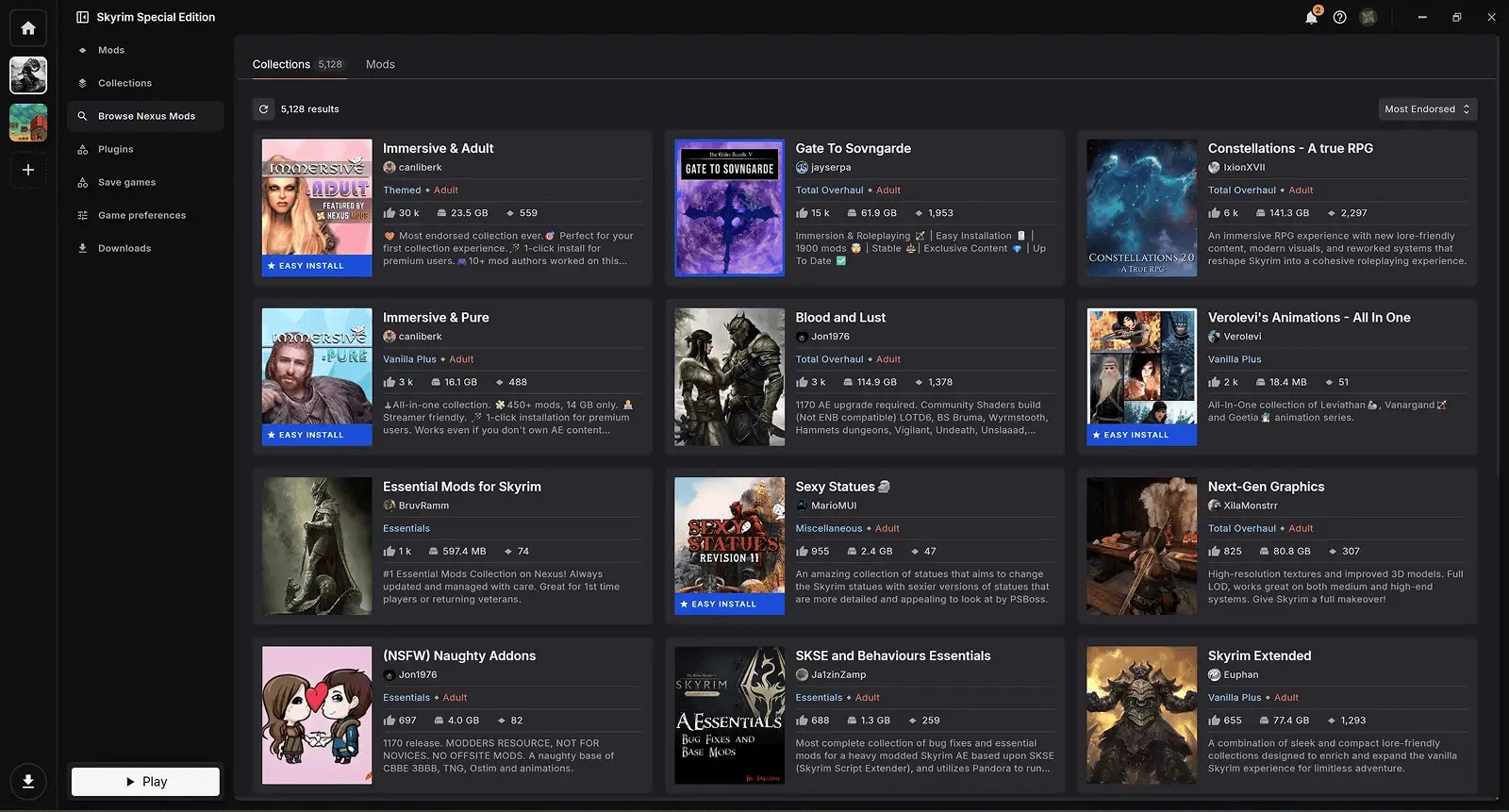
Profiles keep separate mod sets for separate saves. Switching a profile swaps the whole arrangement rather than editing it, so a heavily modded run and an almost untouched one can sit side by side without reinstalling anything. Collections push the same idea further: a list curated and published by someone else installs in the correct order after a single confirmation, which is the shortest route from wanting a particular look to having it running.
Diagnosing a bad setup gets easier too. When something behaves oddly, a new profile can be created with the suspect mod left out while the working arrangement stays untouched. In the older way of working, that single counter-test often cost an evening, because every rollback carried the risk of taking the good state with it.
Tied to the site it comes from
Because client and site belong to the same project, the two talk to each other. A button on a file page sends the download straight into the client's queue instead of into a browser folder, update notices for installed mods appear inside the app, and tracked items stay in step with the account. Games covered run into the hundreds, from the large open-world role-playing series to much smaller titles, part through official support and part through community extensions.
The source is published under a strong copyleft licence, so extensions are allowed and a number of the practical fixes in the client started as community work. Anyone who wants a particular workflow badly enough can write it, which is the difference between a client that improves and one that only ships.
Version and requirements
The current stable build is 1.16.8, released on 31 March 2026. The sorting library underneath moved to a newer major version, which the release notes credit with roughly halving the time a sort takes, and a batch of installer options and conflict rules were corrected. It runs on Windows 10 and newer, and using it requires a free account on the site — free being the operative word, since nothing about the manager itself is paid.
For a few dozen mods and an evening that should be spent playing rather than reading conflict logs, the automation here is genuinely restful. Anyone running several hundred mods with hand-tuned patches will eventually want finer control, but starting here and moving later costs nothing: both approaches are free and open source.