
Tron Script: a maintenance run split into numbered stages
Summary
No button at all, just a batch script that walks through numbered stages, logs every one of them and lets each be switched off from the command line. One full pass is officially a 3 to 10 hour job.
Recommend- Name
- Tron Script
- Version
- 12.0.6
- Pricing
- Free
- Open source
- Open source
- Operating system
- Windows
- Website
- https://github.com/bmrf/tron
- Updated
- 2026-10-06 15:34
Cleaning tools mostly do the same thing: they pack the maintenance you ought to do into a button. This one goes further and removes the button as well, leaving a batch script. The repository front page states it plainly, an automated computer cleaning script. The author's explanation is that he grew tired of running these utilities by hand, one after another, and scripted the whole set so that cleaning and disinfection of Windows machines happens on its own. The name is borrowed from a line about fighting on the user's behalf, the licence is a permissive open-source one, and the repository has accumulated 2611 commits, 6600 stars and 416 forks.
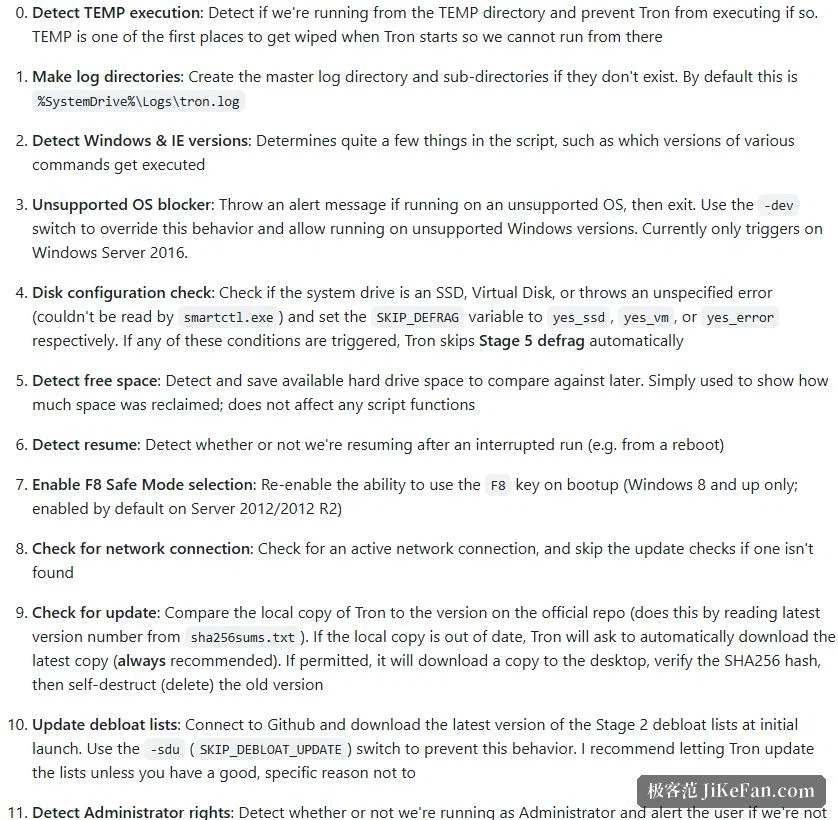
It works in stages, not in buttons
The project notes split the whole flow into numbered stages, each with its own batch file, and the author points out that those sub-scripts can be run on their own without the main script. Reading the repository description and the resources folder gives the shape of it. The preparation stage creates a system restore point, takes a snapshot of installed programs and of the whole disk before the run so that a comparison is possible afterwards, checks and tries to repair the system management interface, calibrates the clock against a network time source, backs up the registry, and calls several outside anti-malware tools as a pre-pass. Temporary file cleaning and de-duplication are stages of their own, the disinfection stage concentrates on virus and rootkit scanning, and defragmentation is placed near the end.
The design has a practical payoff: when something goes wrong, finding it is easy. Logs are kept per stage, with the main log written by default into a log folder on the system drive, so which step stalled and what each step changed can both be looked up. For a machine that needs repeated maintenance, traceability is worth far more than a line saying the optimisation finished.
Three warnings written into the project notes
The first is to restart beforehand. In capitals, the notes insist on rebooting the computer so that pending updates finish, because if the script is halfway through and the system restarts over a suspended update, the system can be damaged. That sounds like boilerplate, but with hours of execution still ahead it is necessary insurance.
The second is duration. The official figure is 3 to 10 hours of waiting, with an emphasis that it really does take that long and should not be cancelled midway. The author's own observation is 4 to 8 hours, and users have reported a run of 30 hours. This is not a click and wait two minutes tool but a full deep treatment, and the advice is to set it going and leave it alone. The third is the mode: it can run in safe mode or in normal mode, and unless the infection is severe, normal mode is the recommendation.
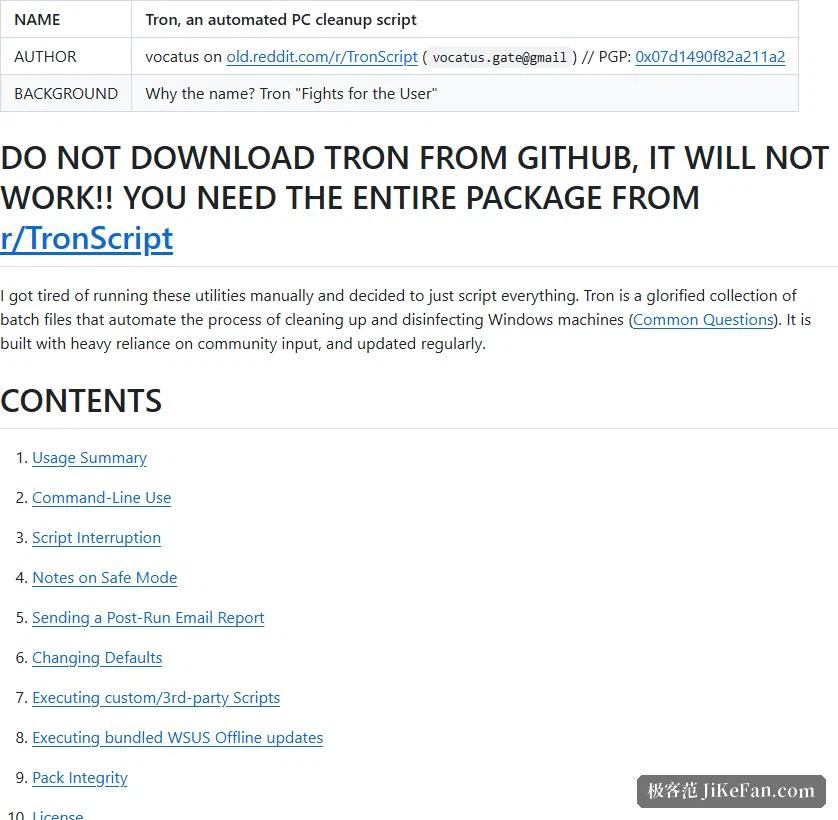
Command-line switches: every step can be turned off
The script fully supports command-line invocation, every switch optional and combinable. The listed switches fall into roughly three kinds. How to run: an automatic mode that skips the welcome screen and prompts, automatic mode with a restart into safe mode first, a dry run that walks the flow without performing any task, shut down when finished, restart when finished. What to turn off: skip all virus scanning, skip one particular scanning tool, skip application patching, skip custom scripts. What to keep: keep the preinstalled system apps, keep the power settings, keep one particular security program.
One switch deserves a mention on its own: a configuration dump that shows the current configuration so that what the script would do can be previewed, and once that parameter is used the script will not actually execute anything. For a first encounter with a tool of this kind, a dry run or a configuration dump first is far steadier than simply letting it go.
One peculiar thing about versions and how it is obtained
The release page shows the latest version as 12.0.6, with 49 tags in total and the history running back through the 10 series. Curiously, the note under every release is the same sentence: the release notes and how to obtain it are on the corresponding community page, and taking it from the code host will not work. The project notes repeat this in capitals.
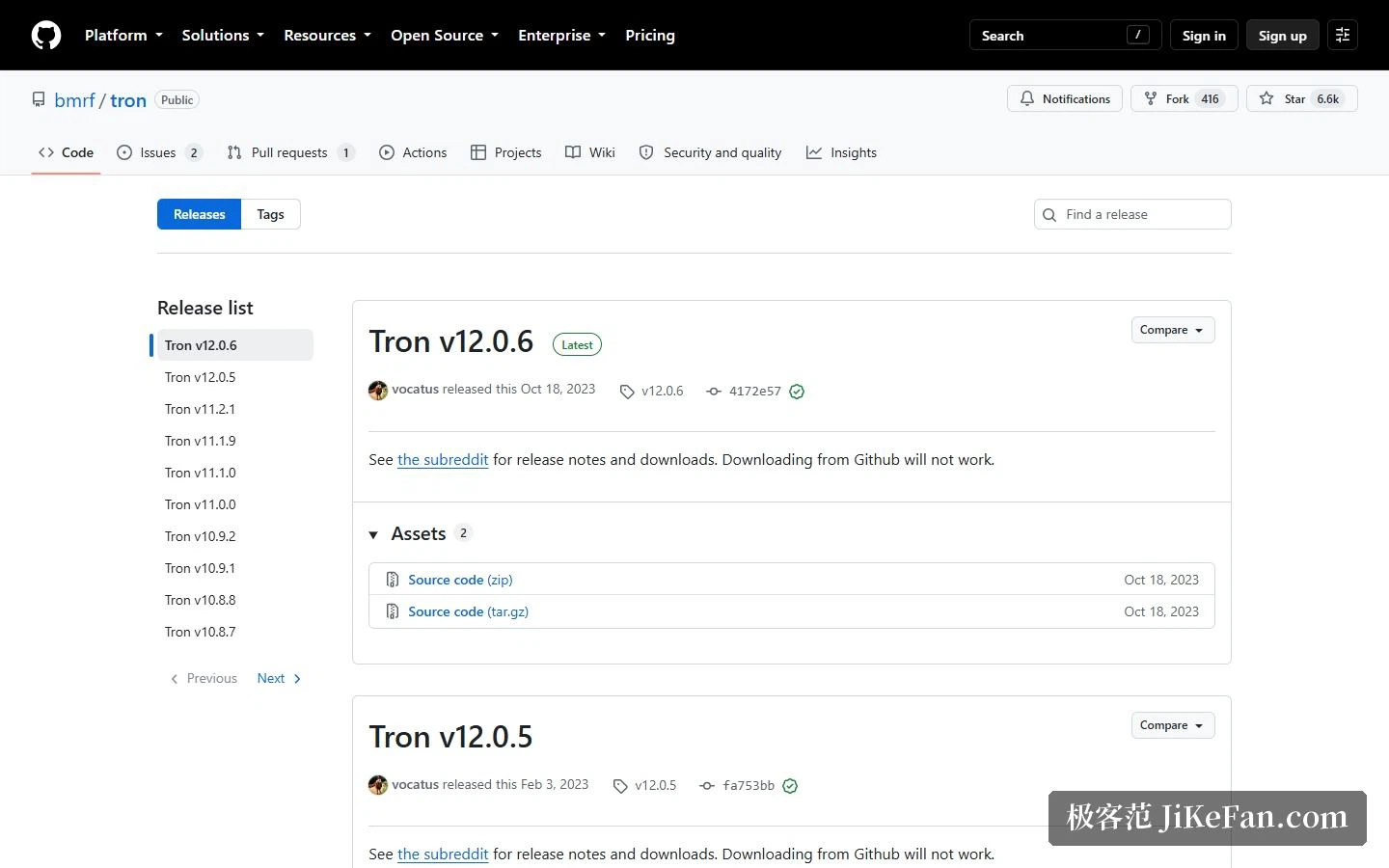
The reason is that the repository holds only the script source, while the outside tools and resources the script depends on are not in it, so the source alone will not run. In other words, the code host serves here as a place to read, review and contribute rather than as a distribution channel. Another detail shows the same lag: the changelog inside the repository already reaches 12.0.9, while the newest tag on the release page still sits at 12.0.6.
Who it suits, and what to watch
Three groups. First, anyone who has to deal with machines in batches, where scripting means an unattended run and the switches allow the flow to be trimmed to what is needed. Second, advanced users who prefer to look before they leap, since the configuration dump and the dry run show exactly what will be touched, and the sub-scripts can be lifted out and run separately. Third, cases that need a record afterwards, where a full stage-by-stage log convinces more than any message claiming the machine has been optimised.
Three cautions. It is a long job, officially 3 to 10 hours, and cancelling midway can leave a system in a half-processed state, so make sure the machine can go that long without losing power or being needed. It changes system settings on its own, including the share of the disk given to restore points, the power settings and the preinstalled apps, so decide in advance whether those changes are wanted, and the notes do provide switches for keeping them. And how it is obtained is unusual: the source on the code host will not run by itself, which the project states clearly in both the repository and the release page.
Writing maintenance as a script is really the move from remembering how to do it to having it remember. What has accumulated over the years here is not a clever algorithm but a running order that has been patched again and again: back up before touching, record before changing, and leave every step able to be switched off on its own. That dull labour is exactly the part of automation that holds.