
TextGO: A Text Workspace for the Boring Middle of Writing
Summary
TextGO collects the unglamorous half of writing into one place: editing, converting between formats, replacing across many files at once, and keeping the result in the cloud. Free, open source, and available on both Windows and macOS, with shared editing for small teams.
Recommend- Name
- TextGO
- Version
- 20260401
- Pricing
- Free
- Open source
- Open source
- Operating system
- WindowsmacOS
- Updated
- 2026-10-06 16:26
The part of writing that nobody calls writing
Ask someone about their text workflow and they will describe the interesting part: the drafting, the argument, the sentence they rewrote four times. They will not describe what came after — the document that had to become a different format before it could be sent, the term that had to be replaced in thirty files because it was spelled two ways, the folder of notes that had to be reordered, the paragraph whose line breaks were wrong because it had been pasted through three programs. That work is not writing, and it is not trivial either. It is where an afternoon disappears.
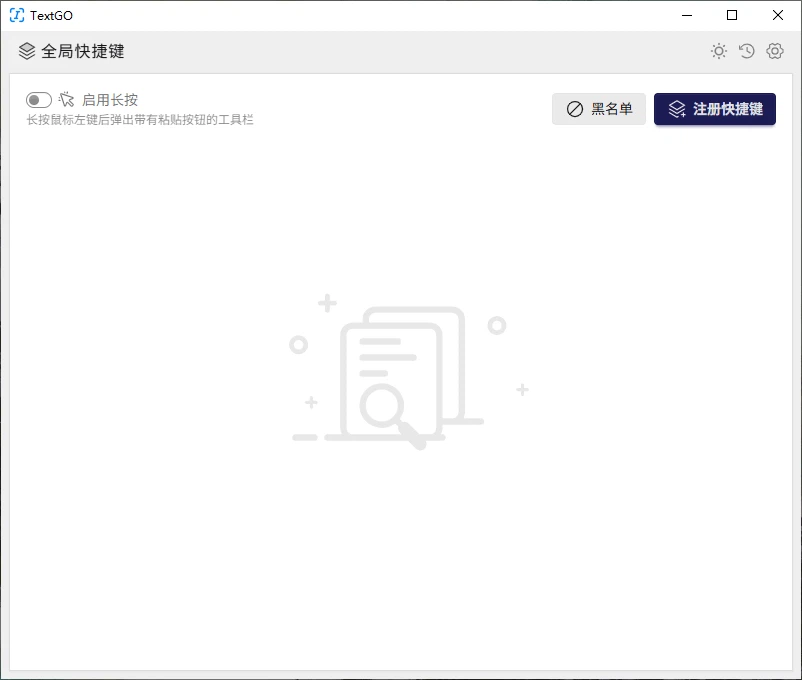
TextGO is aimed at that middle layer. It is a text editor, which is the least interesting thing that can be said about it, and then it adds the operations people normally reach for a second and third tool to perform: converting between formats, running replacements across many files at once, and keeping the results somewhere that is not a single machine. It runs on both Windows and macOS, it costs nothing, and the source is public, which matters for anyone who is being asked to put their manuscripts into it.
What it actually covers
The editing half is conventional and that is the right choice. Text gets typed, selected, moved and formatted; search and replace work the way they work everywhere, including across a whole document rather than one match at a time. Anyone who has used a desktop editor before will not need to be taught this, and the interface stays quiet enough that the text remains the loudest thing on screen.
The conversion half is where the tool starts to earn its space. Text that begins as plain text, becomes a word-processor document and has to leave as something a reader can open without owning the same software is the ordinary condition of academic and office work, and doing that conversion by hand — opening, exporting, checking what survived the export — is a tax paid repeatedly. Formats named in the original description, plain text, the common word-processor document and the portable document format, cover most of what gets asked for.
The batch half is the quiet one. Replacing a term in one file is a keystroke; replacing it in a folder is a different kind of task, and it is also the task most likely to go wrong silently, because a replacement that matches too much does not announce itself. Having it inside the same program as the editor means the change can be inspected immediately in the place where it will be read.
Cross-platform, and the cloud claim
Windows and macOS are both supported, and the useful consequence is not the platform list itself but that the same person can work on the same material from a desktop and a laptop without maintaining two habits. The cloud storage feature extends that: work is kept off a single disk, which is the difference between losing a machine and losing an afternoon.
Two honest qualifications belong here. Storing documents in a cloud account means trusting that account, and for unpublished research or client material that is a decision to make deliberately rather than by default. And a backup is not a synchronisation: a document that is deleted or corrupted in one place can be deleted or corrupted everywhere it is mirrored. The original guidance to keep regular backups is not boilerplate; it is the one instruction that saves people.
Collaboration, described without inflation
Several people editing one document at the same time is now an expected feature and a genuinely useful one for a small team assembling a report from separate sections. It is worth being clear about what it does not solve: simultaneous editing prevents the duplicate-file problem, but it does not prevent two people writing the same paragraph in different words, and it does not make an unreviewed document reviewed. The tool removes the mechanical conflict, not the editorial one.
For a student working alone, this part of the program will simply never be used, and that is fine. The feature set is broad enough that each user will ignore a different half of it, which is a reasonable way for a general tool to be built.
Shortcuts matter more than the feature list
The most useful advice in the original description is also the least promotional: learn the keyboard shortcuts. In a program whose value is measured in repeated small operations, the difference between reaching for a menu and pressing two keys is the difference between a tool that speeds work up and one that becomes part of the work. The same applies to batch operations — checking each step rather than firing one enormous replacement and hoping — because the failure mode of a bulk edit is not an error message, it is a document that reads almost correctly.
Who it fits
The audiences named in the original description are students, teachers, writers, researchers and office staff, and they share a condition rather than a skill level: text is the material they work in, and a meaningful part of their day is spent moving that text between formats and places. A researcher assembling a paper from notes, a teacher preparing the same handout in a format the school can open, a writer keeping drafts in one place — all of them are doing the same middle-layer job with different nouns.
Verdict
TextGO is not trying to be the program you write in because it is beautiful. It is trying to be the program that is already open when the writing is done and the text still has to be turned into something sendable. Being free and open source removes the usual reason to hesitate, and the combination of editing, conversion, batch replacement and cloud storage in one window removes the usual reason to switch applications. If your work involves text that keeps needing to become a different text, that is exactly the problem it was built for.