
Resource Hacker: Editing the Half of a Windows Program That Is Not Code
Summary
Resource Hacker opens the resource section of a Windows executable and lets you read, edit, extract and batch-replace what is stored there: dialogs, icons, menus, string tables and version blocks. A working tool for localisation and interface work, with real consequences if you skip the backup.
Recommend- Name
- Resource Hacker
- Version
- 5.2.8
- Pricing
- Free
- Open source
- Proprietary
- Operating system
- Windows
- Updated
- 2026-10-06 20:13
The half of a Windows program that is not code
A dialog box is a rectangle with a title, a few lines of static text, three edit fields and two buttons. Almost nothing about it is computed at runtime. Where each control sits, what each button says, which font is used, the order in which Tab moves between fields, which control gets the focus first — all of it is decided in advance and stored inside the executable, in a section that sits next to the machine instructions but is never executed. The same is true of the icon in the title bar, the bitmap on a splash screen, the menu across the top of the window, the accelerator table that maps a key combination to a command, and the string table from which every label in the interface is read when the program loads.
This arrangement is the reason a program can be translated into another language without being recompiled, and the reason its appearance can be changed by somebody who has never seen a line of its source. Resource Hacker is a viewer and editor for precisely that section. Point it at an executable, and it walks the resource directory and presents the contents as a tree: icons, bitmaps, cursors, dialogs, menus, string tables, version information, application manifests, and the binary lumps that have no friendlier form. Nothing is guessed and nothing is regenerated; what you get is what the linker put there.
Four verbs, and the fourth is the one people underestimate
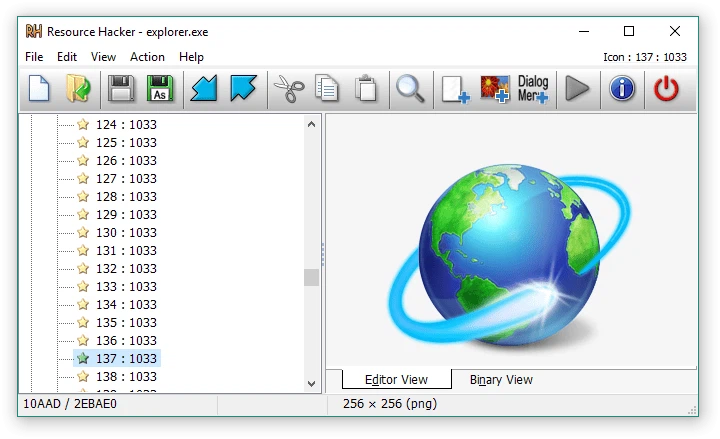
The first verb is read. Before you change anything it is worth simply looking, because the resource tree answers questions that are otherwise awkward: how many dialogs does this program actually have, is there a string table for a language nobody uses any more, was that icon group assembled from several sizes or is there only one size and the system is scaling it badly.
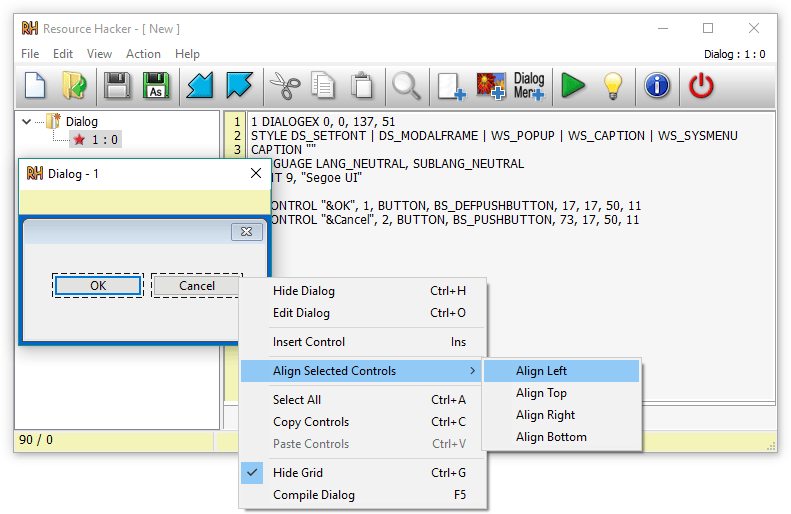
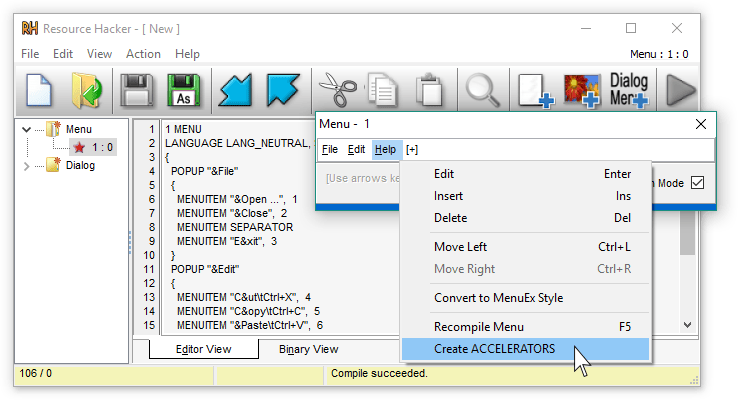
The second verb is edit. Text, icons, bitmaps and entire dialog layouts can be changed in place — the visible surface of the program, altered without touching a compiler. Dialogs get a visual editor where controls are dragged and resized; menus, string tables and version blocks get a form. Binary resources can be patched byte by byte, which is rarely the right answer but occasionally the only one.
The third verb is extract. Every icon, bitmap and cursor can be written out to a file, and this alone justifies the tool for a lot of people: the icons embedded in a long-abandoned program are often the only copies that still exist anywhere. Extraction is also how you take a resource apart, study its structure, and put a modified version back.
The fourth verb is the one that changes the tool from a curiosity into something a person uses weekly: batch. Adding a resource, deleting one and replacing one are separate operations, and doing them across a set of related executables is not much harder than doing them once. For anybody maintaining several builds of the same program, that is the difference between an afternoon and a coffee break.
What editing a dialog really involves
The visual editor is comfortable, and it hides a real constraint: a dialog is laid out in units that are not pixels. A field sized for a label in one language will clip a longer label in another, and a control moved to make room will sometimes overlap a neighbour that was already tight. Anyone changing interface text should expect to resize things afterwards, and should check the result at more than one display scaling, because the dialog units do not behave the way absolute coordinates would.
The tool also exposes the resource script behind the form. This matters when the same change has to be repeated across many dialogs: editing the text is faster than dragging controls, and the script makes the structure of the layout visible in a way the canvas does not. It is also the honest view of what the editor is producing — the form is a layer on top of the resource definition, not a substitute for it.
Where the tool earns its place
Localisation is the obvious case. Translating a program that was never designed to be translated usually means editing string tables and dialog layouts directly, and that is exactly the job this tool was built for. Interface work is the second case: changing the wording of a message, replacing a dated icon with a current one, adjusting a layout that the original author left cramped. Game modding is the third, and the least predictable — game executables are resource-heavy, and a large share of small modifications to menus, splash screens and interface art are nothing more than resource swaps.
The users the original description names — developers, interface designers, technically confident users — are the right audience, and the common thread is not skill but intent. This is a tool for people who need to change something specific and already know what they want it to say. It is a poor tool for exploring, because the resource tree tells you nothing about what a dialog is for.
The discipline the tool cannot enforce
Everything here writes directly into a file that other programs depend on, and the failure mode is not a warning dialog. It is a program that no longer starts. So the first rule is dull and non-negotiable: keep an untouched copy of the original before the first edit, every time, including the time you are sure it will work. Working on a copy and keeping the original aside costs nothing and removes the worst outcome entirely.
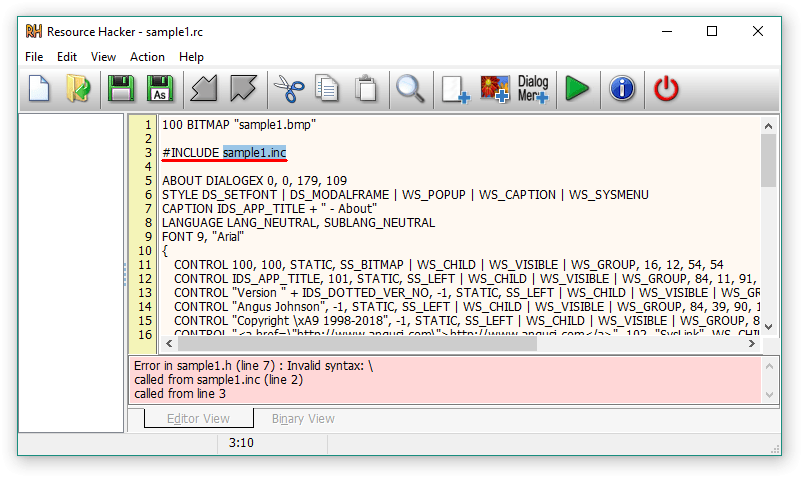
The second rule is to understand the resource before modifying it. A dialog is a structure, not a picture; a string table is indexed, and its indices are referenced from code, so inserting a string in the middle can shift every label after it. The third rule is to start small. Change one icon, confirm the program still runs, then move on to the dialog that matters. The habits are unglamorous and they are the whole difference between a modified program and a broken one.
What it is not
It is not a development environment and it will not help you understand logic. Resources describe how a program looks and what it is called; the behaviour lives in code that this tool deliberately does not touch. It is also not a decompiler, and confusing the two is the most common misunderstanding: pulling a dialog out of an executable and putting a different one back is a legitimate and ordinary operation, while reconstructing source from machine code is a different activity with different legal weight in different places. The tool handles the first and stays out of the second.
What it is, precisely, is a well-scoped utility that does one job with a clear boundary. It reads a documented file format, shows you the contents honestly, lets you change them, and gets out of the way. That is a modest ambition, and it is why the program has stayed useful for as long as it has.
The verdict
If you have ever needed to change one word in a program's interface, replace an icon, or see what an executable is carrying around, this is the shortest path between the question and the answer. The interface is plain, the help file is complete, and the community around it has been answering the same practical questions for years. The cost of admission is one habit: copy the file first. Everything else about the tool is forgiving.