
System Mechanic review: maintenance that runs itself, priced per household
Summary
A veteran tuner that shifts the burden from remembering to maintain to letting it happen: a scan that finds the problems and a background agent that fixes them when the machine is idle. One subscription covers the household.
Recommend- Name
- System Mechanic
- Version
- 26.5
- Pricing
- Paid
- Open source
- Proprietary
- Operating system
- Windows
- Updated
- 2026-10-03 14:04
In the PC tuning category System Mechanic is one of the longest-lived entries. The vendor has been at it since 1998, and its site counts more than 20 years of performance innovation and over 80 million computers repaired, with the lab's definition of smart tuning and United States patent numbers listed at the foot of the product page. The current release is 26.5, and the definition on the site is a single line: clean, repair and speed up your PC. The subtitle gives the thinking away, which is to let maintenance happen automatically.
What version 26.5 is answering
The notes for 26.5 open with the background: AI tools, heavy browser work, streaming and background applications are all adding load. That sentence is worth noticing, because it moves the cause of a slow machine from the traditional pile of junk to a new shape of workload. A dozen tabs open, a local model running in the background, a video call on top of both, and the pressure is not something deleting a few temporary files will relieve.
The answer comes in two steps. SmartScan inspects the key areas of the machine for problems that affect speed, stability and overall performance, and presents a clear view of what needs attention. ActiveCare then runs the necessary cleaning and optimisation in the background, reducing build-up and holding performance steady, which the site describes as no longer adding a chore to your calendar. One finds the problems, the other deals with them, and the judgement asked of the user is squeezed to a minimum.
Automatic maintenance: Smart ActiveCare
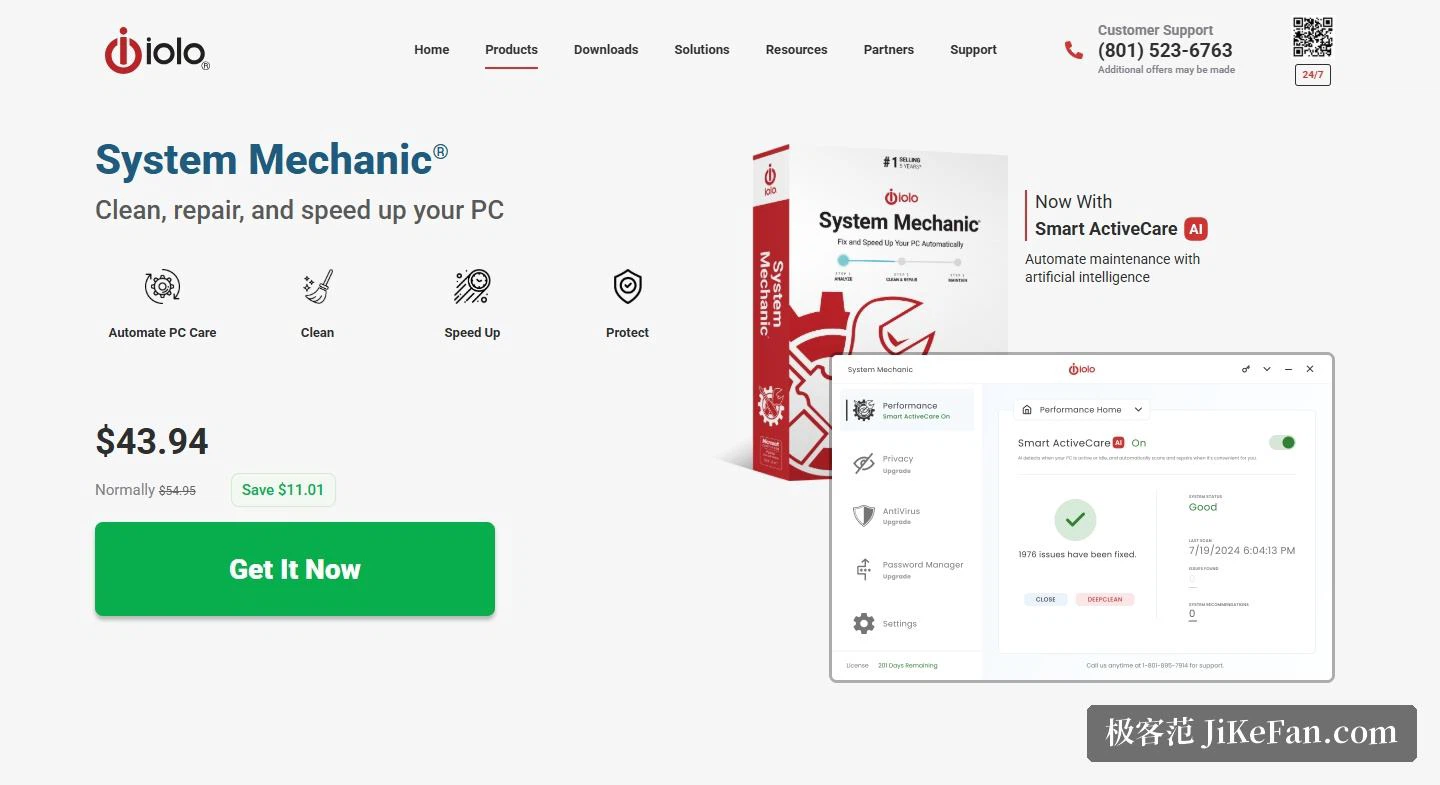
The product page marks Smart ActiveCare as new in this generation, described as maintenance completed automatically with artificial intelligence. What it does is spelled out elsewhere: advanced cleaning and repair removes more unsafe redundancy and fixes more problems, and it only starts work when the computer is idle. The timing is its decision rather than something the user has to remember.
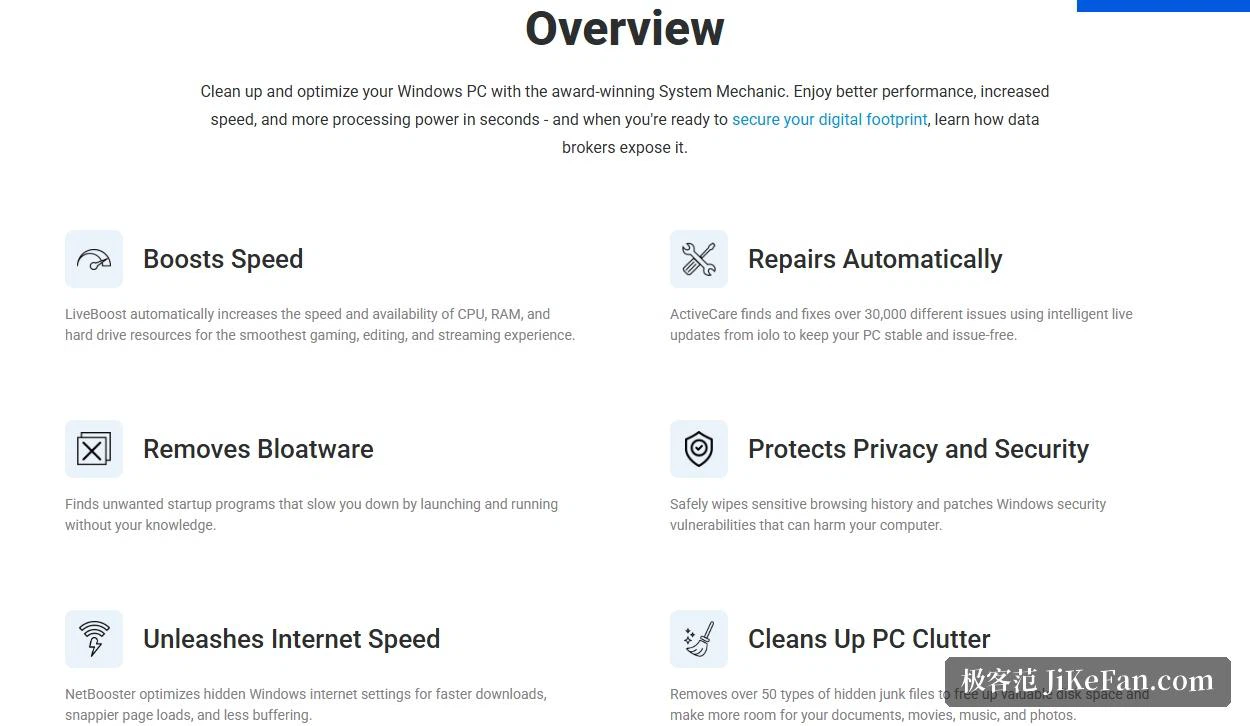
The scale of the repair work comes with a figure: with smart real-time updates from the vendor, ActiveCare can find and fix more than 30,000 different problems to keep a machine stable and fault-free. Numbers like that belong to the vendor's own accounting, and what it actually resolves depends on the machine, but at least it says the rule library is updated from the cloud rather than fixed at installation.
Speed: resource scheduling and network settings
The speed section holds two separate mechanisms. LiveBoost raises the speed and availability of processor, memory and disk resources so that games, editing and streaming run more smoothly, and the site adds that it unparks processor cores and lifts them to their highest clock when a heavy task begins. Scheduling of this kind is usually felt more on laptops and older machines than cleaning is.
NetBooster takes on the network, optimising hidden system settings for faster downloads, quicker page loads and less buffering. On cleaning the claim is removal of more than 50 kinds of hidden junk files to make room for documents, films, music and photographs. The speed-up entry blocks unnecessary programs from starting at boot, and the protection entry identifies and helps remove deceptive and potentially unwanted programs, the sort that quietly occupy resources in the background.
Price and licensing: by household, not by machine
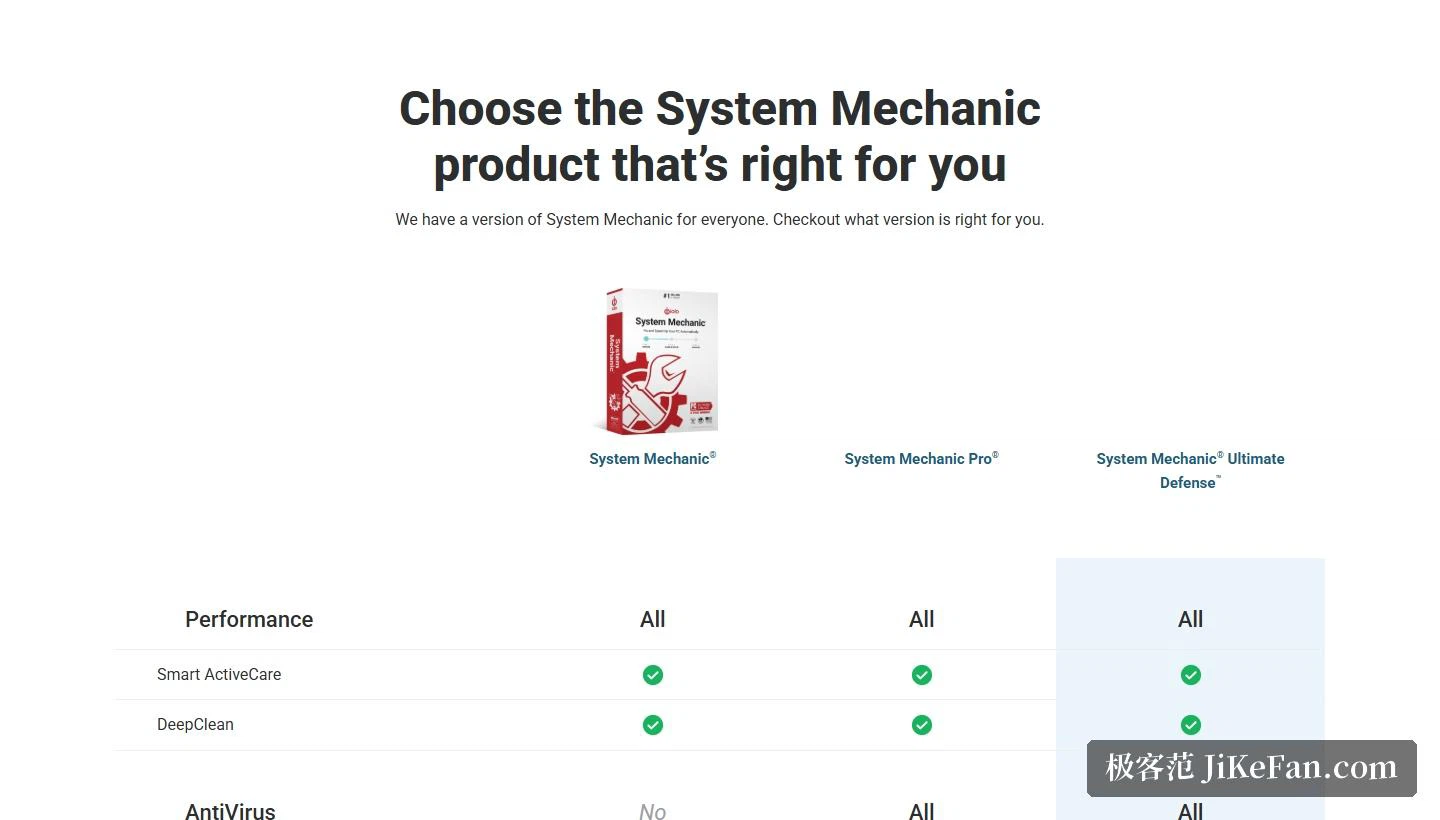
The price block lists System Mechanic at 43.94 dollars against a crossed-out 54.95, with Pro at 59.94 and Ultimate Defense at 67.93 on the same page. The differences are stated plainly: Pro adds deep cleaning, a real-time shield and a malware killer; Ultimate Defense adds privacy protection, a password manager, digital fingerprint protection and a browser extension. In other words the standard edition deals only with performance, while antivirus and privacy live in the tiers above.
On licensing, one subscription covers every personal computer in the household, up to 10 devices, and a network scanner identifies what else is on the home network. For a household with three or four machines that arithmetic is much better than buying per seat. One caveat is written into the small print: some features depend on continued updates from the vendor, the first purchase includes a year, and renewal is required to keep receiving them, with automatic renewal available. So this is a yearly cost, and renewal normally returns to the list price.
Compatibility and guarantees
Supported systems are 11, 10, 8.1, 8 and 7, a wider spread than many rivals offer, so old machines are included. The guarantees cover use on every personal computer in the household, free product support and a 30-day money-back promise. The FAQ turns the usual doubts into questions and answers, among them whether there is a free edition, how often to run it, whether it slows the machine down, whether it replaces antivirus, what it costs and how many computers it covers. On the antivirus question the answer is that this is a performance tool, and only Ultimate Defense carries a full engine.
Who it suits, and what to watch
Three groups. The first does not want to think about maintenance at all: SmartScan finds the problems, ActiveCare deals with them while the machine is idle, and daily use needs almost no intervention. The second has several Windows machines at home, where one subscription covering 10 of them brings the per-machine cost down sharply. The third runs older hardware, where the spread of supported systems down to 7 and the resource scheduling both count for more than they would on a new machine.
Three cautions. It is a subscription, and first-year and renewal prices usually differ, with the site stating that updates after the first year need renewal, so check the renewal price and the state of automatic renewal before buying. The tiers differ a lot, since the standard edition has neither antivirus nor privacy tools, so do not expect a full security suite at the standard price. And it is Windows only, with no macOS or mobile counterpart, which matters to anyone working across platforms.
Automatic maintenance is not worth much because of the number of buttons it presses for you. It is worth something because it turns upkeep from something to remember into something that does not need remembering. A scan plus a background agent makes that switch, and a licence covering ten devices spreads the cost across a household, which for a machine meant to last years is part of the price of not worrying.