
Syncthing: Syncing Is a Conflict Problem, Not a Copy Problem
Summary
Syncthing keeps folders identical across machines by talking to them directly, with no server in between. Free and open source, paired by device ID, managed from a browser page — and honest about the difference between syncing and backing up.
Recommend- Name
- Syncthing
- Version
- 2.1.5
- Pricing
- Free
- Open source
- Open source
- Operating system
- WindowsmacOSLinuxAndroid
- Website
- https://syncthing.net/
- Updated
- 2026-10-09 22:00
Copying is easy; agreeing is hard
It is a small thing to copy a folder from one machine to another, and a large thing to keep two machines agreeing about a folder over months. The copy is a one-time act with a clear result. Agreement is a continuous process in which every change on either side has to be communicated, ordered, and applied, and in which the interesting case is not the copy that succeeds but the two edits that arrive at the same moment.
Syncthing is built around that second problem, which is why it looks unlike a backup or a cloud drive. There is no central copy that is authoritative and no server that everybody talks to. Each machine runs the program, each machine knows the others by an identifier, and changes travel directly between them. It is free, the source is public, and it runs on the ordinary desktop platforms as well as on a phone.
What it means for there to be no server
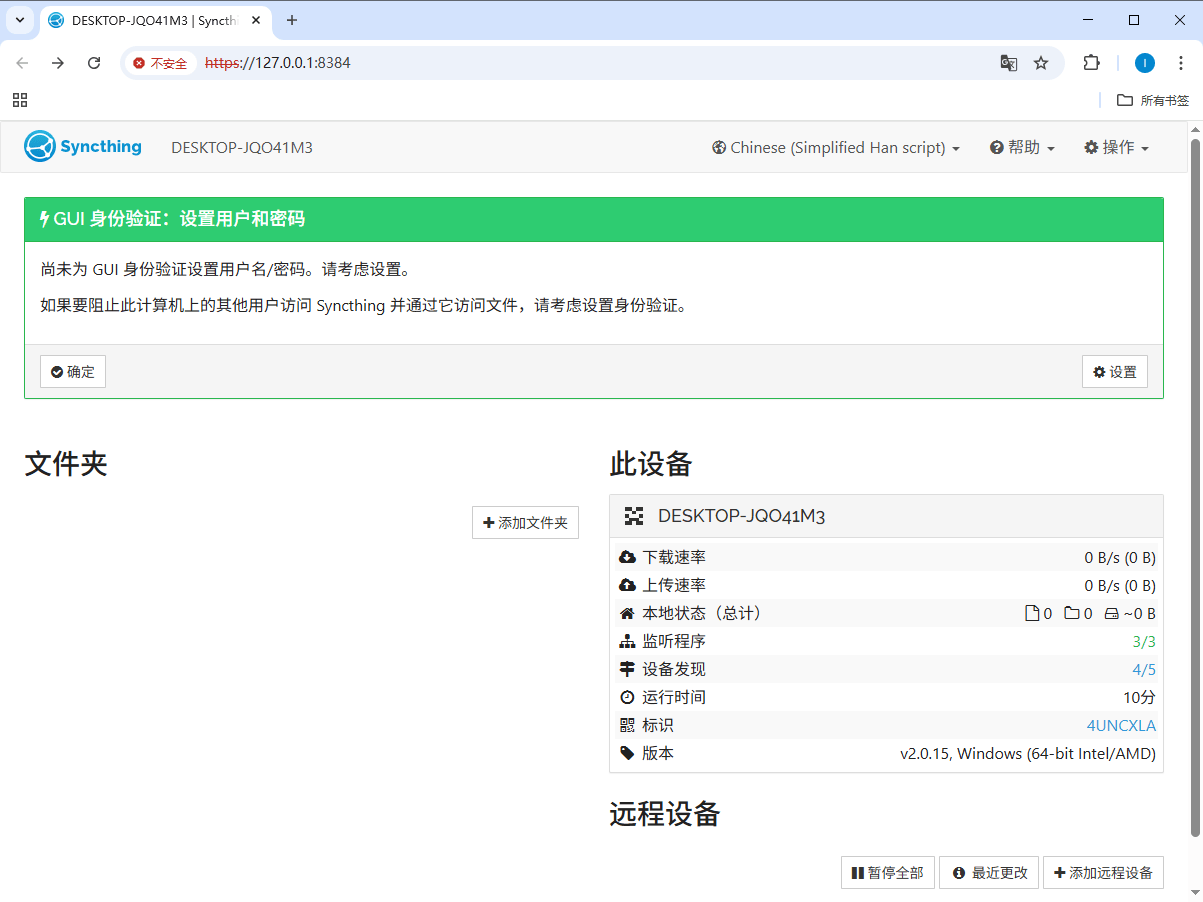
The absence of a middleman is the whole design and it has consequences in both directions. Nothing is uploaded to somebody's data centre, which for unpublished work, client material or personal archives is the reason to choose this over a hosted drive. Bandwidth is whatever the two machines can manage between them, which on a local network is far better than any online service will ever be.
The cost is that there is no middleman to solve problems. Two machines that are never awake at the same time will not sync, and a laptop that spends its life behind a restrictive network will need help from a relay. This is not a defect to be argued with; it is the honest shape of a decentralised design, and it is why the tool is a good fit for a home network and a mixed fit for somebody who is always on the move.
Pairing, and why the identifier matters
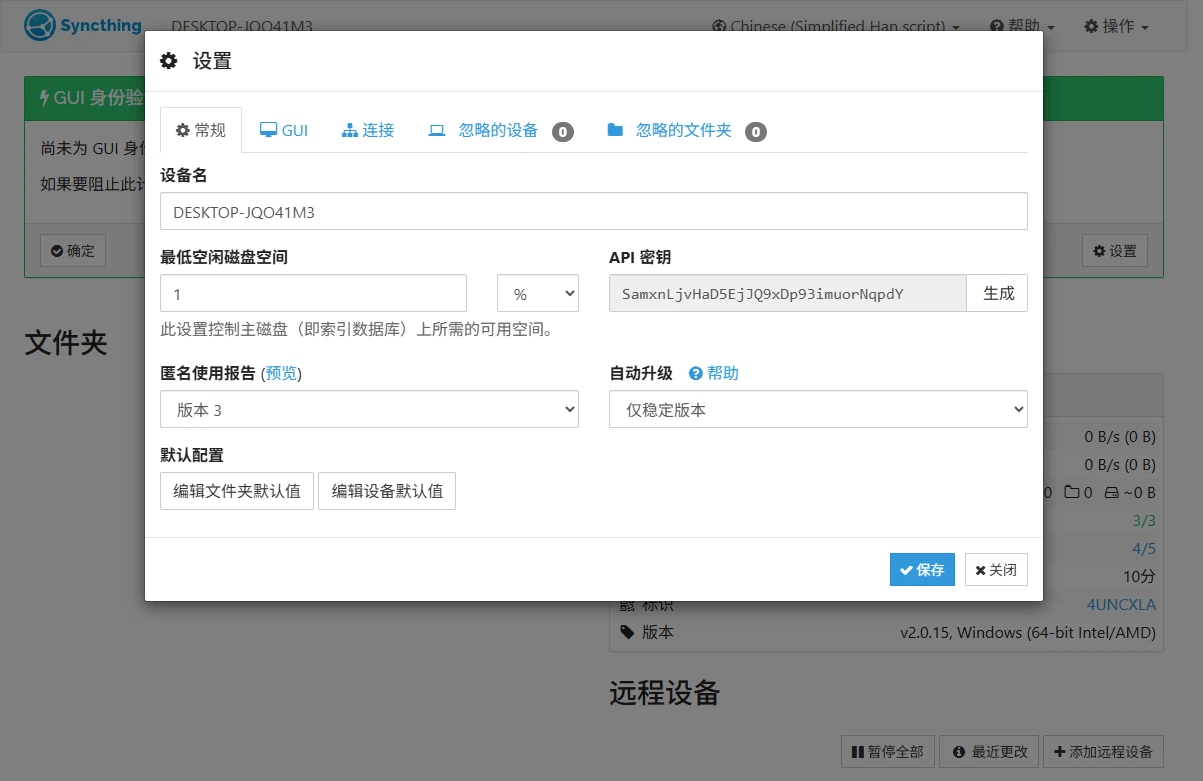
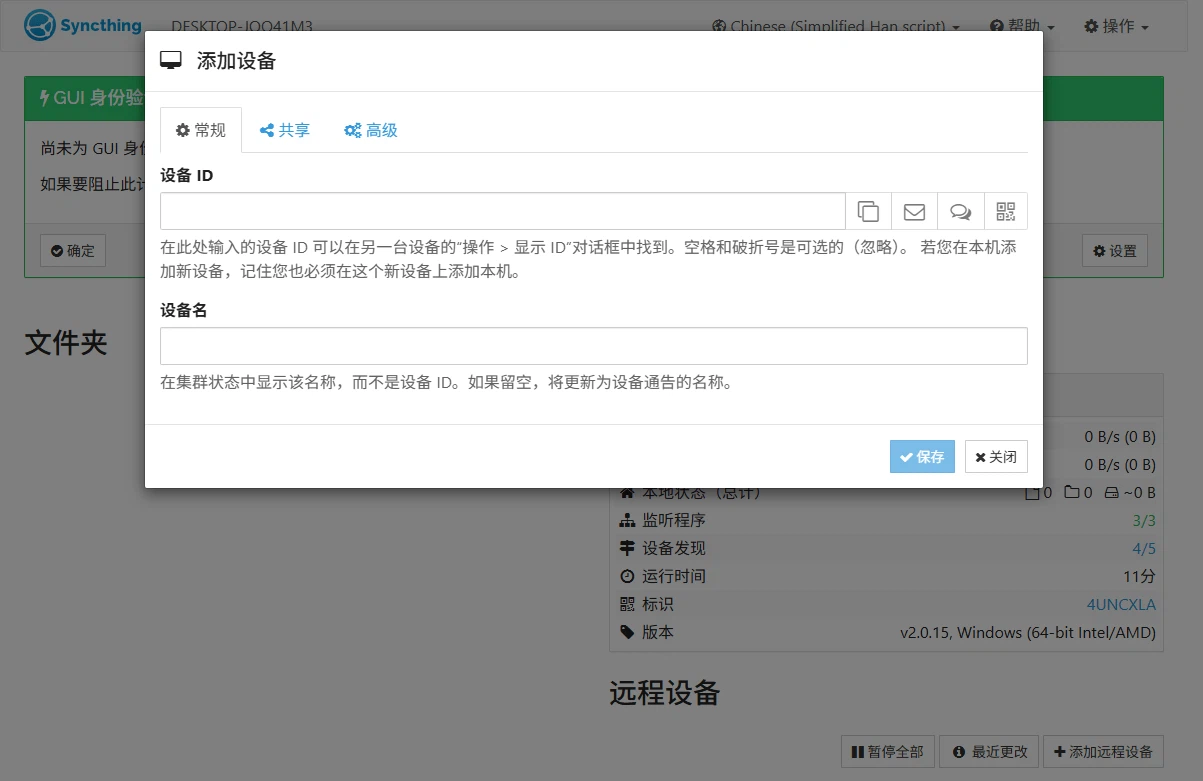
A machine is introduced to another by its identifier, and the other side has to accept it. That two-step acceptance is worth understanding rather than clicking through, because it is the actual security boundary: whoever holds the identifier of an accepted device can propose changes to the shared folders. It is the same idea as a key fingerprint, and it deserves the same seriousness — verify it out of band the first time, and remove a device you no longer control rather than leaving it in the list.
Everything after that is configured in a browser page served by the program itself: which folders are shared, with whom, and under what rules. That is an unglamorous interface and a good decision, because it means the same administration works from any machine on the network and does not depend on a particular desktop toolkit.
The conflict, and what the program does about it
When two machines change the same file independently, something has to give. Syncthing's answer is to keep both: one version keeps the file's name and the other is preserved alongside it with a marker in the name, so the decision about which one is correct is left to a person rather than made silently. This is the right choice and it is also an inconvenience, because it means conflicts are visible as clutter rather than resolved as magic.
The frequency of those conflicts is a function of how the folders are used. Two people editing the same document on two machines will generate them constantly, and no synchronisation tool can fix that — the problem is the shared document, not the sync. One person moving between a desktop and a laptop, rarely editing the same file in both places at once, will almost never see one. Deciding which of those two situations you are in tells you whether this tool will feel invisible or noisy.
Versioning, and the sentence that matters
Keeping older versions of changed files is the feature that turns a sync tool into something that can rescue you, because it covers the two failures that hurt most: a file deleted by mistake and a file overwritten with the wrong content. Being able to reach back and pull out the version from before the mistake is, in practice, the difference between an annoyance and a loss.
What this does not make it, is a backup. Versioning lives inside the same folder structure on the same machines, so it shares their fate: if a machine is lost or a folder is removed wholesale, the versions go with it. Synchronisation propagates deletions by design, which is exactly what you want from it and exactly what you do not want from your only copy. The correct arrangement is a sync for convenience and a separate backup for insurance, and confusing the two is the mistake this whole category invites.
Where it fits
Three uses, and they are distinguishable by what the machines are for. Personal backup across a home network, where a desktop, a laptop and a phone hold the same documents and any of them being lost is survivable. Team sharing inside a small group that would rather not route its material through somebody else's service. And multi-device working, where the point is that the file you were reading on one machine is the file you continue on the next.
It is a poor fit for large teams, for people who need to reach their files from anywhere without the original machine being available, and for anyone who wants a web interface they can hand to a non-technical colleague. Those are jobs for a hosted service, and the honest comparison is not which is better but which failure you would rather have.
Verdict
Syncthing solves the problem it names, in the way its name suggests: it synchronises, directly, between machines you control, without asking anybody's permission or paying anybody's subscription. It is free, open source and unglamorous, and its interface will not win an award. What it will do is keep two folders identical for years without a data centre in the middle — provided you treat pairing as a security decision, expect conflicts to be visible rather than hidden, and keep a real backup somewhere that is not participating in the sync.