
ExpanDrive: mounting cloud services and your own servers as drives
Summary
A tool that mounts cloud storage as a local disk, so Dropbox, Google Drive and S3 show up in Finder and File Explorer. It loads files on demand and keeps an offline cache, with builds for Windows and macOS.
Recommend- Name
- ExpanDrive
- Version
- 7.6.3
- Pricing
- Paid
- Open source
- Proprietary
- Operating system
- WindowsmacOS
- Website
- https://www.expandrive.com/
- Updated
- 2026-10-16 22:18
The same cloud drive feels like two different products depending on whether you reach it through a browser or through Finder.
Turning cloud storage into a local disk
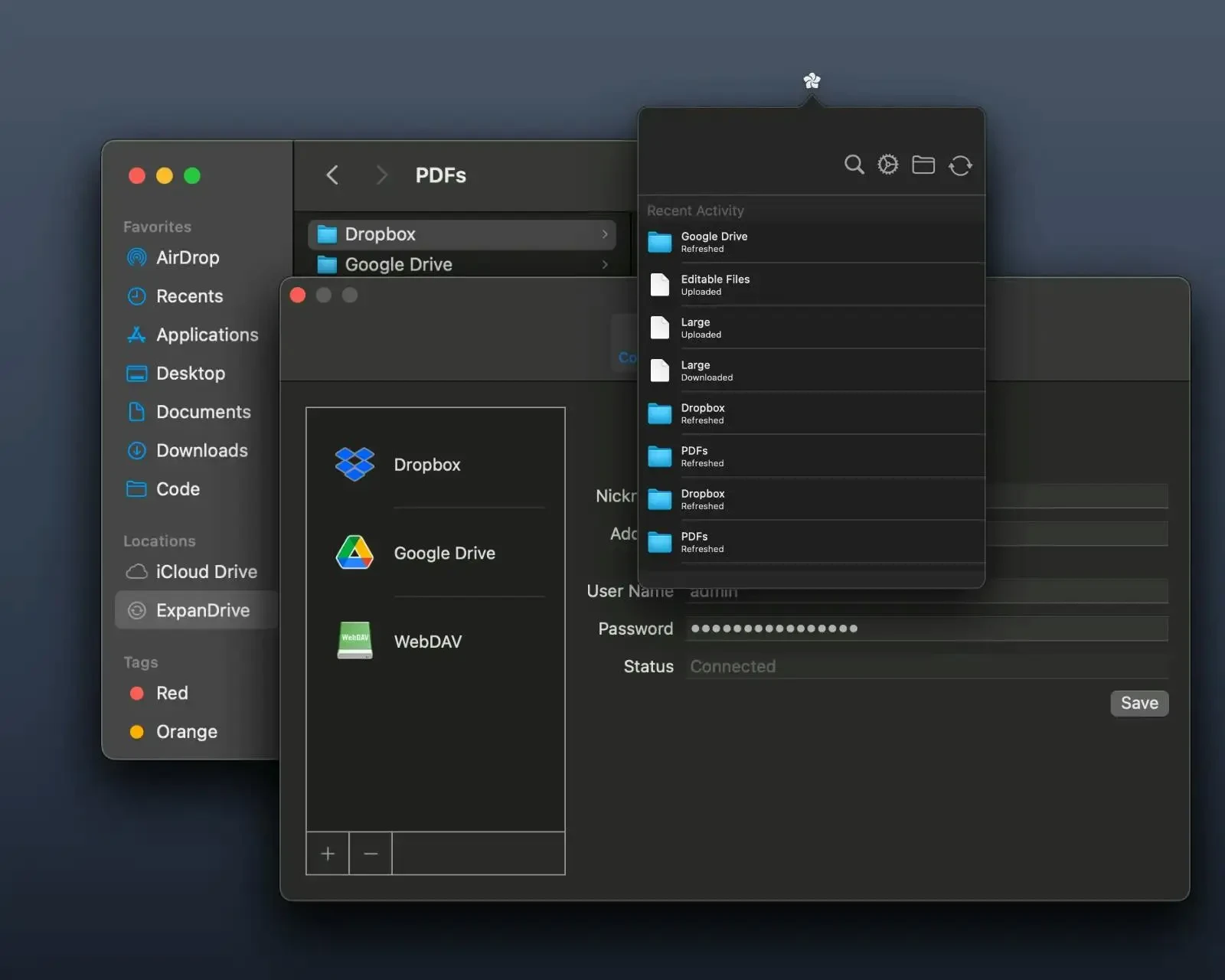
Files live in the cloud, yet getting at them means opening a browser and shuffling uploads and downloads back and forth, which wears thin after a while. ExpanDrive takes another route: the official description sums it up as mounting Dropbox, Google Drive, S3, SharePoint, SFTP and similar services as local drives on macOS, Windows and Linux. Once mounted, the remote files appear in Finder or File Explorer, and any program on the machine opens them the way it opens an ordinary file.
The documentation stresses that it works on demand. Files load as a stream, fetched from the far end only when needed, rather than copying an entire directory down first, so no bulky duplicate accumulates on the disk. That differs from the usual synchronising drive, and it suits machines whose local storage is already tight.
The gain is that nobody has to relearn how to work. For anyone used to local folders, tidying up, dragging files around and saving a copy elsewhere all stay the same; the files simply happen to sit in the cloud. For a team dealing with several providers at once, what disappears is the hopping between client applications.
Protocols covered, and the offline cache
Breadth of integration is the other main thread. The site lists around fifteen cloud integrations, covering services such as Amazon S3, Google Drive, OneDrive, Dropbox, Box, Backblaze B2 and Wasabi, as well as generic SFTP, FTP and WebDAV endpoints. For a team that uses several clouds and also needs its own servers, one tool covers the lot instead of a separate client for each.
Working offline is provided for. The documentation describes a smart cache: files you need can be marked to stay available offline, then synchronised back once the connection returns, and on supported backends earlier versions are kept. When the network is shaky on a trip, pinning the material locally in advance lets work continue, and it goes back up once there is a connection again.
There is also an edition for servers, running as a system service on Windows Server and Linux, which shares cloud storage across the whole network as a network file system for every user and process. That saves effort in a machine room where several hosts need the same access.
Licensing, and the current build
The licence went through a turn. The site explains that ExpanDrive used to be sold per seat, founded in 2004 and running for more than twenty years; it was acquired by its parent company in January 2024, and after a transition period a new licensing model took effect in April 2025. The new model brings personal use and small teams into a more permissive range, covering a single user, a household and teams up to a certain size; beyond that, a team oriented plan is the next step.
The current version is 7.6.3, a number visible on the front page and on the server edition download page. Desktop builds exist for Windows and macOS, and Linux has signed packages of its own. Anyone planning to bring it in can check the licence scope against their own size first, then decide which route to take.
Item | Official information |
|---|---|
Current version | 7.6.3 |
Licence | Proprietary, with personal and team models |
Platform | Windows and macOS, plus a Linux build |
Integrations | About 15 cloud services, including object storage and self hosted |
Protocols | SFTP, FTP and WebDAV endpoints |
How it works | Streams on demand, with a smart offline cache |
Put cloud files back inside local folders, and a lot of old habits survive untouched.
Practical notes. Mount the handful of services you actually use in one go, then work through folders as usual. When local space is tight, let on demand loading handle it instead of copying whole drives. Mark the material you often need offline as kept offline ahead of time. And before a team outgrows the licence scope, read up on the team plan and weigh whether an upgrade is warranted.