
Steam ROM Manager imports non Steam games in bulk and manages the cover art for you
Summary
A free open source tool for importing games in bulk and managing cover art, covering emulator ROMs and games from other platforms, with fuzzy matching and more than a hundred presets built in and builds for Windows, macOS and Linux.
Recommend- Name
- Steam ROM Manager
- Version
- 2.5.44
- Pricing
- Free
- Open source
- Open source
- Operating system
- WindowsmacOSLinux
- Updated
- 2026-10-10 19:12
Steam ROM Manager is an open source tool that moves emulator games and games from other platforms into Steam in bulk, and while it builds a shortcut for each one it also pulls a full set of artwork from a cover library, so games scattered across a drive line up as one tidy wall inside the Steam library.
Adding non Steam games to Steam by hand is grinding work: build the shortcuts one at a time, then fill in the covers one at a time, and once a collection reaches dozens or hundreds, just sorting the artwork can eat a whole weekend. That repetition is what Steam ROM Manager exists to remove, and the vendor calls it a tool for importing games in bulk and managing covers for Steam. What gets imported can be ROMs for console emulators, or games already installed from another store. The documentation even jokes that the lecture notes from your second year can go into the Steam library as a category, if you really want.
The parser is the engine of the whole flow. A parser decides where to look for games and by what rule to recognise them: a wildcard parser matches file names with a simple search string, a regex parser handles more complicated naming with regular expressions, and a list parser simply reads a written list of locations. Beyond those directory oriented parsers it ships a set of platform parsers, which bring in the games already installed by other PC stores and launchers. Every parser can be switched on or off on its own, named on its own, and pointed at a category inside the Steam library.
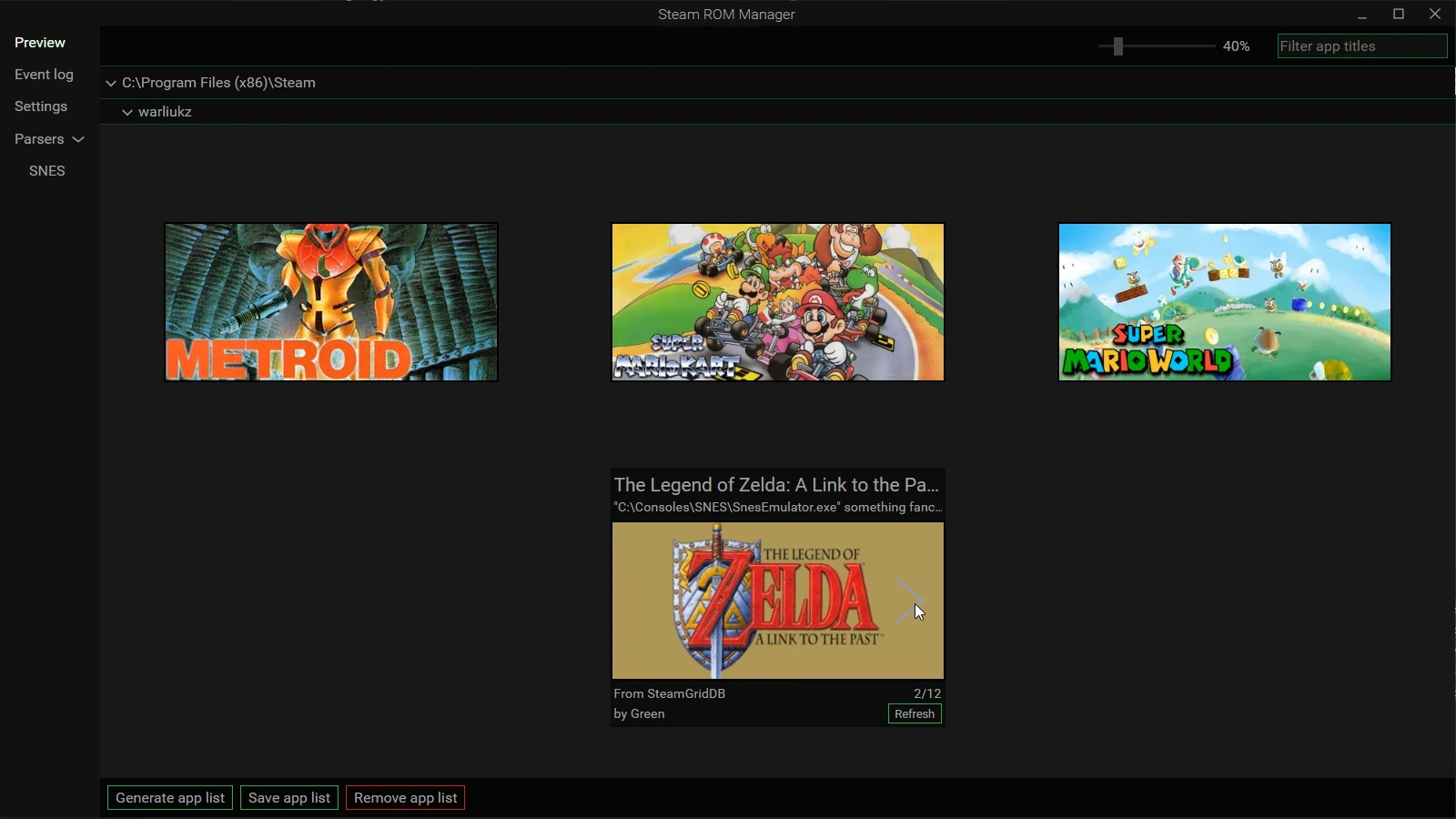
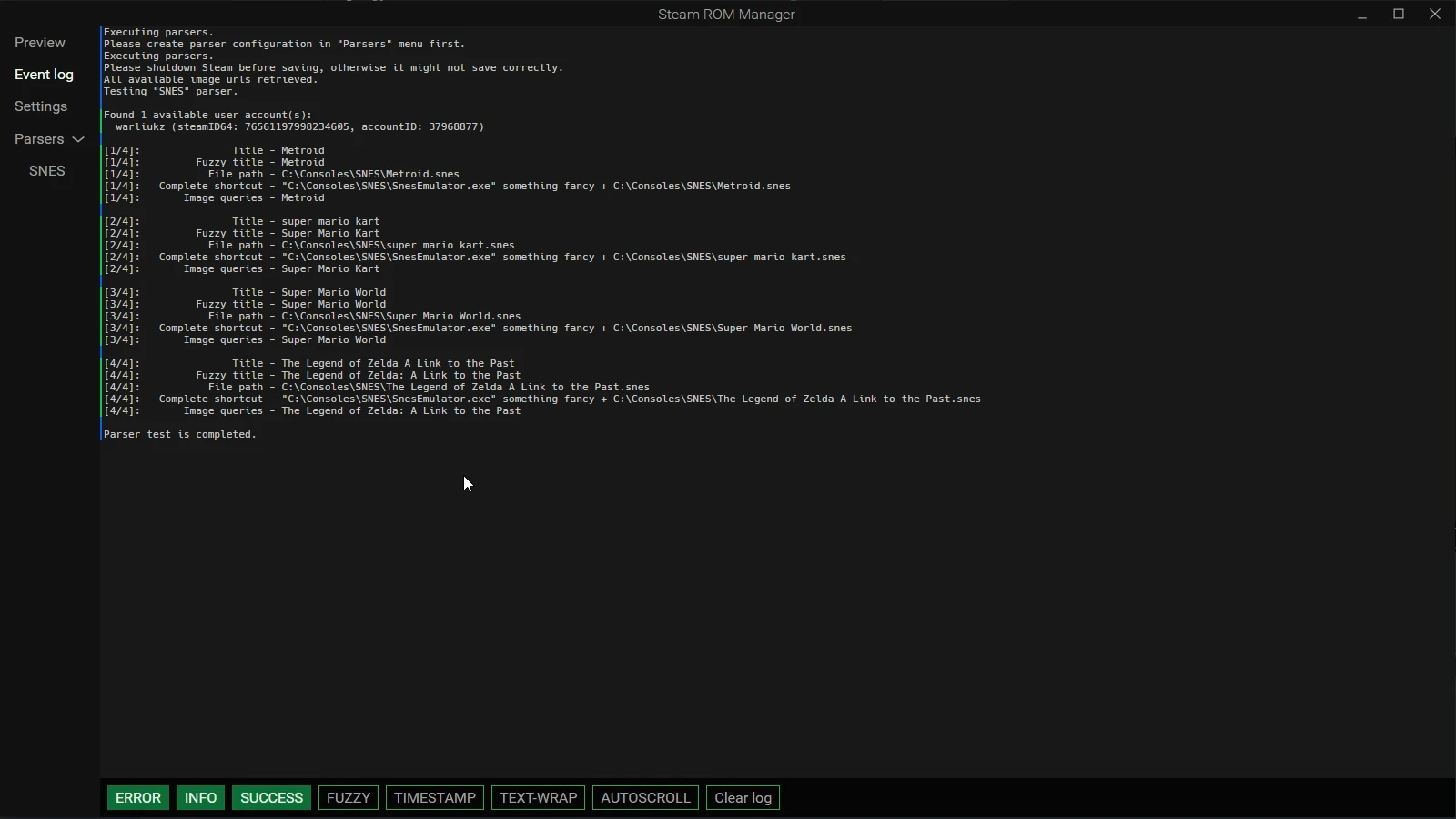
The interface is two columns: navigation on the left, listing preview, event log, settings and parsers item by item, and a form on the right, filled in order with the parser type, a configuration title, the Steam category, the executable path, the ROM directory, the Steam directory and the user account, then whatever switches such as fuzzy matching are needed. Filling it in does not write anything yet; a parse runs first and the results are laid out on the preview page for confirmation, and only then are they saved into Steam in one go. That preview matters most for bulk imports, because it shows what was recognised and what was missed before the library is actually changed.
Title handling is one of the parts done with more care. The newer versions break title generation into a fixed chain: take the raw title the parser extracted, then pass it through shortcut passthrough, custom variable substitution, fuzzy matching, title modifiers and exception rules, each stage changing it at most once, ending at the name shown in Steam. Fuzzy matching answers the old problem of names that do not line up: when a ROM file name is one character short or one letter misspelled, it finds the closest entry in the title list downloaded from the cover library and hangs the cover back on. All title variables can be referenced directly in a parser, and command line arguments can be appended so a game starts through a given executable.
Covers and artwork are the other half of its value. Once the import finishes, the program supplies each entry with a matching set, grid image, hero image, logo and icon, taken by default from the paired cover library, with local images allowed instead. If a game name was mapped wrongly, the exception manager renames it one by one or excludes it; more than a hundred parser presets are built in, covering the great majority of common emulators and saving a configuration from scratch. It also works the other way, managing covers for games already in the Steam library, so a collection of mismatched styles becomes one visual set.
On platforms, Windows, macOS and Linux all have native builds, Windows is also distributed through a third party package manager, and Linux gets AppImage, deb and Flatpak and more, with the interface and the configuration layout the same across all three. Beyond the graphical interface it carries a full command line interface, which makes the import flow easy to script. That combination is particularly handy on a handheld or a living room machine: keep the game files on an external drive or a network location, and once the import is done the collection can be browsed and started with a controller.
Version | Released | Main changes |
|---|---|---|
2.5.44 | August 2026 | Cover art settings and a custom title ordering variable, Arm64 build targets for all three platforms, title generation turned into a deterministic cascade |
2.5.43 | July 2026 | Fixed an occasional blank error message in the log, validation of required parser fields, and failure to load official cover images |
2.5.42 | July 2026 | More controller templates, with several mainstream controllers and handheld models added |
2.5.41 | July 2026 | A parser for one more third party launcher, and a fix for the manual parser not reporting errors to the log |
2.5.40 | July 2026 | Removed the dependency on a local Steam database file, and fixed broken search highlighting on very long logs |
On licensing, the project is open source on GitHub under GNU GPLv3, the code is public, there is no paid edition, and neither the installer nor the interface carries promotion. For a tool meant to be used for years to keep a collection in order, writing the rules plainly and leaving the choice with the user is reason enough to keep it in the toolbox.
Steam ROM Manager compresses the import of non Steam games and the tidying of covers into one configuration, one parse and one save: three kinds of directory parser plus a set of platform parsers cover the common sources, fuzzy title matching and the exception manager handle inconsistent naming, and more than a hundred presets get a collection into shape quickly; the project is open source under GPLv3, with native builds on Windows, macOS and Linux, currently at 2.5.44.