
ZArchiver unpacks almost any archive on Android without ads or an account
Summary
A free archive tool for Android that reads more than thirty formats, browses inside a package without extracting and can even add or remove entries in place, with AES encryption, split volumes and no ads at all.
Recommend- Name
- ZArchiver
- Version
- 1.0.10
- Pricing
- Free
- Open source
- Proprietary
- Operating system
- Android
- Website
- https://zdevs.ru/en/
- Updated
- 2026-10-10 20:31
ZArchiver is a free archive tool built for Android, with a format range that covers nearly every compressed package you meet on a phone, and it opens, browses and even edits what is inside without unpacking it first. On the store since 2012, it has stayed without ads, without sign up, and it does not even request network access.
Meeting an archive that will not open on a phone wears patience thin: try one app and sit through an advertisement, try another and register an account. ZArchiver goes back to what a tool should be. Install it and it works, open it and a file list is there, with no splash screen, no push messages and no login anywhere. The author states the traits plainly on the official page: no ads, no trackers, no registration, no notifications.
What carries its reputation is the breadth of formats. Eight of them can be created: 7z, zip, bzip2, gzip, XZ, lz4, tar and zst. The list for extracting and viewing is far longer, and beyond those it includes rar, rar5, iso, cab, chm, dmg, wim, deb, rpm, arj, lzh, lha, lzma, xar, zipx, mtz, cpio, cramfs, ecm, lzip, egg and alz, more than thirty in all. One distinction matters: rar and rar5 go one way only, since creating a rar archive lies outside its range. The table below lines up the abilities of a few common formats.
Format | Create | Extract and view |
|---|---|---|
7z, zip | Yes | Yes |
tar, gzip, bzip2, XZ, lz4, zst | Yes | Yes |
rar, rar5 | No | Yes |
iso, cab, chm, dmg, wim, deb, rpm | No | Yes |
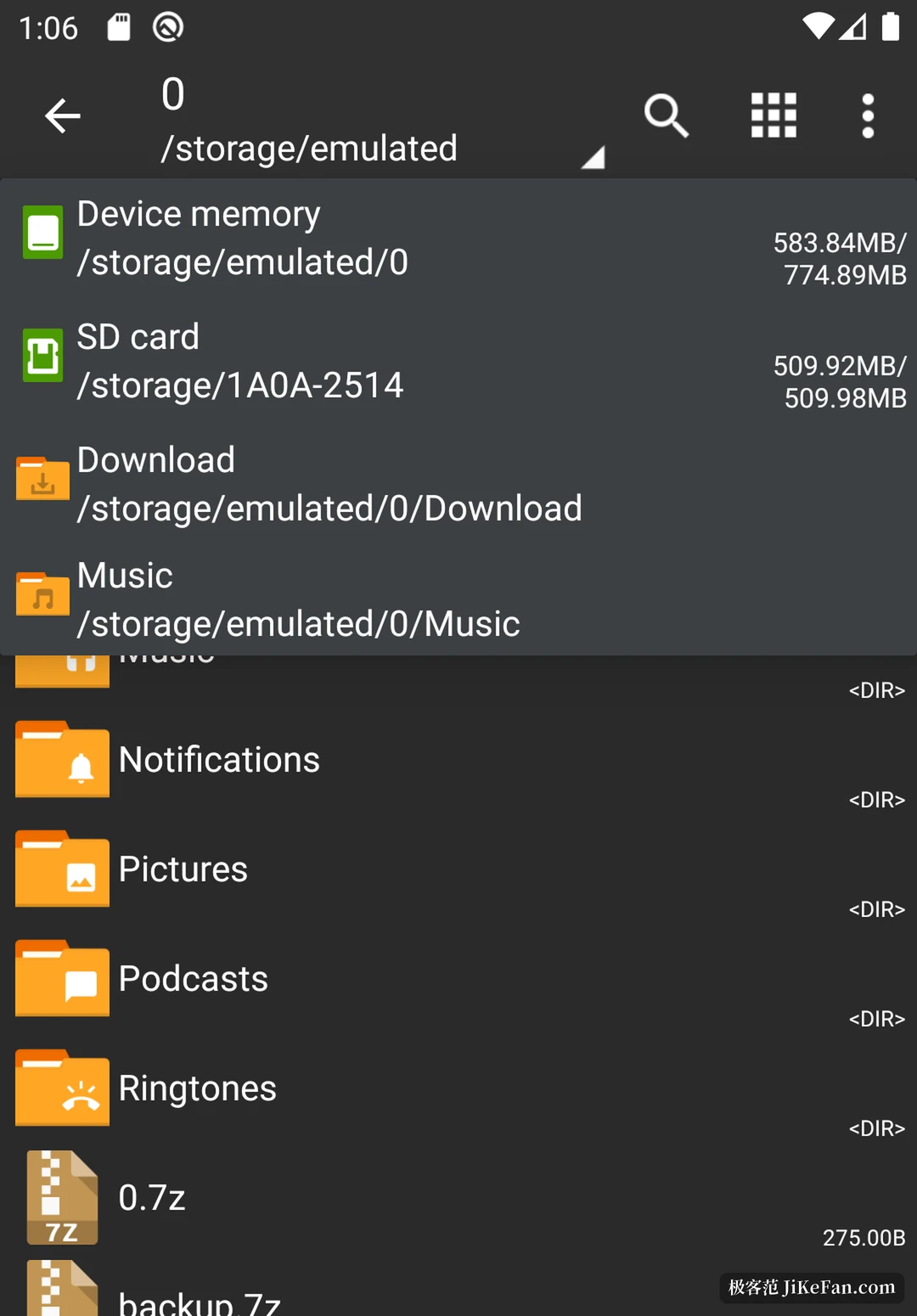
Day to day the path is short. Tapping an archive offers three routes at once, extract here, extract into a folder named after the archive, or extract to a place of your choosing. A long press on a file or folder brings copy, move, delete and rename. The official guide warns specifically that deletion cannot be undone, because the app has no recycle bin, which is precisely the thing you forget once it starts feeling natural.
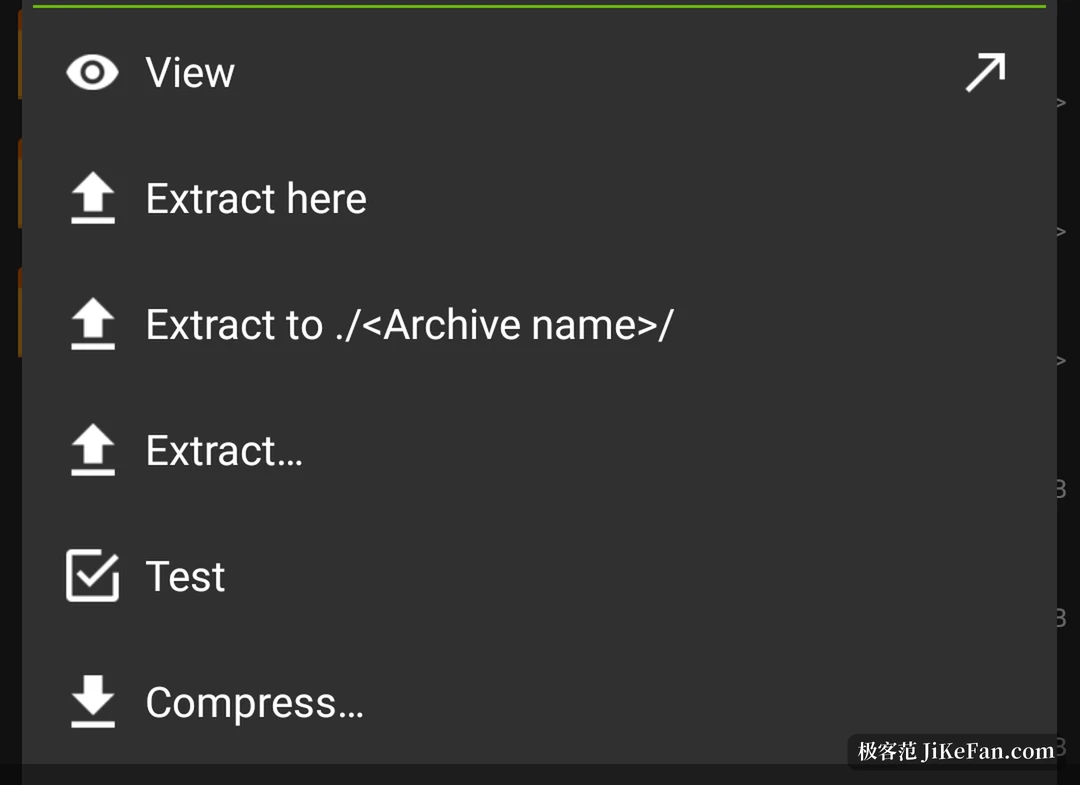
What separates it from an ordinary unzipper is not having to unpack first. An archive can be entered like a folder, and images, text and documents preview inside it. On Android 9 and later a small file takes a path that writes nothing to disk at all. Further still, zip, 7z, tar, apk and mtz accept additions and removals in place, so pulling a stale document out of a large package and putting a newer version in does not mean unpacking everything and packing it back up.
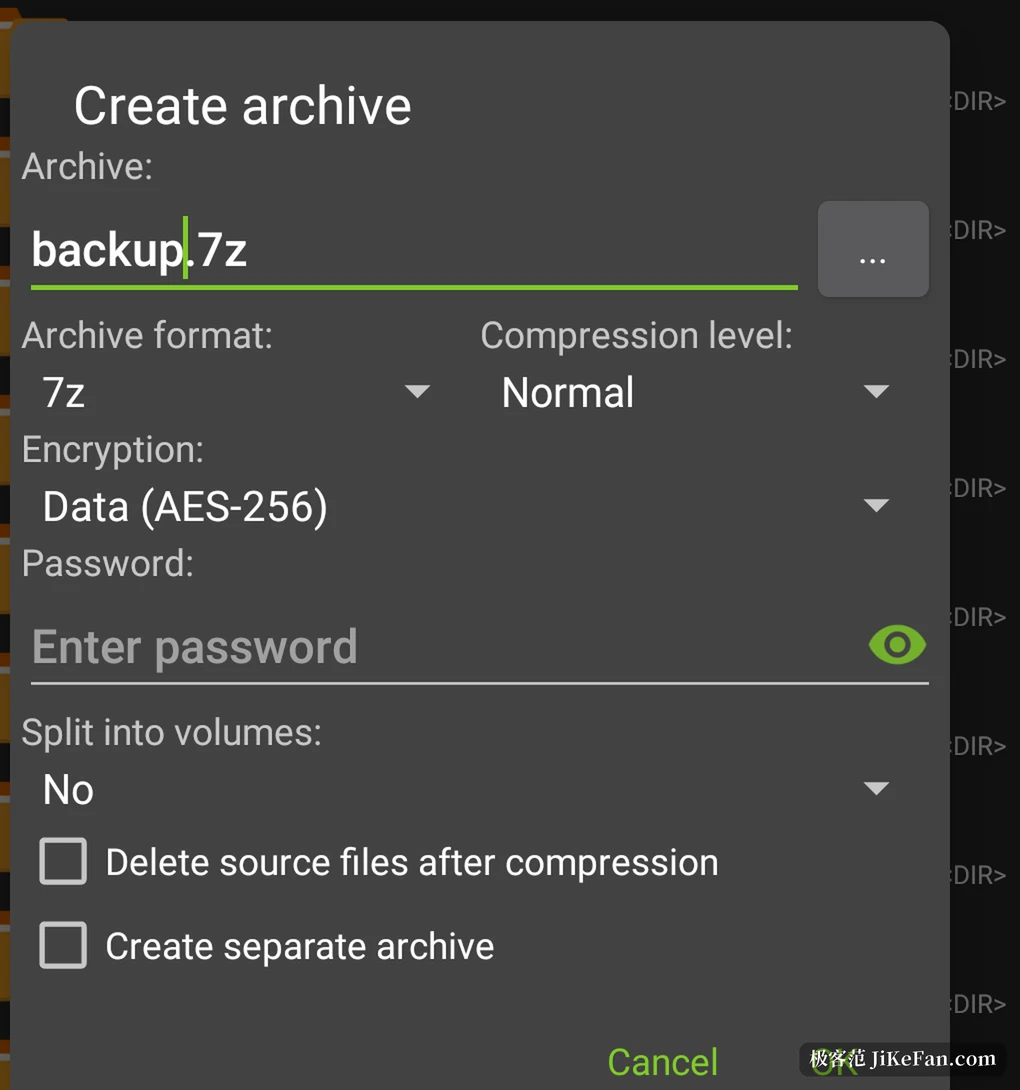
The compression dialog is well stocked. Formats run through 7ZIP, ZIP, TAR, BZ, GZIP, XZ, LZ4 and ZSTD, and every one except TAR allows a compression level. 7ZIP and ZIP take a password, encryption uses AES, which the author says is far safer than the old ZipCrypto, and 7ZIP locks the file names along with the contents. The same dialog offers splitting, cutting the archive into parts at a size you set, while delete source files after compression and one archive per file save a cleanup pass afterwards. The reverse works too: split archives in 7z, zip and rar are all recognised and reassembled.
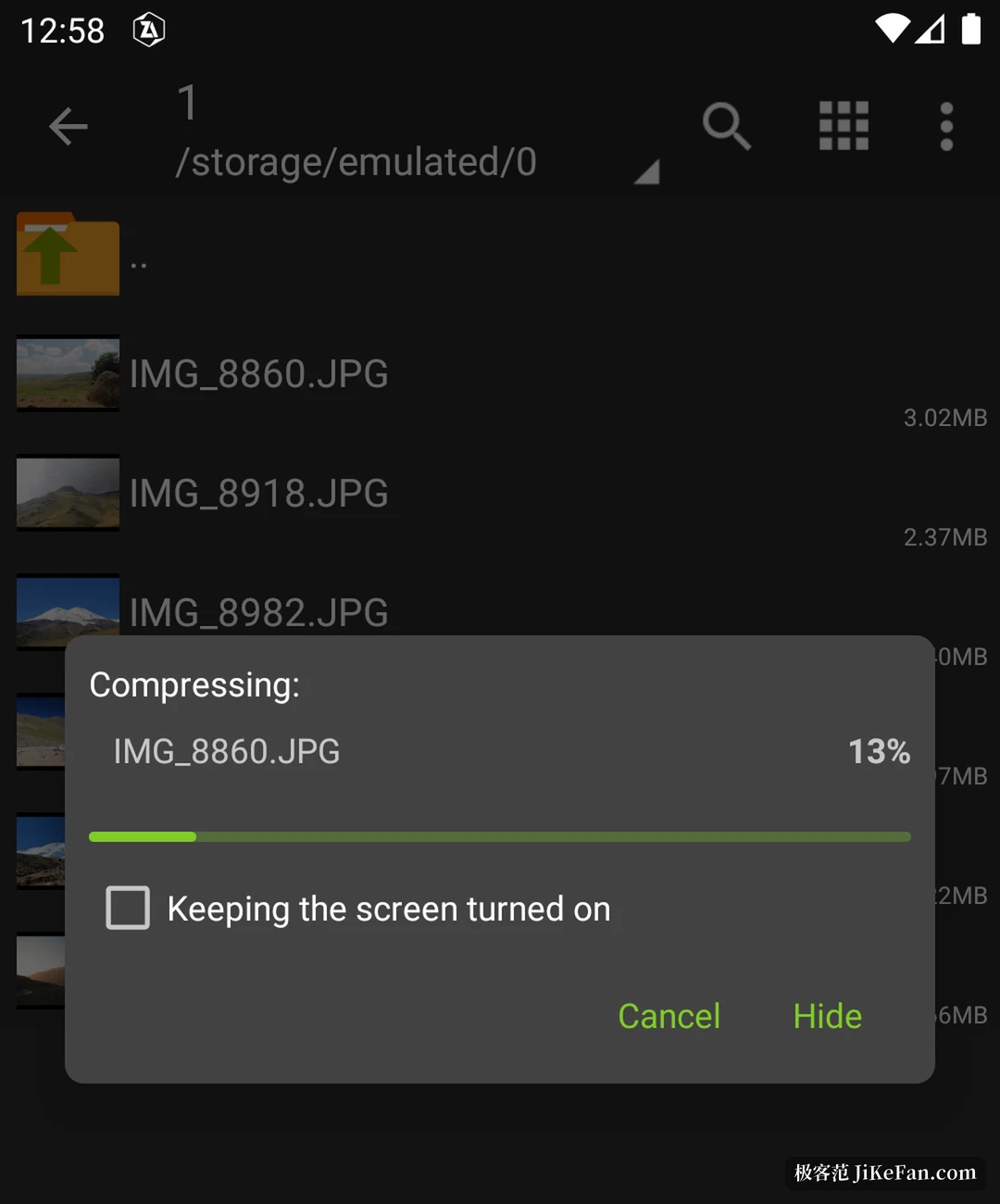
Progress appears in a window of its own, hideable and cancellable at any moment, and a long job keeps running in the background after you leave the app. Several cores are used, which on a phone with many of them makes short work of a large file. Quietly useful abilities sit alongside: installing APK and OBB straight from an archive, jumping from a mail app into the package you were sent, searching with an asterisk as a wildcard, and with an external keyboard the combination Ctrl+C, Ctrl+V, Ctrl+X, Ctrl+E and Ctrl+A for copy, paste, cut, extract and compress. Besides dark and light there is an E-Ink theme meant for electronic paper.
On personal data the approach is unusually thorough. The app requests no network access, so by construction nothing can leave it. The policy states that names, email, phone numbers, card numbers and usage are not collected, not transferred and not sold, and a password guarding a long lived encrypted archive is kept encrypted on the device. The data safety section on Google Play declares that no data is collected. One thing worth knowing: ZArchiver itself is not open source. The author publishes a separate list of the open libraries it uses, naming 7-Zip, ZSTD, LZ4, UnRAR, BusyBox and libiconv among others, but does not release its own code.
The price has always been nothing. The donation page records why: from December 2024 Google Play changed how sales work for developers in Russia. The author began publishing builds with everything unlocked, opening all features until the purchase route returns, and kept a voluntary donation route alongside.
The limits lie mostly in the system. Scoped storage from Android 11 narrows access to Android/data and Android/obb, which needs a separate permission; the access denied message people meet comes from there most of the time rather than from a fault in the app.
The current version is 1.0.10, adding faster file operations, SUI support, the E-Ink theme and the ability to drag files in and out of ZArchiver. Packages cover ARMv8, ARMv7 and X86, weigh about 4.9 MB and run from Android 4.0. Since it first appeared in January 2012 it has been downloaded roughly 485 million times, with a store rating of 4.16.
Formats in plenty, opening quickly, and a look inside without extracting: ZArchiver holds all three steady, and then hands the result over without ads, without a network connection and without an account. For anyone who deals with archives every day, a place on the home screen is not too much to give it.