
Startup Delayer: a free way to stagger start-up programs so the first minutes are usable
Summary
A tool that queues the programs Windows launches at sign-in and releases them one at a time, either after a set delay or once the machine goes quiet. The standard edition is free, and the current version is the third.
Recommend- Name
- Startup Delayer
- Version
- 3
- Open source
- Proprietary
- Operating system
- Windows
- Website
- https://startupdelayer.com/
- Updated
- 2026-10-06 13:38
Not all at once
Windows launches everything in the start-up list at the same moment. A few dozen programs then fight over the same processor time and the same disk reads, and the result is that the machine is close to unusable for the first few minutes after signing in. The idea here is plain: put the start-up programs in an order, let them begin at staggered times, and release them one by one as the system goes quiet, so that the moment when real work can start arrives earlier. The installer is only a few megabytes and takes up almost nothing.
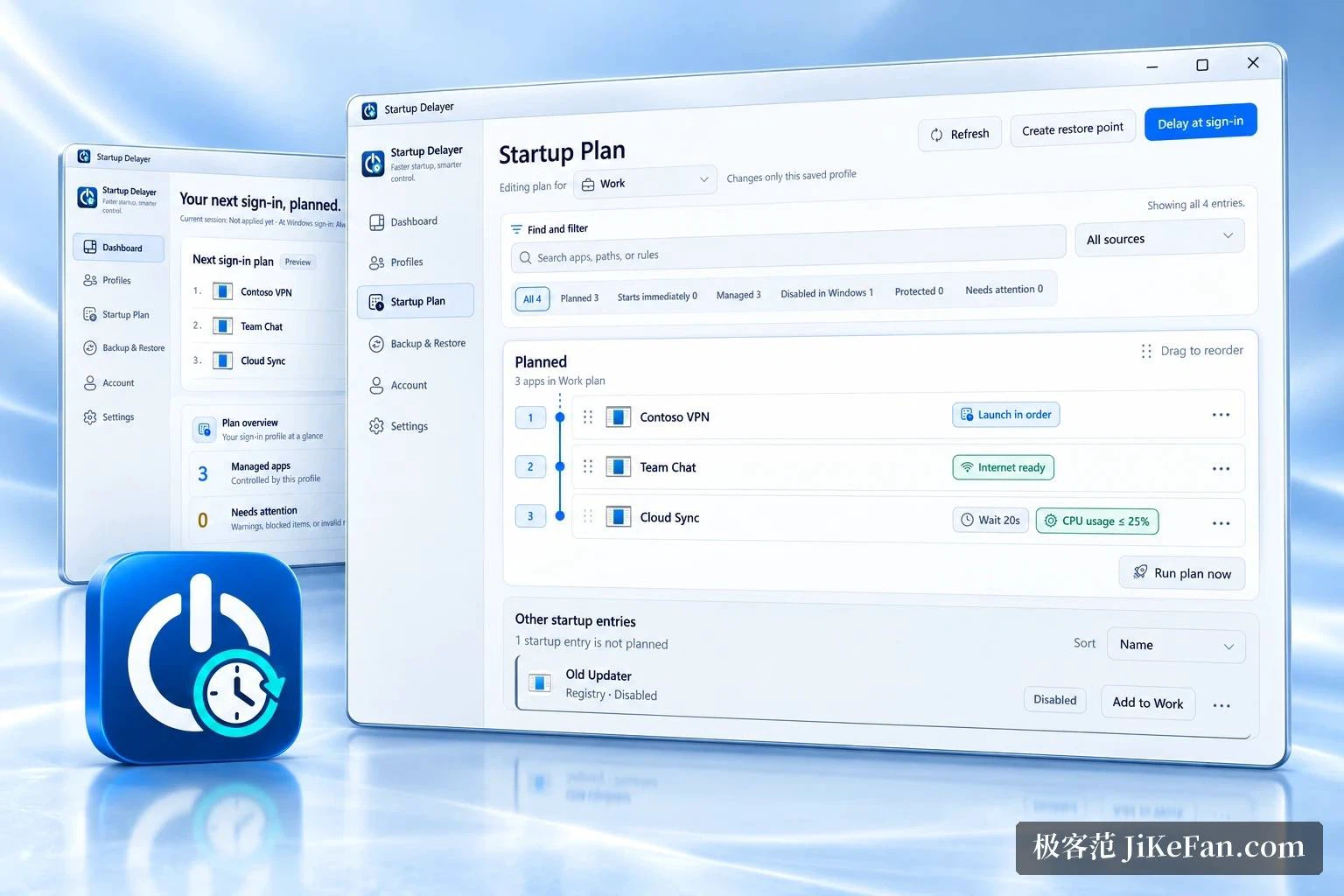
Manual delays and automatic waiting
There are two ways to hold a program back. In the manual way each entry gets a delay of its own, so the input method can come up first, the cloud drive can wait 30 seconds, and the updater can wait 2 minutes; the program then starts them in the order that was set. The automatic way asks less of the user: a resource threshold is chosen, the tool watches processor load and disk activity, and the moment both drop below the threshold the queued programs are let through, which keeps them from arriving during the busiest part of the boot.
The two styles mix well. Large software gets a manual slot while small everyday helpers are left to the automatic judgement, and that pairing is the common one. Delay units go down to the second. After an edit, one press moves the entry out of the original list and into the delay queue, from where it can be dragged back or returned to a normal start at any time.
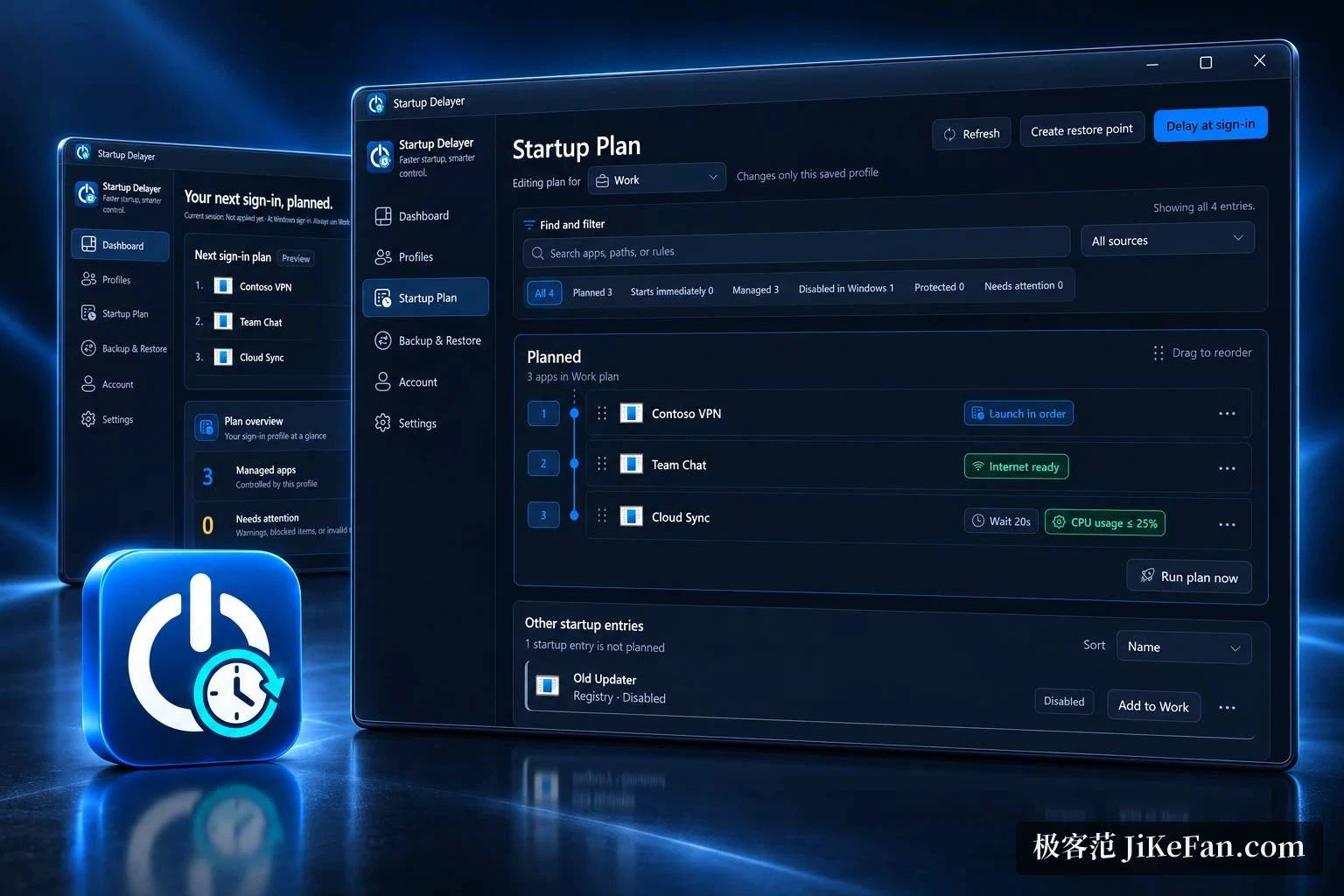
The details are thorough
Beyond the delaying itself, the rest of what start-up management needs is here. A program can be told to open its window normally, minimised or maximised, to run at a chosen priority, to run with the highest rights, or to wait until another program has exited. The list supports drag and drop ordering and multi-selection for batch work, and built-in filters quickly surface duplicates or suspicious entries. The time each boot takes is drawn as a curve, which makes it possible to judge whether an adjustment helped at all. Running tasks and services can be inspected and adjusted in the same window, and a process that is already running can even be turned into a start-up entry.
How it differs from the built-in controls
The Windows task manager can only enable or disable an entry, and the start-up section in system settings does the same. Neither offers delay or ordering, and cutting everything off tends to break habits that were fine. What this tool adds is exactly that missing stretch: it takes over the start-up list, shows the path, the publisher and the state of each program, lets notes be attached, filters entries by condition, and moves part of them into the delay queue. It can also turn a running task or a system service into a new entry, and an entry deleted by mistake can be recovered, which is a fairly complete set of details for a small utility.
Editions, and what it cannot do
Two editions exist. The standard one is free and covers delayed starts, drag and drop tidying, filters, the performance chart and the start-up log. The advanced edition costs 20 US dollars and adds start-up profiles, starting by schedule, backing up and restoring the settings of every local user, and copying entries between accounts. Both run on Windows, from the early Windows XP through Windows 11, so older machines are not left out.
For somebody who has collected a pile of programs that start with the system, chat clients, cloud drives, graphics control panels and various updaters, and does not want to disable all of them, this is the middle road: the convenience of starting automatically stays, and they no longer compete for the same moment. The footprint is small and the resident cost is low, so once it is set up there is little to maintain.
One honest limit is worth stating. The tool queues, it does not accelerate. Software heavy enough to slow the boot on its own is better disabled or not installed at all; queueing only decides who waits, not how long the whole line takes.