
SourceGit: a cross platform Git client that draws history as one graph
Summary
An open source graphical Git client for Windows, macOS and Linux that puts branches, the commit graph and merges into one tidy window. It adds a conventional commit helper and can draft commit messages through a service you configure yourself.
Recommend- Name
- SourceGit
- Version
- 2026.22
- Pricing
- Free
- Open source
- Open source
- Operating system
- WindowsmacOSLinux
- Website
- https://sourcegit-scm.github.io/
- Updated
- 2026-10-12 22:00
A single commit touches twenty files, and the explanation for it still has to be typed out line by line in a terminal.
Drawing branches and history as one picture
SourceGit is an open source graphical Git client. The repository description is plain: a graphical interface for Git users on Windows, macOS and Linux, with both open source and free marked among its points. That shapes how it is used, since the source is public, installers for the three systems ship with each release, and there is no tier to unlock by paying.
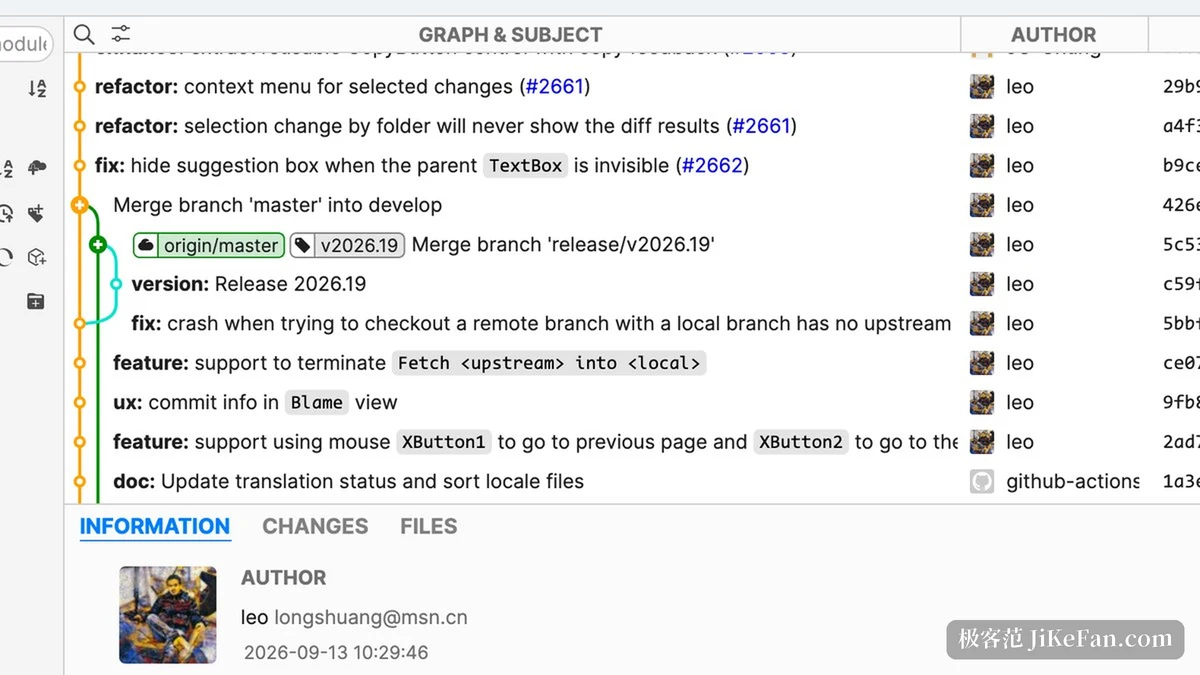
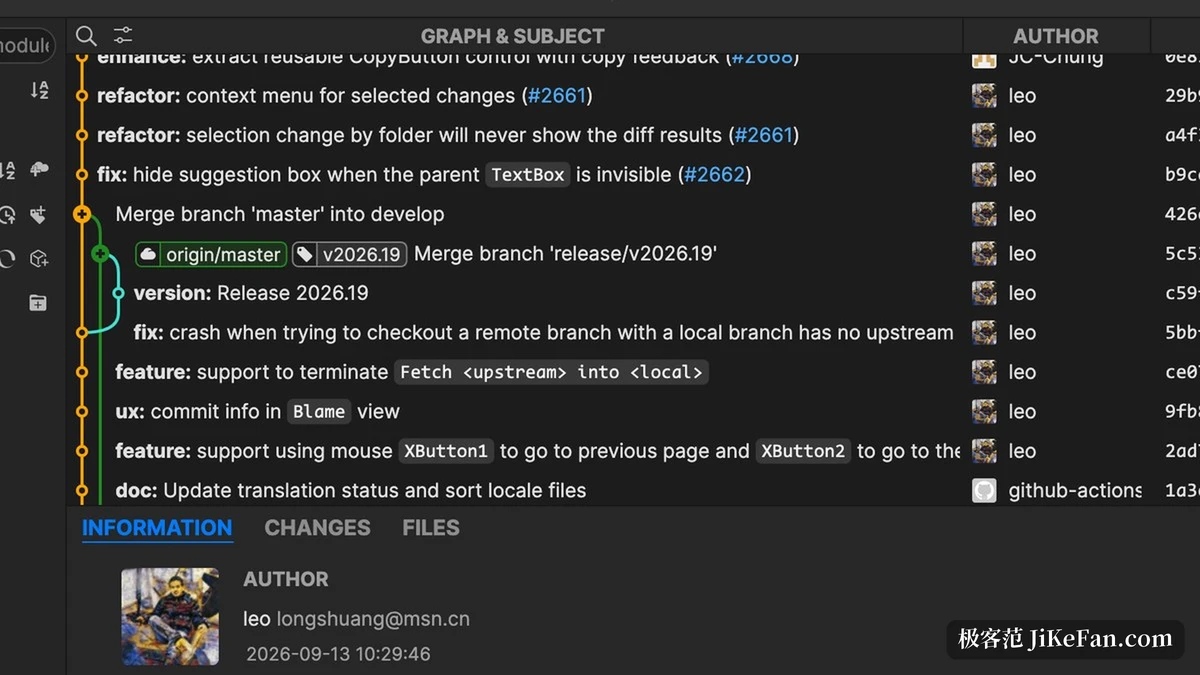
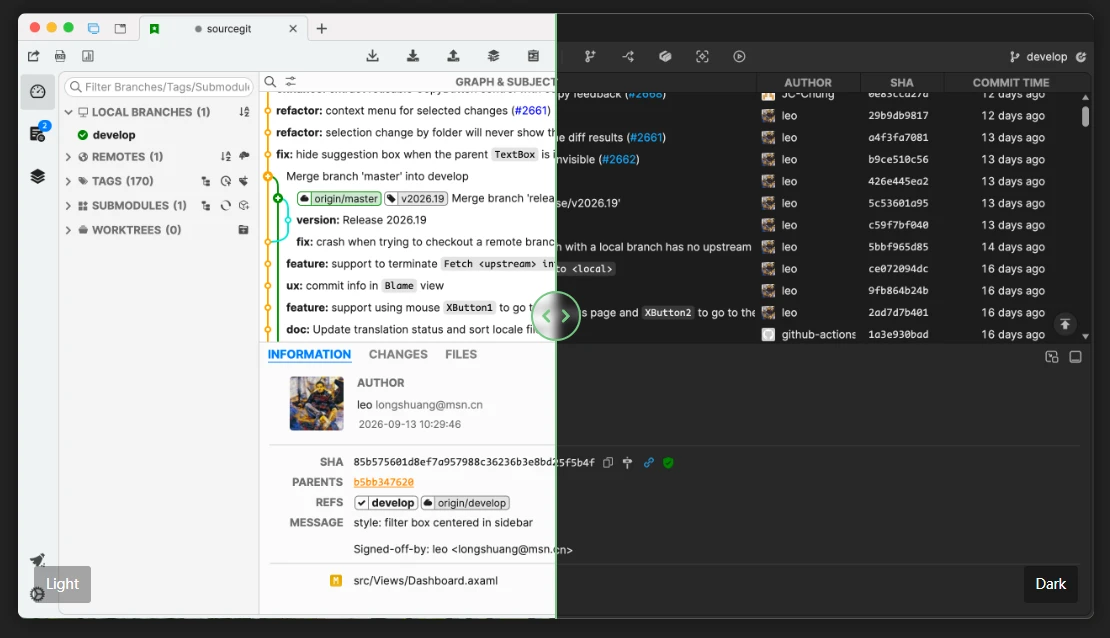
The window is laid out around reading history. Branches, remotes and tags form a tree on the left, the commit graph and its messages fill the middle, and the right side is left for author details, the change itself and the file list. Compared with paging through a log in a terminal, spreading the timeline and the branch movement out flat is less tiring when reviewing a stretch of parallel work.
That layout pays off at a particular moment. When two people have been working on separate branches for a week, reading what happened from a scroll of commits is slow, while reading it from a picture of where the lines split and rejoined takes seconds. The client is not doing anything clever there; it is simply showing the shape of the data.
Two ways to get a commit message written
Writing the message is the step most easily rushed. Two routes are provided. The first is a built in conventional commit helper, which splits type, scope and description into fixed fields and produces a uniformly formatted message. The convention itself is not complicated, but remembering every field by hand drifts, and a form keeps it steady.
The second is drafting with a model. The feature list includes generating a commit message with AI, and the notes add that this works with third party services that expose an interface compatible with the open standard, configured beforehand in the preferences window. In other words the account or the local inference service is supplied by the user, and calls do not pass through the software vendor.
Item | Official notes |
|---|---|
Platforms | Windows, macOS and Linux |
Licence | MIT |
Price | free |
Version | 2026.22, released 12 October 2026 |
Prerequisite | Git 2.25.1 or newer |
Messages | conventional commit helper, or generated after configuring a service |
Two things to confirm before starting
The first is the prerequisite. The usage notes state that Git 2.25.1 or newer has to be installed first. A graphical client of this kind handles the interface and the display while the object store is still read and written by the command line program on the system, so preparing that first is what lets the window take charge of a repository.
The second concerns where it comes from. SourceGit appears in the graphical client list on the git-scm site, with the platforms marked as Linux, Mac and Windows, the price as free and the licence as MIT. That list is a flat catalogue rather than a review, so treat it as an authoritative index entry and not as a recommendation.
The releases are worth noting as well. Each version ships Windows and macOS builds for both x64 and arm64, plus AppImage, deb and rpm packages for Linux. Matching your system and distribution removes the need to look for a repackaged installer on a third party site, which is where most unpleasant surprises in this category begin.
Give the repetitive graphical operations to a window and leave the code itself to the editor.
A few suggestions. Check the Git version on the machine before anything else, because the client will not run without a recent enough one. Use the conventional commit helper for everyday commits so the fields stay complete. And for a large change, let the configured model service produce a first draft, then read it through yourself before committing.