
Shen Suo Offline: a password vault kept by the phone s security chip
Summary
A mobile password manager that hands encrypted storage to the phone s dedicated security chip and never reaches the network while running. The free edition holds 20 accounts across 17 templates, and forgetting the master password can be resolved with help from friends rather than a server.
Recommend- Name
- Shen Suo Offline
- Version
- 2026.05
- Pricing
- Free
- Open source
- Proprietary
- Operating system
- iOSAndroid
- Website
- https://www.bluespace-labs.com/
- Updated
- 2026-10-12 22:02
Passwords on somebody else s server and passwords on your own phone are two different things, not two settings of one thing.
Giving the encryption to the chip
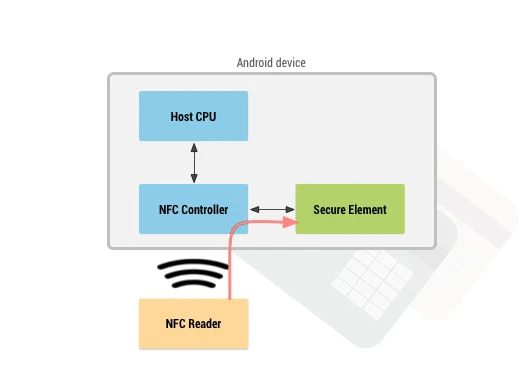
Shen Suo Offline is a password manager for mobile devices. The technical notes on its site use a fitting comparison: a phone wallet can hold card details safely because of the dedicated security chip inside the handset, and this product applies the same idea to passwords, with the chip protecting what is stored.
What that means is that encryption and key management sit in separate hardware rather than in a few lines of application code. The about page names BlueSpace Labs, based in Guangzhou, as the developer and states that the product has been distributed in more than 190 countries and regions.
A more direct difference appears in the privacy notes: this is an offline application that does not touch the network while running, and the project says it collects no user data at all. There is no account to register and no step where content is uploaded to a remote server, so where the data sits can be predicted and checked.
The distance between free and professional
The line between the two editions is drawn clearly in the comparison table. The free trial holds up to 20 accounts across 17 account templates; the professional edition raises the ceiling to 1000 accounts and every template, and separately opens custom tags, custom icons, custom items, encrypted filling by scanning a code on the computer, biometric verification and autofill. For a small set of everyday accounts the free ceiling is generally enough, and only past a hundred does moving up become necessary.
The application itself is fairly complete. The table lists a password generator, a strength check and an OTP authenticator, all handled inside the app, along with backup and restore, importing and other items. When adding an account you can generate a strong password on the spot, glance at the strength assessment, and put the second factor in the same place, which is a shorter path than switching between several tools.
The honest reading of a chip backed vault is that it protects the stored data, not your behaviour. A password reused across sites, or a master password that is short and guessable, defeats the design before the chip is involved. The tool raises the floor; it does not remove the need to think about which password goes where.
Item | Official notes |
|---|---|
Developer | BlueSpace Labs, Guangzhou |
Platforms | iOS and Android, plus a desktop browser extension |
Data | offline operation, passwords stay on the phone |
Free edition | trial, up to 20 accounts and 17 templates |
Professional | up to 1000 accounts and every template |
Version | iOS 2026.05, released 27 May 2026 |
After the master password is forgotten
Every password manager has one soft spot: forget the master password and the contents will not open again. The answer offered here is help from friends. The store description explains the mechanism and adds, deliberately, that the helpers cannot see any password content through it.
The method splits the material needed for recovery into parts held by different people, so that only a quorum can restore the master password. What any single helper holds is not enough to reconstruct even one entry. The arrangement spreads the risk across several people while keeping the premise that no service provider has to be involved.
The security page adds a design principle worth noting: shrinking the attack surface is one of the most important rules of software security, and the product is described as offering security technology that can be verified. For anyone storing accounts for years, an implementation that can be checked is more reassuring than a promise.

Decide where the passwords live before discussing how comfortable the tool is to use.
A few suggestions. Run the flow on the free edition while the account count is small. If the phone is where you will actually use it, buy the professional edition through the channel that matches that device. And set up the friend assisted recovery immediately after choosing a master password, rather than leaving it until the day it is needed.