
Samsung Magician: firmware and health for a Samsung SSD, from the maker's own toolbox
Summary
Samsung Magician is Samsung's own management tool for its solid-state drives, free on Windows and macOS. It shows firmware version, temperature, health and cumulative writes, updates firmware, benchmarks read and write speeds, runs diagnostics, tunes with TRIM and over-provisioning, and can wipe or migrate a drive.
Recommend- Name
- Samsung Magician
- Version
- 9.0.1
- Pricing
- Free
- Open source
- Proprietary
- Operating system
- WindowsmacOS
- Updated
- 2026-10-06 23:08
An official tool that serves its own drives
Samsung Magician is the manufacturer's own management software for Samsung solid-state drives, free in both a Windows and a macOS build. Its value is that it puts the states a drive normally keeps to itself on screen: current firmware version, interface and capacity, temperature and health, cumulative writes. All of it can be read in one window instead of inferred from a specification sheet. One caveat belongs at the front, because it decides how much of the program is useful: several functions are designed for Samsung consumer drives, so the usable part shrinks when the program is pointed at another brand.
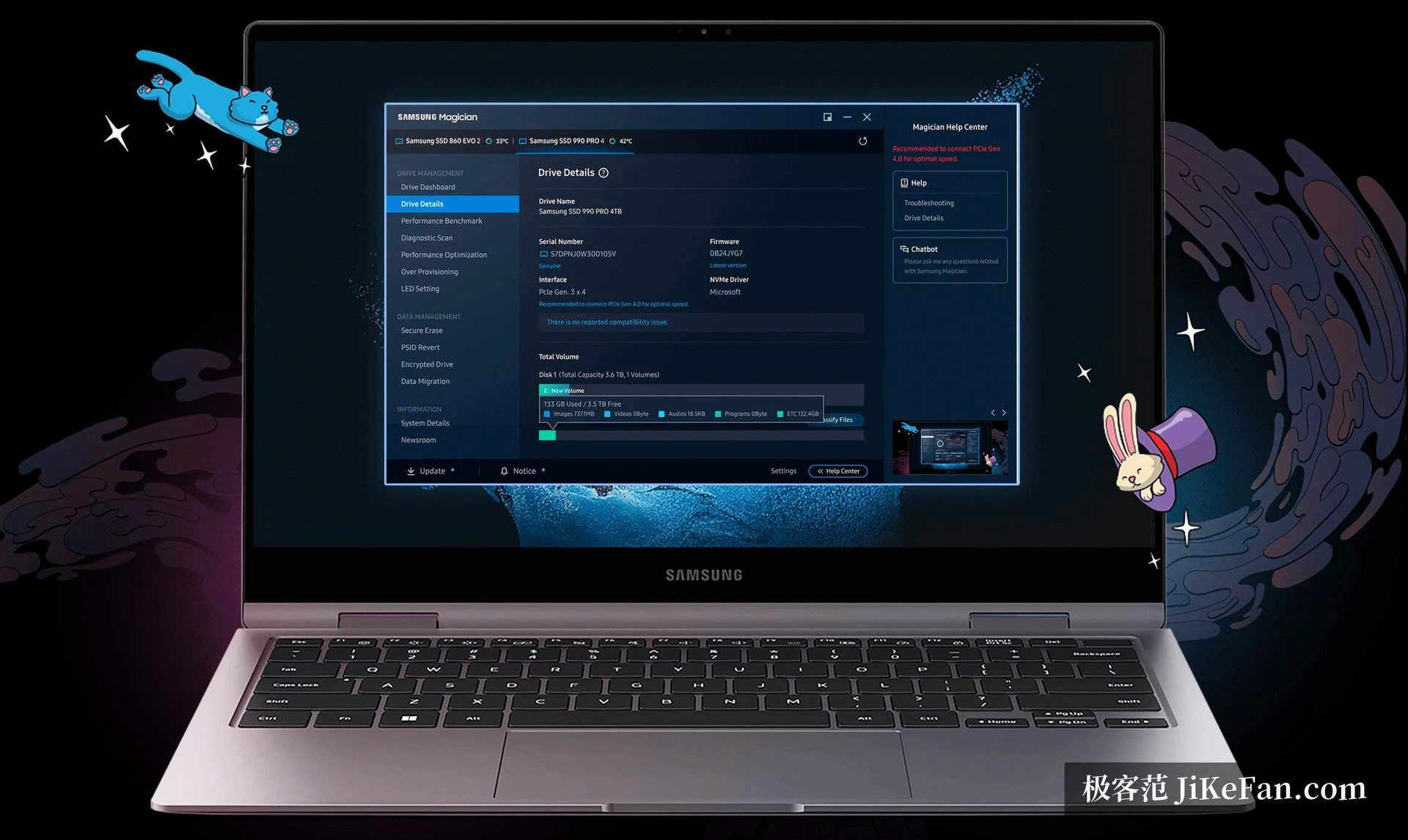
Reading a drive's condition
The numbers on the first screen look dull until something goes wrong. Temperature explains a drive that slows down during a long copy and recovers once it sits idle. Cumulative writes give a rough sense of how much of the rated endurance has been spent, which is the honest way to judge whether a used machine is worth its price. Health is the value that matters when a laptop starts behaving oddly, because a drive can pass every file check while its own report already says it is close to the end.
Firmware updates
Firmware is the reason most people install it in the first place. When a new release appears the program says so, and a wizard carries the update through; the official wording is that these updates improve performance, stability and compatibility. The download page also publishes firmware as an ISO image for models that need an offline upgrade, which matters when the machine doing the flashing has no working network stack. Beyond the dashboard, the program lists drive details: serial number, interface type and partition layout.
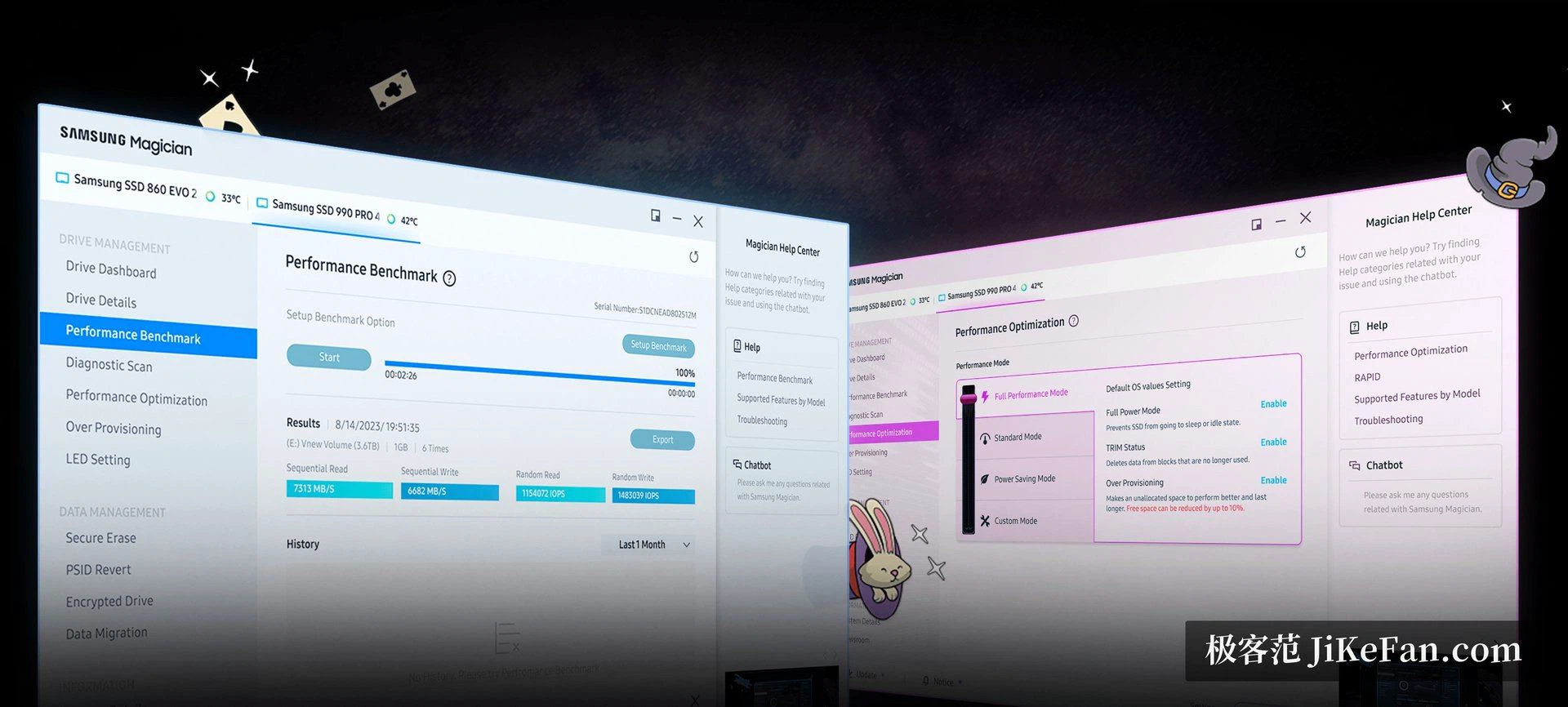
Benchmarks, diagnosis and tuning
The benchmark measures sequential and random read and write speeds, which answers the question a new drive always raises: is it actually reaching the bandwidth the interface allows. A diagnostic scan looks for read and write errors on the media. Performance optimisation uses TRIM and garbage collection to recover some of the speed a drive loses after long use. Over-provisioning is the other practical setting: a slice of capacity is set aside from daily use, and the return is steadier sustained writes and a longer service life.
Wiping and moving data
Before a machine changes hands, secure erase clears the data thoroughly, and the official description says it does so without damaging the hardware. Among the encryption options, PSID Revert returns a self-encrypting drive to its factory state, while Encrypted Drive turns encryption back on. Data migration moves an operating system and its files from an old drive onto a new Samsung one. The published notes for the 9.0.0 release say the emphasis was on the interface and the way it responds, so these functions are easier to find than they were.
Who it is for
Anyone with a Samsung drive in the machine gets a tool that does three jobs no general-purpose utility does as safely: official firmware, health reporting, and a wipe the manufacturer itself documents. Anyone on another brand can still run the benchmark and read the basic information, but health and encryption are exactly where the program stops being useful. As of September 2026 the current build is 9.0.1. That is a narrow scope, and the program is honest about being narrow.
It is worth stating what the program is not, because a wrong expectation wastes an evening. It does not partition a disk, clone arbitrary volumes or tune the operating system, and the migration function is aimed at moving onto a Samsung drive rather than at backing a machine up. Read as the maker's own inspection window, it does the job; read as a full disk utility, it will disappoint.
With a Samsung solid-state drive installed, this is worth keeping around: firmware updates, health readings and secure erase are all jobs it handles, and it costs nothing. Drives from other makers can still be benchmarked, but the parts about health and encryption will not work for them.