
ReNamer Lite: Batch Rename That You Can Look At Before It Happens
Summary
ReNamer Lite is a free batch renaming tool for files and folders, with stacked rules for prefixes, replacements and case changes, a preview of every new name, filters by type and date, and an undo.
Recommend- Name
- ReNamer Lite
- Version
- 7.10
- Pricing
- Free
- Open source
- Open source
- Updated
- 2026-10-06 15:42
Renaming in bulk is the easiest way to lose an afternoon
ReNamer Lite is a free program for renaming files and folders in bulk, and the awkward truth about its subject is that renaming is one of the few operations a computer performs which is genuinely hard to reverse. Editing a document leaves the old version in a backup; deleting a file sends it to a place you can dig it out of. Renaming a hundred files according to a rule you misread destroys the only record of what they used to be called, and no recycle bin holds a name.
Everything interesting about this category of tool follows from that one fact. A program that renames well is not the program with the most rules; it is the program that shows you the outcome first and lets you take it back afterwards. Preview and undo are not conveniences here. They are the two features that make the operation survivable.
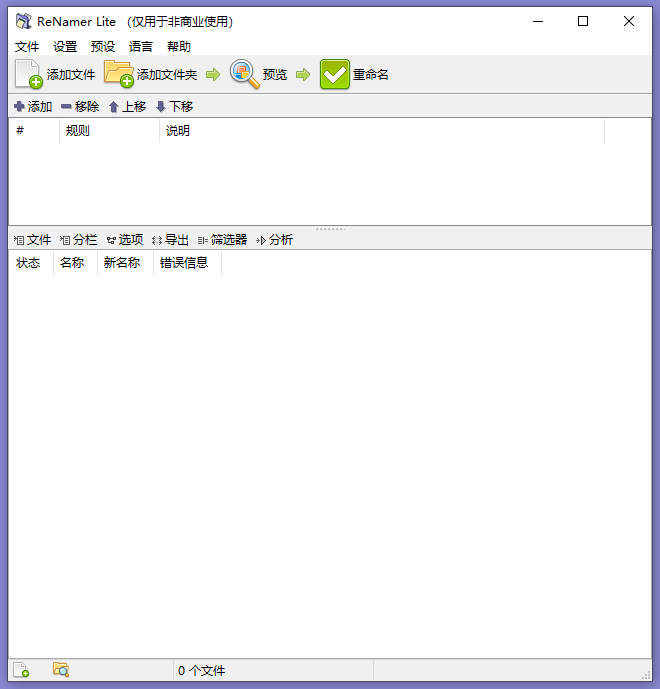
Rules are a pipeline, not a menu
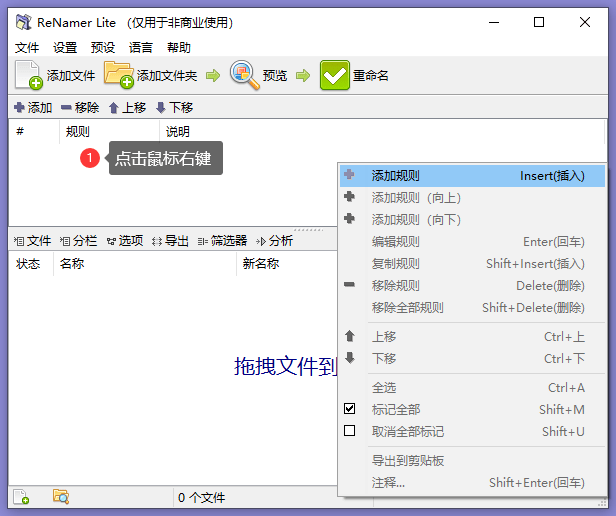
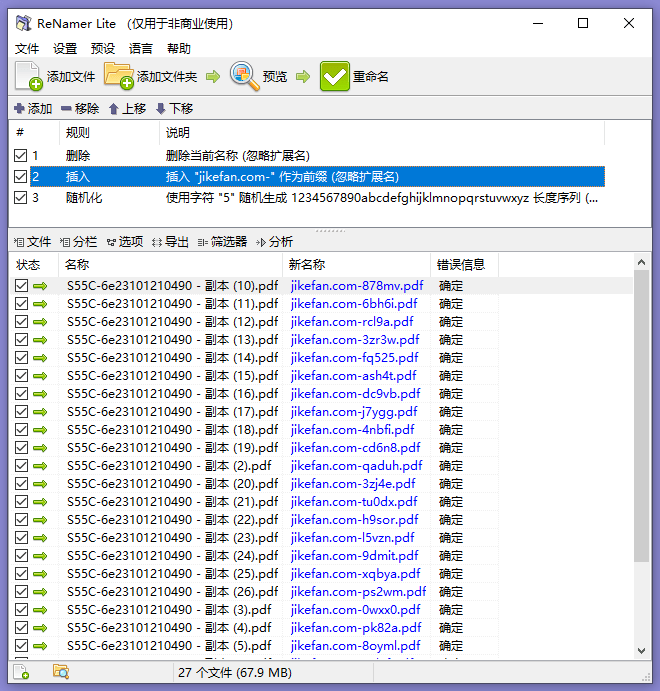
The rules offered cover what renaming actually consists of: adding a prefix or a suffix, replacing text, removing characters, and changing case. What matters more than the individual rules is that they stack. A rule chain is a pipeline, and each stage receives what the previous stage produced, which means order is not cosmetic. Removing the underscores before replacing spaces with underscores leaves underscores; doing it the other way round leaves nothing changed at all.
That single property explains most of the strange results people blame on the software. Reading a chain from top to bottom, and being able to see the intermediate name at each stage, is the difference between composing a transformation and guessing at one.
A filename has parts, and they are addressable
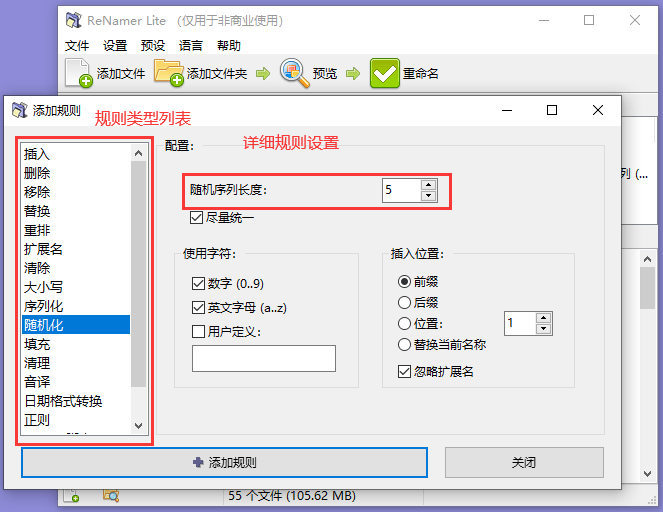
The reason a custom naming pattern is worth having is that a filename is not an indistinguishable string: it has a base name, an extension, and whatever structure a person has decided to impose on it. Once the parts are addressable, the useful operations become possible. Keep the extension while replacing everything else. Insert a date taken from the file itself. Carry the old name into the new one as a fragment rather than throwing it away, which is the difference between a rename you can undo by eye and one you cannot undo at all.
Numbering deserves a separate word, because it is where batch renaming earns its keep and where it most often goes wrong. A sequence needs an index and a width: without a fixed width, the tenth file sorts before the second one in every file manager on earth, and a folder of scans ends up in an order that looks random. Padding the number is a small decision with a large effect on whether the result is usable.
The other half of numbering is subtler: the index follows the current sort order, not the identity of the files. Two files can therefore swap numbers between two runs of the same rule, purely because the list was sorted by a different column. Sorting deliberately before numbering, and looking at the preview rather than the pattern, is the whole discipline.
Filter so that only the intended files move
Filters by type, size and date turn a blunt instrument into a precise one. The folder where everything lives is rarely the folder where everything should be renamed, and the difference is usually easy to state: only the images, only the files modified after a certain date, only the ones large enough to be worth the trouble. Narrowing the working set before composing the rule is safer than renaming everything and sorting out the damage afterwards, because the damage from a wrong rule is not the kind that sorting out fixes.
Names live inside an operating system, and each one has opinions
A filename is not free text. It has to survive a filesystem, and the rules differ between platforms in ways that only show up when a name crosses a boundary. Some characters are reserved. Some names are reserved words that cannot be used at all. The maximum length is counted in different units, so a name that is legal on one system can be rejected on another. And there is a class of invisible trouble: two names that look identical on screen but are stored as different byte sequences, which is how a folder ends up with a file that cannot be opened because something else already claims that name.
None of this needs to be solved by the person renaming, but it does need to be respected by the tool. A batch renamer that produces names the target system will reject has moved the problem rather than solved it.
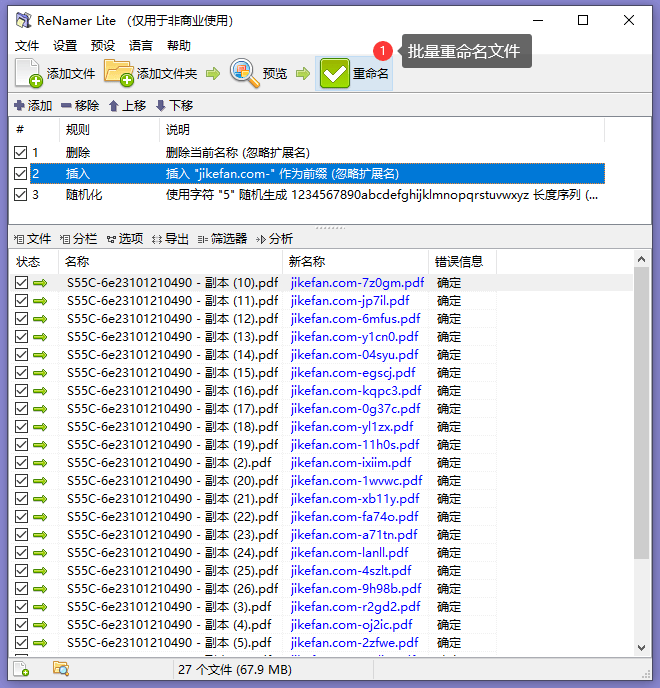
The undo is the feature
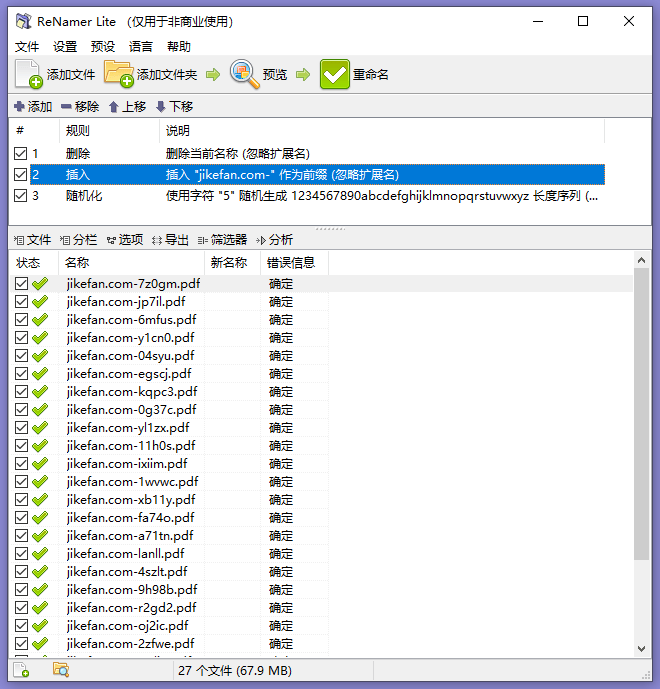
An undo in this context is not a nicety, it is a safety net with a specific shape. What it restores is not the contents of the files, which were never touched, but the mapping between old and new names. That is why an undo is only as good as the record it kept, and why running a rename twice in a row, or renaming inside a folder while another program is also moving things, can quietly break the chain of history that the undo depends on.
The habit that follows is simple: rename in a batch you can describe, look at the preview until the outcome is boring, and if the result surprises you, undo immediately rather than starting to fix individual files by hand. Hand-fixing destroys the map.
Where it fits
The people who need this are specific: someone with a folder of scanned pages named by a machine, someone who downloaded three hundred files that all carry the same meaningless prefix, someone assembling an image library that has to sort correctly for the next ten years. For all of them the job is the same shape: express the intent as rules, check the preview, apply, and keep the ability to step back. Free, for personal and non-commercial use, with a plain interface rather than a clever one, is exactly the right profile for a tool that should be used rarely and trusted completely when it is.