
Raycast first look: a keyboard-first launcher whose team tier never expires
Summary
One input box holds apps, files, windows, snippets and a store of thousands of extensions, and the free and free-team tiers stay open to organisations without an expiry date. The paid tiers buy AI credits rather than features.
Recommend- Name
- Raycast
- Version
- 20260918
- Open source
- Proprietary
- Operating system
- macOSWindowsiOS
- Website
- https://www.raycast.com/
- Updated
- 2026-10-06 22:12
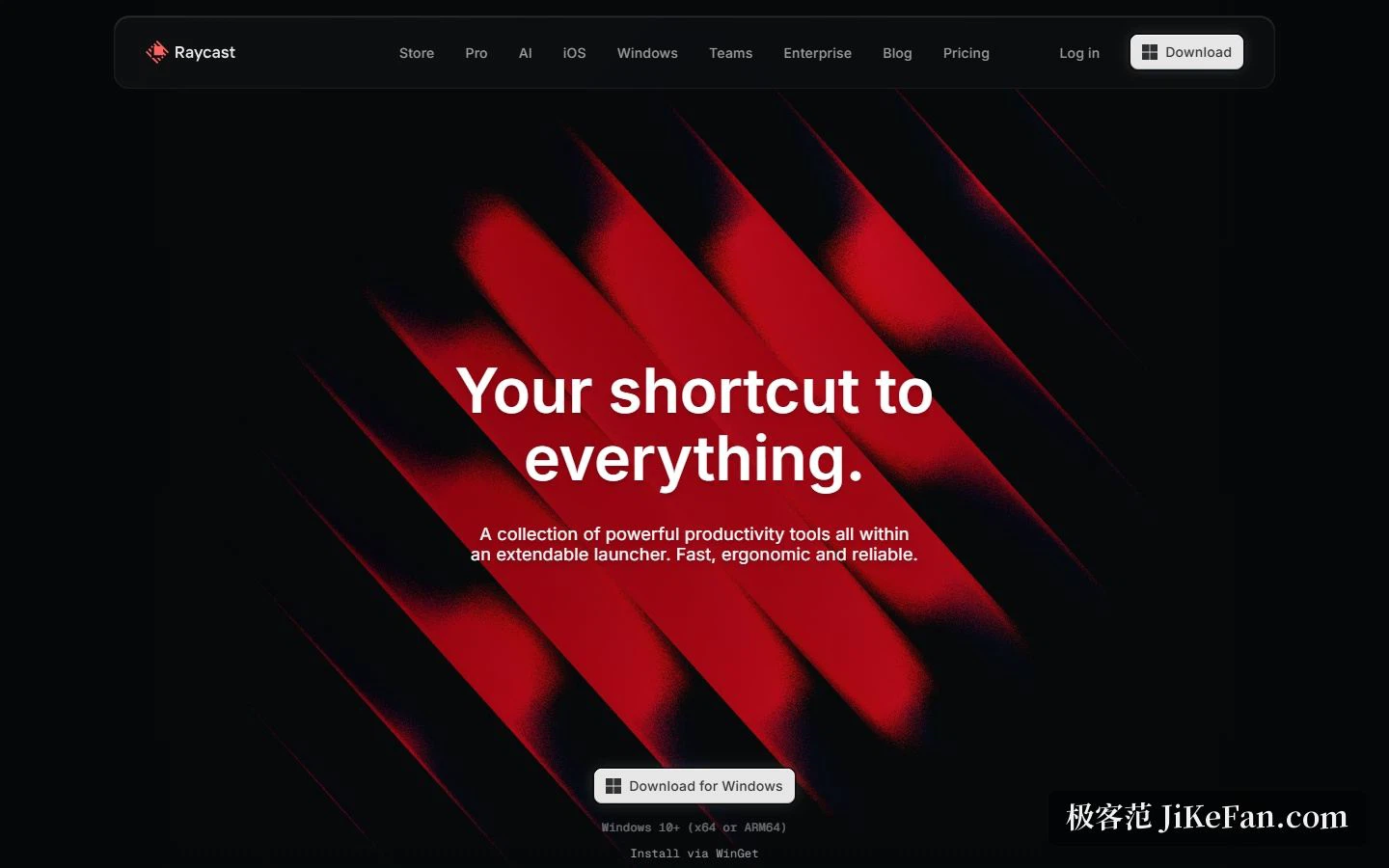
Productivity tools split into two camps. One piles features into separate windows; the other tries to collapse the entrance into a single input box. Raycast takes the second road. The homepage calls it your universal shortcut, the subtitle describes a set of productivity tools inside an extensible launcher and stresses fast, ergonomic and reliable, and the download button offers the Windows build outright, marked for Windows 10 and above on x64 or ARM64.
Making fast concrete
Three design goals are written as three slogans: fast becomes thinking in milliseconds, ergonomic becomes keyboard first, personal becomes your tools on your terms. The homepage also puts a harder number on the table, a 99.8 percent crash-free rate, the kind of figure a company publishes only when it is confident.
The demo screens cover a wide surface: clipboard history, file search, calendar, dictionary definitions, calculator history, window management and an emoji picker. The command panel searches apps and commands directly; window management places a window on the left half, the right half, a quarter or a third. One summary line claims notes, flight tracking, format conversion, file search, scripts, windows, scheduling, reminders, translation, distraction blocking and text lifted out of screenshots.
The desktop covers macOS and Windows, a mobile app covers iOS, and notes, snippets and chat history sync across all three.
How far the free tier reaches
The pricing page sets the individual free tier at 0 dollars, defined as the basic tools without AI: clipboard history, quicklinks, calculator, snippets, emoji picker and window management, plus 5 free notes in the notes feature, the iOS app, thousands of extensions, custom extensions and developer tools. Clipboard history keeps 3 months on free and unlimited on paid.
One detail deserves its own line. The FAQ states that the free and team tiers are equally open to individuals and organisations, enterprise environments included, and that using free features inside an organisation does not require an upgrade. The free team tier has no expiry either, capped at 30 shared snippets, 30 shared quicklinks and 5 commands.
The reason for free is stated too: the product is meant as a productivity layer everyone should have, so the individual plan is not billed and it covers every built-in extension plus community ones. Students can apply for half price, for the paid tier alone.
The extension ecosystem is the floor
A slogan on the homepage promises an extension for everyone, followed by use these tools without opening them. The listed set runs across project trackers, translation, music, browsers, image compression, password managers, issue trackers, chat, meetings, timers, note apps, to-do apps and screen capture, with thousands more behind them.
The store splits into explore, featured and all, the last sorted by newest and by popularity. Featured carries three examples, and the top of the popularity list runs through a process killer, a colour picker, a browser, a translator and a music player, each entry showing a command count and an install count, with pagination running to 329 pages. Anyone wanting to write an extension gets an interface aimed at web developers, where one build serves both desktop platforms, backed by a UI component library, a typed API, hot reload and a modern toolchain, and finished work can be submitted to the store.
AI, layered on later
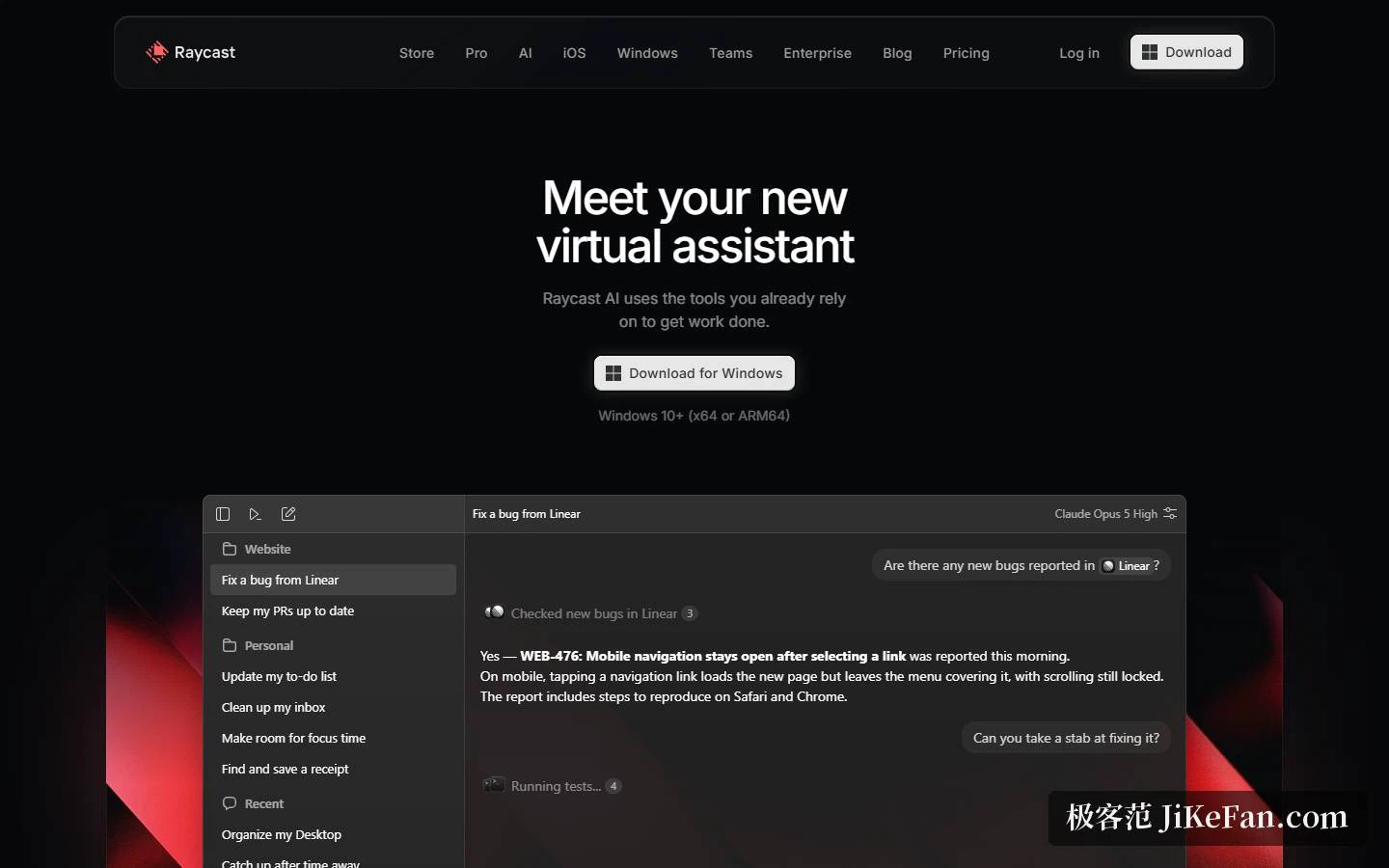
The AI page breaks the assistant into Quick AI, chat, agents, commands, extensions, screen awareness, memory and a profile, and stresses that models can be compared, chosen and managed. Quick AI is described as one shortcut away, meaning a question without leaving the current flow. Chat is described as an agent wired to the tools already in use, able to read files, generate images, connect tools and draw context from screen awareness, memory and profile.
A dozen preset role agents ship with it, a copy editor, code reviewer, trip planner, researcher, meeting prep, data analyst, support agent, bug hunter, idea partner, docs writer, designer and launch planner, each labelled with the model behind it. Custom agents can be built with their own instructions and models, each with a separate workspace and project-specific instructions and memory.
Above that sits automation. Schedules can be given to agents so they take over repeated work, with examples like checking mail at 9 every morning, syncing tasks at 9, or generating a changelog every Monday. Combined with agent memory, work that spans several days does not lose the thread.
Models, keys and credits
The AI page headline is any model, one interface. Every major provider is supported and switchable in the same window, and you can supply your own interface key or attach an existing subscription to a major chat service, a path that consumes no credits. The FAQ adds that keys come from three providers. For anyone already paying for a model subscription, that removes a duplicate bill.
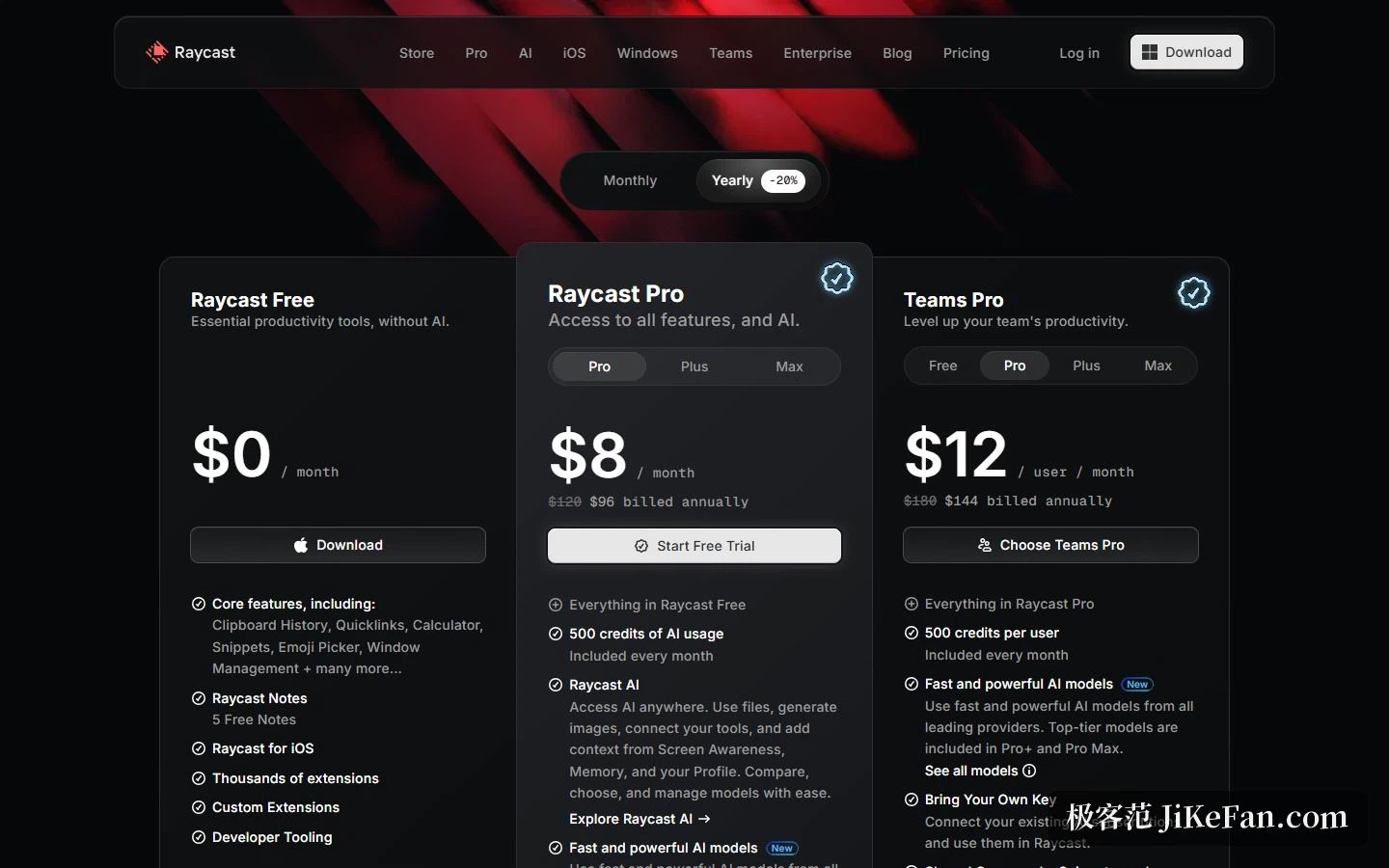
Through the official channel, usage is metered in credits. The paid tiers are 8 dollars a month for Pro, 20 for Plus and 50 for Max, with 20 percent off on annual billing, which lands at 96, 192 and 480. Monthly allowances are 500, 3000 and 7500 credits respectively, the stronger models are reserved for Plus and Max, and a new account gets 500 credits for a trial that opens only the Pro models. Credits bought as add-on packs never expire, each model burns them at its own rate, and the balance sits on the account page.
Teams and compliance
The team plan is 12 dollars per user per month with 500 credits each, plus shared commands, snippets, quicklinks and a private store. For comparison, the monthly individual prices are 15, 25 and 65, and the annual ones 144, 240 and 624. Seats are unbounded and billed monthly by headcount, personal and team extensions coexist, and team extensions are filtered inside store commands.
Above that, an enterprise tier is quoted individually and billed annually, sold on control: an audited security report, an annual penetration test, a central panel with organisation switches, own keys, a provider allowlist and custom providers, and admin controls spanning single sign-on and directory sync, domain capture, device management enforcement, cloud sync control, two-factor authentication, extension allowlists and IP allowlists. Privacy is gathered on the same page: data lives on the machine by default, cloud sync encrypts AI conversations to allow cross-device access with encryption in transit and at rest, provider agreements forbid training on interactions, and a local model runtime can be attached when stronger privacy is needed.
Who it suits, and what to watch
Three groups. Heavy keyboard users collapse apps, file search, windows, snippets and quicklinks into one box and cut the trips to the mouse. Anyone already paying for a model subscription gains a system-level entrance to it. And small teams can deploy the free and free-team tiers inside an organisation at no cost, switching only when shared commands and a private store are needed.
Two cautions. Credit burn varies hugely with the task, since chat is cheap while screen awareness, file work and scheduled automation sit in another order of magnitude, so estimate monthly use from the tier allowance before running automation continuously. And although data lives locally by default, switching on cloud sync or calling a hosted model still sends content off the device, so with sensitive material you have to decide which path it takes.
A launcher late in its life comes down to two things: whether it saves a person one step of thinking, and whether the work can be handed over with confidence. The first runs on shortcuts and extensions, the second on whose hands hold the keys and which machine keeps the data.