
Quicker: Compressing a Sequence of Steps into One Gesture
Summary
Quicker puts the small sequences you repeat every day behind a single key: a panel of actions that can open a folder, launch a program or run several steps in order. Free for Windows, with a task list and time-based triggers built in.
Recommend- Name
- Quicker
- Version
- 2.0.1
- Pricing
- Free
- Open source
- Proprietary
- Operating system
- Windows
- Website
- https://getquicker.net/
- Updated
- 2026-10-09 22:00
The cost is not the task, it is the getting there
Open the folder where this month's invoices live. Find the program that converts them. Paste the path into the dialogue. Save the output somewhere with a sensible name. None of those steps is difficult, and each takes a few seconds, and together they take a minute and a half of a working day during which nothing else is happening. Repeat that across the handful of sequences that make up an ordinary Tuesday and the arithmetic becomes uncomfortable.
Quicker is aimed at that arithmetic rather than at the tasks themselves. Its central object is an action: a named thing that runs one or more steps, invoked from a panel or a key combination you chose. The point is not that any individual action is clever. The point is that a sequence you perform forty times a week stops being a sequence and becomes a gesture.
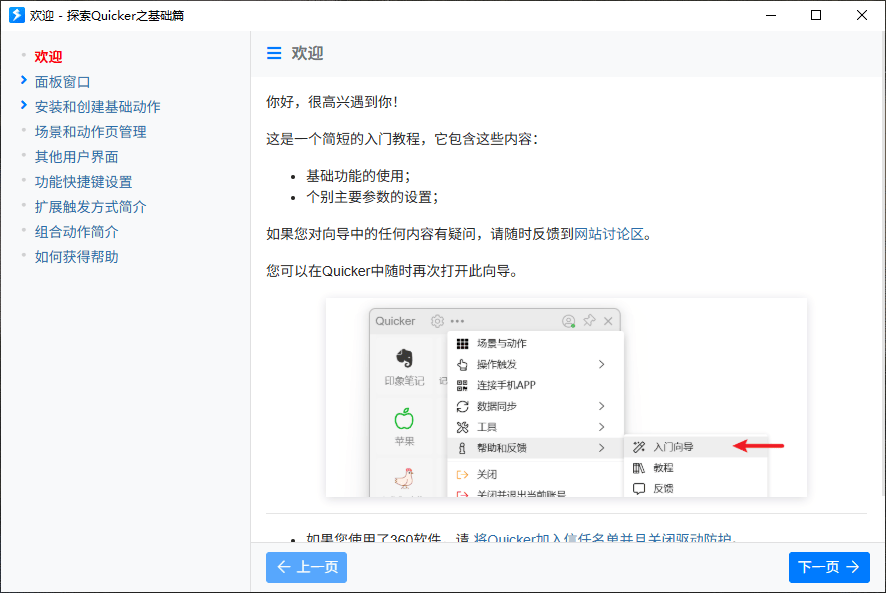
What an action can contain
At its simplest, an action is a shortcut to a place: a folder you open constantly, a document, an internal site, a program. That is the entry level and it already pays for itself, because it removes the part of the job where you navigate to something you already know the location of.
The more interesting level is an action that runs several steps in order. Convert these files, rename them by a rule, move them to a destination, open the result. Anything that you can describe as a fixed sequence can be stored as one entry, and the description is usually more reliable than the manual version: a recorded sequence does not skip the renaming step because it was distracted.
The third level is conditional. An action triggered by time, or by an event, running whether or not anybody is watching — open this at the start of the day, send that at the end of the week. This is where a launcher turns into something closer to automation, and also where the tool stops being obviously safe, because a scheduled action that was wrong when you wrote it will keep being wrong quietly.
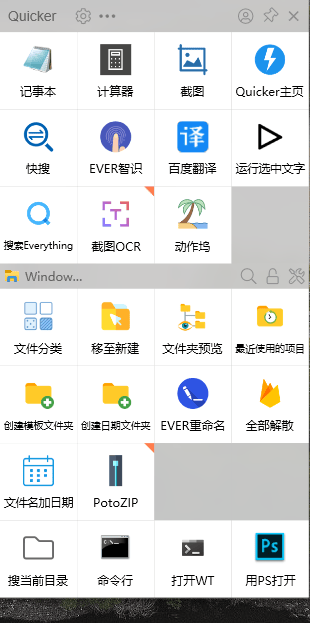
The panel is the real interface
Most launchers fail not because they lack features but because invoking them costs more than the feature saves. A panel that appears where the cursor already is, with the actions you actually use nearest to the top, is the difference between a tool that gets used and one that gets installed. That is why the layout matters more than the catalogue: a panel with forty entries sorted badly is slower than a menu.
There is a real design tension here and it is worth naming. The more actions you add, the more the panel resembles the problem it was meant to solve — a list of everything, in which finding the right item is again a search. The discipline that keeps a launcher useful is subtraction: a small set of genuinely frequent actions, and the rest kept somewhere out of the way.
The task list, and why it is in the same program
An integrated task list looks like a feature that wandered in from another category, and it makes more sense than it first appears. The things people want to launch are often the things they need to remember to do; having the reminder and the means of acting on it in one place removes the step where you read a task, then go looking for the tool that performs it. Priorities and due dates are conventional and sufficient — the value is in the adjacency, not in the task manager being better than a dedicated one.
What it will not do is replace a serious project tool, and it should not be asked to. A list that lives beside your shortcuts is for the short horizon: what to do today, what is waiting on somebody else. Anything with dependencies and history belongs elsewhere.
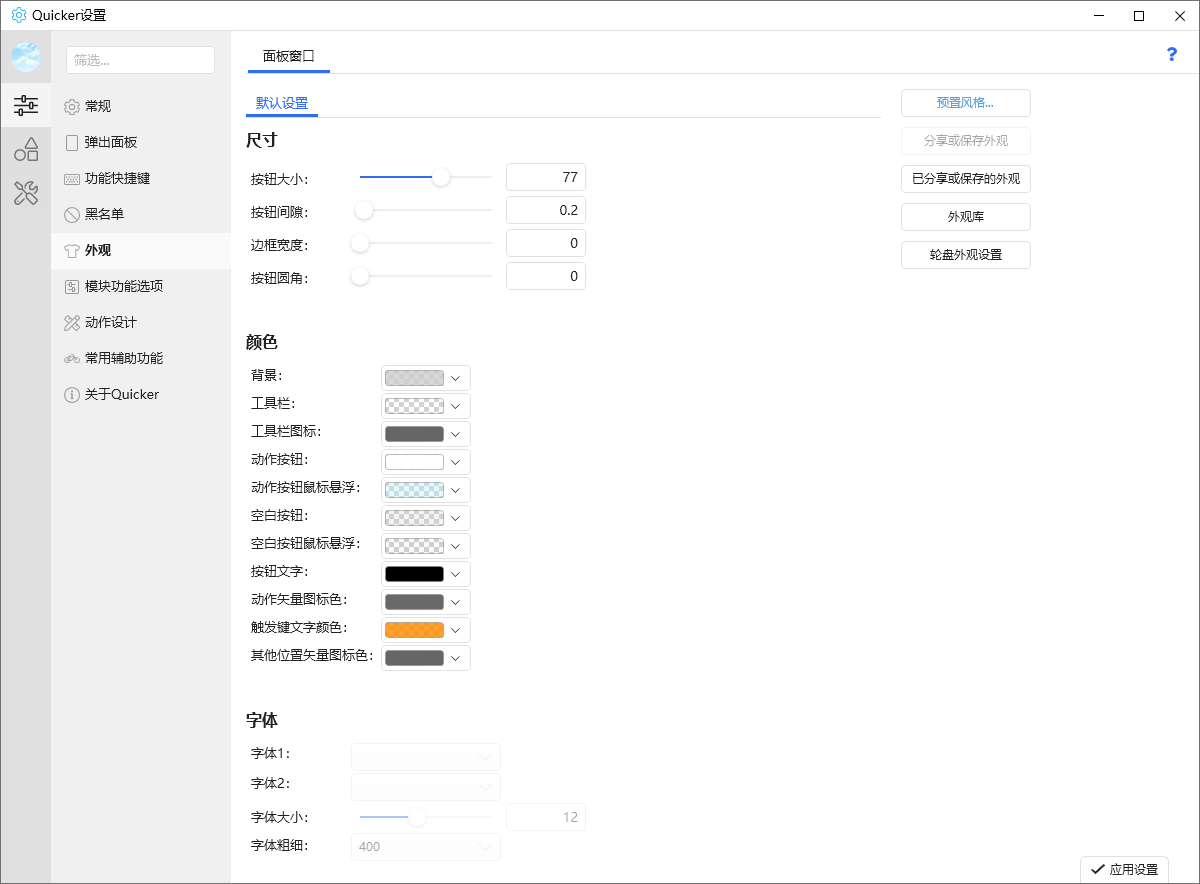
Customisation, and the honest trade
Themes and layout options are usually dismissed as decoration and they are not, quite: a tool that sits on top of everything else all day should be visually quiet, and being able to make it quiet is a functional requirement. The risk is the opposite one — spending an afternoon arranging a tool that was supposed to save afternoons. The useful rule is to customise only what you notice repeatedly, and to leave the rest at the default.
Who benefits most
The people who gain most are not the most technical ones. They are the ones whose work contains repeated sequences with a fixed shape: somebody who processes the same kind of file every day, somebody who jumps between the same six locations, somebody who assembles the same report from the same sources each month. Developers and designers are named in the original description and they fit, but so does an office worker with a repetitive administrative loop, and that person is usually the one who benefits more, because they have no other way to automate anything.
Verdict
Quicker earns its place by being about invocation rather than about capability. It does not do anything a person could not do manually; it makes the manual version unnecessary, which is a different and more useful claim. The action panel, the multi-step actions and the time triggers cover the ground between a shortcut and a script, and the built-in task list keeps the reminder next to the means. It is free, it is not open source, and it asks for the usual trade: a small amount of configuration now for a large amount of repetition avoided later. Spend that configuration on three actions you genuinely repeat, not on thirty you might.