
KeePassXC 2.7.12 keeps every password in one encrypted file you place yourself
Summary
KeePassXC 2.7.12 is free and open source on Windows, macOS and Linux, storing every account in one local encrypted file with a browser extension for autofill and a generator built in. Data never sits on a vendor server, and no subscription is charged.
Recommend- Name
- KeePassXC
- Version
- 2.7.12
- Pricing
- Free
- Open source
- Open source
- Operating system
- WindowsmacOSLinux
- Website
- https://keepassxc.org/
- Updated
- 2026-10-23 21:22
Password managers come in two camps: one keeps your vault on its own cloud, the other hands the vault to you. KeePassXC is the most representative of the second, with every account packed into one encrypted file whose location you decide.
One encrypted file holding every account
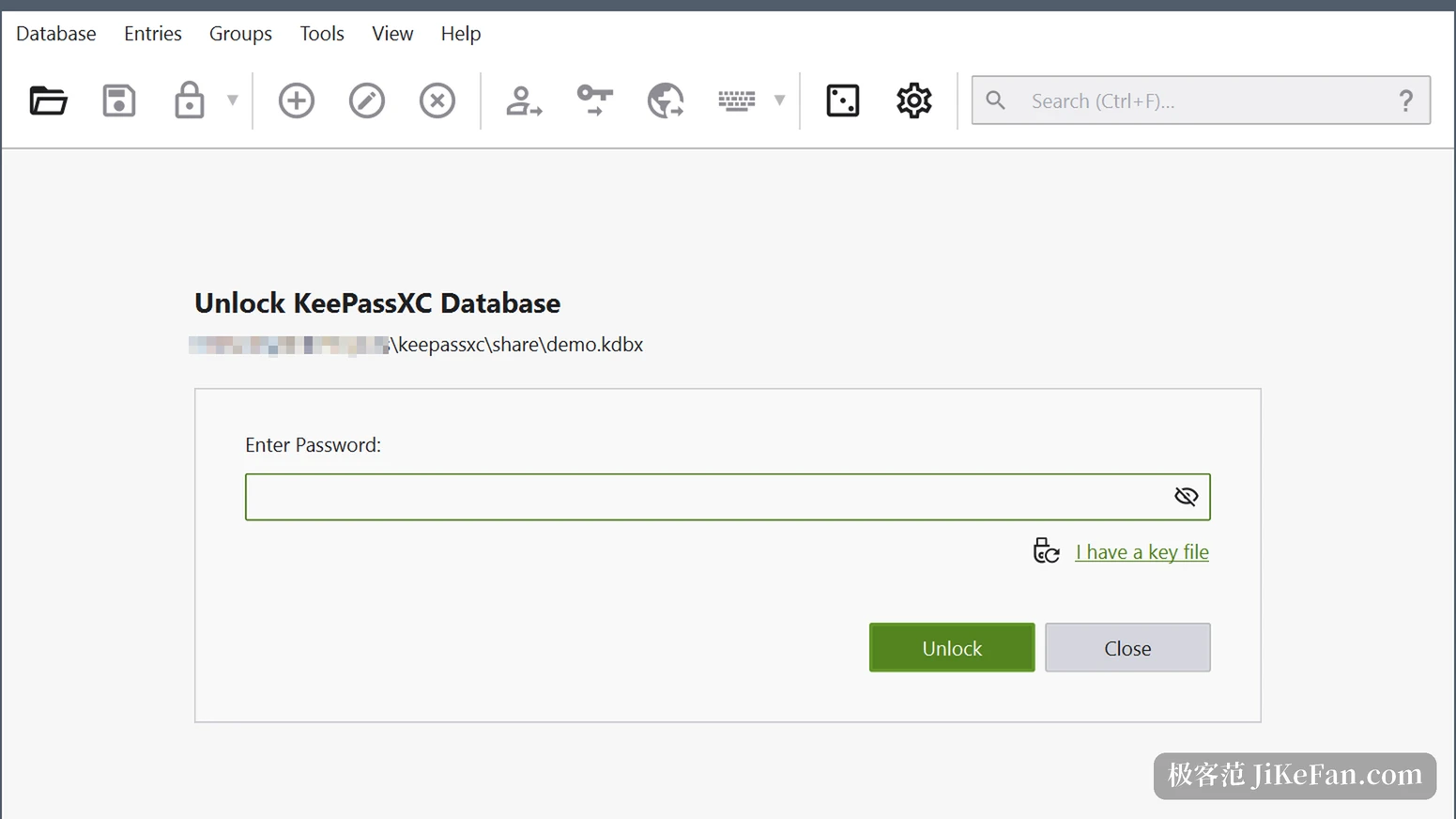
The official description of KeePassXC is one sentence: a cross platform password manager that stores passwords safely and fills them into the applications you use. It holds more than passwords, since usernames, web addresses, attachments and notes all go into the same vault. That vault is itself an encrypted file, and the project states that data is not kept on a remote server and the file may sit anywhere, on a hard disk, a removable drive, or a folder in a public or private cloud.
The difference this makes is direct. Where copies live, whether to sync and with whom are all the user's decision, and the software only has to read the file, keep it encrypted and fill in the right place. The project sums up the stance in three restraints: no dependence on a cloud, no tracking of users, no subscription fee. The software is free under the GPLv3 licence, the source is public on GitHub, and anyone who wants can build a copy.
Three platforms, one set of features
The project says every feature has been verified on Windows, macOS and Linux. That sounds ordinary, and anyone who has built cross platform tools knows the weight of it, since plenty of comparable software carries a different gap on each system and one platform's build lags behind. The current stable release 2.7.12 covers macOS 12 and later, packaged separately for Apple Silicon and Intel, Windows 10 and 11, and the mainstream Linux distributions; the Windows column offers a portable archive as well, and the Linux column recommends Flatpak while also providing an AppImage.
The same version number reaches more than the official site, since the Microsoft Store, an Ubuntu PPA and Flathub all carry it. One thing to watch is architecture: 32-bit Windows builds stopped after an earlier release.
Autofill arrives through a browser extension
With the vault local and the web page inside a browser, the two need a bridge. KeePassXC builds it as a separate browser extension that talks directly to the software running on the machine, works out which record belongs to the current site, and fills the credentials into the form. Nothing passes through a third party server, and the matching logic stays local.
This release made two small repairs along that chain. The dialogue asking to confirm browser access now shows the matched address in its prompt, so the site making the request is visible at a glance, and a checkbox in the browser integration settings that displayed the wrong value is fixed, along with an offset when browser related values were written into custom data.
What changed in 2.7.12
This release arrived on 10 March 2026, more than three months after the previous one in late November 2025, and its content leans toward repairs and small additions.
The most practical item lets autotype use TIMEOTP as a placeholder. Autotype is the software typing credentials into another window on your behalf, and that sequence can now insert a time based one time code, which brings the second step of two factor authentication into the same flow. Another item lets Bitwarden imports keep nested folders, so moving a vault over from another tool no longer flattens the hierarchy into a heap of siblings.
On security there is one hardening: a mitigation against injection through a malicious OpenSSL configuration file on Windows. Beyond that, a change to autotype that caused concurrency conflicts on Linux was rolled back, and repairs cover the enabled state of the autotype help button, validation of the main entry's address when placeholders are used, and the cleaning of filenames before an attachment is saved.
Passkey flags worth checking before upgrading
This release starts storing two flags per entry for passkeys, backup eligibility and backup state, both defaulting to true. Those values were hard coded to false before, and once they default to true and land in the entry, some existing passkeys may stop working, because they are treated as immutable properties and no longer match once the value changes.
The stated way back is to add two string attributes by hand, setting both flags to 0 to restore the earlier behaviour. If the vault already holds passkeys, this is worth a look before upgrading.
Generator and database report
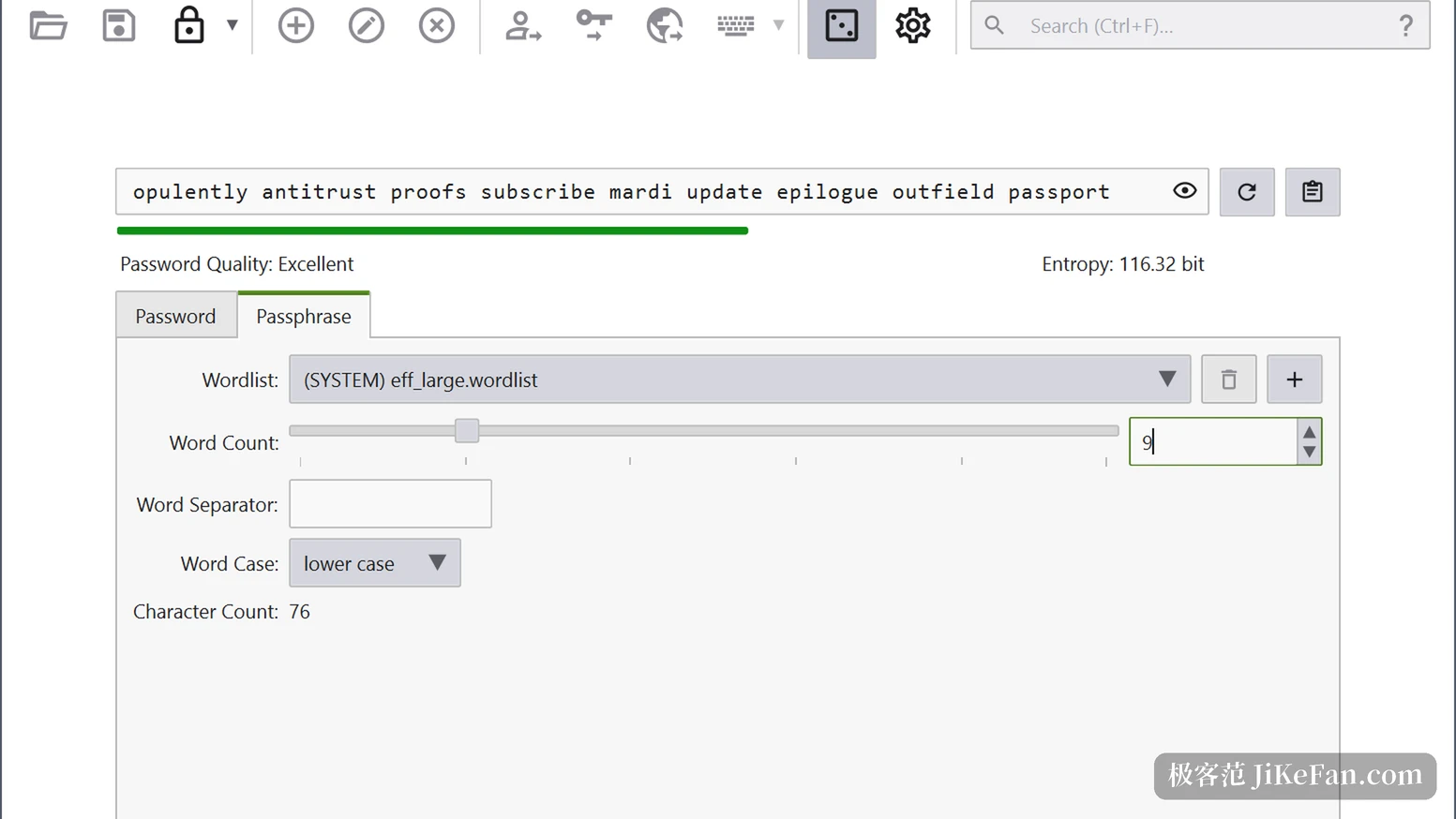
The built-in password generator has two columns. The password column controls length and character groups, upper case, lower case, digits, symbols and extended ASCII, can exclude lookalike characters and can require at least one from each group, with strength and entropy shown live. The passphrase column takes another road: pick a word list, set the number of words, the separator and the capitalisation, and get a long phrase that is easy to say and remember, with entropy shown the same way.
A vault used for years accumulates duplicate passwords, weak ones and entries untouched for a long time. The database report is where those problems get laid out, so which entries need attention is visible at a glance.
Certification and licensing
An earlier point release passed the first level security certification CSPN from the French national agency for information security and received the Security Visa, a certification recognised in both France and Germany. For software holding every account in one file, a third party assessment carries more weight than a self description.
The next release is already in the testing channel: a move from Qt5 to Qt6, autotype under Wayland, configurable shortcuts, quick unlock through the macOS system password and through Polkit on Linux, and the first native Windows ARM64 build. It is still beta, fine for anyone chasing new things, while daily use is better left on 2.7.12.
Who it suits
Anyone willing to manage the file and to arrange syncing themselves will find it comfortable: the vault is in their hands, all three systems open it, and once the extension is connected, logging in on a page still takes a single click. Turn it around, and anyone expecting to register an account and get sync everywhere will find it an extra step to arrange.
This release is no overhaul, four or five small changes plus one hardening, and the main line is the old rule: one encrypted file, one local vault, one browser extension. Decide where the vault lives and the rest is handled.