
eza rebuilds the ls listing you type every day
Summary
eza replaces the plain directory listing with colour by file type, readable metadata, git status at the end of each line and a real tree view. A single Rust binary, compatible arguments, one alias away from the command already in your fingers.
Recommend- Name
- eza
- Version
- 0.23.5
- Pricing
- Free
- Open source
- Open source
- Operating system
- WindowsmacOSLinux
- Updated
- 2026-10-06 21:06
Fifty years of the same listing
The first command anyone types in a terminal prints a list of files, and the tool that does it has barely moved in half a century. Names arrive in a plain column. A folder and an archive look the same until you read the suffix. Whether anything in a repository has changed is a question for a second command. Wanting a tree means installing another program entirely. None of this is broken, exactly. It is simply old enough that nobody remembers choosing it.
eza redoes that single step. Entries are coloured by type, so directories, archives, executables and links separate at a glance instead of requiring a suffix hunt. The metadata column is arranged so size, owner and date line up readably rather than drifting. Inside a repository every file carries its modification state at the end of the line, which answers the question you were about to spend another command on. A tree view, icons and a grid layout are options inside the same tool, not separate downloads with separate flags.
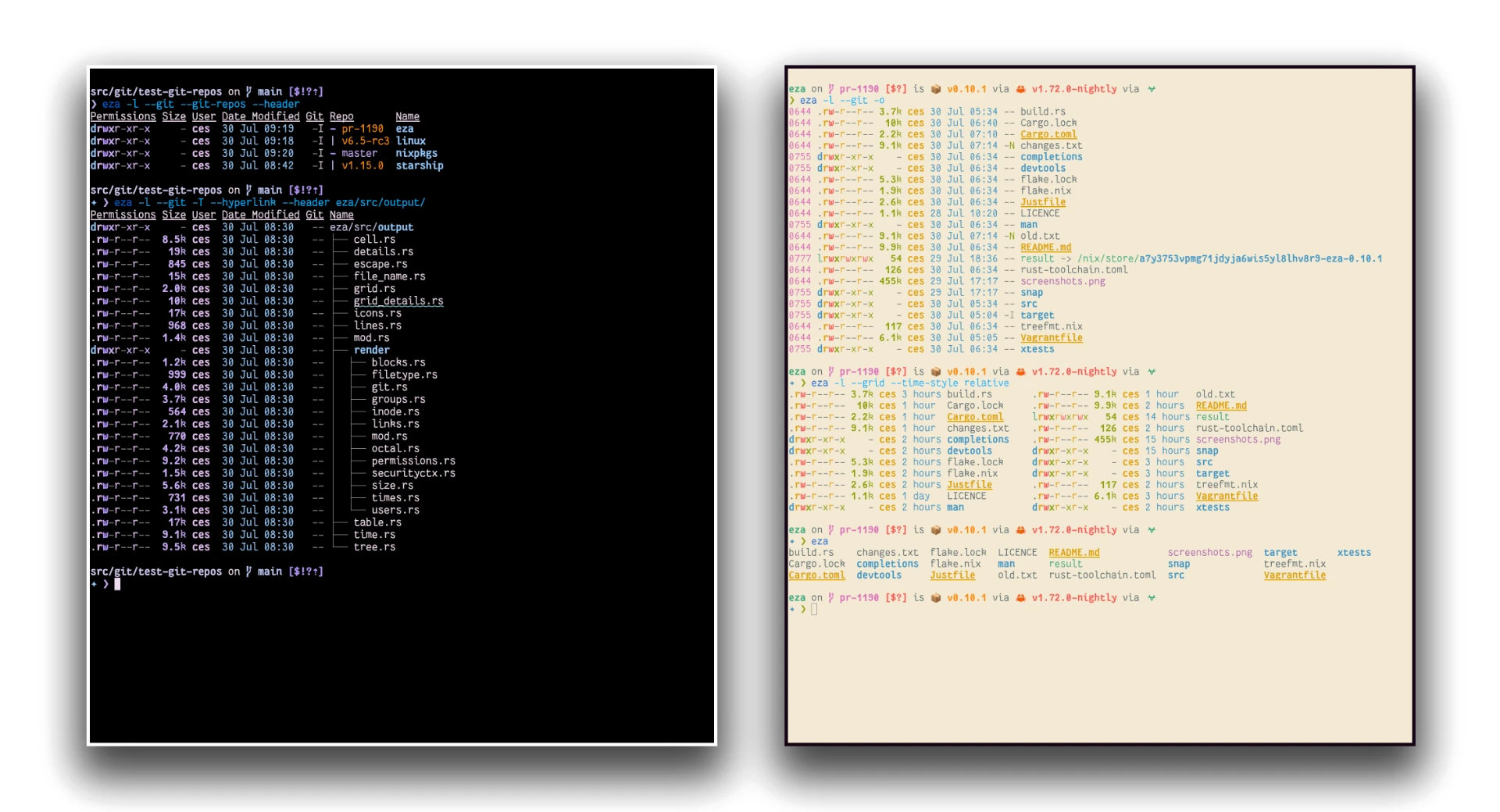
It is one binary written in Rust, which matters less for the language than for the consequences. It starts fast, prints fast, and is close to invisible in memory. A listing tool gets called several hundred times a day, so the cost of calling it should not be measurable. Here it is not.
Standing on exa and walking further
Much of this design came from exa, a project many long-time terminal users still have warm feelings about. exa stopped receiving updates, which left its users in the awkward position of liking a tool they could no longer recommend to anyone starting out. eza is the community continuation: it keeps the habits the original established and keeps adding to them, extended attributes in the listing, hyperlinks in the output, more flexible filtering rules, configurable timestamp formats.
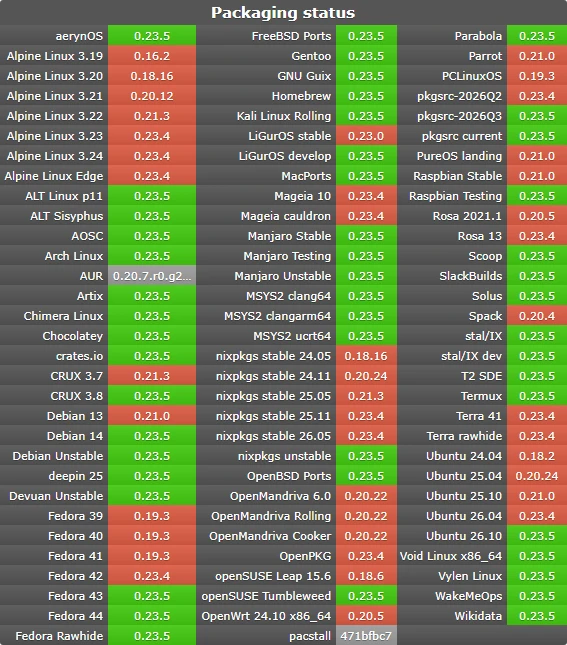
For everyday use the migration is one alias. Point the familiar command at eza in the shell profile and every existing reflex keeps working while the output changes underneath it. Windows terminals are covered along with macOS and Linux, and installation is a single command from whichever package manager is already on the machine, which is the difference between a tool people try and a tool people keep.
There is a predictable objection: colour in a terminal is decoration, and decoration is what people add when they have nothing useful to say. The answer is that the useful part is the discrimination. When a listing separates a folder from a symlink from an executable by colour, the eye stops parsing suffixes and starts reading the structure of a directory, which is the thing you actually wanted to know. Metadata arranged in columns works the same way: the question is rarely what one file is, it is how the files compare.
Then the second objection: is this worth learning anything new for. It is not, because there is nothing to learn. The tool is an argument-compatible rebuild of a command people already know, which is a rare position for a piece of software to occupy. Most tools that claim to modernise something ask you to adopt a workflow first; this one asks for one alias and then stays out of the way, which is exactly why it fits inside a habit instead of replacing one.
The point eza makes is that familiar does not mean finished. A command typed hundreds of times a day deserves one serious pass of modernisation, and efficiency and appearance turn out not to be in conflict.
The learning cost stays close to zero. Arguments are largely compatible with the old command, so anything muscle memory produces still works, and the help page covers the newer options in about ten minutes. The project is MIT licensed, the community is active, and releases roll out monthly rather than in rare bursts, the current one being 0.23.5 from September 2026.
This is the kind of change worth making precisely because it is small. No new workflow to learn, no configuration file to rewrite, no background service to keep alive. One line in the shell profile, and a command you already type several hundred times a day stops looking like it was designed in 1975. Of all the improvements available to a command line habit, this one has the best ratio of effort to daily return.