
Polaris Office: A Cross-Platform Suite That Also Sells a One-Time Licence
Summary
Polaris Office is a cross-platform office suite the publisher says reaches 234 countries and 130 million users; the web edition needs no install, and the perpetual licence is a one-off purchase that runs offline without signing in.
Recommend- Name
- Polaris Office
- Version
- 11
- Pricing
- Free
- Open source
- Proprietary
- Operating system
- WindowsmacOSiOSAndroidWeb
- Website
- https://www.polarisoffice.com/
- Updated
- 2026-10-11 20:15
Buying a new licence every time you change device is the most stubborn assumption people carry about office software.
Three ways to buy, three ways to work
Polaris Office is a cross-platform office suite, and its own headline sums up the pitch as making document work easier with AI. Downloads are offered for Windows, Mac, Android and iOS, alongside a web entry point labelled as needing no app install. The official site lays the purchase options out side by side in three columns, and that comparison is the right place to start understanding the product.
The web edition runs in a browser with nothing to install, and the official page recommends it to people who want light use without a download; it covers DOCX, PPTX, XLSX and HWP, is free, and is deliberately limited. The subscription can be installed on every device you own and comes with a longer format list that adds HWP, HWPX, HWT and HWTX, the four Korean document formats, plus AI features and cloud storage. The perpetual licence is a one-off purchase tied to a single authorised device.
What the perpetual licence actually buys
The word permanent invites overreading, so the official product page draws the boundary carefully. What you get: the licence is bought once and used indefinitely, the install runs offline, and no login is required. The official wording says the software even runs standalone without signing in, with no offline restrictions. For anyone working on an isolated network, or simply unwilling to push documents into a cloud account, that single point decides the purchase.
The trade-off is stated just as plainly. The FAQ says the perpetual licence does not include feature updates, and that stability and security patches may be provided only to a limited extent. The feature set is frozen at the moment of purchase, which the official page turns into a target audience of its own: people who prefer a fixed set of features and want to genuinely own the thing. There is no trial, downloads are not refundable, the licence covers one device, and moving to another machine means deactivating first. All of that is worth reading before paying.
Item | Official notes |
|---|---|
Purchase options | Free web edition, periodic subscription, one-time perpetual licence |
Platforms | Windows, Mac, Android, iOS, web |
Formats | Subscription covers DOC, DOCX, XLS, XLSX, PPT, PPTX, PDF, HWP, HWPX and more |
Perpetual licence | Offline use, no login, no feature updates |
Current version | Version 11, with new features limited to the Windows product |
AI and reach, the two headline claims
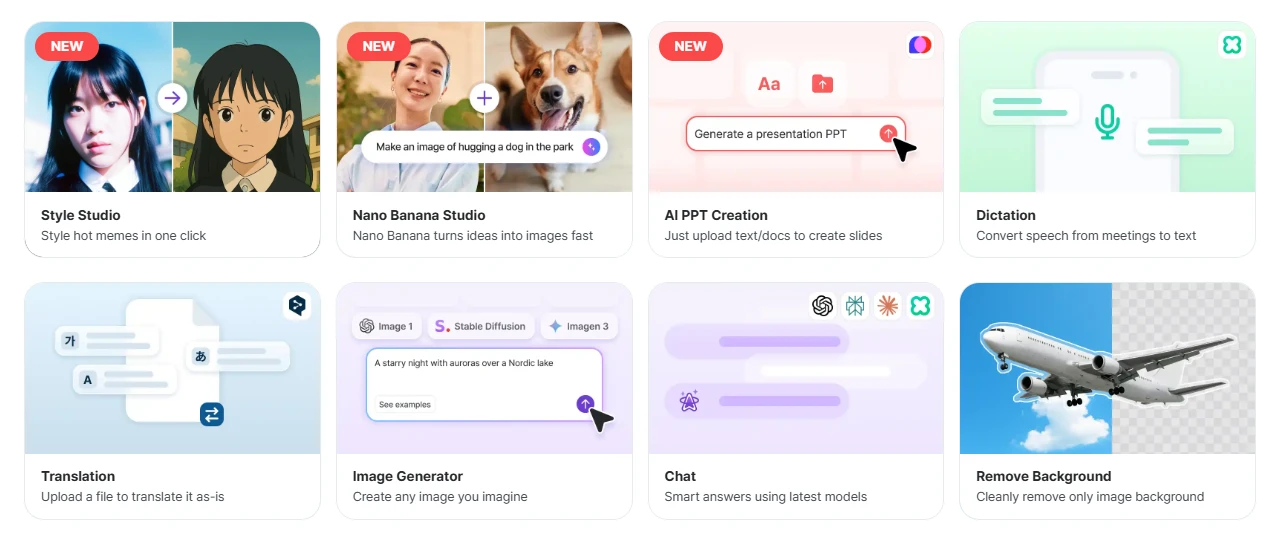
AI capabilities sit under a block called NOVA, headed thirty AIs in one place, with models listed as GPT-5.5, Upstage Solar Pro 2, Perplexity and Claude 4.6 Sonnet. The tools cover image generation, AI slide building, dictation and transcription, document translation and background removal. One detail matters: the official comparison table puts AI inside the subscription tier, so the perpetual licence does not include it, and the local AI product on Mac offers writing assistance only.
On reach, the official figures are 130 million users, more than 110 million downloads, availability in 234 countries and regions, and a CES 2025 Innovation Award. Version 11 has shipped, and the release notes add that the new features apply to the Windows product only: a dark mode, a more immersive presentation mode, a more intuitive design library, automatic object alignment and PDF editing.
Putting buy-once and subscribe side by side in one table and letting the user choose is itself a form of respect for different working situations.
Some guidance. On an isolated network or a machine that rarely reaches the internet, the perpetual licence is the sensible pick. If you move between several devices and want the newest AI features, the subscription fits better. And if you only need to open one document once, the web edition does the job with nothing installed.