
Podman Desktop: container management without the licence question
Summary
Podman Desktop puts containers, images, volumes, pods and Kubernetes into one open source interface under Apache-2.0, manages several container engines side by side and stays usable from the command line.
Recommend- Name
- Podman Desktop
- Version
- 1.29.3
- Pricing
- Free
- Open source
- Open source
- Operating system
- WindowsmacOSLinux
- Website
- https://podman-desktop.io/
- Updated
- 2026-10-06 12:32
The day the free tier stopped being free
Docker Desktop changed its licensing for larger organisations, and teams that had built a workflow on it suddenly had a line item to explain to finance. Some paid. Some moved to raw command line tools and lost the convenience. Podman Desktop is the answer Red Hat put forward, and it is deliberately unglamorous about it: the licence is Apache-2.0, commercial use costs nothing, and the project goes straight at the thing people actually missed, which is a window that shows what is running.
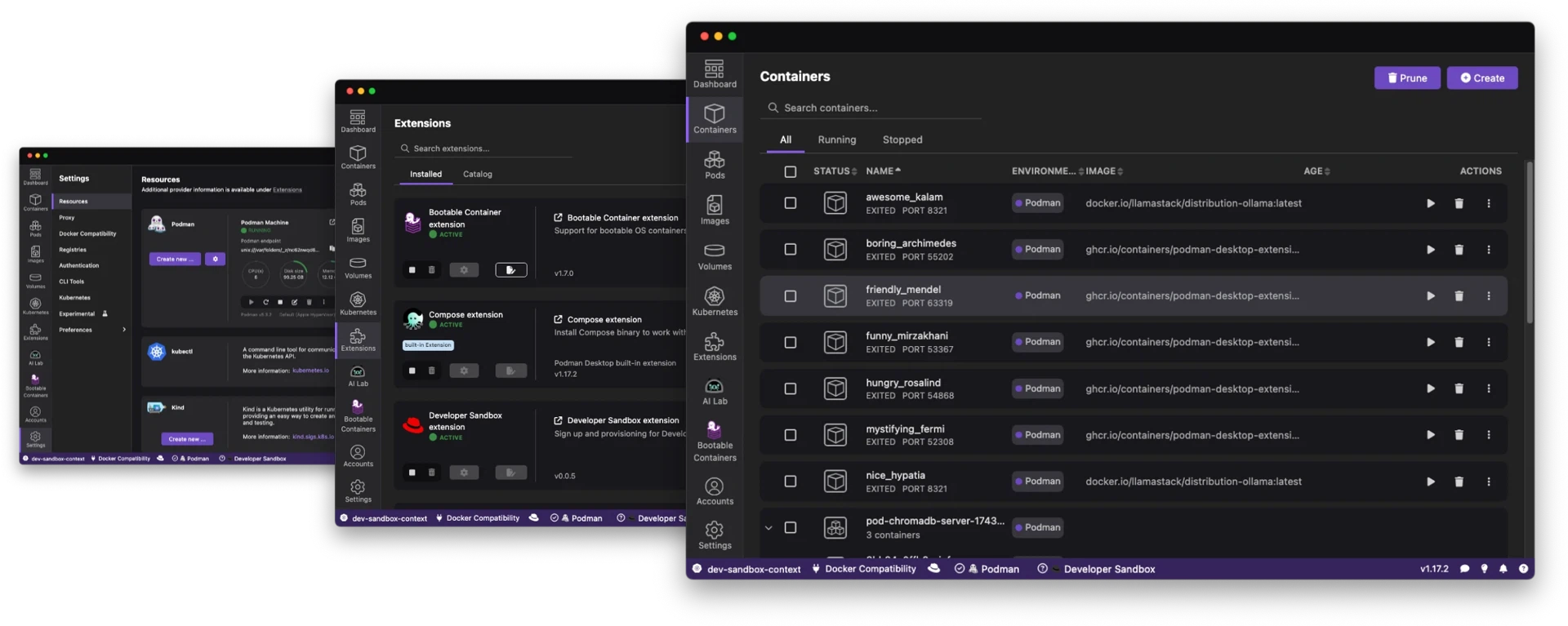
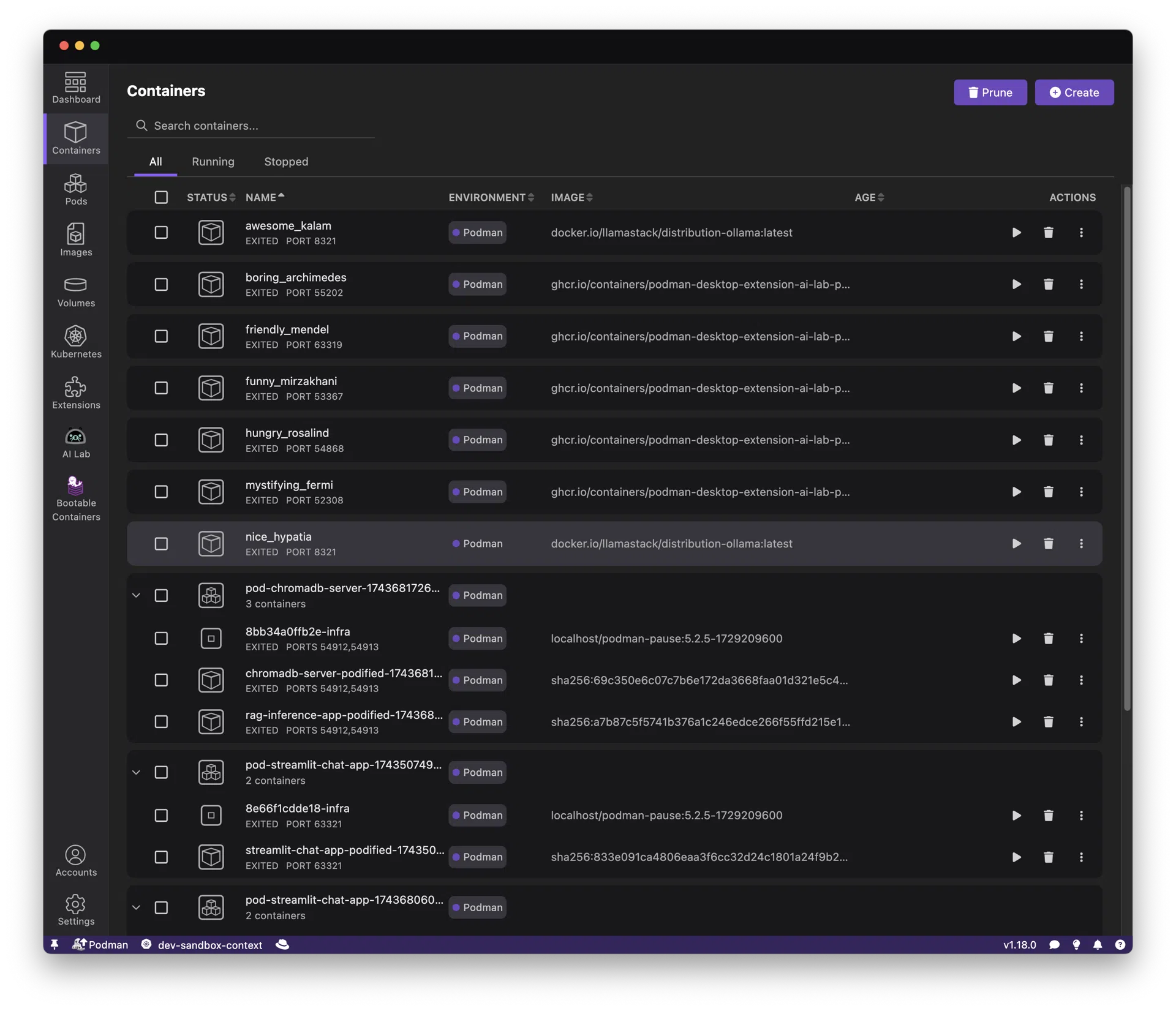
Containers, images, volumes, pods and Kubernetes all live in that window. Downloads have passed three million, which matters for a reason beyond vanity: a tool with that many users gets its edge cases reported, and a container front end is only as good as the odd configurations it survives. This is not a demo project; it is software that can sit in a company development environment.
Several engines, one interface
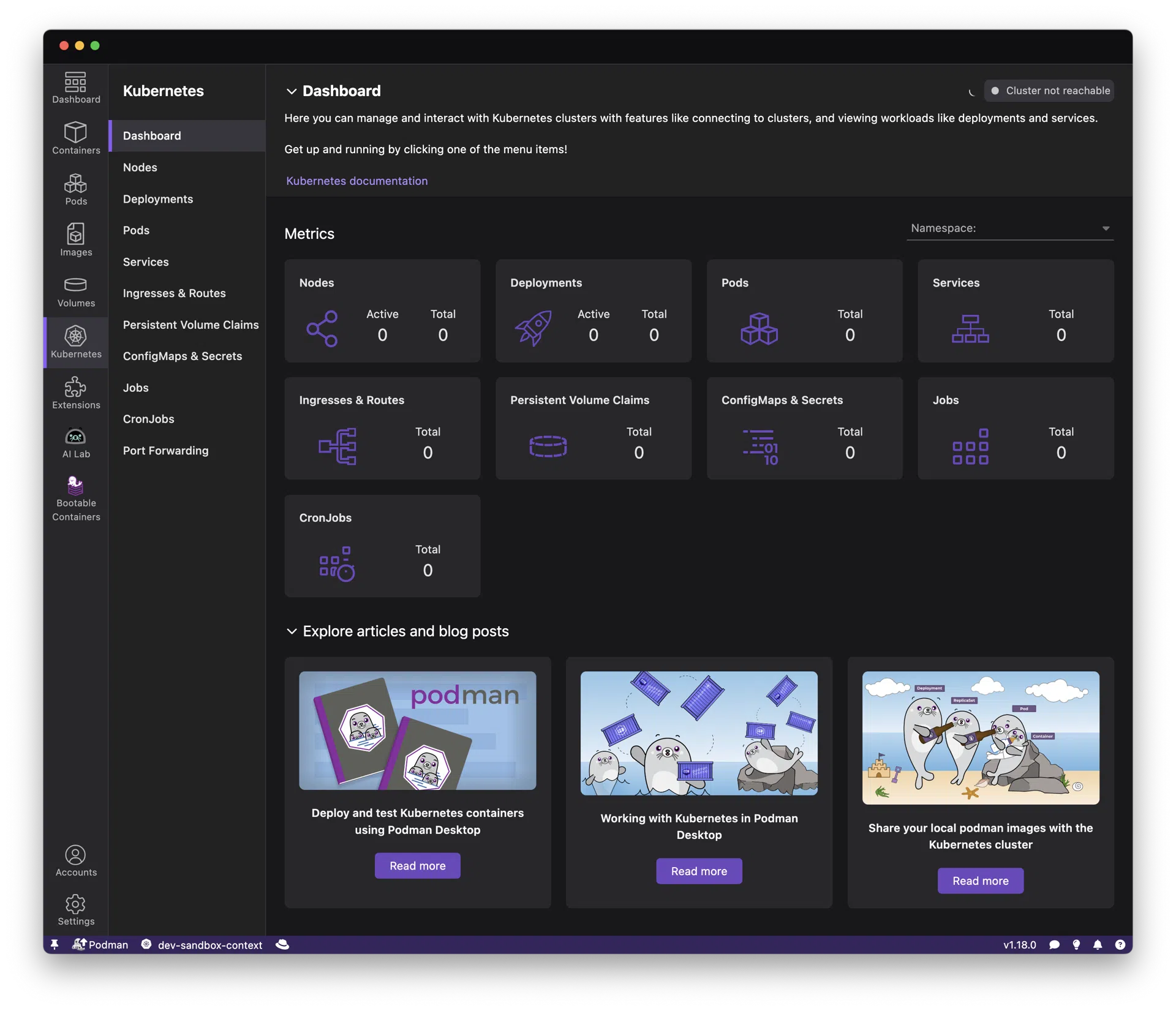
The most useful property is that it refuses to lock anyone in. Podman and Docker can both be managed from the same window, so a team where half the people have one habit and half have another does not have to settle the argument first. Kubernetes support covers the local loop as well: starting a Kind cluster, reading pod logs and forwarding a port are a few clicks, which is the part of the workflow that usually gets abandoned when it needs three terminal windows.
Version 1.29, published in 2026-07, integrated the Podman 6.0 engine properly, and the changes are the sort that only show up in daily use: consistent virtual machine settings, a single machine list instead of several, automatic synchronisation of CA certificates. A new Secrets page brought the creation and injection of container secrets, as files or environment variables, into the interface. An extension marketplace is built in, and AI Lab gives local model containers a place to start.
Not a wrapper that hides the terminal
There is a reasonable worry that graphical container tools produce engineers who cannot read a command. Podman Desktop handles it in a way worth copying: every action in the interface corresponds to a standard podman command, and the command can be copied, the logs opened, the configuration edited, with the terminal one step away at any point. The direction also works: someone who lives in a shell can use the window to see overall state and to switch Kubernetes contexts without typing.
The stable release 1.29.3 arrived in 2026-09, and the update rhythm has settled at roughly two weeks. Individuals get a free replacement for a paid desktop client; teams get a hub where container workflows stop depending on which machine a person happens to use.
What the project really demonstrates is where the competition has moved. Engines are commoditised and licences are settled; the fight is now about experience, and an open source project can win that fight on merit rather than on price. The engine is free, the interface is free, the extensions are free, and the cost question disappears from container development entirely.
Adoption is easiest where the licence question was already a nuisance. A team that runs containers on developer laptops, in CI and on a staging server ends up with three different ways of describing the same container; one interface that speaks to more than one engine reduces that to a single vocabulary. Nothing forces a migration, which is the underrated part: the window can sit next to whatever is already installed, and a person can try it on one project before anyone proposes it to a manager.
Podman Desktop proves an open source project can overtake on usability rather than on ideology. A team that wants the same workflow on every machine, without a procurement conversation, has an obvious place to start.