
Playnite: one library for games scattered across launchers
Summary
A decade of PC games ends up spread over five launchers, and remembering which one holds an old favourite is the first chore of the evening. Playnite imports them all into one wall of covers.
Recommend- Name
- Playnite
- Version
- 10.60
- Pricing
- Free
- Open source
- Open source
- Operating system
- Windows
- Website
- https://playnite.link/
- Updated
- 2026-10-07 20:20
Building a library out of a pile
Anyone who has played on a PC for a decade has a collection that is technically large and practically invisible. Four or five launchers each hold a slice of it, a few titles live only as keys in a mail archive, and the emulated ones sit in folders with names that made sense in a previous decade. The result is that playing an old favourite begins with ten minutes of remembering, searching and giving up.
Playnite treats the whole pile as one library. It connects to the accounts and platforms already in use and imports what is there, including emulated titles, then presents everything as a wall of cover art. Filtering is by platform, by tag, by developer or by whatever criterion was assigned, so a mood like short games for a weekday evening is a filter rather than a memory exercise. Clicking a cover starts the game and the appropriate launcher is brought up behind it, so the tool organises without taking over.
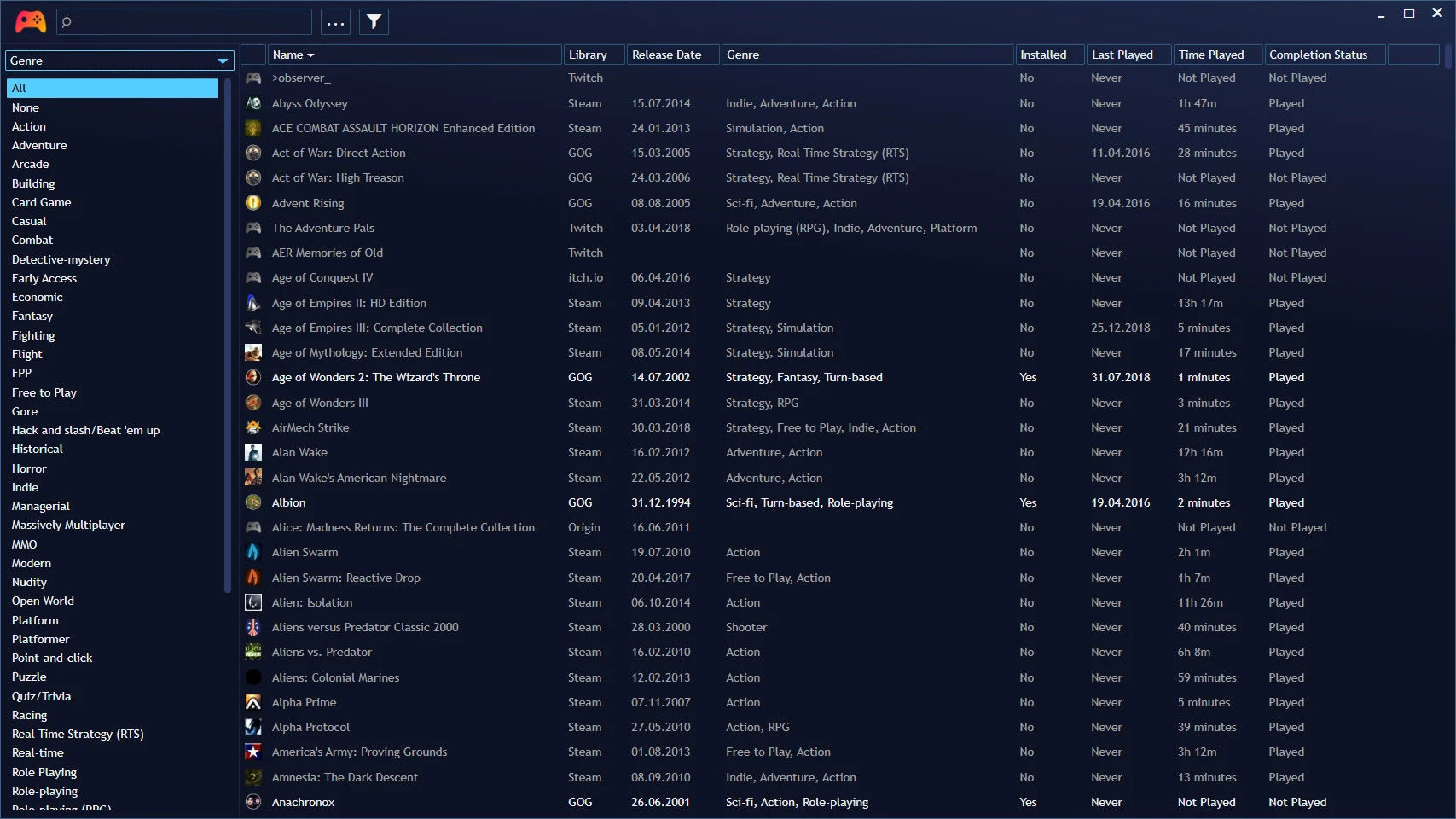
The number that makes a collection feel real
Playtime is tracked quietly in the background and accumulated per game, which turns a vague sense of having played a lot into a specific figure attached to a specific title. It is a small feature that changes behaviour: a game that has been open for forty hours is one worth finishing, and one that has been open for twenty minutes is honestly not.
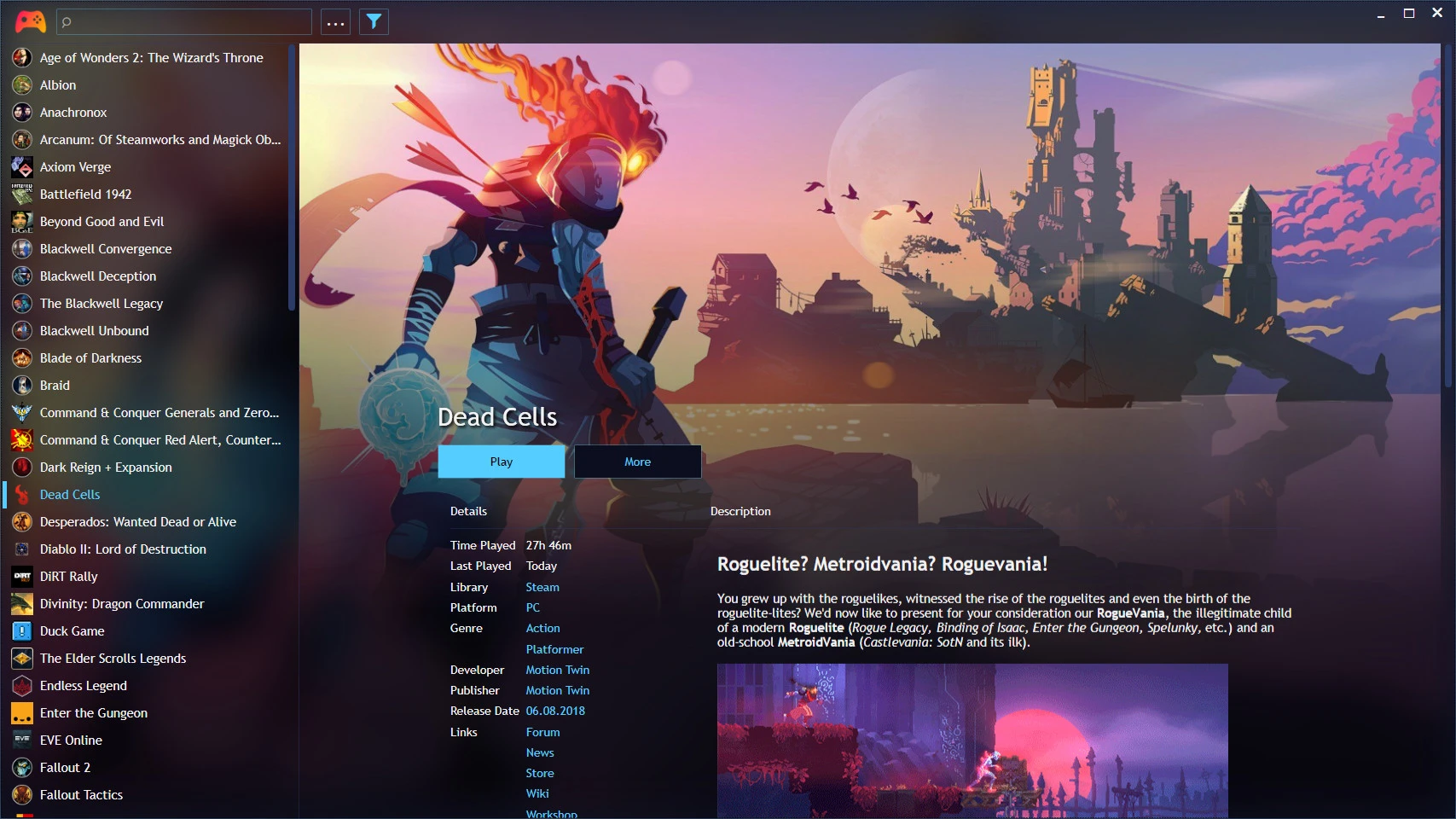
Fullscreen mode and the plugin ecosystem
The fullscreen mode is the part that turns a desktop organiser into something closer to a console. Everything is reachable with a controller, the covers grow large, and a television across the room becomes a plausible screen. For a handheld, where the desktop is not the point, that mode is the reason to use the tool at all.
Plugins extend it in the directions people actually ask for: metadata filled from external databases, playtime statistics, achievement displays, and themes that change the whole character of the interface. Store links, cover art and descriptions can be corrected in bulk rather than one title at a time. All of the data is kept locally, which matters when the collection reflects a decade of habits.
The project is open source, free, and free of in-app purchases, with a community that keeps shipping releases; several have landed this autumn. That combination is rare enough to be worth stating plainly.
Playnite removes the friction that sits in front of playing: the ritual of choosing comes back, and the irritation of hunting disappears. A large collection deserves to be managed this way.
Ten minutes after the first import
Spend them on metadata. The default import brings in titles and covers, but a collection looks like a library only after the covers share a shape and the names share a convention, and correcting that in bulk at the start is a fraction of the work of fixing it later. Set the fullscreen mode up with a controller at the same time, because that is the configuration that gets used on a sofa.
Understand the division of labour as well. Playnite aggregates and launches; it does not sell, patch or update anything. Purchases and updates stay with the platforms that own them, which is both a limit and a relief: the tool never becomes a second store, and a game installed through it is still a game the platform can maintain.