
Pi: a terminal coding agent built from four tools and a very short prompt
Summary
A deliberately small coding agent for the terminal: four tools, a system prompt under a thousand tokens, and everything else left to an extension system the agent can write for itself. No built-in planning mode, no task list, no bundled tool servers, and a clear account of why each was left out. Free and open source.
Recommend- Name
- Pi
- Version
- 0.87.1
- Pricing
- Free
- Open source
- Open source
- Operating system
- macOSLinuxWindows
- Website
- https://pi.dev
- Updated
- 2026-10-06 12:09
Coding agents have spent two years growing. Every few weeks something arrives: sub-agents, a planning mode, permission dialogs, background shells, a built-in task list, a bundled set of external tool servers, prompt fragments tuned for a particular model. Each addition sounds reasonable. And yet the honest test is simple: switch most of them off and the work still gets done. What remains in real use is usually reading a file, changing a file and running a command.
There is a second annoyance, less discussed and more corrosive. Many agents quietly inject text into the context and never show it to the user. Behaviour shifts, and the explanation offered is that it makes the agent cleverer. For an engineer who wants to know what the tool is doing, that is how a working routine breaks between nine in the morning and ten: not because anything was asked to change, but because a new version reworded its own instructions.
Pi takes both problems as design constraints rather than complaints. Four tools, a system prompt under a thousand tokens, and a deliberate refusal to build almost everything that looks impressive. What is missing is meant to be added later, by the agent itself, in extensions written in a scripting language. The author is an open source veteran who wrote a well-known game framework; in the spring of 2026 the project was taken over by a public benefit company founded by the author of a widely used web framework, and it has gathered a very large following since.
Four tools and a prompt you can read in one sitting
The whole tool set is: read a file, write a file, edit a file by exact string replacement, and run a shell command. That is the standard configuration of the project. Compared with the usual harnesses, whose system prompts run past ten thousand tokens once model-specific fragments are counted, the difference is not rhetorical: in the ordinary case a meaningful fraction of the context window is consumed before any work starts.
The measured consequences are more interesting than the principle. On comparable programming tasks the same work finishes somewhere between one and a half and two times faster than with other agents of this kind. An evaluation inside a repository of a million lines found it ahead of two well-known commercial harnesses across most pairings of cost and success rate. And a plain greeting costs it about eleven hundred tokens, a little under half a percent of the window, where one prominent alternative spends eighteen thousand and seven per cent.
It also placed in the top five of a terminal benchmark beside three finished commercial products. A tool that has almost nothing beat tools with everything, which supports the author's judgement: models have been trained on so much agent work that they already know what a coding harness is, and do not need a large scaffolding to remind them.
Extending itself is the actual feature
The smallness is not amputation; it is a change in what counts as a feature. The four tools are a floor, and the higher capabilities are built as extensions: modules that register custom tools, add slash commands, extend keyboard shortcuts, subscribe to events and lay out their own terminal interface. Around fifty examples ship with the project, covering sub-agents, planning modes, permission gates, path protection, remote execution, sandboxing, external tool integration, custom editors, status bars and overlays.
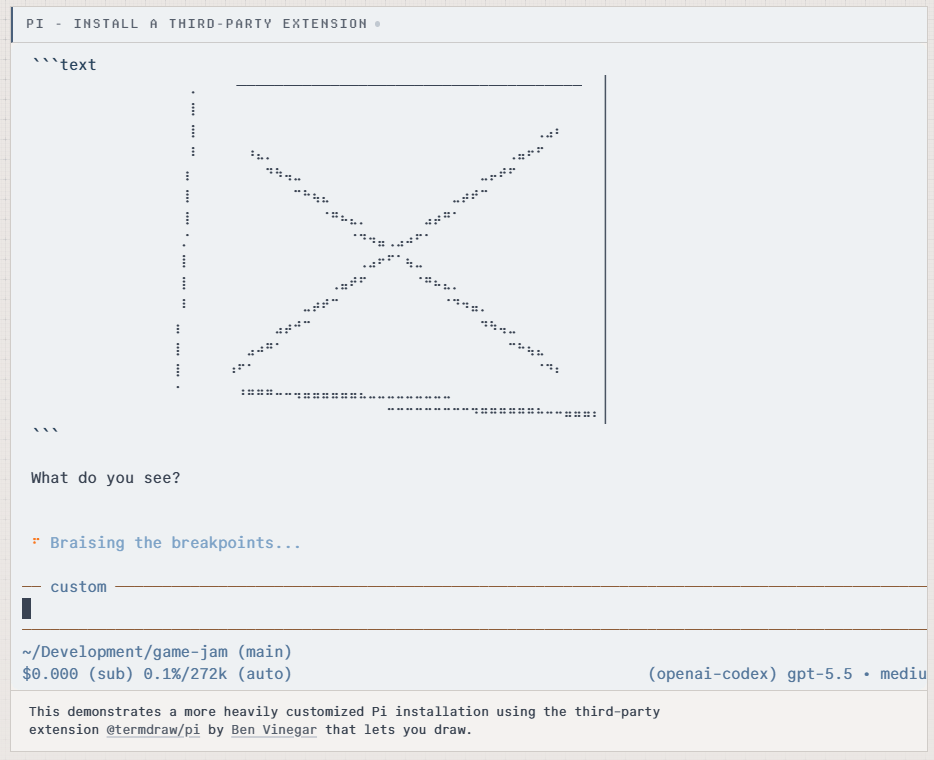
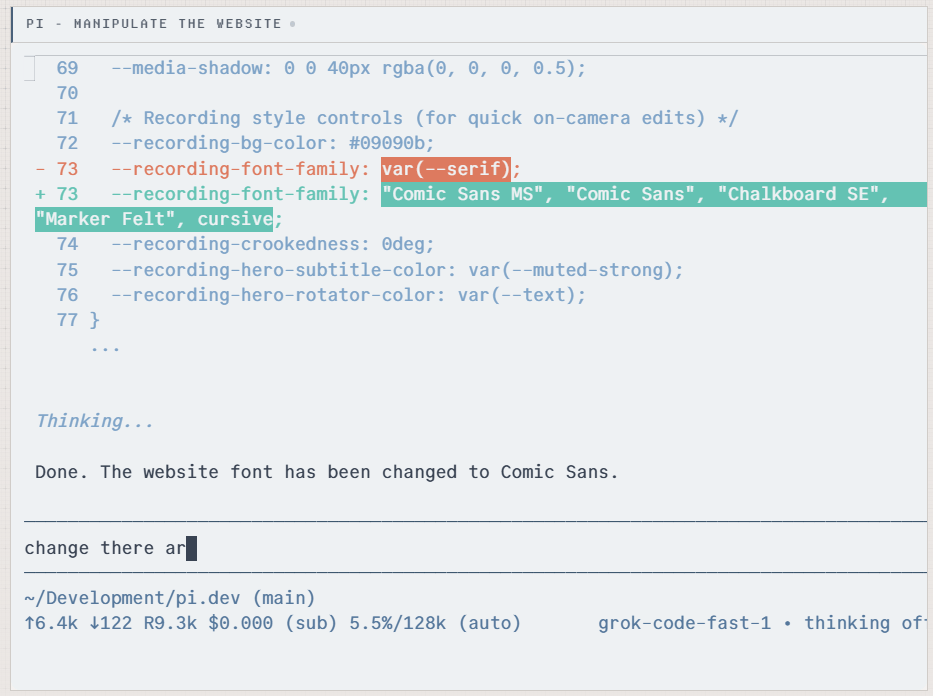
The more interesting half is that you do not have to write them. Ask the agent for a database query tool and it writes one, using the shell to run a script; ask for a small rendering panel and it writes the component. Reload, and the new capability is live. The boundary of what the tool can do is set by your workflow rather than by a roadmap. Extensions can be packaged for a team or published for anyone, and the ecosystem already includes a fork with language-server support and an extension that runs a whole game inside the terminal.
Four ways in, one for each kind of user
There is an interactive mode with a full terminal interface, differential rendering, modern keyboard protocols, inline images and clickable links. There is a one-shot mode that takes a question, answers and exits, with a machine-readable event stream for pipelines and automation. There is a mode that speaks a small protocol over standard input and output, so the agent can be embedded where no scripting runtime exists. And there is a library mode, which is how at least one multi-platform assistant built on top was assembled.
Model support is broad without being heavy: more than fifteen providers and several hundred models, switchable in the middle of a session, with custom providers and models addable through a configuration file or an extension.
Two ways of interrupting deserve a mention because they address the black-box feeling directly. Pressing enter steers: the current tool call is cut off immediately and the new instruction enters the context. Pressing a different combination queues a follow-up that is handled once the current round finishes. You can redirect without derailing, and you can see which of the two you asked for.
The list of things deliberately not built
The project keeps a page of omissions, which is a rare and useful kind of honesty. No bundled external tool servers: a mainstream browser automation server would dump twenty-one tool definitions into the context, more than thirteen thousand tokens, seven to nine percent of the window, before a single task began; instead the agent reads the documentation it needs and calls a command line tool, paying in tokens only for what it uses.
No planning mode: a plan is written into a plain file that the agent can read, change and cite, and that versions along with the code. No task list, on the argument that such lists confuse models more often than they focus them. No background shell, because a terminal multiplexer already does that job and keeps everything observable. No sub-agents, because a second instance of the same agent in another pane is more visible than a hidden delegation.
All of it can be added back through the extension system, which is the point: the core stays thin without any capability being lost. The author's own summary is that he built a machine for producing additions, while living in a deliberately spartan setup himself.
Who it is for
Anyone tired of tools that grow features faster than they grow usefulness, or who wants their own workflow rather than a vendor's roadmap to decide the shape of the instrument, will find this the most interesting terminal coding agent available. It is not one feature short; it starts from a different premise. The price is a willingness to spend an hour writing an extension, or to let the agent write it. Minimal here is a philosophy of engineering, not an excuse for a rough product.