
Password Safe: the password manager that never phones home
Summary
One encrypted file on your own disk, no cloud sync, no telemetry, no account: a password vault whose trust model is a file and a master password, nothing else.
Recommend- Name
- Password Safe
- Version
- 20260923
- Pricing
- Free
- Open source
- Open source
- Operating system
- WindowsLinuxmacOSAndroidiOS
- Website
- https://pwsafe.org/
- Updated
- 2026-10-08 21:28
Two schools, one honest choice
Password managers split into two schools. One puts convenience first: an account, a synchronised vault, a browser button that fills forms on any device. The other puts custody first: the vault is a file, the file is yours, and nothing leaves the machine unless you carry it there yourself. Password Safe belongs to the second school and has belonged to it for a long time, which is why it looks plain and behaves predictably.
Its design came from people who work on cryptography for a living, and the inheritance shows in the details rather than in a feature list. Everything lives in a single strongly encrypted database, protected by one master password. There is no mandatory cloud, no telemetry to disable, and no account to create. Pull the network cable and the program works exactly as before.
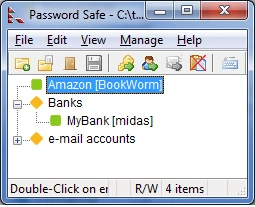
A trust model small enough to explain
That simplicity is the actual product. Most security advice asks a user to trust a company, a server, a jurisdiction and a business model all at once. Here the question collapses to something a person can answer: do I trust this file, and do I trust my own master password? If the answer is yes, the threat surface is a file on a disk, and a file on a disk can be copied, hashed and archived without permission from anybody.
The rest of the package is quietly competent. Entries organise into groups, passwords can carry an expiry date so a stale credential announces itself, a generator produces new ones, and an auto-type feature fills a login form by simulating keystrokes, which keeps the password out of the clipboard where other programs can watch it. The interface is not pretty and does not try to be.
Old, maintained, and portable in the honest sense
The project has been handed between maintainers over the years and still ships releases, with implementations for the three desktop systems and for mobile platforms. The database format is documented, which means a user is not locked in: if the program ever stops being maintained, the file can still be read by something else. That is a different guarantee from the one commercial services offer, and for a vault meant to last decades it is the more useful guarantee.
Moving between devices is manual by design. Put the file in a synced folder if you want, and accept the trade you are making: a conflict between two copies is now your problem rather than a server's. Some users find that unacceptable and they are right to choose the other school. Others find it exactly right, because the failure mode is visible and the fix is a copy they control.
Password Safe reminds us what password management was for: tools may take many shapes, but the floor is a single rule, that your passwords end up held by nobody but you.
Habits that make a local vault safe
Choose a long master password and rehearse it until it is automatic, because it is the only key to the whole box and it cannot be reset by anybody. Keep more than one backup of the database file, on different media, and test that a backup opens before the day you need it. When moving to a new machine, verify the copy first and delete the old one afterwards, since a vault with three forgotten copies is a vault with three ways in.
Freedom of this kind comes with a matching duty. Nothing is watching over the file for you, so the discipline has to come from the person holding it.