
FRST: turning a vague computer problem into something readable
Summary
A single file that scans startup items, services, drivers, network settings and suspicious paths into two text logs a helper can read line by line, so diagnosis stops being guesswork.
Recommend- Name
- Farbar Recovery Scan Tool
- Version
- 20260923
- Pricing
- Free
- Open source
- Proprietary
- Operating system
- Windows
- Updated
- 2026-10-08 21:26
The hardest part is describing the problem
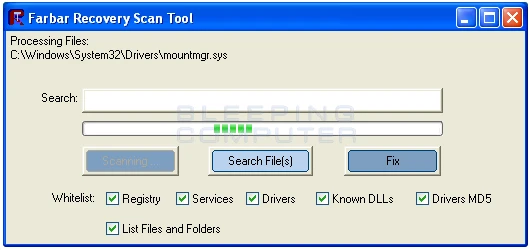
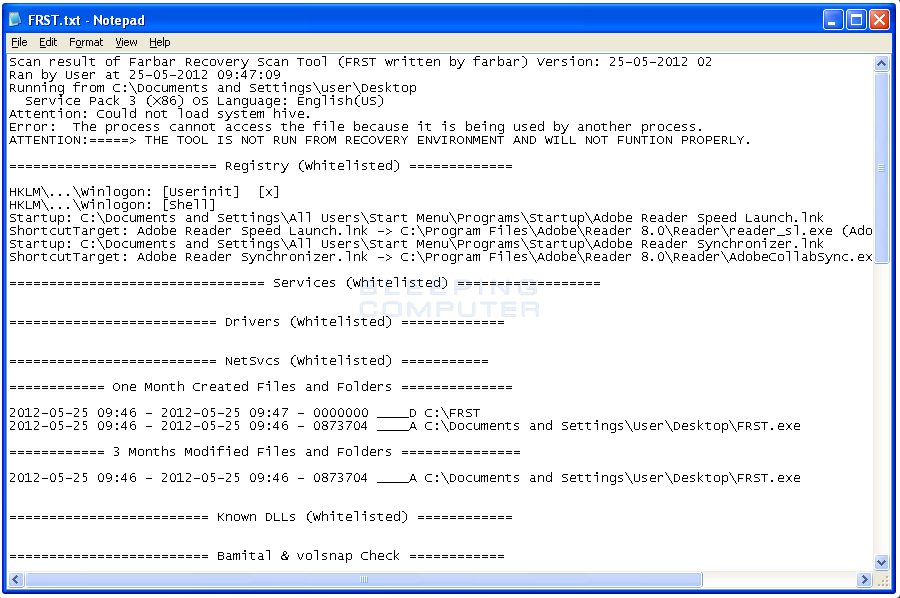
When a computer misbehaves, the difficult step is not the repair but the description. It feels slow, it stutters, windows appear from nowhere, the fan runs for no reason. None of that is a symptom a helper can act on. FRST exists to solve the description: run the file, wait a few minutes, and it writes two text logs covering startup entries, services, drivers, scheduled tasks, network configuration, browser policies and the paths of files that look out of place.
Post those logs on the help section of a security community and an experienced volunteer reads them line by line. The problem moves from guesswork to reading, and the reading can be argued about, corrected and reproduced by somebody else. That collaboration has been running for years, which is why the format is understood by helpers far beyond the place it came from.
The single file philosophy
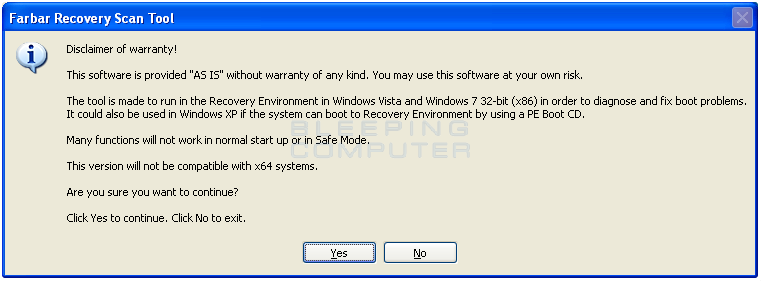
There is nothing to install. One executable travels on a stick, runs with the permissions it needs, and leaves no service behind. The more interesting consequence is that it can run from a recovery environment when the installed system will not start, which turns a machine that cannot be diagnosed from inside into a machine that can be diagnosed from outside.
Beyond scanning, it can execute a fix list: a short text file of instructions, usually written by the volunteer who read the logs. That is a powerful feature and it deserves a plain warning. The list runs with high privileges and does exactly what it says, so it should only ever come from a helper whose work you can follow in public. A fix list from a random video description is not a fix, it is an invitation.
Why professionals keep it
The report is not a score. It does not announce that a machine is infected or clean, and anybody claiming otherwise has not read it. What it does is remove the two things that make remote troubleshooting expensive: missing information and invented information. A helper can see which service points at a file in a temporary folder without asking three questions and waiting a day for answers.
It is free, it is maintained, and it is updated often enough that newer Windows versions are still handled. That combination is why it sits at the bottom of a lot of toolboxes, used rarely and kept installed for the day it is needed.
The popularity of FRST says something about troubleshooting itself: a tool turns symptoms into readable data, experience turns data into an answer, and only the pairing solves the nastiest cases.
Using it without creating a new problem
Run the scan with the addition log enabled, because the extra file often contains the detail that decides the case. When asking for help, post both files in full rather than the lines that looked interesting, since the interesting lines are usually the ones a beginner skips. And follow the fix list exactly as written: troubleshooting rewards precision, and a machine half repaired is harder to diagnose than one that was never touched.
Treat the whole exercise as evidence gathering rather than magic. The scan is the easy half; the judgement that follows belongs to a person, and that division of labour is the reason the method works.
One habit makes the reports safer to share. They contain the full configuration of the machine, including account names and folder paths, so a public post deserves a minute of trimming: cover the personal strings, keep the technical ones. Asking for help and scattering private details are two different acts, and experienced people keep the two apart without being asked.