
DeepSeek Harness: an open agent runtime you can install and run
Version 0.2.0-rc.2
Summary
An open source agent runtime from DeepSeek with a desktop build that bundles Node.js, pnpm and a Python environment, four preset modes, a plugin page and a trace view.
Recommend- Name
- DeepSeek Harness
- Version
- 0.2.0-rc.2
- Pricing
- Free
- Open source
- Open source
- Operating system
- WindowsmacOS
- Website
- https://www.deepseek.com/harness
- Updated
- 2026-10-09 19:39
DeepSeek Harness is an agent runtime published as open source by DeepSeek. The desktop build moves it out of the terminal and into a window: install it and it runs, without assembling Node.js and pnpm first.
What stops most people from using an agent is rarely the model. It is the environment. Install a runtime, install a package manager, write a configuration file, and by the end of that ritual half the enthusiasm is gone. DeepSeek released a preview of Harness 0.2 at the end of September 2026 and added desktop installers for macOS and Windows alongside it. This time the sequence really is: download, install, sign in, use.
Moving the setup hurdle out of the way
The shell is built with Electron, but the environment work was not pushed onto the user. The package carries the whole dependency tree: the runtime own dependencies, Node.js and pnpm, plus a separate Python environment with numpy, pandas, python-docx, python-pptx, openpyxl, Pillow, lxml and XlsxWriter already installed. In plain terms, the libraries people normally spend an afternoon chasing are simply there.
Sign in with a DeepSeek open platform account, not the chat account, and usage is billed against the platform balance. When the preview launched, the company credited signed in users with a small trial amount so the first run could be completed without a payment step. Pick a local workspace and hand over a task.
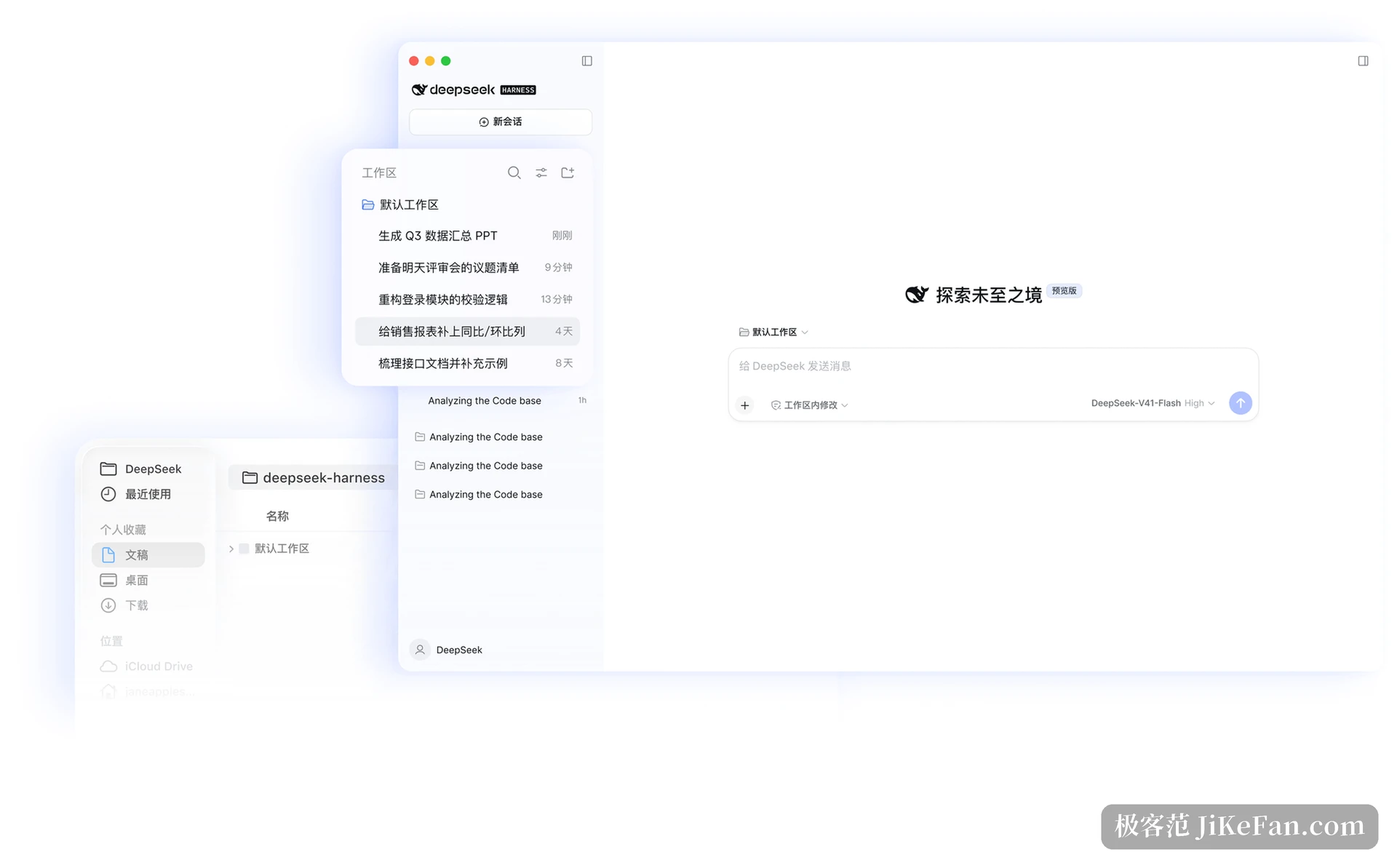
Four modes, chosen by the job
Harness ships with four presets, each loading a different set of plugins. The standard mode is a full coding assistant: file editing, shell, file and web search, skills, planning, goals, subagents and workflows. The PTC mode leans towards driving tools through code. The minimal mode keeps only the basics, which makes startup fast and the interface quiet. The creative mode exists for writing plugins and assembling flows.
Not only code
Treating Harness as a coding tool alone wastes most of it. Day to day office work is in range: tidying files, analysing spreadsheets, drafting documents, generating slides. In the official examples one instruction is enough to turn quarterly figures into a presentation, or to add year on year and month on month columns to a sales report. Research work fits as well, from retrieving material and checking facts to collecting citations. When a task runs long, it can execute scripts in the background and process files in batches while reporting progress.
The plugin page: install what is missing
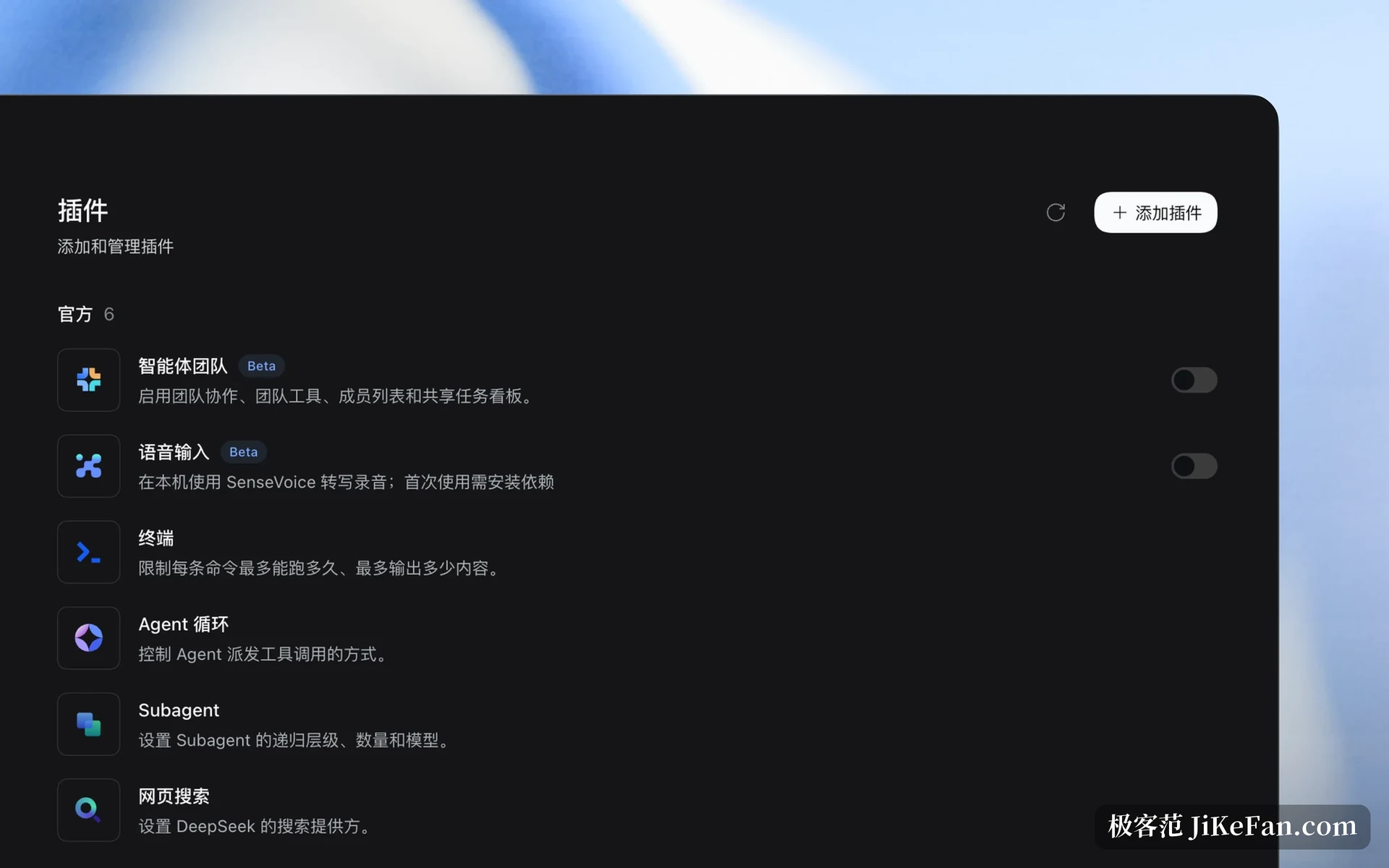
Everything is a plugin, and that is the design rather than a slogan. The runtime is assembled from plugins on top of Cordis. Version 0.2 turned plugin handling into a full management page where official plugins, agent teams, voice input, terminal, the agent loop, subagents and web search can each be switched on or off.
One feature sits half hidden in the laboratory section: scheduled tasks. It does not appear by default and has to be enabled on the plugin page before it can be used. A few other entries follow the same pattern of a switch that must be found first.
Seeing what the agent actually did
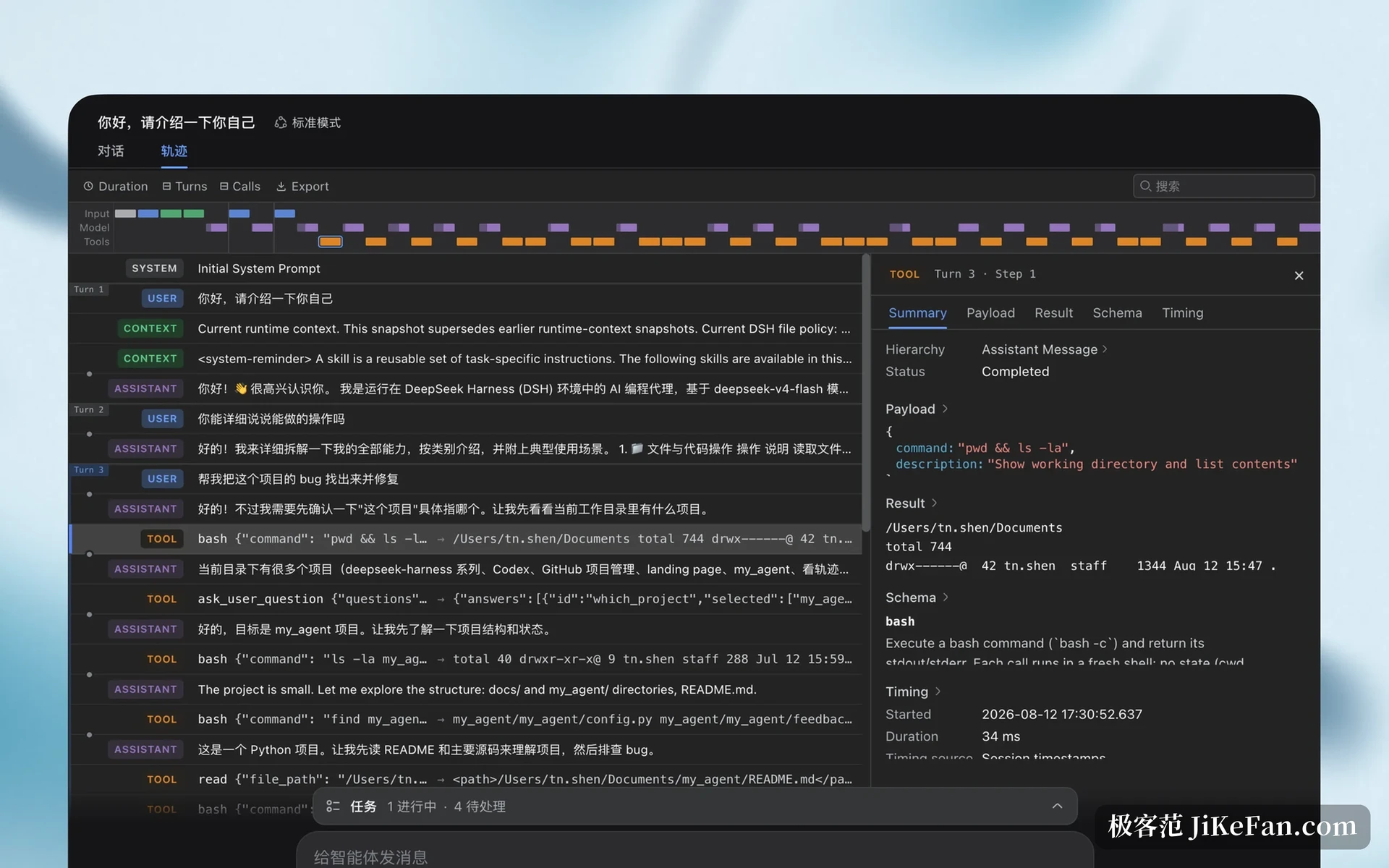
What an agent does in the background has always been a black box. Harness offers a trace view: a task is broken into rounds, and each round shows which tool was called, what was written and how long it took. When something goes wrong, the point where the reasoning turned is visible instead of guessed at from a log file.
Which model to use is your decision
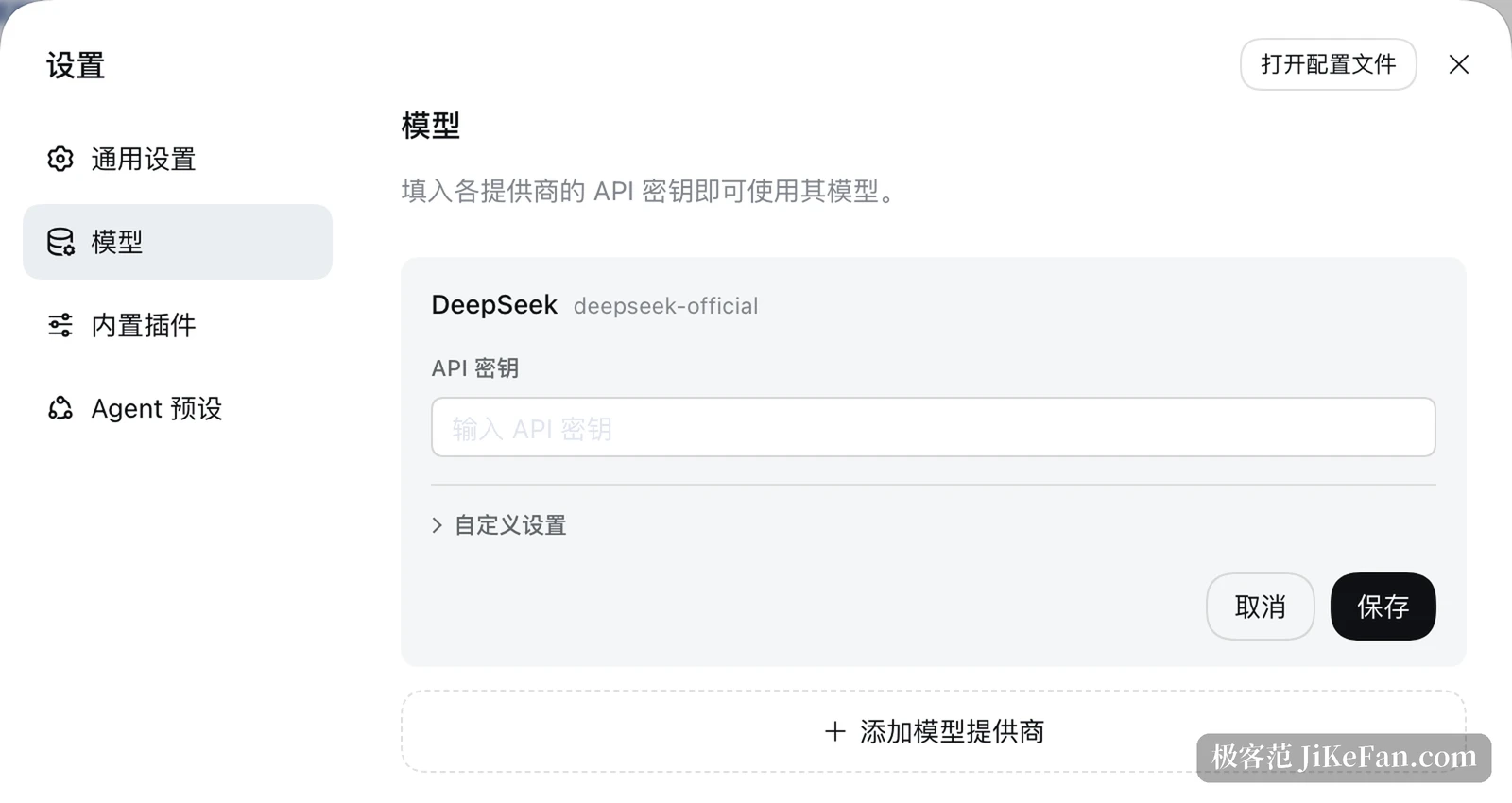
The default is a DeepSeek model and works right after signing in. To change it, the model page in settings accepts additional providers: fill in a form, connect a third party endpoint, and the runtime will use it. The same screen shows the account and the remaining balance, so the cost of a session is not a mystery.
Open source, with the money going to model calls
Harness itself is MIT licensed and lives in the official repository, which has gathered more than two hundred thousand stars. The software costs nothing; the cost comes from the model endpoint being called, priced by use. One limitation should be stated plainly: the desktop installers cover macOS on Apple silicon and 64 bit Windows, and no official Linux desktop build was found at the time of writing.
For anyone who wanted to try an agent without spending an afternoon as an administrator, the desktop build removes the barrier: official installers, a bundled runtime, a workspace that works out of the box, a trace view that shows every step and a plugin system that can be extended. Free and open source, with only model calls billed by volume.