
NTLite: a Windows image customisation tool, 26H2 preview support in 2026.09
Summary
A customisation tool for Windows installations and maintenance: remove components and bundled apps, fold drivers and updates into the image, and run an unattended installation from a preset. The free edition is for personal use.
Recommend- Name
- NTLite
- Version
- 2026.09.12311
- Pricing
- Free
- Open source
- Proprietary
- Operating system
- Windows
- Website
- https://www.ntlite.com/
- Updated
- 2026-10-12 10:52
Installing an operating system is not the hard part; the cleaning and configuring after it is.
An image treated as something editable
NTLite is an image customisation tool for Windows. The official description says it can edit a Windows image or an already installed system directly, integrate updates and drivers into it, run an unattended installation as a script, and produce a bootable image. In other words, the preparation work that used to be scattered across command lines and manual steps now sits in one interface.
Its starting point is turning an image into a list that can be taken apart. The feature page states that components, bundled applications and features can be removed after a full dependency analysis, shrinking the image while safety prompts keep the system stable. The core of such work is dependency: when something else depends on a component, the tool warns about what removing it would drag along, and the final decision still belongs to the person at the keyboard.
That division of labour is the honest part of the design. No tool can know what a machine is for, so the warnings are a map rather than a decision; the risk of a broken image stays with whoever clicked. Anyone who treats the list as a menu of things that are safe to delete will find out later, usually at the point where a feature they never thought about stops working.
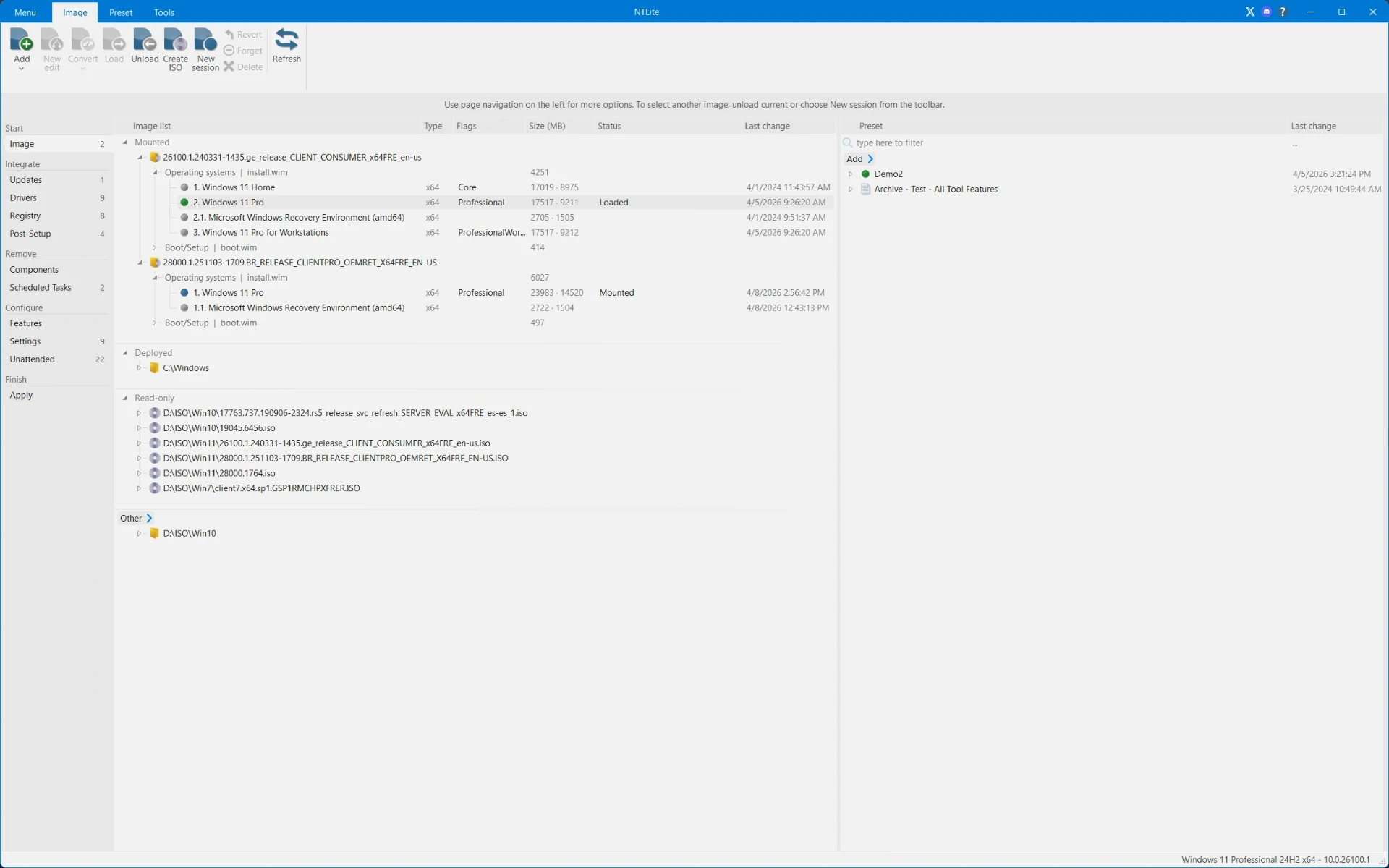
Finishing the preparation in advance
The slowest part of an installation is the repetition. Driver integration is described as folding device drivers into the image in advance, so that during deployment the system installs only the drivers it detects, which gives plug and play. The front page adds that drivers can be imported from the local machine, targeted at specific hardware, and integrated into the boot image to support USB3 and NVMe.
Unattended installation is the other main line. Settings can be preconfigured, user accounts created automatically, region, language and product key set, and all installation prompts skipped. For environments that deploy in numbers, this saves the time of clicking through each machine; for an individual, it means fewer questions to answer during a reinstall.
Step | Official notes |
|---|---|
Components | remove components, bundled apps and features under dependency analysis |
Drivers | integrate drivers up front, install only what is detected |
Updates | fold system updates directly into the image |
Unattended | preconfigure accounts, region and key, skip the prompts |
Output | export a bootable image in the standard folder layout |
Release rhythm and the entry threshold
The download page lists Windows 11, 10, 8.1 and 7 as host systems, with x64 and x86 architectures, and the program is a native build with no dependency beyond the runtime. The list of target images that can be edited is longer: the supported versions table already includes Windows 11 26H2 (Build 26300) and 25H2 (Build 26200), which shows the project moving with the Microsoft release cadence.
The change log confirms it. The latest build fixes an issue where removing a certain component affected the Open with menu on 26H2, which is ordinary compatibility maintenance. Version numbers take the form of year and month plus a build number, and the latest was published on 30 September 2026.
On licensing, the project states that the free edition is for personal and evaluation use, with paid tiers in Home, Professional and Business, sold as a permanent licence with a year of updates. An individual installation can start on the free tier and move up once batch deployment is genuinely needed, so the path is open.
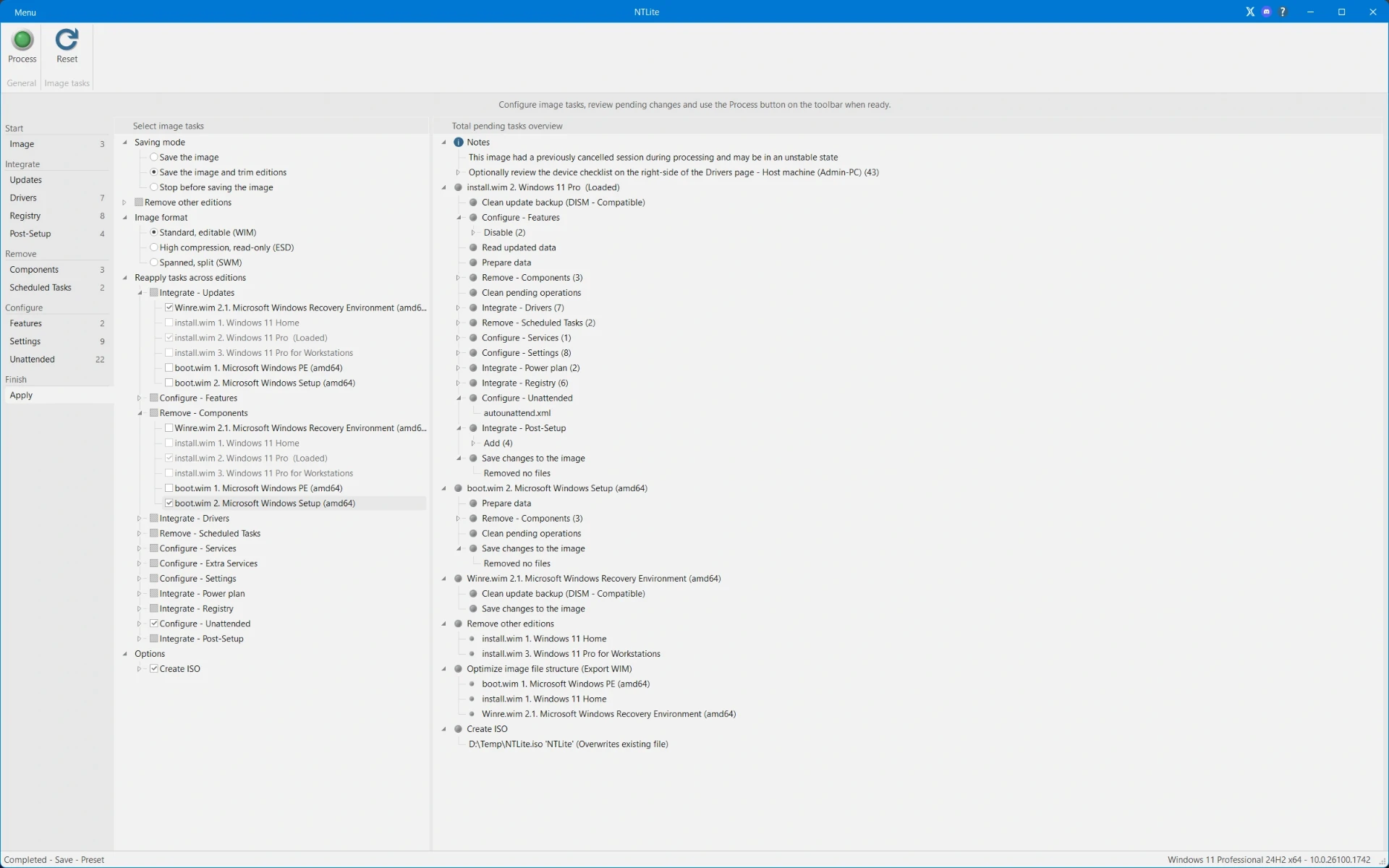
One caution belongs with all of this. A customised image is easy to keep and easy to forget, and a machine installed from an image prepared two years ago carries two years of missing updates. Keeping the preset file is worth more than keeping the finished image: rebuilding from the preset against a fresh official image takes minutes and avoids shipping an old baseline to the next machine.
Turn the repeated settings into one preset, and the next installation is only a matter of pressing start.
A few suggestions. Practise on a virtual machine with a copy of the image first, and only touch a real machine once the dependency prompts and the removal list are understood. Keep a copy of the original image before starting. Save the preset once it works, so the next install can reuse it.