
Notion Calendar: a free calendar run from the keyboard, with workspace tasks dropped into time blocks
Summary
A calendar that began life as Cron, was taken over and renamed in 2024, and stays free for individuals. A command bar and shortcuts do the arranging, workspace tasks can be dragged into a time slot, and several accounts share one timeline.
Recommend- Name
- Notion Calendar
- Version
- 1.92
- Pricing
- Free
- Open source
- Proprietary
- Operating system
- WindowsmacOS
- Website
- https://www.notion.com/calendar
- Updated
- 2026-10-06 16:27
From Cron to Notion Calendar
For most people with an office job the calendar has quietly split into pieces. Meetings live in one place, tasks in another, notes somewhere else again, and the day is assembled by hand from all three. This calendar was known as Cron before it was taken over and renamed in 2024, and it is still being worked on as of 2026-09, with recent versions adding connections to other calendar services and automatic notes for meetings. It stays free for an individual, with no separate subscription for the calendar itself. Desktop clients exist for Windows and macOS, and there is a browser version and a mobile one as well, so the same timeline follows a person from desk to pocket.
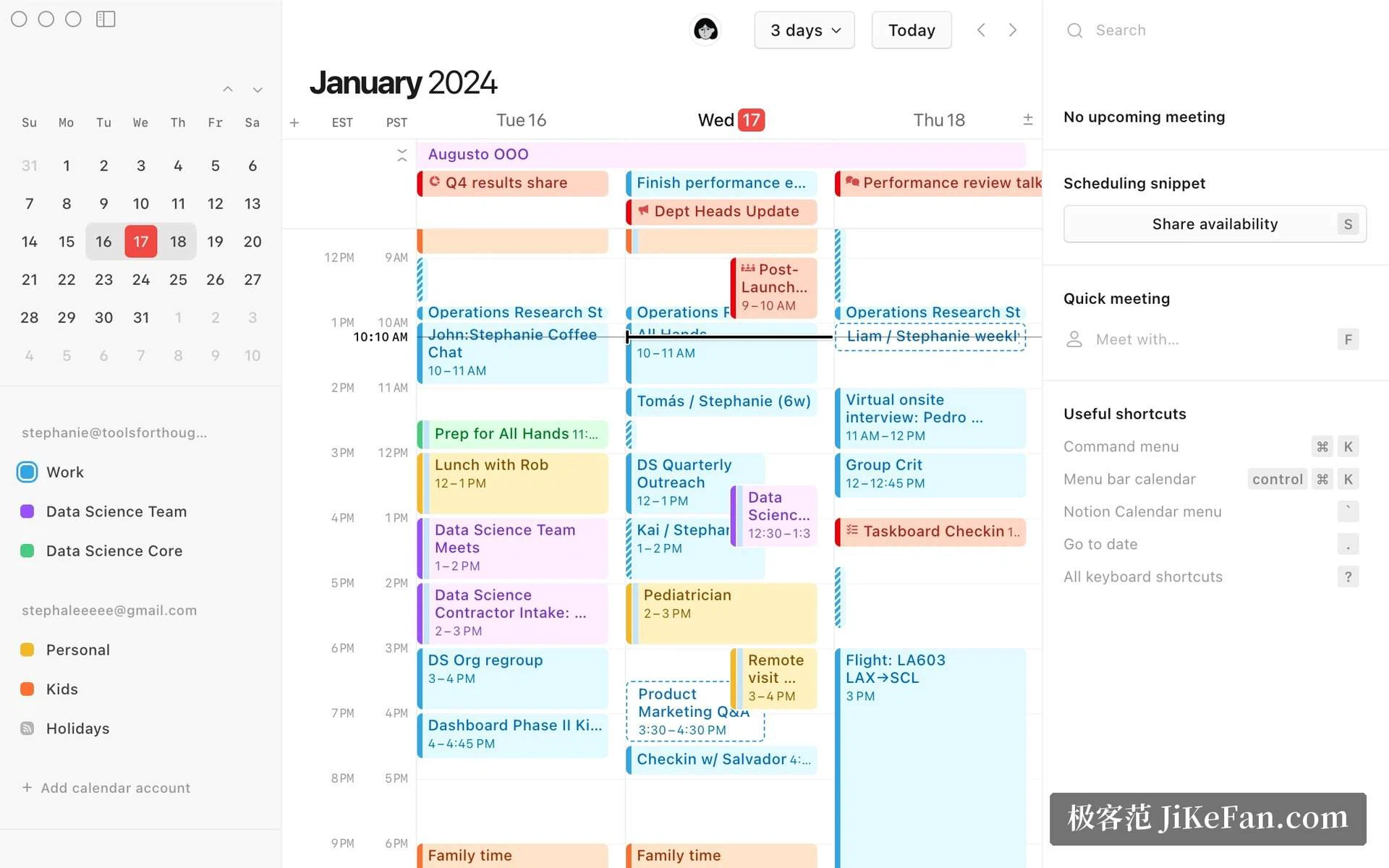
Arranging a day without leaving the keyboard
The experience it is known for is keyboard first. A shortcut summons a command bar, and typing an instruction there creates a meeting, shares a stretch of free time or jumps to another view, with both hands staying where they were. For anybody who lives in a calendar this is the difference between a tool that interrupts and one that keeps up.
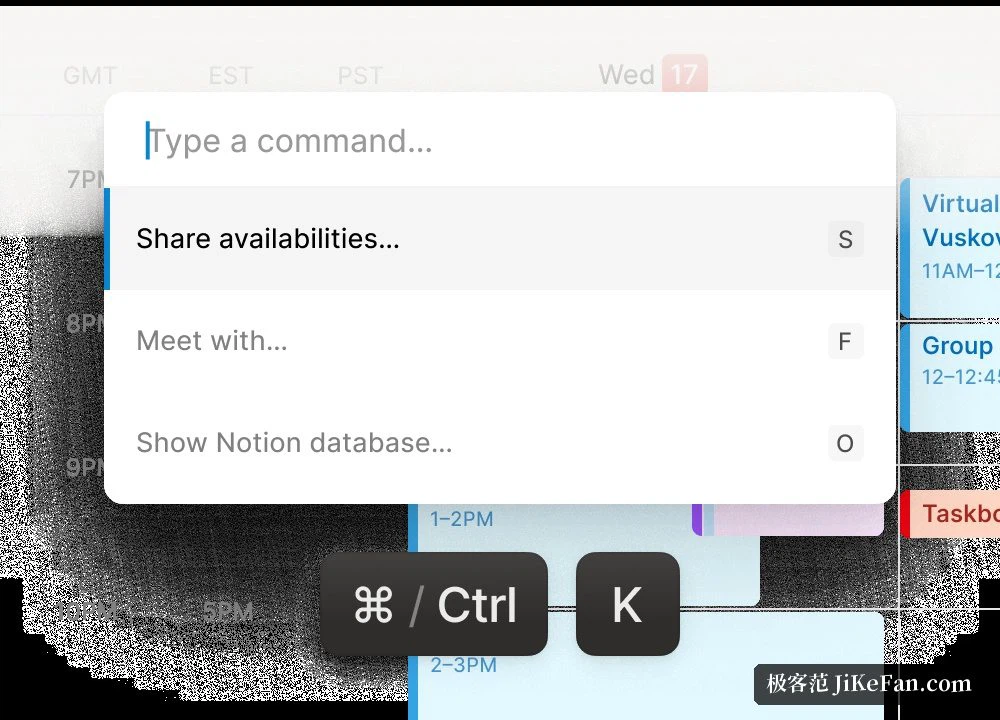
Smaller details carry the same idea. A countdown sits permanently in the menu bar, so the next meeting is visible without opening anything, and a video link for the meeting is generated automatically, which removes the hunt for the right door thirty seconds before it starts. None of this is dramatic on its own; together it is where the time saved on a crowded day actually comes from.
Consider what a full day actually costs. Eight appointments, two of them moved, one cancelled, a stretch of free time that has to be offered to somebody else, and a view that has to be switched three times to check a Thursday. Done with a mouse this is a hundred small journeys across the screen. Done from a command bar it is a handful of typed lines, and the cost of rearranging anything drops far enough that people start rearranging instead of living with a bad plan.
Tasks dragged into time blocks
The tie to the workspace is the part a plain calendar cannot copy. After signing in, the tasks held in a workspace database appear as cards in a side panel, and dragging one onto a stretch of the day turns it into a planned block; changing the state of a task travels in both directions, so the calendar and the database never disagree. A meeting can also be linked to a page, which puts the preparatory material and the notes from the meeting on the same line as the appointment itself. Reviewing a week afterwards means walking that line rather than reconstructing it.
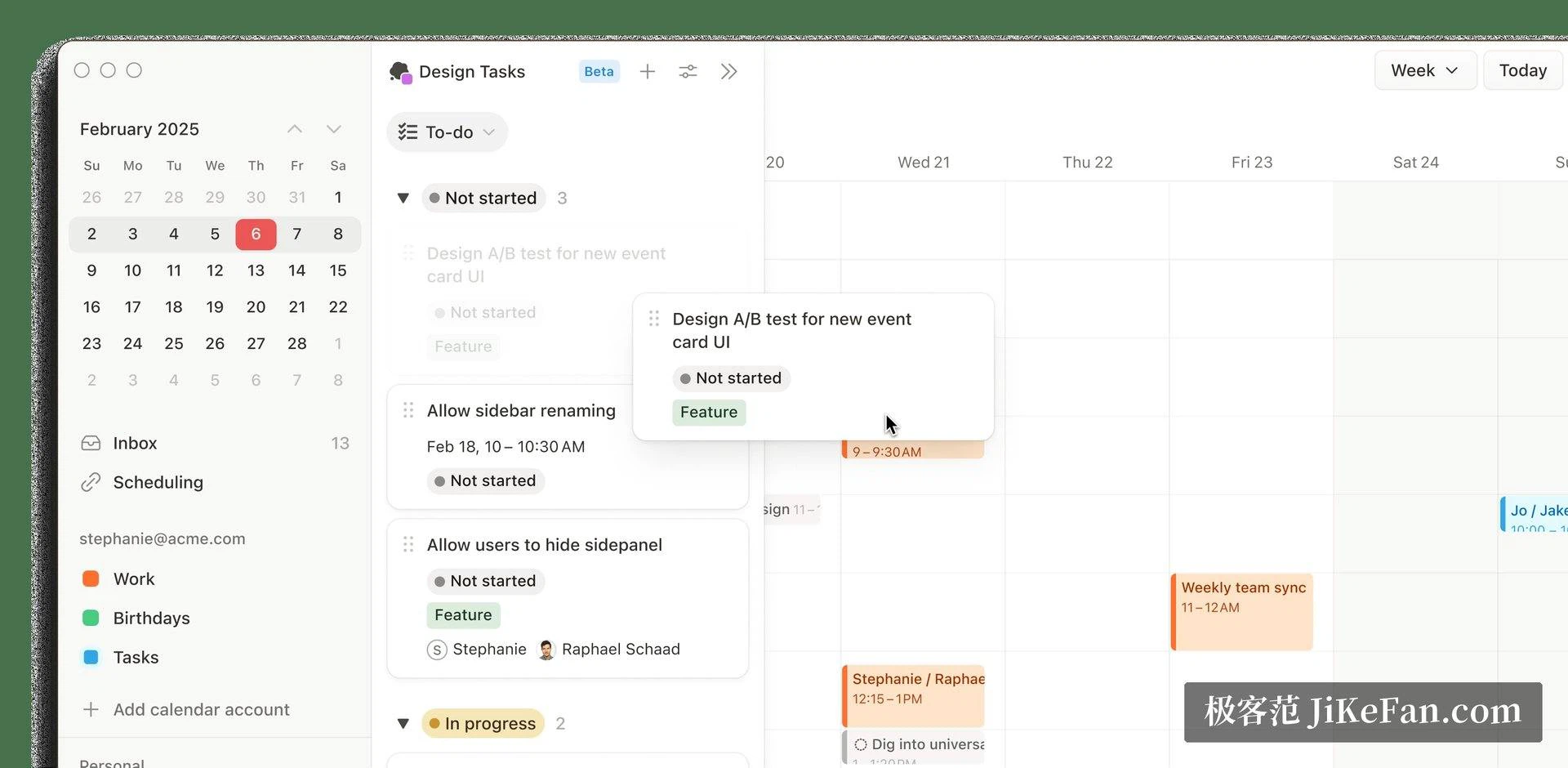
Several accounts, several cities, one timeline
Work and private accounts can be shown side by side in one view, told apart by colour instead of by memory. Anyone who travels between cities can pull out a column of time zones and read several of them against each other, so a call across the world stops requiring mental arithmetic. The scheduling link does the rest: a stretch of free time becomes an invitation that can be sent, and the exchange of questions about who is free when disappears.
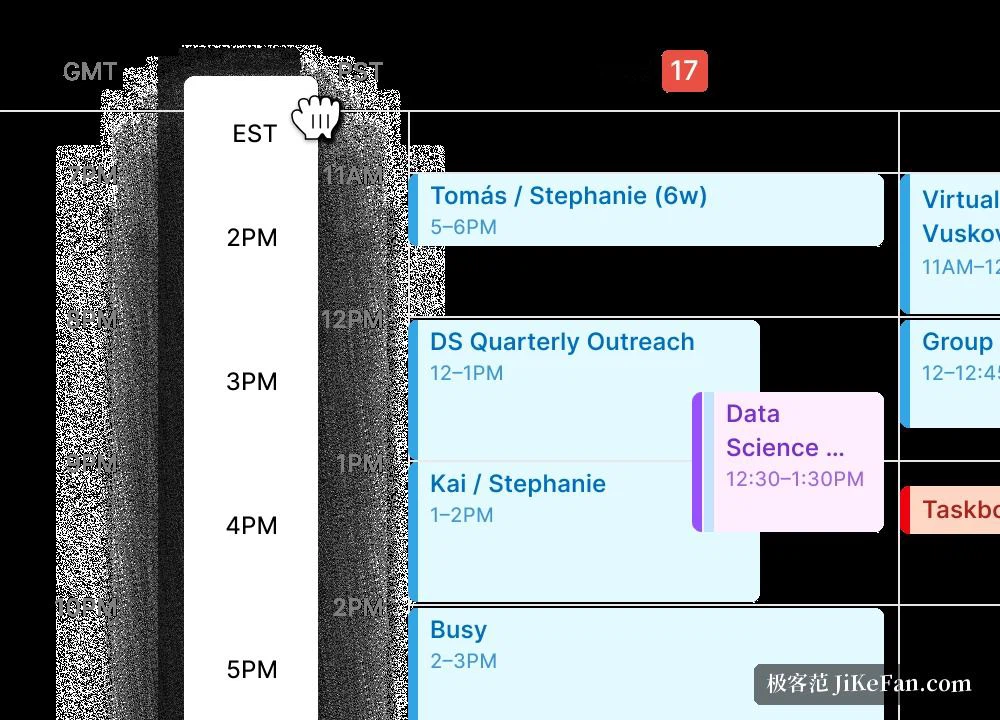
The other half of the argument is that a task and an appointment are the same kind of thing seen from two sides: both want a piece of a day. Most tools keep them apart, so the plan is made in one place and the work is tracked in another, and neither knows about the other. Putting both on one timeline means a week can be judged by how much of it is already spoken for, which is a question no task list answers on its own.
Who it suits
It is worth being plain about the boundary as well. The program is a calendar, not a project tool and not a notebook, and the parts that impress come from what it can reach rather than from what it contains. Somebody expecting the workspace itself to be rebuilt inside a calendar will be disappointed; somebody wanting the two to stop contradicting each other will not be.
For somebody who already keeps their days in an online calendar and works inside this workspace most of the hours, the fit is close to seamless: free, quick, efficient from the keyboard, with tasks and meetings on a single line. Without the workspace it remains a perfectly good free calendar client, only the most distinctive part of it goes unused. The official site is where to look further, and signing in is all it takes to start.