
Notepad--: A Lightweight Cross-Platform Text Editor Built Around Comparing Files
Summary
Notepad-- is a small cross-platform text editor from a Chinese developer: free and open source, no advertising, no locked features, with syntax highlighting, file and folder comparison, and batch find and replace.
Recommend- Name
- Notepad--
- Version
- 3.9
- Pricing
- Free
- Open source
- Open source
- Updated
- 2026-10-06 20:54
A text editor earns its place by refusing to grow
Notepad-- is a simple text editor: it opens text, it shows text, it lets the text be changed, and it more or less stops there. It runs on Windows, macOS and Linux, it is free and open source, it carries no advertising, and nothing in it is locked away behind a paid tier. Those four sentences read like an advertisement, but they are really a specification: they predict who will still have the program installed a year from now.
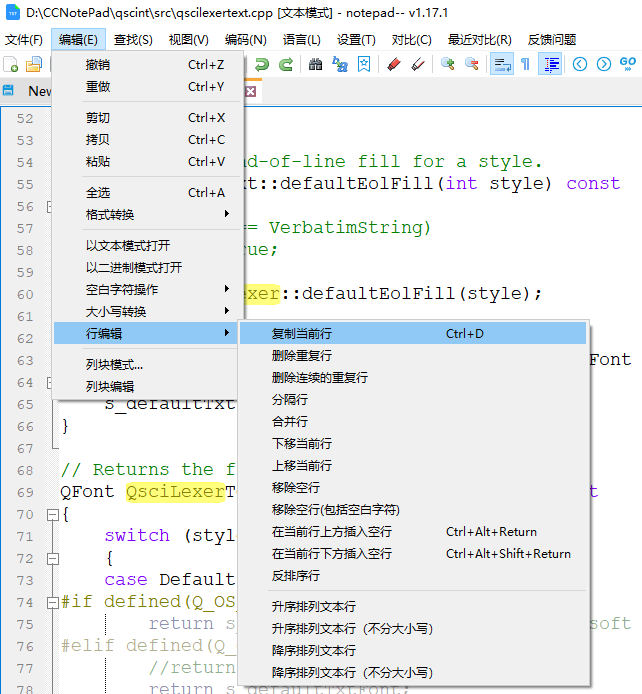
The interesting decision is what the author put inside that narrow frame. Besides the editing surface itself there is syntax highlighting, file comparison, folder comparison, and batch find and replace. Three of those four are not editing features at all; they are features about the text you already have, which is a genuinely different problem from the text you are about to type.
Cross-platform is a promise about habits, not about installers
Running on three systems is easy to claim and harder to mean. What a person wants from a cross-platform editor is narrower than the marketing suggests: the same shortcuts should work, the same file should open and look the same, and a document written on one machine should not be quietly rewritten on another. A program that opens a file correctly and then saves it back with a different line ending has technically kept its promise and practically broken it.
This is why the unglamorous details outweigh the feature list. Line endings, character encoding and whether a byte-order mark survives a round trip decide whether a file is still the file after an editing session. None of those appear in a screenshot of the toolbar, and all of them are what people mean when they say an editor is trustworthy.
The three invisible things that break plain text in transit
Almost every story about a corrupted text file comes down to three decisions nobody made on purpose. The first is the encoding: the same bytes read as UTF-8, as a Chinese legacy code page, or as Latin-1 produce three different documents, and only one of them is the one that was written. The second is the line ending: the Windows tradition ends a line with two characters, the Unix tradition with one, and an editor that silently converts between them turns a one-line edit into a whole-file change in version control. The third is the byte-order mark, a few bytes at the head of a file that some tools write, some tools require and some tools refuse.
A cross-platform editor is exactly the place where all three collide, because the same file is expected to travel between systems that disagree about all of them. Handling this quietly, and letting the choice be visible when it matters, is worth more than any number of toolbar buttons.
Find and replace, in bulk
Replacing one word is trivial. Replacing one word in four hundred files is a different operation wearing the same clothes, and the difference is entirely in the boundaries. Which files are in scope: a folder, a file type filter, or only the tabs that happen to be open. What counts as a match: exact case, whole word only, or a pattern. What happens to the files you had open and had not saved yet. And what happens when the replacement is not one word for one word, but a pattern with a captured fragment inside it.
The habit that separates a safe bulk edit from a lost afternoon is preview: look at the list of hits and the count before committing, and if the number is larger than expected, stop and read the pattern again. Batch operations are not dangerous because they are powerful; they are dangerous because they are fast, and speed removes the moment where a person would otherwise have noticed.
Two versions of the same text
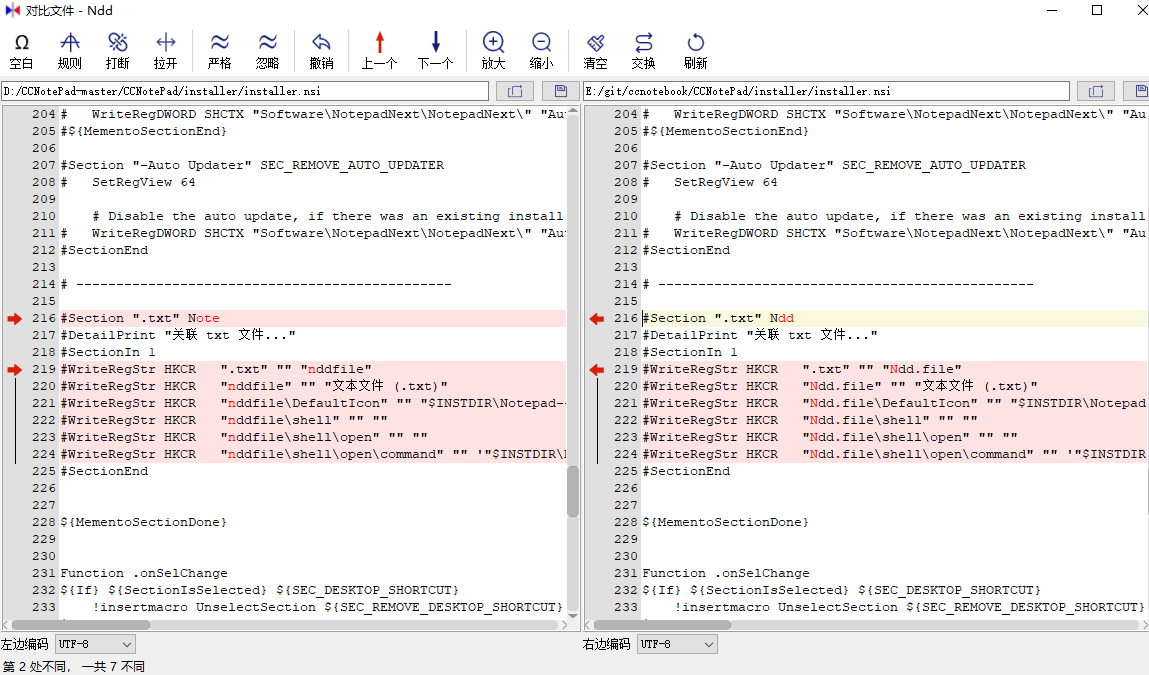
File comparison is the feature that, for many users, justifies the program's existence. The idea underneath is an alignment: find the largest set of lines the two files agree on, treat those lines as anchors, and everything between two anchors is a change. This is why a block that was moved rather than edited shows up as a deletion in one place and an insertion in another — the algorithm has no concept of intent, only of order.
Comparing character by character inside a changed line is a second pass over the same principle, and it is what makes a single corrected comma visible instead of painting an entire paragraph as different. The practical value is not the colour: it is the ability to answer, in five seconds, the question of whether the two files differ in a way that matters or only in whitespace.
Comparing folders is a different question
A folder comparison answers something file comparison cannot: which of these two trees differ, and where. The useful output is a manifest rather than a diff — identical files, modified files, files that exist only on the left, files that exist only on the right — and the work is then descending only into the rows that are not identical. For anyone who keeps a copy of a configuration directory, synchronises a project between two machines, or checks what an installer actually changed, that manifest is the whole tool.
Colour is a reading aid, not a check
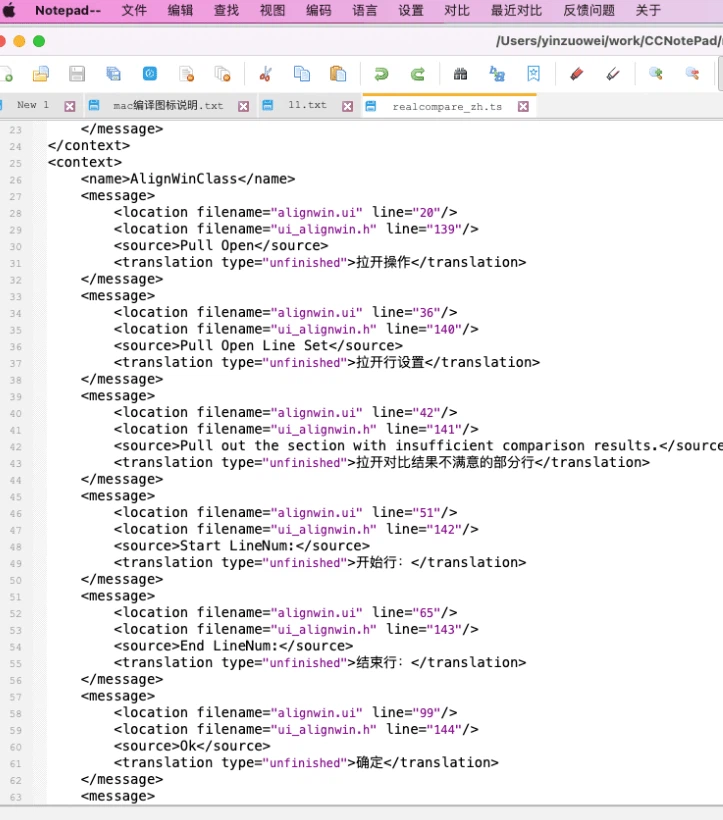
Syntax highlighting is often mistaken for understanding. What actually happens is narrower and more useful: a grammar describes which sequences of characters are keywords, strings, comments and numbers, and the editor paints them. It does not parse the program, it does not resolve anything, and coloured text is not correct text. What it does do is make structure visible at a glance — an unterminated string that swallows half a file, a comment that was never closed, a bracket that opened in the wrong place.
Free, open, and with nothing to sell you
Open source and advertising-free are not the same claim, and it helps to keep them apart. Open source means the code can be read, built and forked, and that a feature cannot be removed from under you by a business decision. Advertising-free means the interface is not negotiating for your attention while you work, and that no function is deliberately degraded to make an upgrade look attractive. For a program that will hold configuration files, logs and scripts, those two properties are not ideology; they are why the tool stays predictable.
Where it fits
The honest summary is narrow. This is not an integrated development environment: it will not compile, refactor or debug, and nobody should expect it to. It is the editor that opens before a larger tool has finished starting, the one that can hold a hundred-megabyte log without complaint, and the one whose comparison view settles an argument about which copy of a file is the current one. Small, free and cross-platform is not a compromise here; it is the entire point.