
MyUninstaller: a portable list of what is installed, and a broom for dead entries
Summary
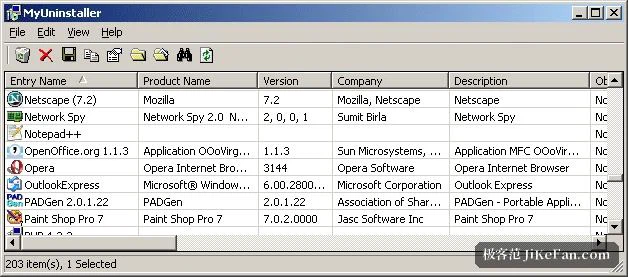
MyUninstaller shows the uninstall command, folder, version and install date for every installed program, calls each program's own uninstaller, and lets you delete the entries that no longer point at anything.
Recommend- Name
- MyUninstaller
- Version
- 1.77
- Pricing
- Free
- Open source
- Proprietary
- Operating system
- Windows
- Updated
- 2026-10-04 08:26
The gap the system panel leaves
The list of programs and features built into Windows says three things about each entry: a name, a publisher and a size. That is enough while the list is short and every name is distinct. It stops being enough the moment two entries look alike, because there is nothing else to compare them by, and the question of which of the two you want gone has no answer on that screen.
This tool fills the gap by listing more per entry: the uninstall command, the install folder, the version, the install date. Those four turn a name into a location and a history, and they answer the question people actually ask out loud — where is this installed, and where did it come from. A search box filters by name, which starts to matter once the list runs to a few hundred rows.
None of this is exotic. It is the information a system already holds, presented in a form that a person can use, and the difference between the two is often the difference between a list you scroll past and a list you can act on.
What it does, and what it refuses to do
One point has to come first: it does not perform uninstalls itself. It calls the uninstaller that the program brought with it, which means the result depends entirely on that program. A title that leaves registry keys behind will leave them behind here as well. That is not a limitation to work around; it is the difference between a launcher for other people's uninstallers and a cleaner.
The nuisance it does solve is a different and more common one. Programs get deleted by hand, by a removal that stopped halfway, by a folder dragged to the bin, and their entries stay in the list, unclickable and permanent. Those dead entries can be removed here, and the list goes back to describing the machine as it is instead of accumulating its history.
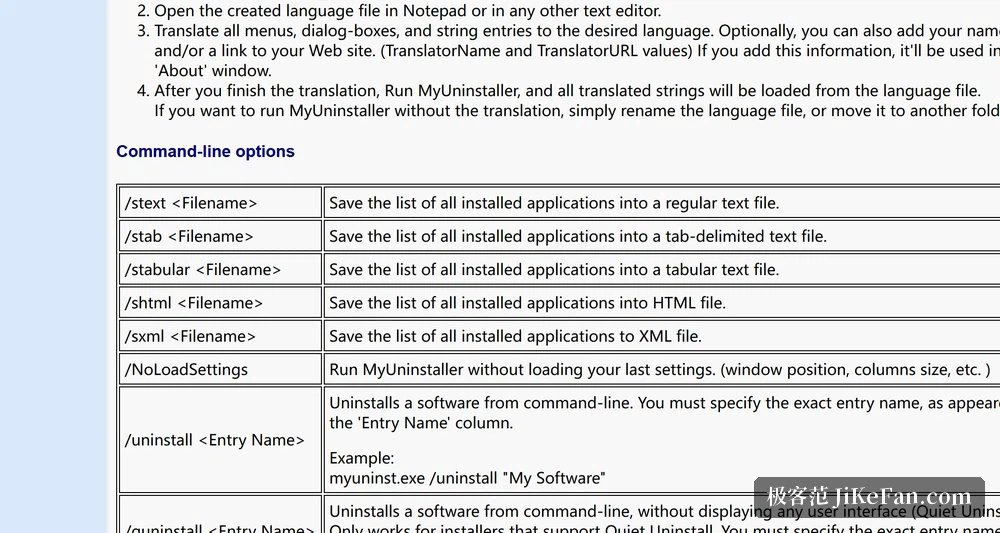
The whole inventory can also be exported as a text or a web page file. Kept as a record of a build, that export answers a question that comes up months later and is otherwise unanswerable: what exactly was on this machine before it started behaving differently.
Form, size and version
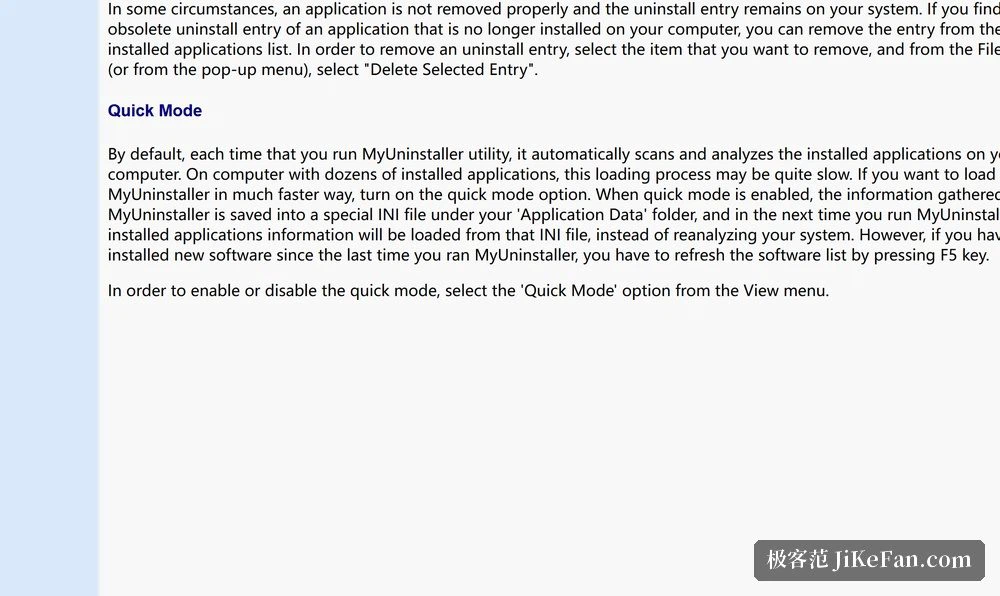
It is a single file that needs no installation: unpack and run. The size is about fifty-some kilobytes, and the settings live in a configuration file next to the executable, so program and preferences can both be copied to a USB stick and carried. On a machine you are only visiting, that is the difference between helping and installing.
Version 1.77 appeared in 2017 and added the ability to uninstall from the command line, which is what makes batch handling possible. Nothing has been released since, and the developer's later utilities took over that territory. And yet for the narrow purpose of opening one tool and getting a clean, readable list of what is installed, this one has not stopped working.
Who it suits, and who it does not
Two needs are often confused. One is wanting to see more than the system panel shows and to tidy away entries that no longer point at anything; for that, this is light and immediate, and the age of the release does not enter into it. The other is wanting a deep clean after uninstalling — registry keys, leftover folders, services nobody removed. That is a different job, and it needs a tool that scans and reports before it deletes.
The useful way to hold both is to keep this as the reference list and reach for a heavier utility when the occasion demands it. A small program that describes the state of a machine accurately is worth keeping even on a machine that already has newer tools.
MyUninstaller's position is clear: it does not uninstall for you, it makes the question of what is installed easier to answer, and it sweeps up the entries that no longer click. Fifty-some kilobytes buys a list that is always available and, more importantly, always accurate.