
360 Secure Browser: a Windows browser that treats browsing and safety as one job
Summary
360 Secure Browser handles trust questions inside the browsing flow: it warns before risky addresses, checks where a download came from, inspects the environment at payment time and runs page content in a sandbox. Two engines cover both modern and legacy sites.
Recommend- Name
- 360 Secure Browser
- Version
- 16.3
- Pricing
- Free
- Open source
- Proprietary
- Operating system
- Windows
- Website
- https://browser.360.cn/
- Updated
- 2026-10-05 18:23
The subject is not the page, it is the whole act of browsing
360 Secure Browser is a browser for Windows, and its stated position is not simply to render pages. It treats security questions as part of the browsing flow: whether the address you are about to open can be trusted, whether the file you just downloaded is suspicious, whether the environment is sound at the moment you type card details into a shop. Those judgements sit inside the browser rather than in a separate tool the user has to choose and configure.
That framing is the interesting part. Most security advice ends with "install something else"; this one starts from the observation that the moment of risk is a moment of browsing, and that the place to intervene is therefore the browser window. Whether one agrees with every judgement it makes is a separate question from whether the placement is sensible.
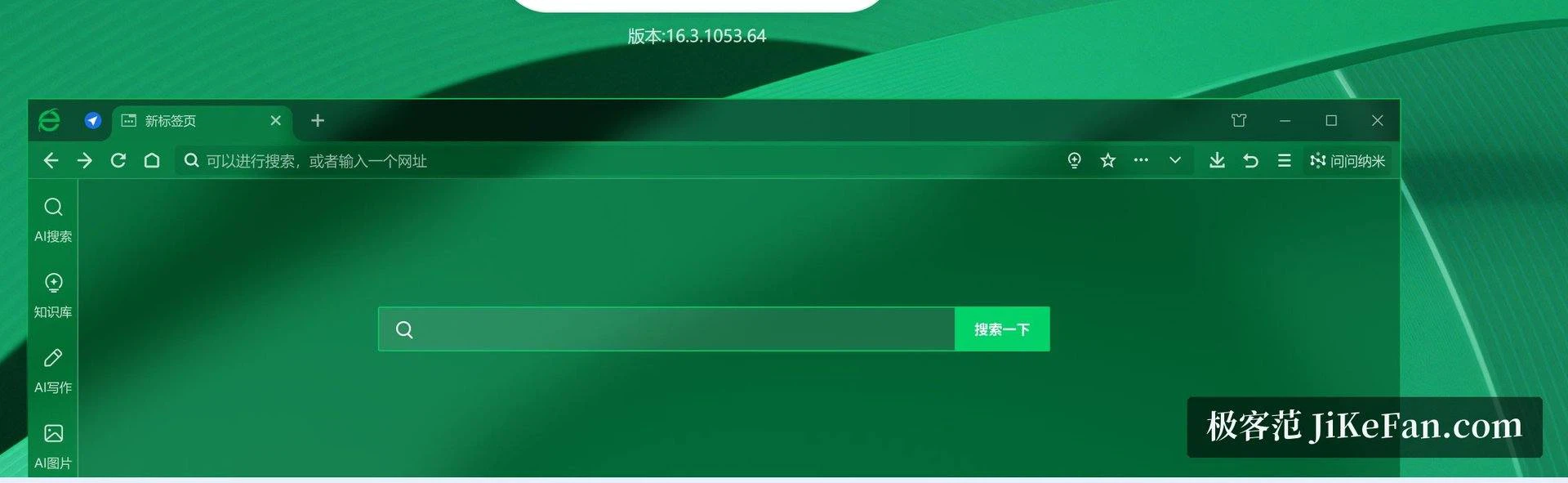
Two engines, because the web is not one web
A large share of domestic sites still depend on older rendering behaviour to display correctly. Rather than declare those sites broken, the browser carries two engines: a compatibility mode for pages that display badly, and a faster mode for pages that behave. The entry point for switching sits near the address bar, and it is meant to be used once per site rather than as a permanent setting.
The practical case is concrete. Online banking and corporate intranet pages are exactly where an old rendering path is still required and where opening a second browser is most annoying, because that is where the session, the certificate and the habit all live. Switching in place keeps one window, one history and one set of bookmarks.

What the protection actually covers
Four abilities come up again and again. A warning before an address is opened, blocking the ones already known to be fraudulent or to host malicious scripts. A check of where a downloaded file came from and whether it looks safe. An inspection of the environment during payment and shopping. And a sandbox in which page content runs, separated from the system, so that a hostile script has less to reach.
What these share is a decision about when to interrupt. All of it is done in the background, and the user is stopped only when something has been judged risky. That is the right shape for this class of feature: a warning that appears constantly is a warning nobody reads, and a check that only speaks when it has something to say keeps its authority.

Moving in, and what to expect afterwards
For someone arriving from another browser, the first run can bring over bookmarks, history and saved passwords, which removes most of the cost of changing. After signing in, bookmarks and settings follow the account across machines, so a second computer starts from the same arrangement rather than from defaults.
There is a free edition for everyday use, and packages and updates are published through the official channel. That last point deserves a plain sentence: builds that arrive from somewhere else may carry changes nobody documented, and a browser holds everything you type, so the provenance of the build matters more here than for most software.
Whether it should be the main browser
The honest answer depends on what you want from a browser. If the appeal is not having to assemble a set of security tools yourself, and if the sites you depend on include old ones that other browsers have quietly stopped rendering well, the combination is coherent and the cost of trying it is low.
If instead you want a minimal shell that does nothing you did not ask for, the same bundle of features will feel like weight. Both readings are legitimate, and neither is a verdict on the other. The useful question is narrower: which of these judgements do you want made for you, and which would you rather make yourself.
360 Secure Browser puts the two things that are hard to avoid on the Chinese web — safety and compatibility — into one window. It suits people who would rather not assemble their own security stack and still need old sites to render; whether it becomes the main browser is a question about which trade-offs you accept, not about whether the tool works.