
Meld shows a diff instead of describing one
Summary
Two configurations that differ in one character, a merge conflict with three sides, a folder that gained files you did not expect: Meld draws all of it side by side, colours the changes down to the character, and lets you move each one across with a click.
Recommend- Name
- Meld
- Version
- 3.24
- Pricing
- Free
- Open source
- Open source
- Operating system
- WindowsLinux
- Website
- https://meldmerge.org/
- Updated
- 2026-10-06 21:17
The case for seeing a difference rather than reading one
Which line in this configuration differs from that one. What actually changed between two versions of a file. Which side of a merge conflict to keep. Comparing text by eye is tiring, and tired eyes miss the one character that matters, usually the comma. The tools that print a unified diff help, but they still ask you to reconstruct a picture in your head from a stream of plus and minus signs, and reconstruction is where mistakes enter.
Meld draws the picture instead. Two panes side by side, changed lines coloured, and inside a changed line the differing characters marked individually, so a renamed variable or an altered number cannot hide behind an otherwise identical sentence. Arrow buttons between the panes copy a hunk across in one click, which turns merging from retyping into confirming. Three-way comparison, local against base against remote, is supported properly, and that is precisely the shape of a version control conflict.
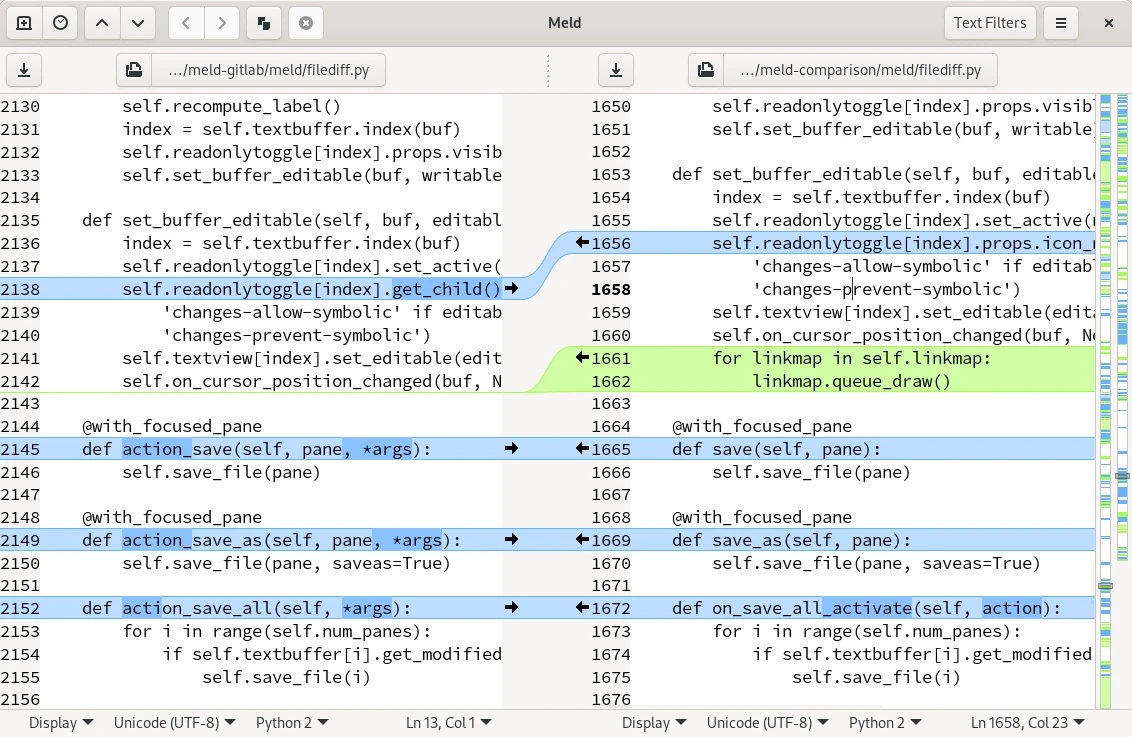
The interface is unglamorous in the way good developer tools usually are. No panels competing for attention, no assistant offering to rewrite the file. Two documents, the differences, and a set of arrows. That austerity is the feature: when the task is deciding what to keep, every element that is not part of the decision is noise.
More than text
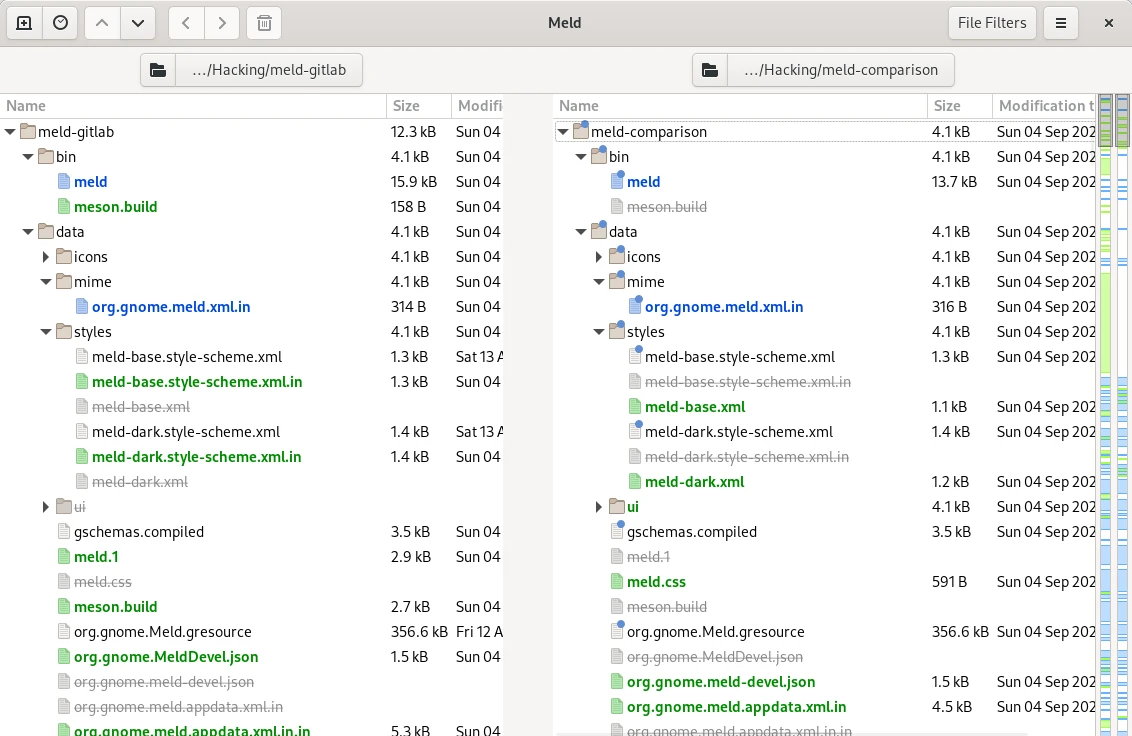
Its reach covers several ordinary parts of a working day. Folder comparison identifies added, missing and modified files in bulk, so synchronising a directory tree stops being a guessing game about what happened where. Version control integration is native rather than bolted on: working tree changes, staged differences and historical revisions all open in the same visualiser, which is easier to reason about than a terminal pager. The 3.24 release added side by side image comparison, so whether a design changed, or whether an icon shifted by a few pixels, becomes visible rather than debatable.
The project itself is one of the older members of the GNOME ecosystem, published under GPL, written in Python with GTK, which means the source can be read, patched and rebuilt by anyone who disagrees with a decision in it. Software that has survived this long in a crowded category usually has, and this one does: it does a small number of things, does them without ceremony, and has not been redesigned into something else.
Three-way comparison is worth a paragraph of its own, because it is the part people underestimate. A two-way difference tells you what changed; a three-way comparison tells you who changed it, which is the question that actually needs an answer when two people edited the same function in the same week. The base version sits in the middle, your work on one side, theirs on the other, and every conflict arrives with all three states visible at once. Resolving that by hand in a text editor is possible, but it means holding three versions in working memory while typing a fourth.
Folder comparison has a quieter use that saves more time than the dramatic one. Before copying one tree over another, the comparison shows what would be lost, which files exist on only one side, and which have diverged without either side noticing. That is a thirty second check standing between an archive and a deletion, and it is the reason the tool stays installed for people who rarely touch a merge at all.
The value on offer is certainty: the differences are laid out in front of you in full, and every step of a merge is confirmed by your own hand. In a world of code and configuration, seeing clearly is the precondition for changing accurately.
Two pieces of practical advice. Make it the default diff viewer for version control and the experience of resolving conflicts improves immediately, because the alternative is reading markers in a file. And run a comparison before synchronising two folders, since the operation that follows is the one that overwrites things.
It runs on Windows, Linux and macOS, the last of those since 3.24, and it costs nothing. In a developer toolbox the basic instruments get replaced often, usually for something with more panels and a subscription; this one has stayed because there was nothing left to add that would make the comparison clearer.