
massCode: snippets, notes and API calls in one local workspace
Summary
A free, open source snippet manager that grew into a developer workspace: hundreds of languages highlighted, Markdown notes, HTTP request testing and mind maps, with everything stored as plain Markdown files on your own disk. No account, no cloud.
Recommend- Name
- massCode
- Version
- 5.6.1
- Pricing
- Free
- Open source
- Open source
- Operating system
- WindowsmacOSLinux
- Updated
- 2026-10-25 22:00
Every programmer has a code collection. Almost nobody can find anything in it.
Where the good bits actually live
A useful function written two years ago sits in a note app. A regex that took an afternoon to get right is in a chat history with a colleague who has since changed jobs. A shell one-liner is in a text file on the desktop, named after nothing in particular. The searching takes minutes, the formatting has to be redone by hand once it is found, and the whole ritual is repeated monthly.
This tool began as a plain snippet manager and has grown into something wider, without giving up the property that makes it trustworthy: nothing leaves the machine.
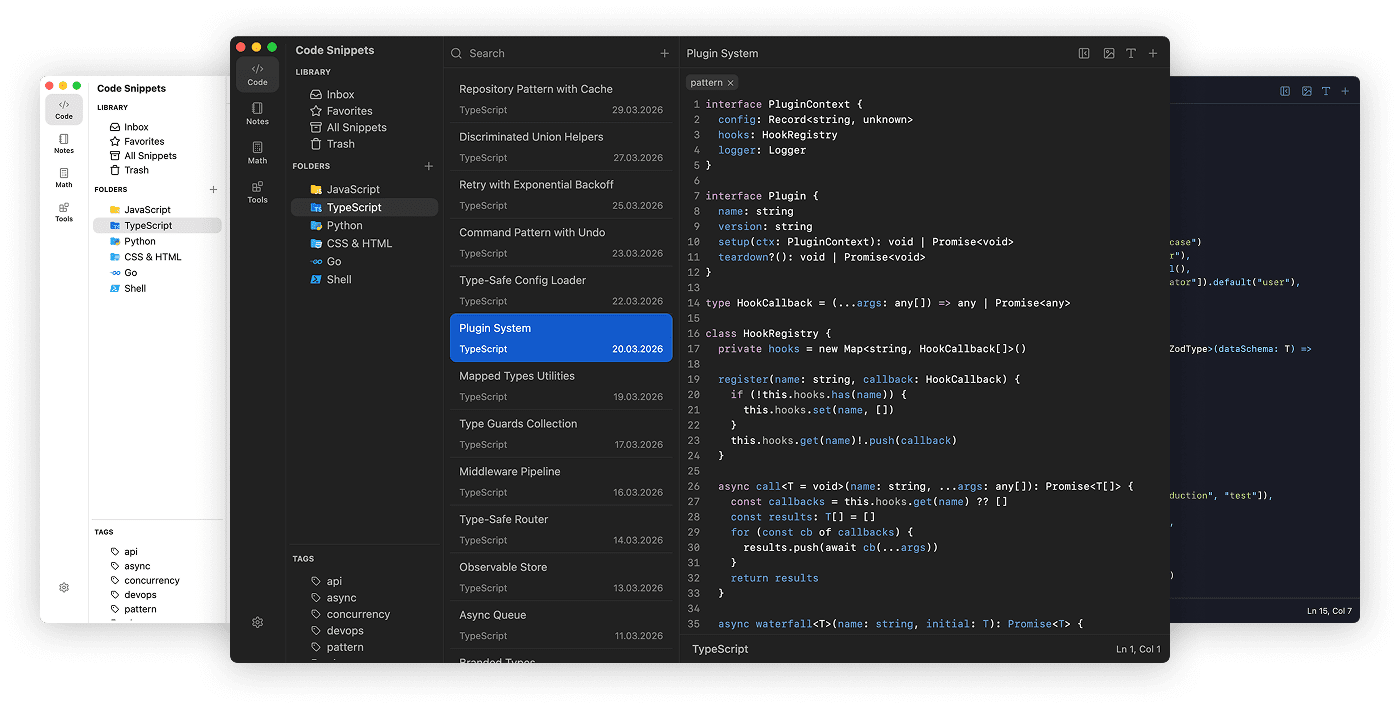
What it is, technically
Hundreds of programming languages and well over a hundred highlighting themes, on the same editor core and grammar definition format the mainstream code editors use, which is why the colouring looks familiar rather than approximate. The part that matters more is where the data lives: plain Markdown files on your own disk. No account, no service in the middle, no database you cannot read with a text editor.
Four modules around one habit
Snippets are organised by folder and tag, with a description field, a language setting and formatting on paste, so something copied out of an email stops looking like it came out of an email. Markdown notes get a full editor with tables, code blocks and formulas, which means technical documentation and development diary entries sit in the same workspace as the code they describe, instead of in a separate application with its own search.
HTTP requests are tested in the same window: a lightweight alternative to the usual interface client, sufficient for checking an endpoint without switching applications. There is also an expression calculator for hashes and number bases, and a mind map generated from a Markdown outline, which is the fastest way to see the shape of a project or of a set of notes.
Why local storage is the argument, not the detail
Four consequences follow, and each is practical rather than philosophical. It works offline at any hour. Snippets often contain keys and server details, and those are safer on a disk you control. Because the format is plain text, the whole library can go into version control and be diffed like code. And if the project is abandoned tomorrow, the data stays readable and editable in any text editor — the failure mode is inconvenience, not loss.
Honest comparison, and two real gaps
In this category the alternatives each give something up: a paid tool limited to one platform, an open project that later moved to subscriptions, a snippet service that depends on a network connection and is unsuitable for private material. On the four axes of free, open, cross-platform and local-first, this one gives up the least.
The gaps are worth naming. There is no built-in synchronisation, so multiple machines require syncing the data folder with a cloud drive or a file syncing utility of your choosing — workable, and not the same as a product feature. And there is no mobile client, so a phone is not part of the story. If reading your snippets on a phone is a requirement, this is the wrong tool and no amount of configuration will fix that.
It is not the flashiest code manager. It is the most settled one: the format is open, the location is yours, the colouring is good enough that reading code is pleasant, and the note and request modules mean you stop leaving the window to do the adjacent work.