
Etcher: three steps from an image file to a bootable stick
Summary
An open source writer for installation images: choose an image, choose a drive, press one button. System disks are hidden from the list, and every write is read back and compared. Same interface on Windows, macOS and Linux.
Recommend- Name
- Etcher
- Version
- 2.1.6
- Pricing
- Free
- Open source
- Open source
- Operating system
- WindowsmacOSLinux
- Website
- https://etcher.balena.io/
- Updated
- 2026-10-25 22:00
Burning an installation image is a small task with an unusually nasty failure mode: choose the wrong drive and you have deleted a working computer.
Small task, real hazards
Doing it by hand with a command line tool is fast and unforgiving: one wrong letter in the device name and the entire internal disk is overwritten, along with everything on it and whatever deadline depended on it. Doing it with a graphical tool solves that, until you change operating system and discover the tool was written for one platform only, so a second machine needs a second tool with a second set of habits.
This program exists to end that particular mess: one open source application, the same on all three desktop systems, and a workflow short enough that nobody needs to read documentation.
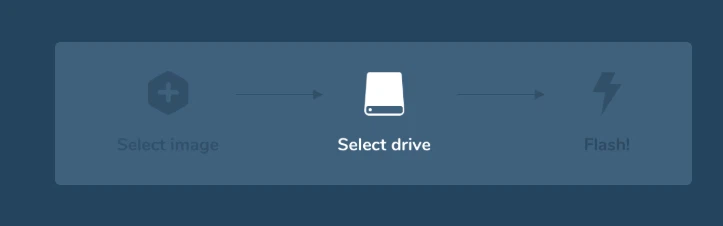
Three steps, no tutorial
Drop an image file in — the common disk image formats and the compressed variants both count, and archives are unpacked on the way in, so there is no separate step with an archiver. Choose the target: a USB stick or a memory card. Press the button once and watch the bar.
The list of targets is where the design earns its keep. Internal system volumes and large fixed disks are filtered out and never appear, which removes the failure mode described above by construction rather than by warning. When several removable drives are attached, they are distinguished by capacity and model so that the wrong one is at least visibly the wrong one.
Verification, which is the actual feature
After writing, the contents of the drive are read back and compared against the source image. This takes time proportional to the size and is the single most valuable thing the program does: it turns a silent corruption into a message before you carry the stick to a machine that will not boot. Anyone who has spent an evening reinstalling an operating system twice because the first stick was subtly broken will recognise the trade.
One interface everywhere
The application is built on the same web-technology runtime as many desktop tools today, which is precisely why the window looks identical on Windows, macOS and Linux and why the muscle memory transfers. For anyone who prepares installation media at work and again at home on a different system, that consistency is worth more than an extra setting.
What it deliberately refuses to do
There are no advanced options, and this is a decision rather than an omission. Partition table type cannot be chosen, file systems cannot be specified, multi-partition sticks cannot be composed, and boot modes cannot be switched. Tools that specialise in those things exist and are better at them; a stick that boots several different images at once is a different category of product entirely.
The trade is explicit: for the ordinary case of writing one system image to one drive, the absence of options is the feature. Every option removed is a way of getting it wrong that no longer exists, and for this task that is the correct direction to simplify in.
Where it fits
Keep it for the twice-a-year reinstall, the single-board computer that needs a fresh card, the rescue stick you build in a hurry. Reach for something more elaborate only when you genuinely need partitioning control or a multi-image boot menu — and notice that in those cases you already know why, which is exactly the audience the simple version is not competing for.
Its virtue is subtraction. Three steps, one button, a hidden list of disks you must not touch, and a check that reads everything back. For the great majority of image writing, that is the whole job, done properly.