
Flow Launcher 2.1: a free open source file search launcher
Summary
Flow Launcher 2.1.3 is a free open source file search and app launcher for Windows. Alt+Space brings up one box that finds files, starts programs and takes plugins.
Recommend- Name
- Flow Launcher
- Version
- 2.1.3
- Pricing
- Free
- Open source
- Open source
- Operating system
- Windows
- Website
- https://www.flowlauncher.com/
- Updated
- 2026-10-06 13:38
Searching with what Windows ships has never inspired much confidence: you remember the file name, type it in, and wait several seconds, often for a result that is not the one you wanted. Flow Launcher puts opening applications and finding files into a single input box. Its own description is blunt: a quick file search and app launcher for Windows. It is free open source software under the MIT licence, maintained by a project team.
Summoning and searching
By default Alt+Space brings the search window up, and the hotkey can be changed. The box searches files and launches programs at once: file names and file contents are looked up through a local indexing engine or the system search, and the settings of Windows and the control panel can be reached from the same box. The home page reduces the idea to one line, call it up anywhere at any time, and bring what you are after in front of you with the keyboard.
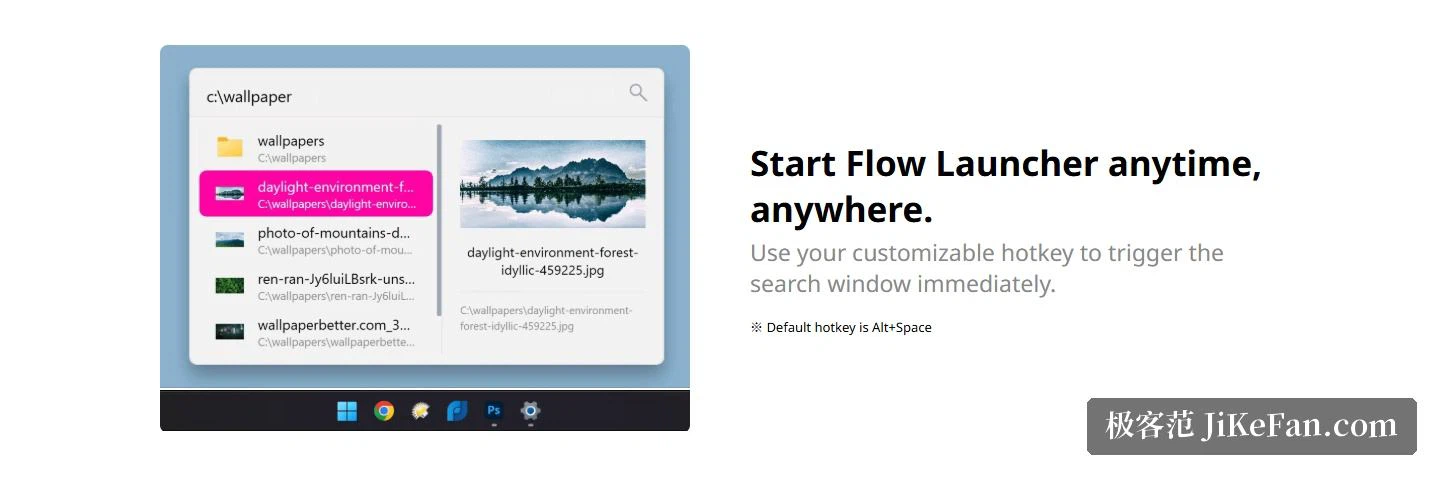
More than a search box
Beyond finding things it behaves more like a single entry point. Web searches call whichever search engine you are used to; browser bookmarks can be searched across different browsers at once; restarting, sleeping and shutting down take a couple of keystrokes; batch and PowerShell commands can run with administrator rights or as another user; and a result from the built-in calculator can be copied straight to the clipboard to be used a moment later.
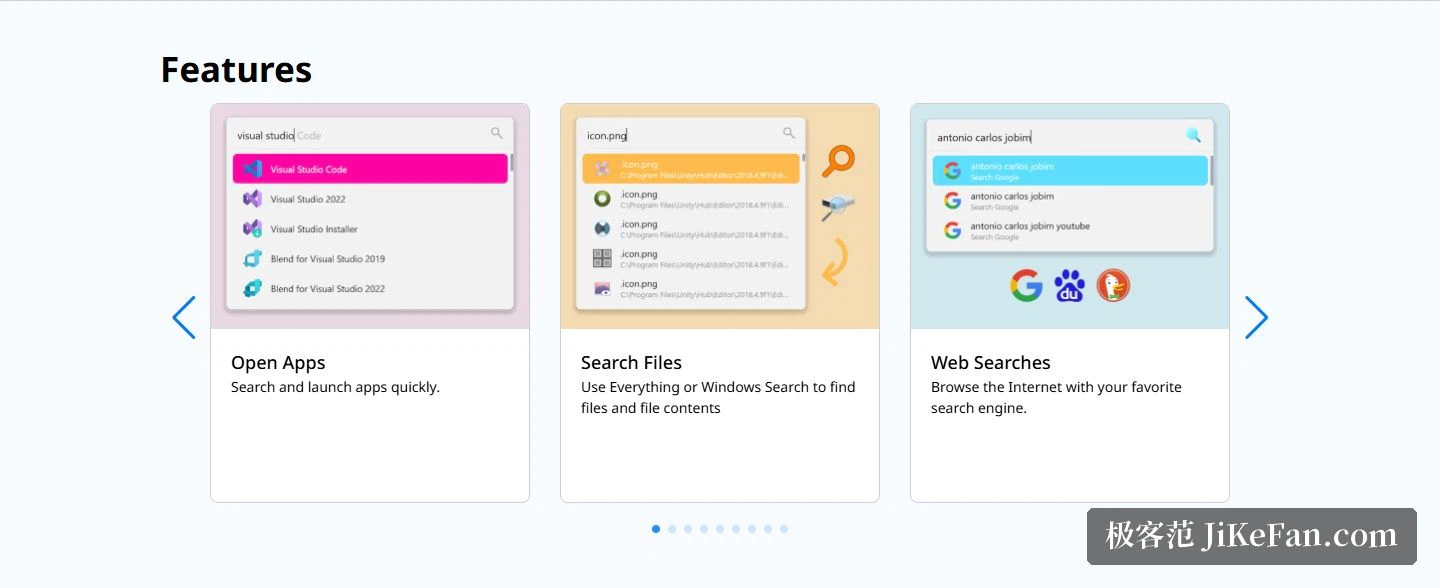
The interface is easy to change to taste: themes, animations and sound effects can all be adjusted, or a set can be built from scratch. It is a small point and an important one, because a launcher is opened dozens of times a day; the less it looks like someone else's idea of an interface, the less it interrupts.
Plugins and installation
When the built-in features run out, plugins fill the gap. The site runs a plugin store where plugins of different kinds can be browsed and installed to give the box new retrieval powers; community plugins can be written in C#, F#, Python, JavaScript or TypeScript, and the ready-made examples shown on the page cover music streaming, game library search, a note vault and a notification feed. The project is hosted on a public code hosting service, where the star count has passed 1.5 × 10⁴, the main language is C#, and the repository has been maintained since 2020-04.
The site navigation puts five entries in the top bar — plugins, theme builder, docs, the code hosting page and download — so documentation, source and downloads all sit in the open; on themes, besides the built-in ones with their animations and sound effects, the theme builder is a separate hands-on entry. The footer carries the copyright of the project team with a sponsorship link beside it, and individuals or teams can support continued updates that way.
The current version is 2.1.3, published on 2026-06-08, and Windows 10 or newer is required. The download page offers two forms: an installer as a 97.09 MB EXE and a portable 196.49 MB ZIP; for anyone used to package managers, ready-made commands for three of the common ones are given directly on the site.
Folding two tasks into one box saves more than keystrokes. What it really saves is the pause before every search, that moment of deciding where to start looking: there is no need to think about which disk first, no need to open a folder level by level, and the two kinds of memory — the name, or the location — both get used in the same place. That pause happens dozens of times a day, and it adds up to more than any single operation ever costs.
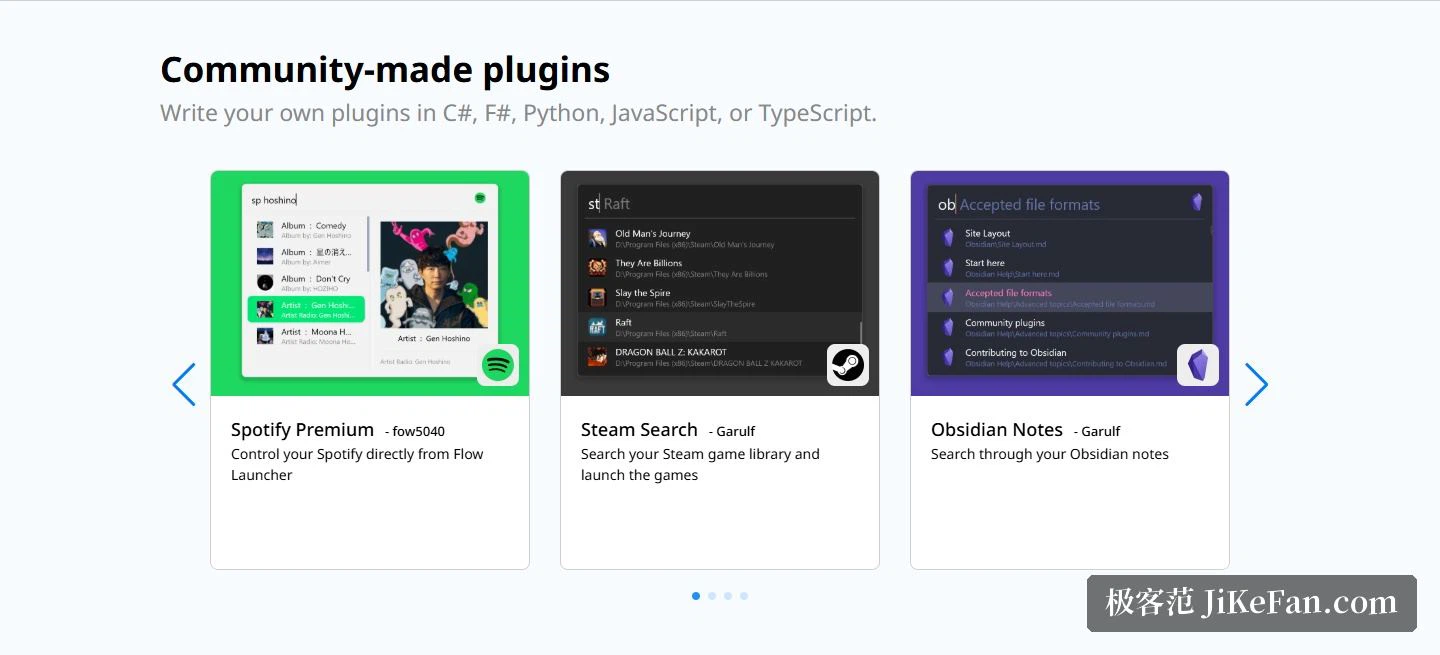
Flow Launcher pulls the two things Windows users do most, opening programs and finding files, into one input box, and leaves the rest of the demand to the community through plugins. Free, open source, MIT licensed: install it, press Alt+Space, and going back to the built-in search becomes hard once the habit forms.