
Langflow: draw the flow first, argue about models later
Summary
An open-source Python framework where you drag components into a flow, swap models to compare, then ship the result as an API or an MCP server. Local install is one command on port 7860, and nothing about the canvas stops you editing the code underneath.
Recommend- Name
- Langflow
- Version
- 1.13
- Open source
- Open source
- Operating system
- WebLinuxmacOSWindows
- Website
- https://www.langflow.org/
- Updated
- 2026-10-06 14:23
The usual sticking point when an AI idea has to become something that runs is that the flow will not assemble: you get one model call working, then change the model and rewrite the whole thing. Langflow takes a different line. The first sentence on the site is stop fighting your tools, and the product positions itself as a way to build and deploy AI agents and MCP servers, with built-in support for the usual model providers, vector stores and a growing library of AI tools. Two buttons sit above the fold: get started for free, and star on GitHub.
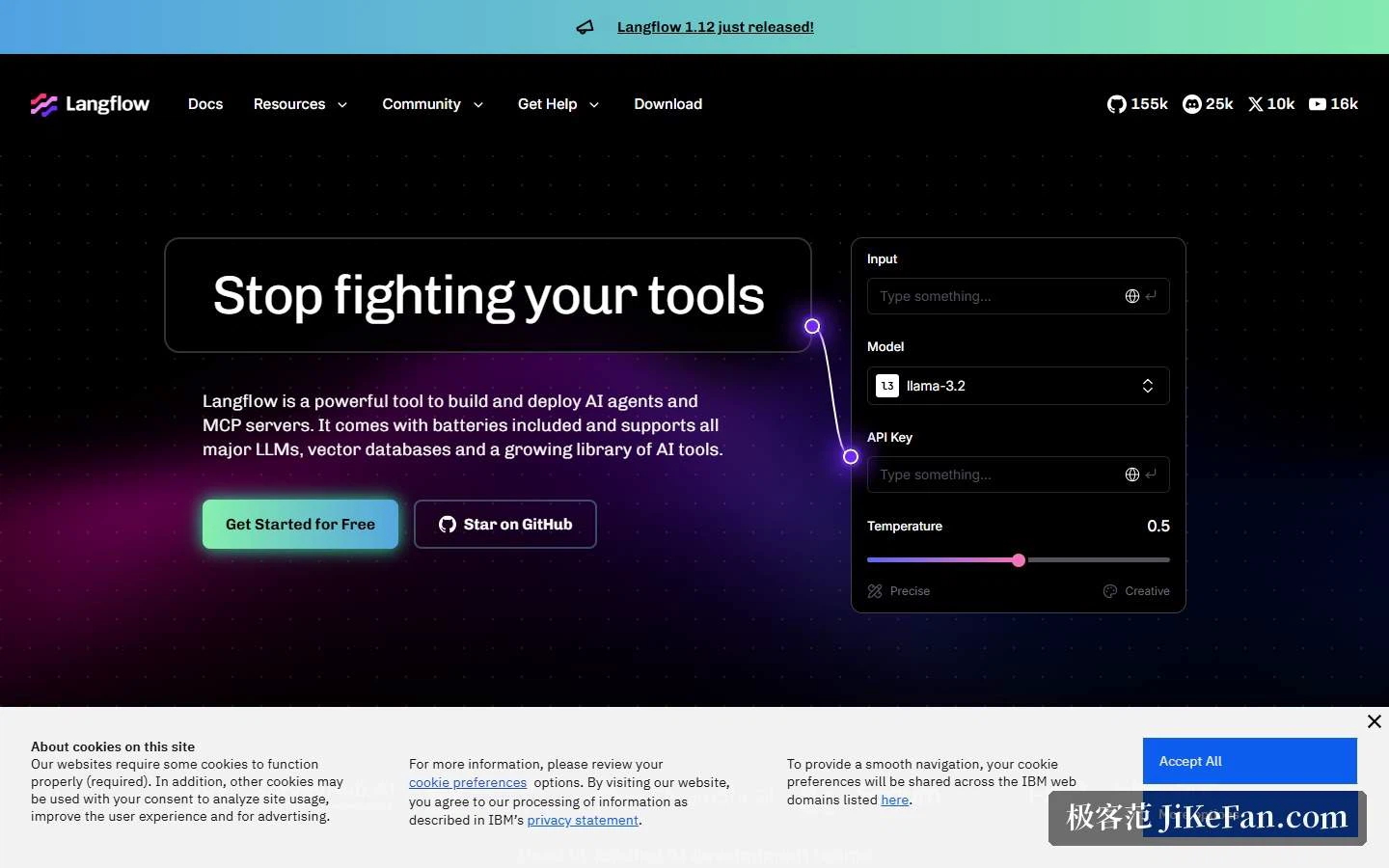
Drag, compare, then keep the Python
The selling points are grouped with unusual directness. Under the heading of ditching the black box sit three promises: control the complexity, swap and compare, and Python under the hood, with a line stating that you can use Python to customise anything and everything. That is the answer to the obvious objection about visual builders, namely that they lock you in. The components are Python, so each one can be opened and changed.
The next group is drag, drop, deploy: visual state flows, reusable components and fast iteration, with boilerplate removed and hundreds of presets to start from. Then agents at your service, meaning one agent or a group of them, with every component usable as a tool. And finally flow as an API, where a finished flow becomes an interface, with a free cloud account available to put it online.
The integration wall is broad rather than deep: it covers data sources, model providers and vector stores, and the names on it are the ones you would expect to find in any serious RAG stack. Three customer quotes follow, from a coaching platform, a web services company and an AI startup, and all three talk about the same two things: visual flows and RAG development.
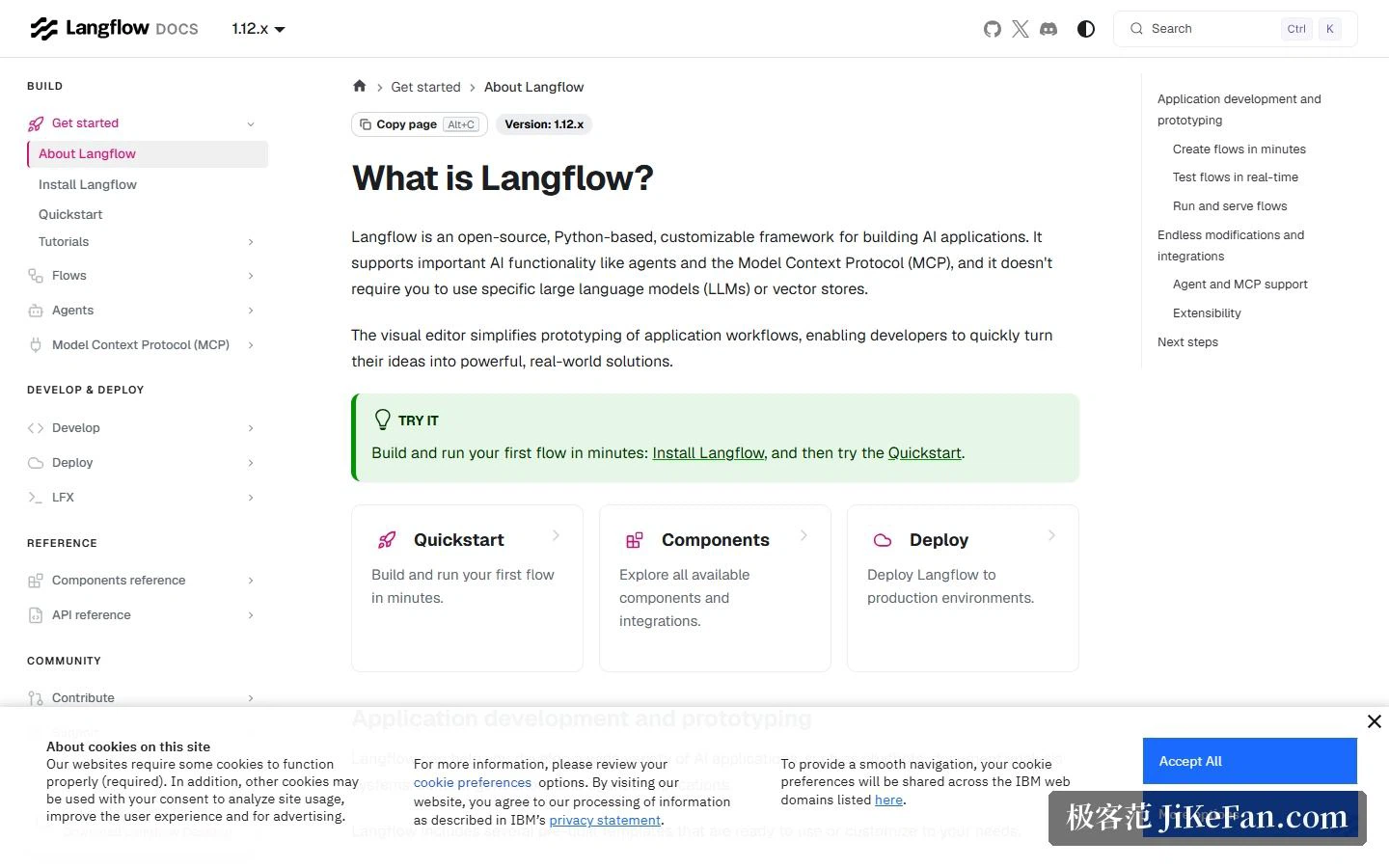
The documentation draws the boundary in four groups
The docs are organised into build, develop and deploy, reference, and community. The build group holds a getting-started path with an about page, installation, a quickstart and tutorials, plus dedicated chapters on flows, agents and the Model Context Protocol. Develop and deploy covers development, deployment and the desktop tooling; reference holds the component and API references; community covers contributing and support.
The about page is refreshingly plain about what this is: an open-source, Python-based and customisable framework for building AI applications, supporting agents and the Model Context Protocol, and tied to no particular model or vector store. The capability list underneath runs through app development and prototyping, building flows in minutes, real-time testing, running and serving flows, unlimited extension and integration, agent and MCP support, and extensibility.
Installing: one command for a local service
The local route has a low threshold. It needs a recent Python 3 line and the uv package manager; install the latest package and run the launcher, and the service comes up on local port 7860. Anyone who would rather avoid a terminal can take the desktop build, which ships as three installers for Apple Silicon, Intel Macs and Windows x64, and the readme notes that the desktop version bundles every dependency so you never manage a Python environment by hand.
Teams putting it on a server go through a container, mapping the container port to 7860; anyone who wants to change the source can clone the repository and use the make target for the command-line runner.
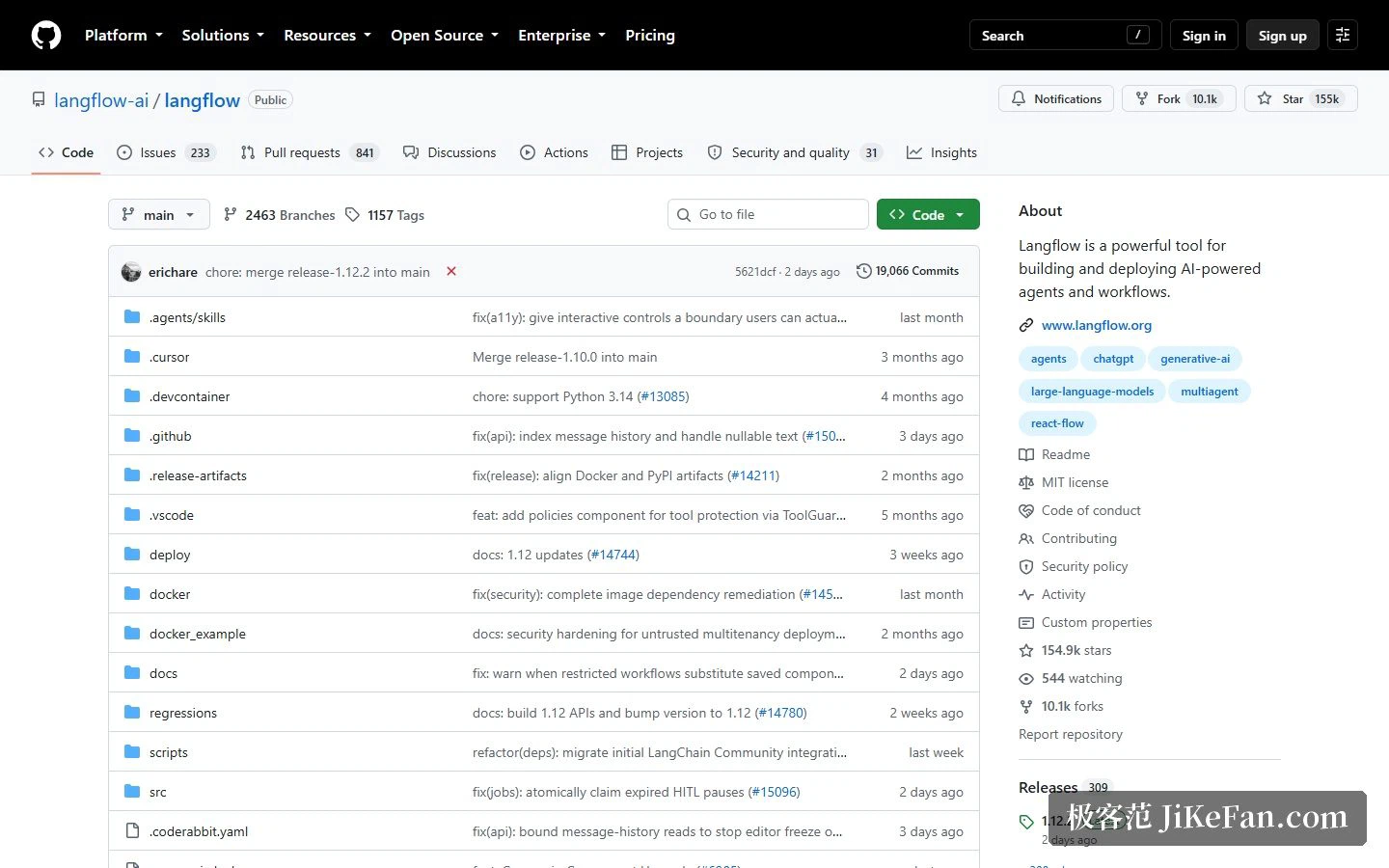
The repository itself is worth a look. It is MIT licensed, with roughly 155,000 stars, about 10,100 forks, 415 contributors and 309 releases, written mostly in Python with a substantial TypeScript share. The feature list covers the visual builder, custom components in Python, a playground you can step through for debugging, multi-agent orchestration with session management and retrieval, export as an API or as JSON, publishing as an MCP server, observability through two external tracing services, and enterprise security and scalability.
Who it suits
Three kinds of people fit the structure. Anyone who wants to validate an AI idea quickly, dragging a flow together before deciding whether to write code at all. Teams that need the flow wired into an existing system, since a flow exports as an API and can also be published as an MCP tool for other clients to call. And learners who want to study how orchestration is actually assembled, because the docs separate flows, agents, MCP and the component manual into unusually fine slices.
Where the canvas stops being the point
The interesting question about any visual builder is not whether the canvas looks good but what happens after the last node is connected. Langflow's answer is architectural rather than cosmetic: the flow is a Python object, it exports as JSON, and it can be served as an API or as an MCP server. That is what makes the drawing defensible in production, because the artefact you debugged is the artefact you deploy. The corollary is that a team still has to own the runtime, the container, the keys and the upgrades, and the visual layer does not take any of that away.
Two honest notes
First, there is no public price page: the pricing path returns nothing, and the cloud offer is described only as a free cloud account and an enterprise cloud, so any figure would have to be read inside the account after registering, and none is quoted here. Second, the privacy notice linked from the site footer refers to a third party's privacy statement, so questions about current ownership and the roadmap are best answered by official announcements rather than inferred from the site.
The real dividing line for visual tools is not whether the canvas is pleasant, but whether what you drew can reach production without anyone rewriting a line of code.