
Coze removes the first step, then hands you a template to ruin
Summary
Build an agent without code, copy an official template as a starting point, then publish through a WebSDK and an API to several channels. Billing runs on tokens and credits with a separate Premium tier, and the numbers only appear once you are logged in.
Recommend- Name
- Coze
- Version
- 20260917
- Open source
- Proprietary
- Operating system
- Web
- Website
- https://www.coze.com/
- Updated
- 2026-10-06 18:34
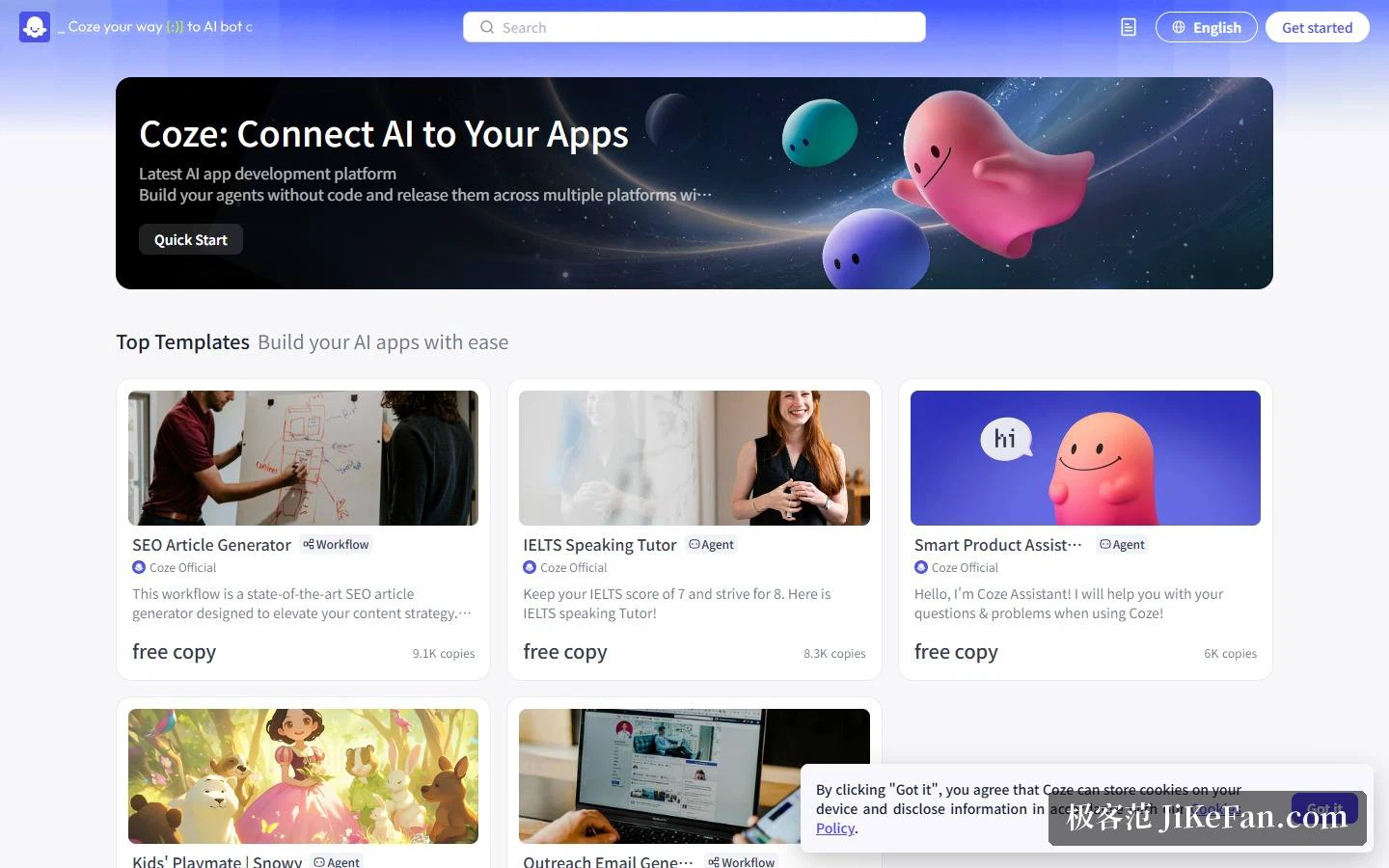
What stops most people from building their own AI assistant is not the idea. It is the development threshold sitting between the idea and the first working version. Coze takes that step out of the way: the tagline reads connect AI to your apps, and the subtitle promises agents built with no code, published to several platforms through a ready WebSDK and an API. A Get started button sits at the top of the page and a language switch in the top right corner.
The starting point is a template you are meant to copy
The Top Templates strip on the homepage holds a run of official templates: an SEO article generator marked with 9,100 copies, an IELTS speaking partner at 8,300, a smart product assistant at 6,000. Each card names Coze Official as the author and offers a free copy. Scroll further and the App Store and a wall of community works follow, some of them tagged multi-agent or voice, which is a fair signal that orchestration and speech have stopped being differentiators and become table stakes.
The recommended path is disarmingly direct, and the official advice says as much: copy a template and bend it to your own requirement. For a first-time builder this is a much better teacher than a blank canvas, because a working flow shows what the pieces are called and how they connect before you have to invent anything.
The documentation site draws the boundary for you
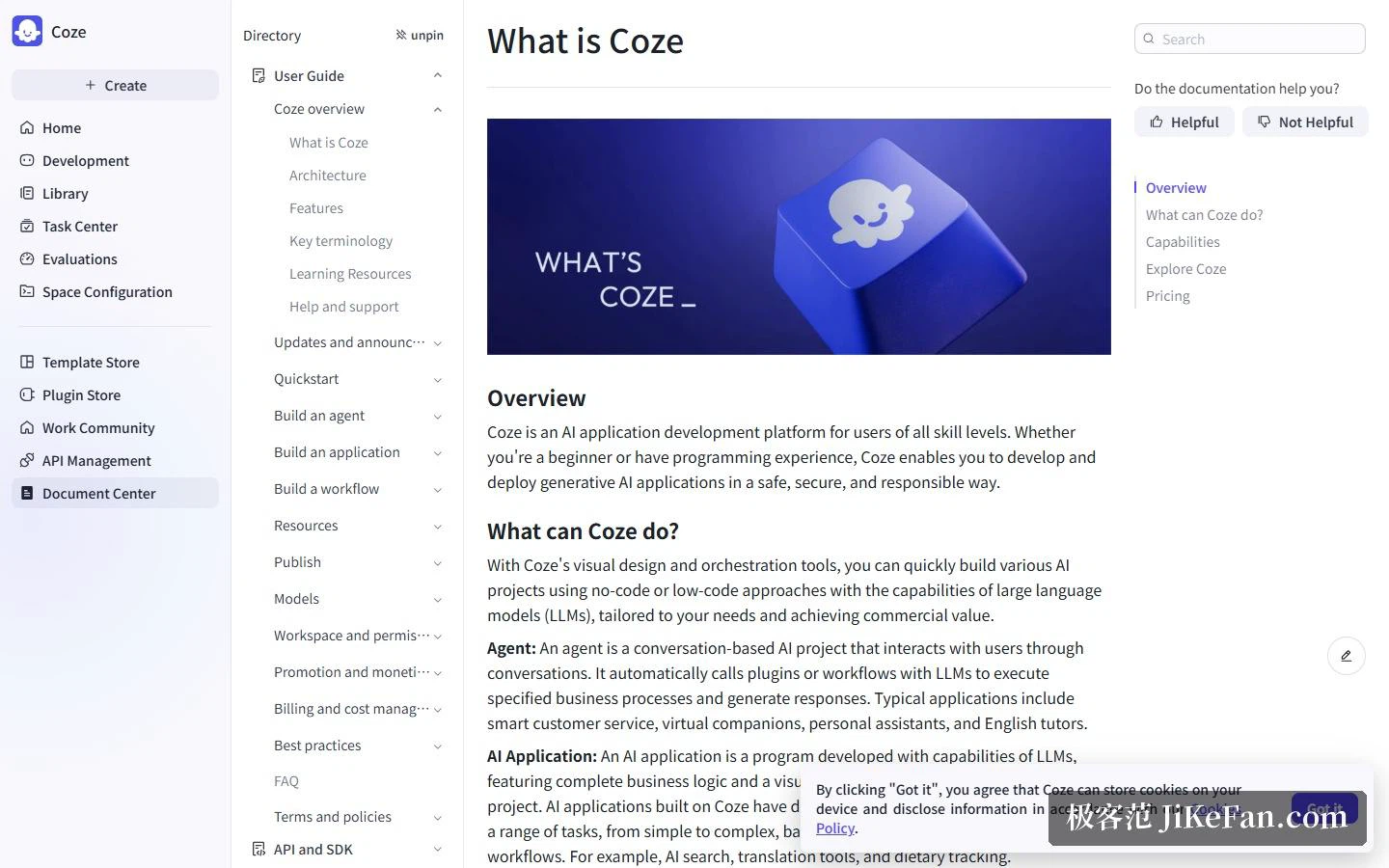
Reading the table of contents is faster than reading the feature list. The user guide covers an overview, the architecture, features and key terminology. Quickstart offers four routes in: build a first agent, create one from a template, create one with natural language, or build an AI translation app. The chapter on building an agent lists plugins, workflows, cards, knowledge base, memory, variables and databases, plus prompts, model choice, an opening line and quick commands. Building an application covers business logic, chatflow, session and resource management, and app versioning. Building a workflow explains how workflows differ from chatflows, what the limits are, and which nodes exist.
The top-level navigation adds the marketplace side: Template Store, Plugin Store, Work Community, API Management and Evaluations. That last entry is the honest one, because an agent that cannot be measured is a demo rather than a product.
Billing: tokens and credits, plus a Premium tier
The docs keep a separate chapter on billing and cost management, and its entries are informative on their own: a billing overview, Coze tokens, credits, premium plans, turning on billing for user messages, and a billing FAQ. The account chapter repeats the theme with a page on upgrading to Premium.
Taken together, that means the base units are tokens and credits, a Premium subscription sits alongside them, and the platform will let you turn the conversation messages inside your own application into a billable item. The actual tiers and prices are shown inside the console once you are logged in, and anyone choosing a plan should read the numbers there rather than a second-hand summary.
Who it suits
Three kinds of people are served well by the structure on show. Non-developers who want an idea to become something shareable within half an hour, using a template plus a no-code build. Teams that need an agent wired into their own product or chat channel, which is what the WebSDK, the API and the API Management entry are for. And learners who want to see how agent engineering is actually assembled, because the docs draw the lines between workflows, knowledge, memory and variables in unusual detail.
Template copy counts are the most honest number on the page
A mark of 9,100 copies on one template is a public demand signal that no feature list can fake. It says which problem people arrive with, and it says that most of them would rather start from something working than from an empty editor. For anyone evaluating the platform, the ranking of those templates is a better guide to what the product is actually used for than the marketing headline above them.
Documentation as a statement of where the product ends
The navigation is also an admission. A studio, a template store, a plugin store, a community, an API management console and an evaluation area describe a complete loop: build, borrow, buy pieces, distribute, then measure. What the loop does not include is everything after a paying audience shows up, which is why the platform's own marketing language stops at publishing.
Two honest notes
First, the pricing page shows almost nothing to a logged-out visitor, so the prices are behind the console and this article quotes none of them. Second, the product exists as an international site and a separate domestic edition, and the interface language and the available models differ between them. Before building anything, confirm which side you are working on, because a workflow learned on one does not always transfer cleanly to the other.
No-code platforms stopped competing over whether a bot can be built; the question now is how far the thing you built still is from a real product with paying users.