
Let an AI answer your calls, book the table and hold the card: Cue gives every agent its own identity
Summary
An agent app from Manus for everyday life: every agent gets its own mailbox, phone number, wallet and cloud computer, so it can take calls, pay within a budget you set, and work in groups.
Recommend- Name
- Cue
- Version
- 26.17.8
- Open source
- Proprietary
- Operating system
- WindowsmacOSWeb
- Website
- https://cue.im
- Updated
- 2026-10-10 09:51
Manus hands every AI assistant its own credentials: a mailbox, a phone number, a wallet and a cloud computer, so it can finish the job in its own name instead of borrowing your accounts.
On 28 September Manus released version 2.0. The most easily missed and most worth pulling out of that update is a separate application called Cue. It shares the whole underlying infrastructure with Manus and aims at something else entirely: turning an assistant into a representative with an identity of its own.
The site reduces it to one line. Every agent has its own mailbox, phone, wallet and computer. That sounds like a slogan, and what it points at is the threshold every assistant has stumbled on before: making the AI do something for you first meant handing over your accounts.
One agent, one full set of credentials
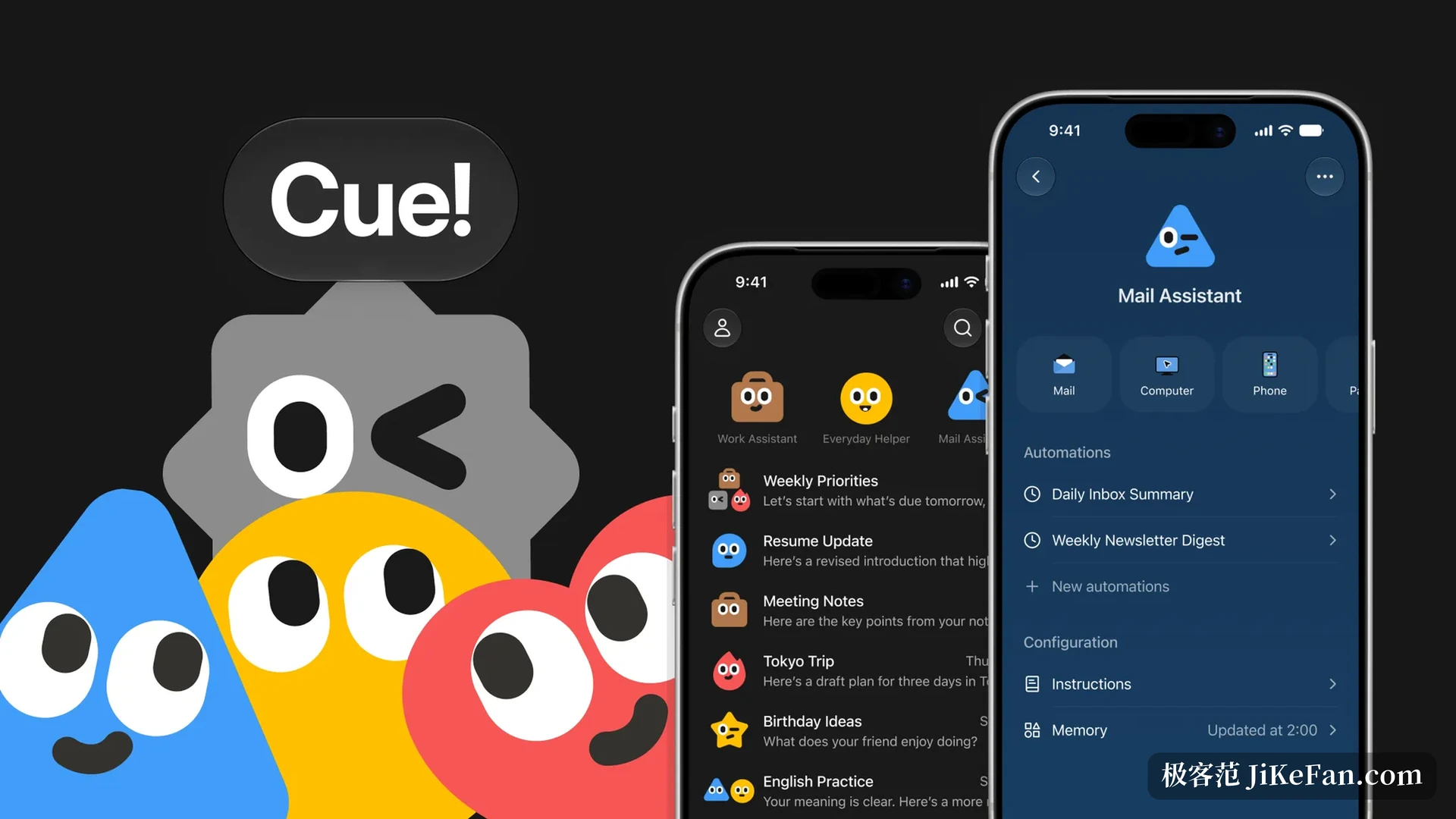
Create an agent in Cue and it receives a complete outward identity. An independent mailbox handles mail in both directions, a dedicated phone number both places calls and answers them, a virtual card under its own name pays within a limit you set, and a cloud computer of its own serves as a long term workspace.
Stack those together and what changes is who is doing the work. Asking an AI to send mail used to mean sending from your mailbox; asking it to book a ticket used to go through your payment method. Once identity is separated, the agent talks to the outside world from its own number and address, and any payment happens inside the boundary you authorised. It can also answer calls forwarded to it, and when the other side finishes, leave a summary in the application, which is genuinely useful during meetings, flights or time zones.
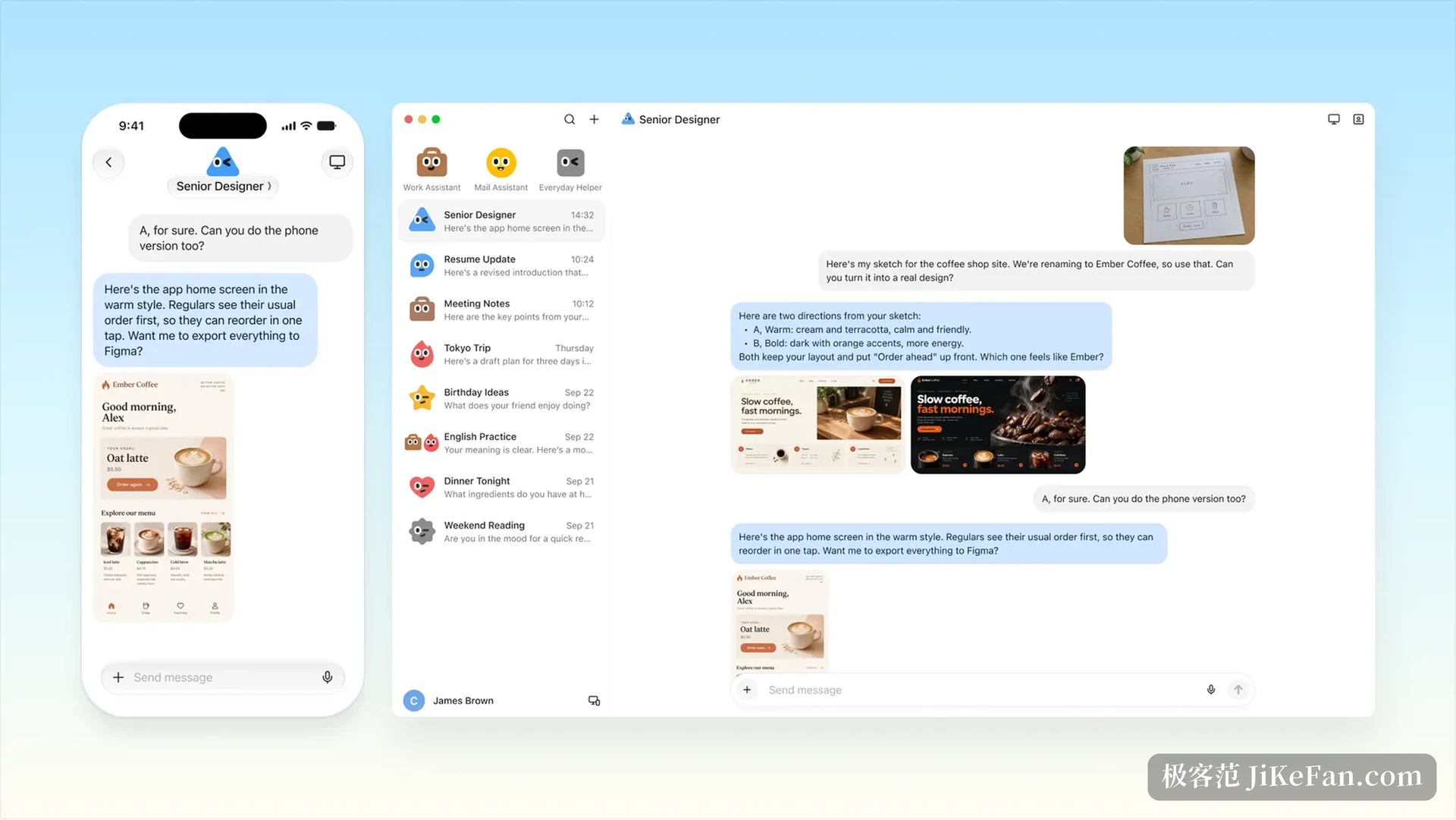
Pull several agents into one group chat
One agent gets things done; a group divides them. Cue lets agents with different duties join one group chat and work toward a shared goal: one checks venues, one compares prices, one turns the findings into material you can actually present. You supply the goal, they hand work to each other, and the direction plus the final call still belong to you.
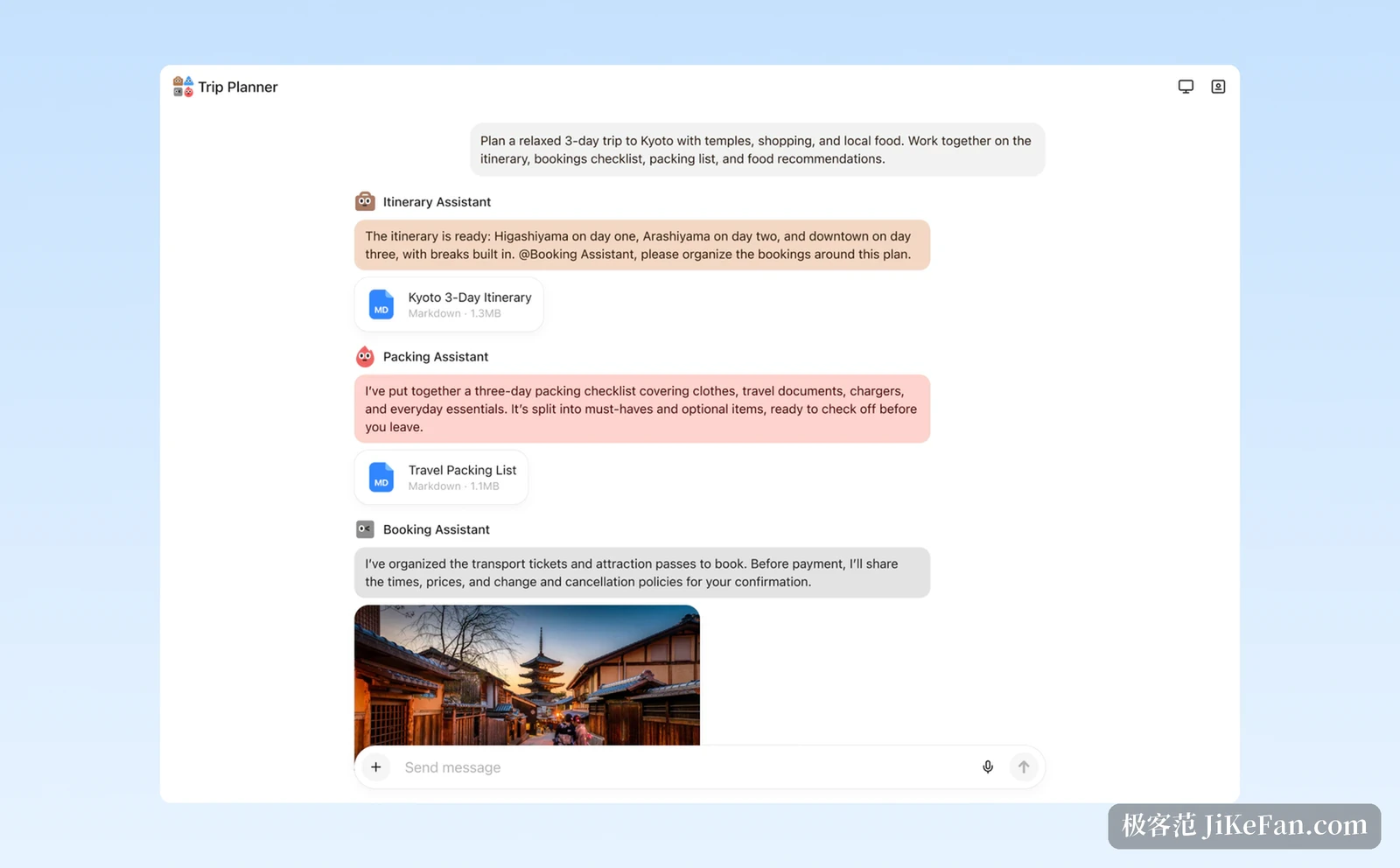
The official example is preparing a launch event: one agent researches venues, another screens candidates, a third drafts the deck. People who tried it early add that when information is missing mid task, the agent comes back and asks instead of sitting still, which matters more than it looks.
Scan a code and an agent appears
Cue is not aimed only at the browser and the desktop. Walk into a restaurant that has connected, scan the code on the table, and Cue creates an agent for that service on the spot. You can have it read the menu and offer a few suggestions, have it place the order, and keep the final payment for yourself to confirm.
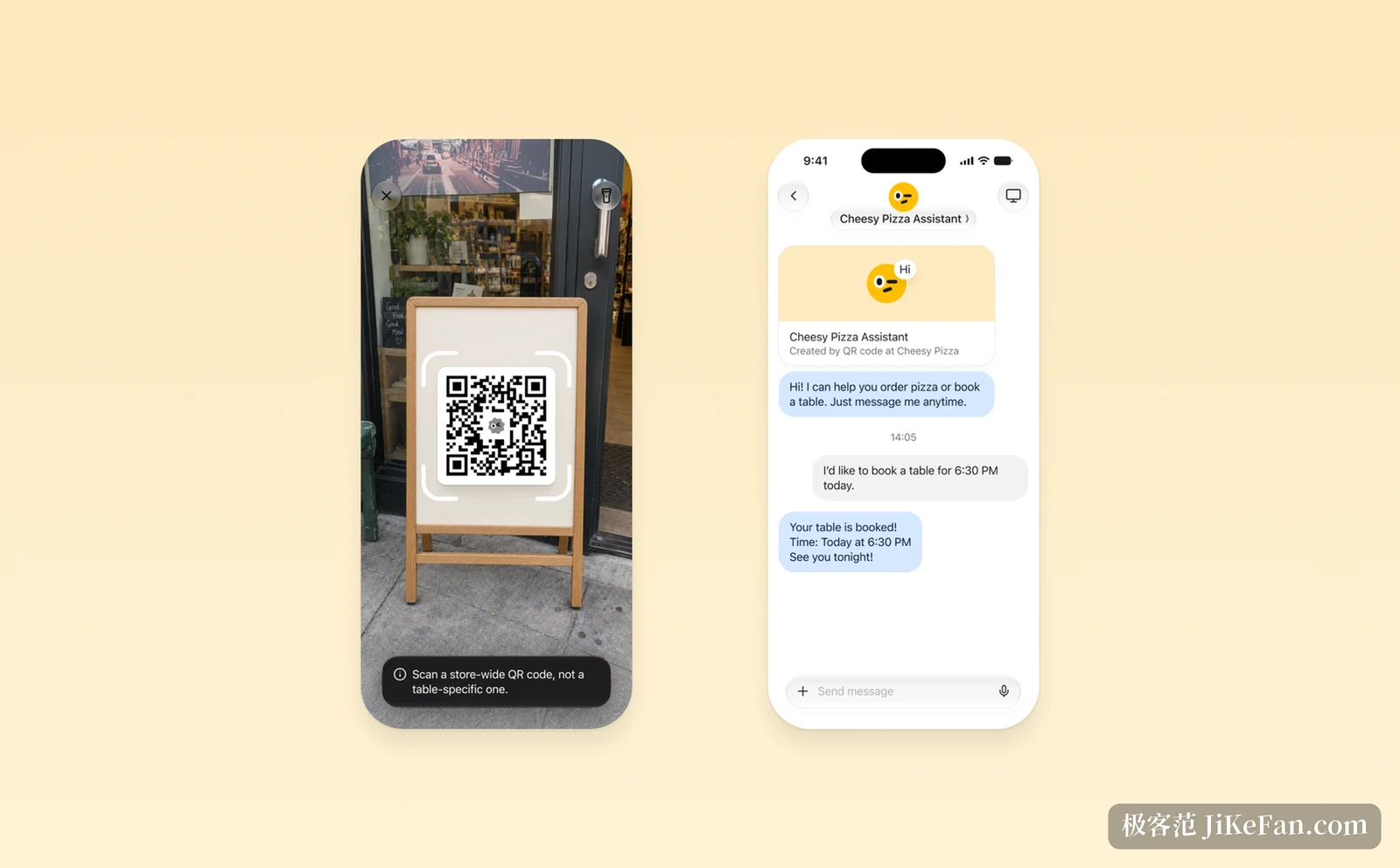
That layer pulls the assistant off the screen. Once an agent has its own phone and the ability to pay, the reachable situations are no longer opening a page and filling a form, but the errands in the physical world that used to need a person to walk over.
Permissions and approval stay in your hands
Give an agent an identity and let it spend, and the obvious question is whether it runs away. Cue answers that the boundary is drawn by the user: phone, wallet and computer are switched on item by item, and which services it may reach and which actions need approval are configurable. A budget is a hard line, and crossing it sends the agent back to ask. For high risk actions such as messaging outsiders or deleting files, a prompt waits for your confirmation by default.
In other words what you get is not a black box with unlimited authority but an operating identity that can be contacted, authorised and traced. Manus founder Xiao Hong described Cue as something worth reopening the question of whether it can count as a person, while making clear that this does not grant an agent legal status.
What it can do right now
Cue is live on the web, on the desktop and on mobile. The iOS build is still waiting for App Store review, and the Android build can already be found on Google Play. It arrived the same day as Manus 2.0 and is in an early access stage, free with an invitation code; the code published officially is MEETCUE, with a limited number of places on a first come basis.
Worth keeping in mind is that the phone and the cloud computer carry real costs behind them. Early testers note that the phone number is billed separately and that text message support differs by region, while the official line is that after access is granted, Plus members have it included during the trial period. The safer way in is therefore to start with the mailbox and the cloud computer, run small reversible errands such as watching a ticket, tidying mail or following up an order, confirm it really finishes them, and only then widen the permissions.
What makes Cue worth noticing is not one more assistant. It is that identity, permission and budget have been split into three things you can configure separately. Once those states persist, what you manage is no longer a chat history but a set of roles that can go out and act for you.