
kitty 0.49: a terminal drawn by the graphics card, with layouts and pictures built in
Summary
kitty renders the terminal on the graphics card with multi-threaded drawing, brings tabs and split layouts into the emulator itself so no multiplexer is needed, and can paint real images inside the terminal area.
Recommend- Name
- kitty
- Version
- 0.49
- Pricing
- Free
- Open source
- Open source
- Operating system
- macOSLinux
- Website
- https://sw.kovidgoyal.net/kitty/
- Updated
- 2026-10-06 23:08
To judge a terminal, watch how it draws
Much of the difference between terminal emulators sits in the drawing. Characters can be put on the screen one at a time by the processor, or they can be handed to the graphics card as textures and composited there. kitty takes the second route: rendering happens on the graphics card, and it is spread across several threads so that input latency stays low.
For someone typing commands all day the difference is not dramatic, and it is not imaginary either. Scrolling is smoother. A long build log that pours thousands of lines into the window costs less than it would otherwise, and the cost matters most exactly when the machine is already busy — which is when a heavy terminal is least welcome.
Tabs and splits, without a second program on top
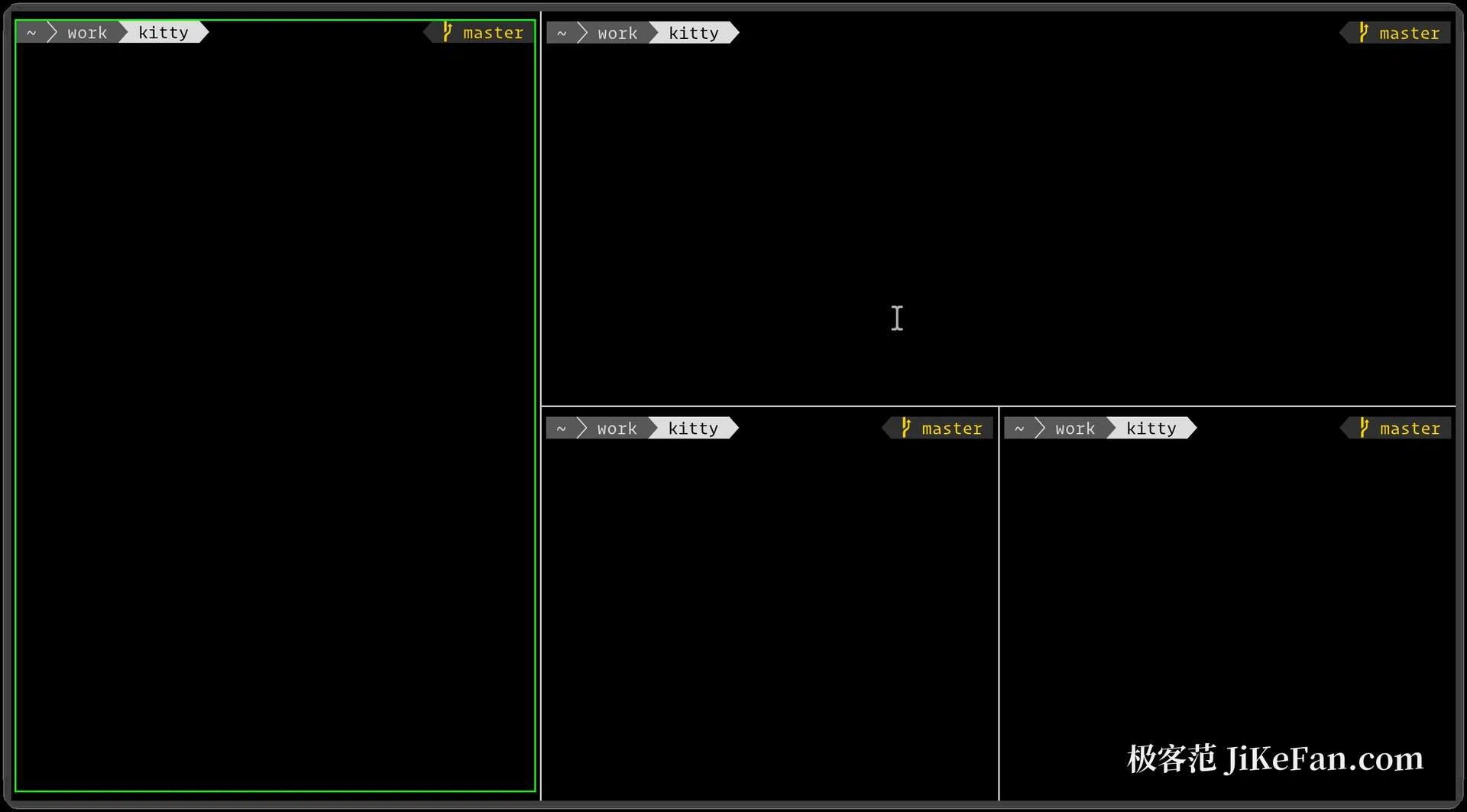
Window management is built into the emulator itself. Tabs can be opened directly, and several sessions can be split side by side into different layouts, so there is no need to stack a multiplexer on top. The arrangements people actually use — two columns, stacked rows, a grid, a fixed strip down the left — can be switched at runtime rather than chosen once at startup.
A configured layout can also be saved as a startup configuration, which means the next launch opens in exactly that arrangement. This is the quiet part of the feature: the value is not having many layouts, it is not having to rebuild the workspace every morning.
Kittens: small tools that attach to the terminal
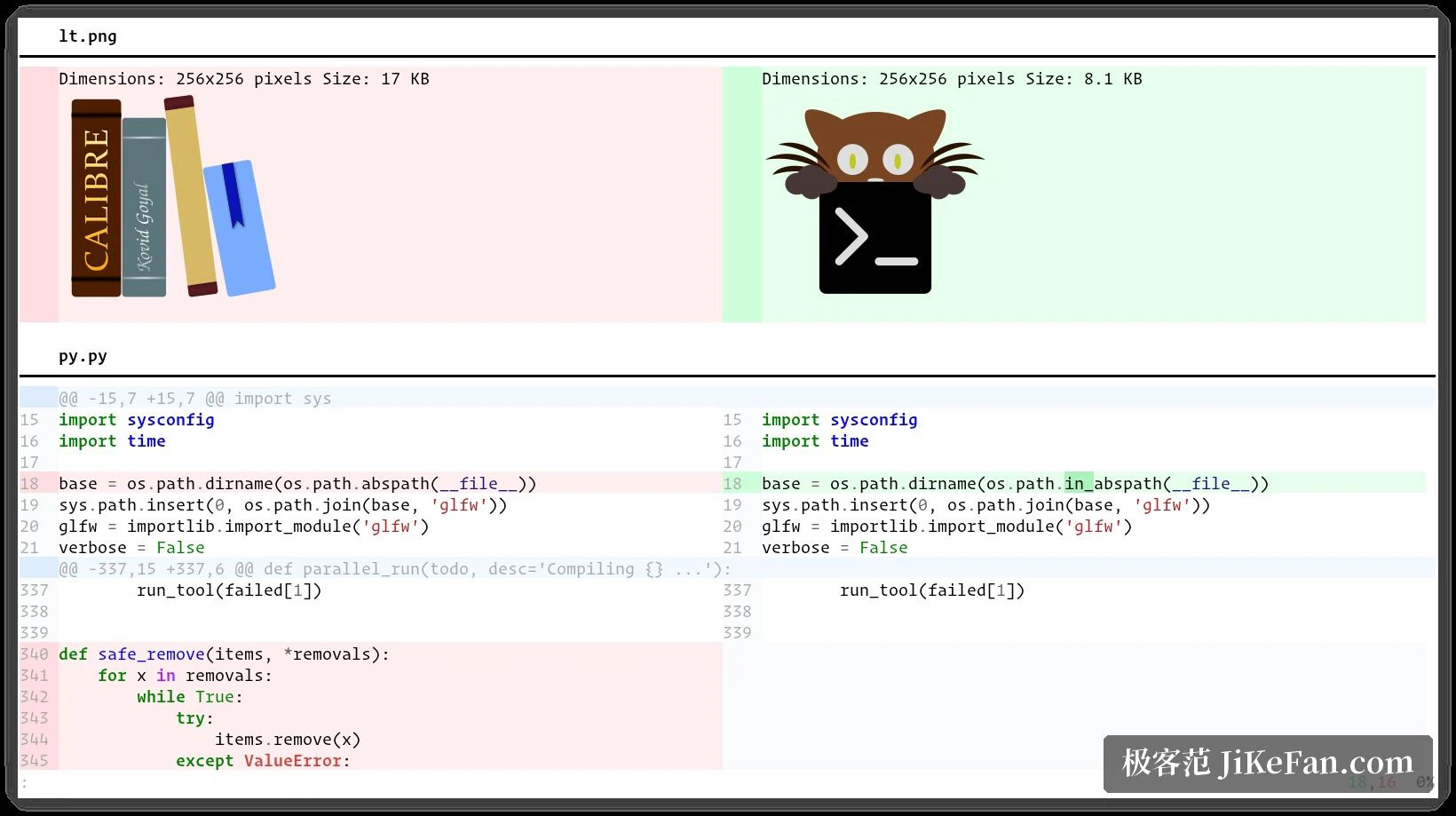
It has an extension mechanism that calls a set of small tools through one entry point: viewing an image inside the terminal, comparing two texts, entering characters that are hard to type, taking content in from the clipboard. They are attached to the terminal rather than run alongside it, which is why they can draw in the same area the text uses.
The graphics protocol is the most recognisable part. A program can paint a real image into the terminal area instead of assembling an approximation out of block characters, so a plot, a screenshot or a photo appears as itself. The emulator can also be driven remotely by a script or from the command line, and it behaves the same inside a remote session as it does locally, which is useful when the machine you are looking at is not the machine doing the work.
One text file, two platforms
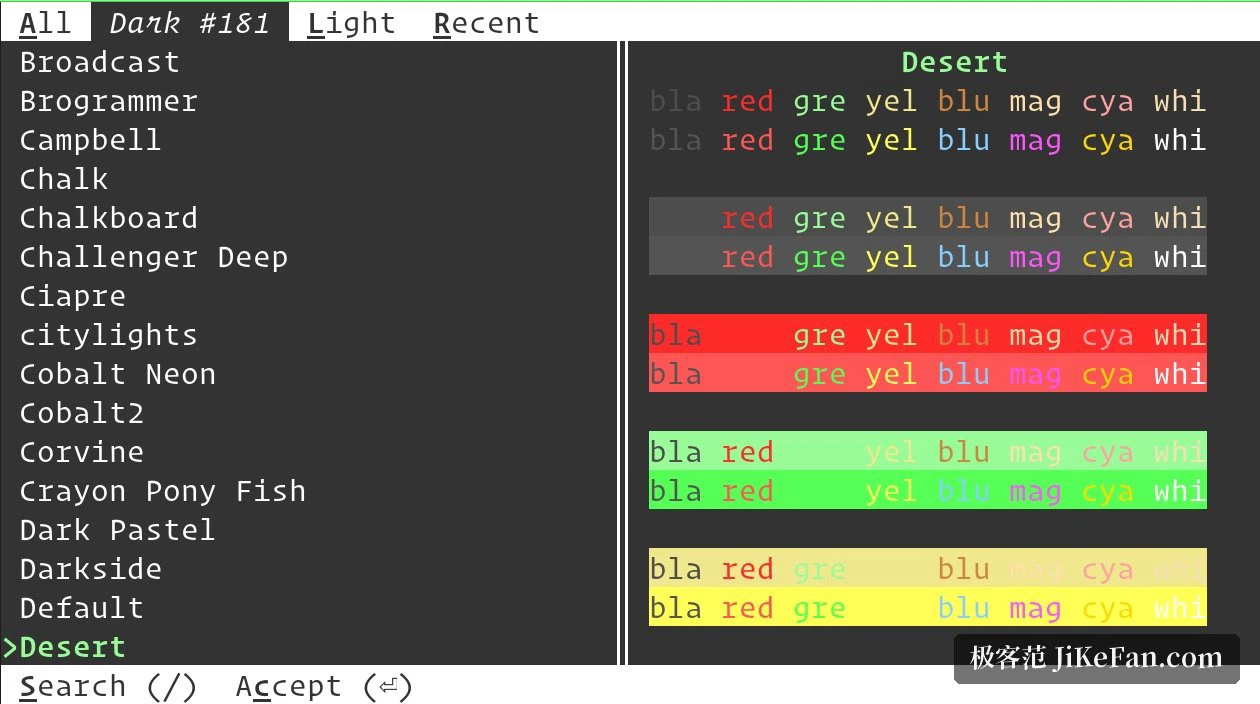
All settings live in a single plain text configuration file. Edit it, restart, and the change takes effect; because it is text, it can also be kept under version control and carried between machines like any other dotfile. Typographic details that a terminal usually hides — font ligatures, true colour, the style of underlines — are all adjusted in that same file.
The caveat is about the rendering path. It depends on OpenGL, and the official support covers macOS and Linux; there is no native build for Windows, where it is normally used through the Linux layer that Windows provides. That is a real constraint rather than a detail, because it decides who can use the program at all.
Configuration by text file is the other thing to be honest about. It is fast for someone who already lives in a terminal and knows what to look for, and it is slow for someone who expects a settings window with checkboxes. Neither reaction is wrong; they describe different habits.
kitty's approach is to treat the terminal as a program that deserves to be rendered properly: drop the multiplexer layer, and in exchange get fewer stages in the middle and a tidier configuration. It will not suit everyone — a plain text configuration asks for a little patience — but for people who spend their day in a terminal, the trade is worth making.