
KDE Plasma lets the desktop follow your habits
Summary
The Linux desktop argument is philosophical: some environments arrange everything for you, others hand over every choice. KDE Plasma is firmly in the second camp, with panels, widgets, themes and effects all adjustable, a mature Wayland session, and a performance profile that no longer deserves the old heavy label.
Recommend- Name
- KDE Plasma
- Version
- 6.7
- Pricing
- Free
- Open source
- Open source
- Operating system
- Linux
- Website
- https://kde.org/plasma-desktop/
- Updated
- 2026-10-06 20:43
The upper limit of desktop customisation
Arguments about Linux desktops are rarely about features. They are about philosophy. One camp believes the environment should make decisions so the user can get to work, and it produces interfaces that are consistent, opinionated and quiet. The other camp believes every decision belongs to whoever sits in front of the screen, and it produces environments where nothing is sacred. KDE Plasma belongs firmly to the second camp, and it is the most complete expression of that idea in the free software world.
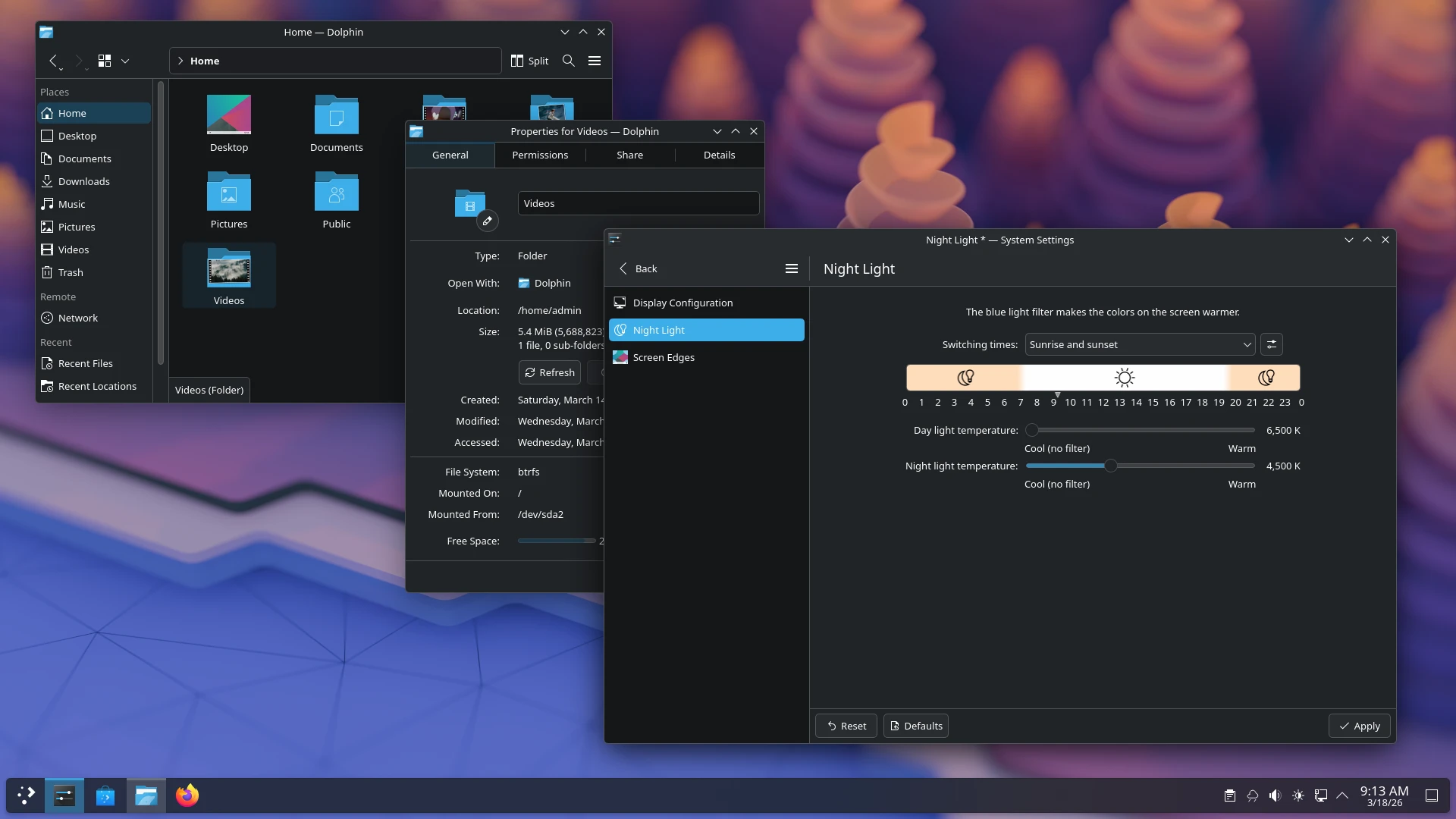
What that means in practice is a depth of adjustment that surprises people arriving from other systems. How many panels, where each one sits, how tall it is, what it contains, whether it hides, whether it floats. Widgets can be dropped on the desktop or into the panel. Icon themes, global themes, window decorations and compositor effects all change independently, so a machine can look like a 2005 workstation in the morning and a flat 2026 interface after lunch. The system settings application is famous for the sheer number of pages it holds, which is either a feature or a warning depending on who is reading.
Version 6.7 keeps a steady rhythm
Version 6.7, released in June 2026 under the tag 2026-06, continues the polishing rhythm of the modern Qt6 architecture rather than restarting the design. A point release followed in September 2026 (2026-09), collecting the accumulated fixes that follow any major version. Looking further ahead, October 2026 (2026-10) brings the next major release, which aligns with the thirtieth anniversary of the KDE community and removes the X11 session entirely, embracing Wayland as the only path forward.
That last decision is worth a moment, because it closes a transition that took years and annoyed people along the way. Wayland sessions on Plasma are now the mature option rather than the experimental one: fractional scaling, multi monitor arrangements and screen sharing behave the way a person expects, and the session starts and resumes without the small hesitations that used to define the experience.
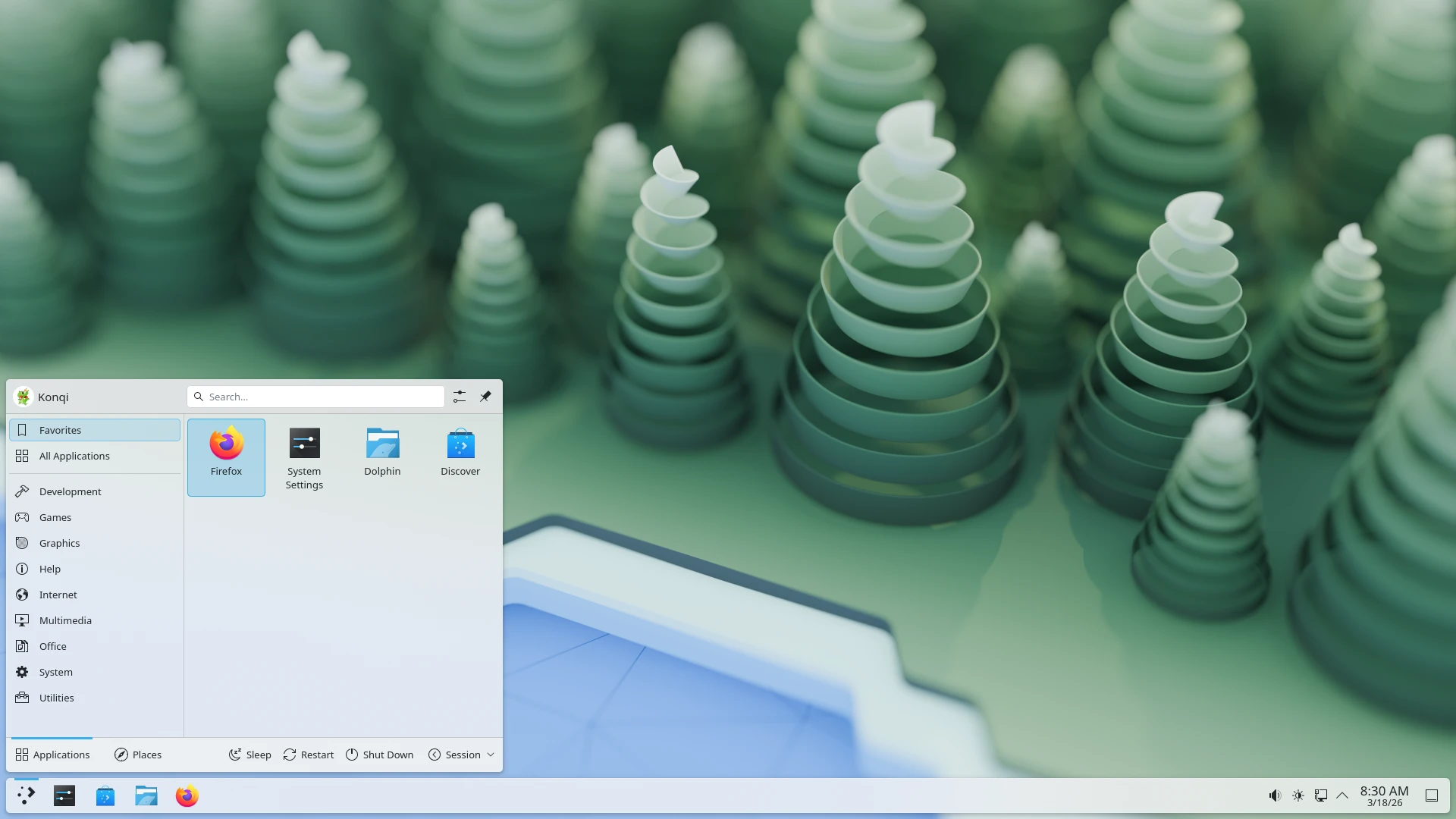
The other half of the story is that performance no longer matches the old reputation. The word heavy was earned a decade ago and has been repeated by people who never re-measured. Years of refactoring have brought memory use and responsiveness to the point where an older laptop runs Plasma comfortably, which is exactly the machine that benefits most from a lighter desktop.
It is worth being honest about the cost side of that freedom. Every adjustable layer is also a decision waiting to be made, and a person who has never thought about how they like their window buttons will now be asked. This is where most complaints about customisable desktops originate: not from the options existing, but from the feeling that choosing is compulsory. It is not. The defaults are coherent, and the honest way to use a system like this is to change only what annoys you, one thing at a time, and leave the rest alone for a year.
What the depth buys in return is a desktop that matches an unusual workflow instead of asking the workflow to bend. People who want two bars, one on each screen, with different widgets on each, get exactly that. People who want a single auto hiding bar and nothing else get that too, and neither has to install an extension to reach it. That range is why the same shell can suit a developer with six monitors and a retiree with one laptop.
The creed is that your desktop is yours: it does not presume to know how you should use a computer, it opens every layer of appearance and behaviour to you. Freedom has a cost, and Plasma pushes the entry price of that cost as low as it goes.
The ecosystem is the part that makes the freedom practical. KDE's own file manager, terminal and the wider application suite mesh with the shell rather than sitting beside it, and conveniences such as phone integration and clipboard sync work out of the box instead of requiring an afternoon of configuration. Mainstream distributions including Kubuntu, Fedora KDE and openSUSE ship it as the default desktop, so a working system is one installation away.
The advice is short. If you enjoy tuning and want the desktop to fit the way you actually work, Plasma is the obvious choice. If you want zero configuration, the defaults are good enough to live with, and the settings pages can stay unopened. It is free software, available from the repositories of every distribution that carries it, and ready made systems exist for anyone who would rather not assemble one.