
DDE makes a Linux desktop look and feel finished
Summary
Most people still picture a Linux desktop as plain and functional. DDE has spent years dismantling that picture with a unified control centre, a rounded visual language and details tuned for Chinese speaking users, and the 7 release rebuilds the graphics stack on in-house components.
Recommend- Name
- DDE
- Version
- 7
- Pricing
- Free
- Open source
- Open source
- Operating system
- Linux
- Website
- https://www.deepin.org/zh/dde/
- Updated
- 2026-10-06 20:47
The good looking end of the Linux desktop
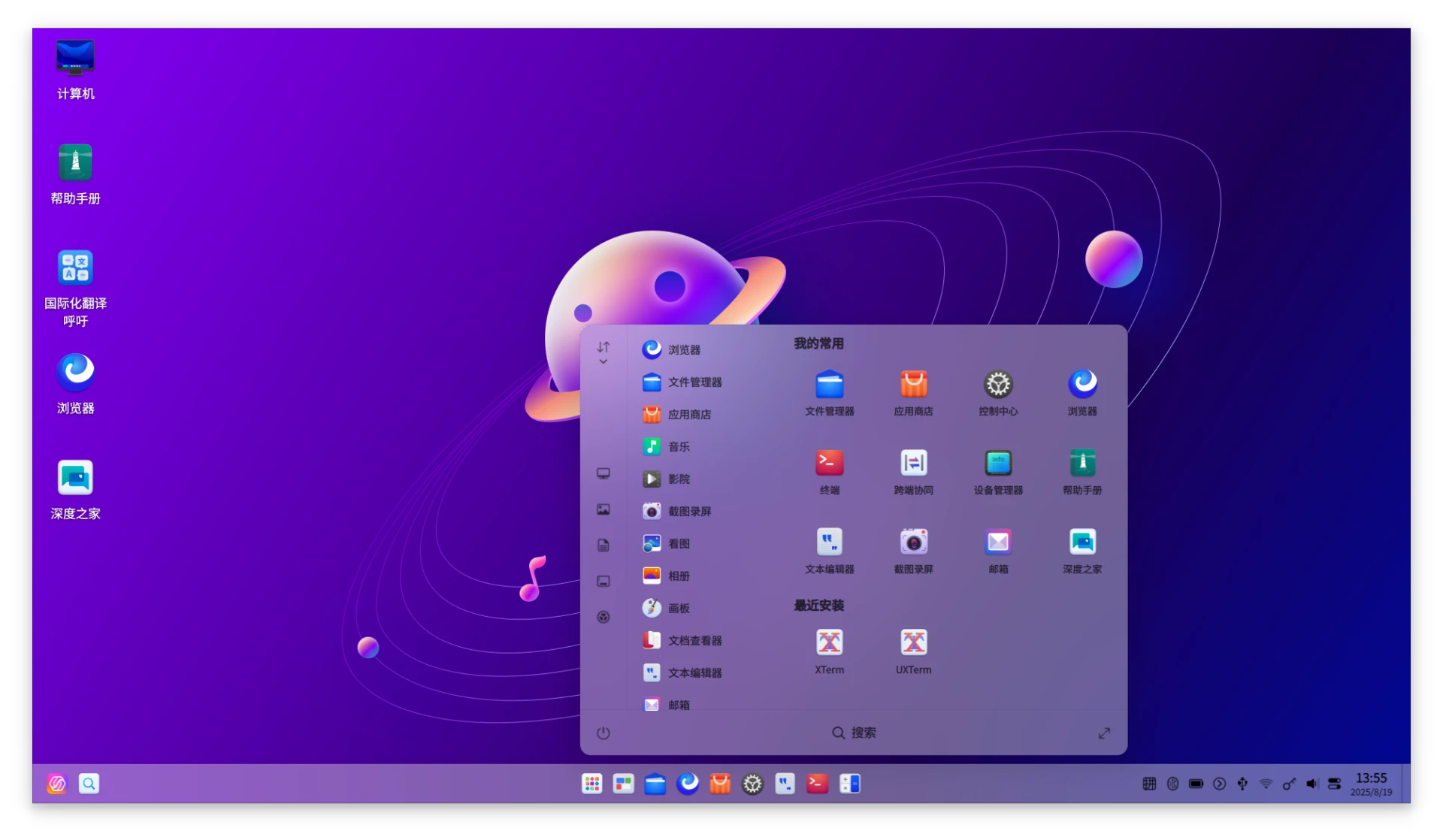
Say Linux desktop to most people and a specific picture appears: grey panels, small fonts, a system that works and does not pretend otherwise. That picture was fair once. It has been out of date for years, and DDE is one of the projects that made it so. A single control centre instead of a dozen scattered settings tools, a rounded visual language that avoids both the flat severity of one camp and the gloss of the other, and a long list of small decisions made for people who read Chinese every day. The result is the most recognisable face produced by a Chinese team in this space.
What separates a pretty shell from a usable one is everything around it. The desktop ships with an application store, a file manager, screenshot and screen recording tools, and the rest of the everyday set, so a person who installs the system does not then spend a weekend hunting for basics. That completeness is the part reviewers underrate, because it is invisible when it works and exhausting when it does not.
Version 7 rewrites the graphics stack
DDE 7, which arrives with deepin 25, is a real rebuild rather than a reskin. The graphics compositing layer has been replaced by an in-house component called Treeland, and the interface has been rewritten on top of the in-house DTK toolkit. What that delivers is visible without a benchmark: animation continuity, the sense that windows move as one system instead of a collection of rectangles, and multitasking interactions that no longer stutter when several windows compete for attention.
The release cadence has stayed calm. deepin 25 in July 2026 (2026-07) keeps working on stability rather than adding spectacle, which is the right priority for a desktop that people are meant to live in rather than admire. A system that changes shape every quarter is a system nobody builds a habit around.
For developers the door is open in a literal sense. The components are developed in public on a code hosting platform, so reading the source, filing a useful report or sending a change does not require an invitation. That matters more than the licence line: a desktop improves at the speed of the people who can see how it works, and lowering that barrier is how a project stops being one team's opinion.
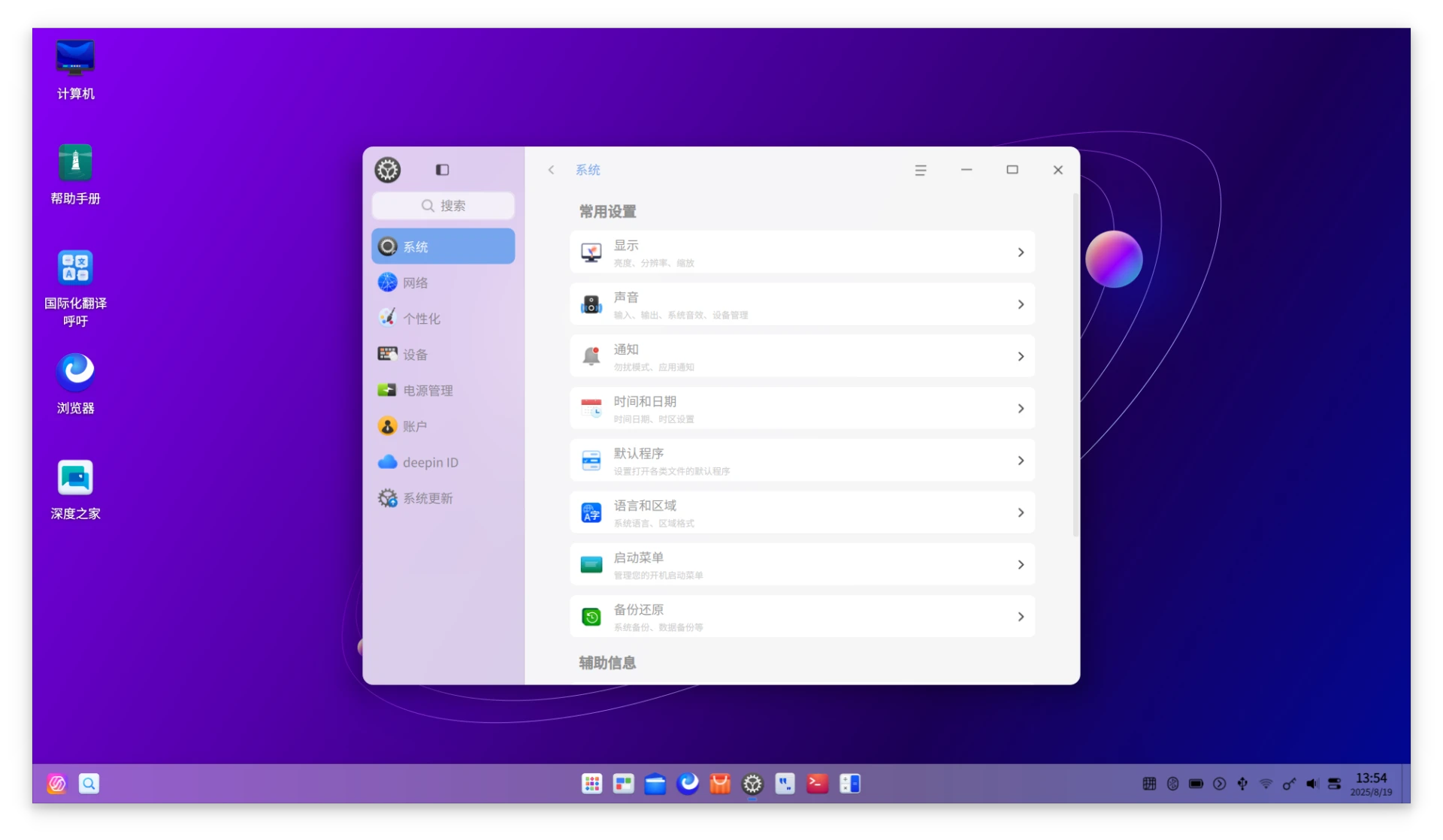
There is a design argument buried in that choice of a single control centre. Most desktops grow their settings pages the way a city grows suburbs: each team adds a district, nobody redraws the map, and a person looking for one option learns a geography of tabs. Consolidating them means somebody had to decide what belongs where and defend that decision, which is unpopular work with a visible payoff. The same discipline shows in the icon set and the spacing, where consistency is a thousand small agreements rather than one big gesture.
DDE shows how mature this kind of desktop has become: design and engineering taken equally seriously, aesthetics and efficiency in the same product. Localisation means more than translated menus; it means every small detail speaks the user's own language.
The advice that follows is practical. For someone moving from Windows or macOS, the whole deepin arrangement has the lowest learning cost of anything in this category, because the layout does not ask you to relearn where things live. For people curious about a Wayland graphics stack and an open ecosystem built outside the usual centres, the 7 rewrite is the thing worth looking at this year. The environment is free and open source, and it can be installed on other distributions for a trial without committing to the whole system.
Worth one serious try, in other words, even for someone who has decided in advance that Linux desktops are not for them. The picture in their head is the part that is out of date.