
IObit Uninstaller 16: when removing is not the only way to free a disk
Summary
The new idea in version 16 is to move a program instead of deleting it, when the drive is full rather than the software unwanted. Bundleware removal and install logging are the other additions.
Recommend- Name
- IObit Uninstaller
- Version
- 16
- Pricing
- Free
- Open source
- Proprietary
- Operating system
- Windows
- Updated
- 2026-10-05 20:50
An uninstaller is usually remembered on two occasions: the software will not come off, or the drive is full. Version 16 sets out to answer both, and its page describes it as removing unwanted programs, bundled components, browser extensions and system applications completely, without leaving remains behind. The page names version 16 and a size of 32.7 MB, with supported systems written all the way back from Windows 11 to XP. The biggest change in this generation is not in removal at all, but in a new feature called software moving.
Moving a program: another way to make room
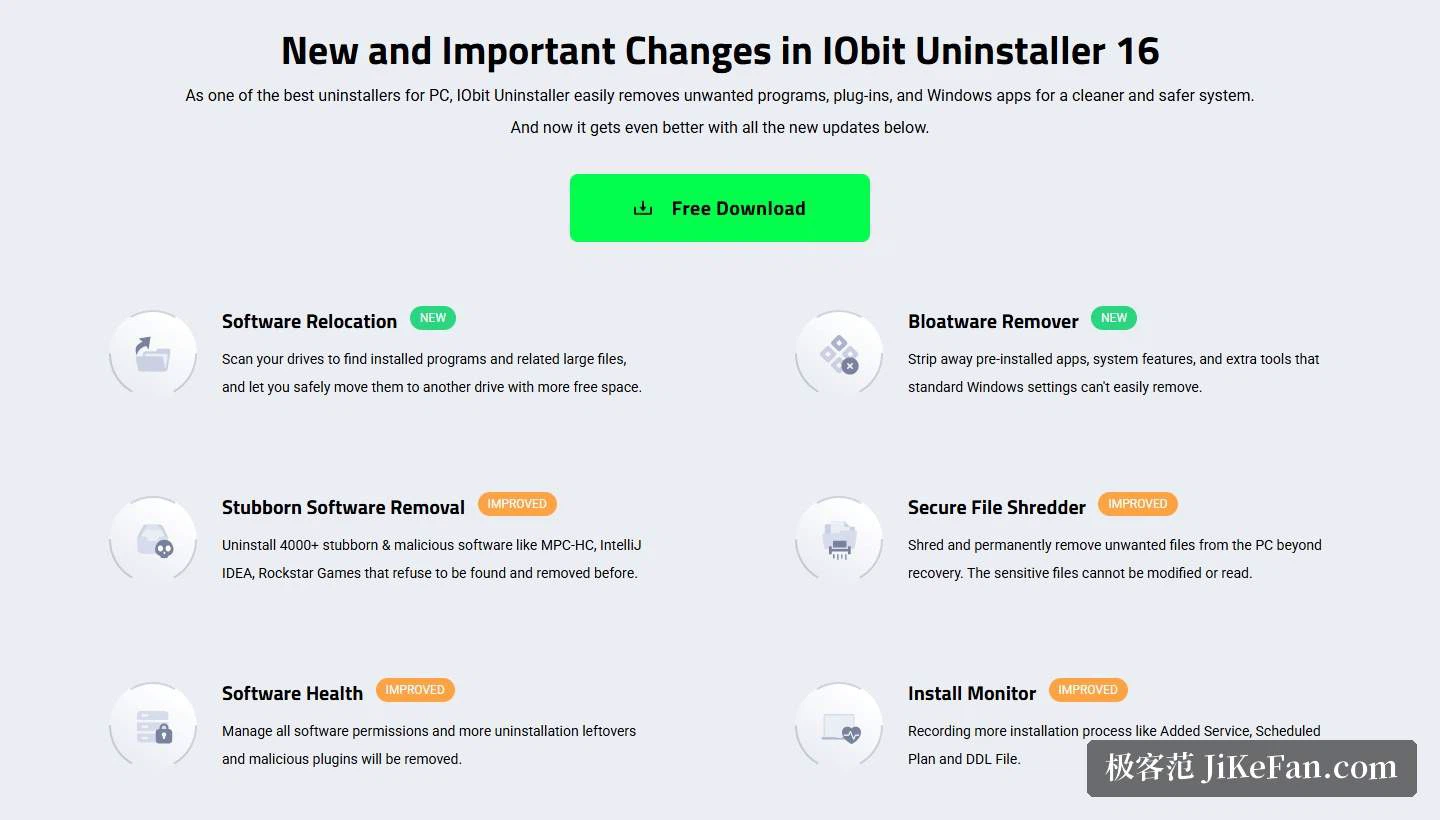
The page explains software moving like this: it scans the drives, the system drive in particular, finds installed programs together with the large files that belong to them, and then lets those be moved safely to another drive with more free space, without breaking the usability of what is already installed. With the space freed, the machine keeps running smoothly.
What matters about the feature is that it changes the thinking. Faced with a nearly full system drive, the actions available used to be two: uninstall, or move folders by hand, and the second often breaks software that can no longer find its path. Moving turns that either-or into a choice of three, since a program can now be deleted or relocated. For anyone running a couple of large design tools or games and unwilling to fetch them again, the difference is real.
What else this generation changed
The changes section lists six items, two marked as new and four as improvements. The second new one is the removal of preinstalled applications, described as stripping out bundled applications, system features and extra tools, the sort of thing the standard system settings do not readily remove.
The improvements are these: removal of stubborn software, said to cover more than 4000 stubborn and malicious programs, including some that could not previously be found or removed; file shredding, with the emphasis that shredded sensitive files can no longer be modified or read; software health, which manages permissions across all software and clears more removal leftovers and malicious add-ons; and installation monitoring, which records more about what an installer did, such as added services, scheduled tasks and library files. All four point the same way, towards making removal more thorough and more traceable.
Forced removal and batch removal
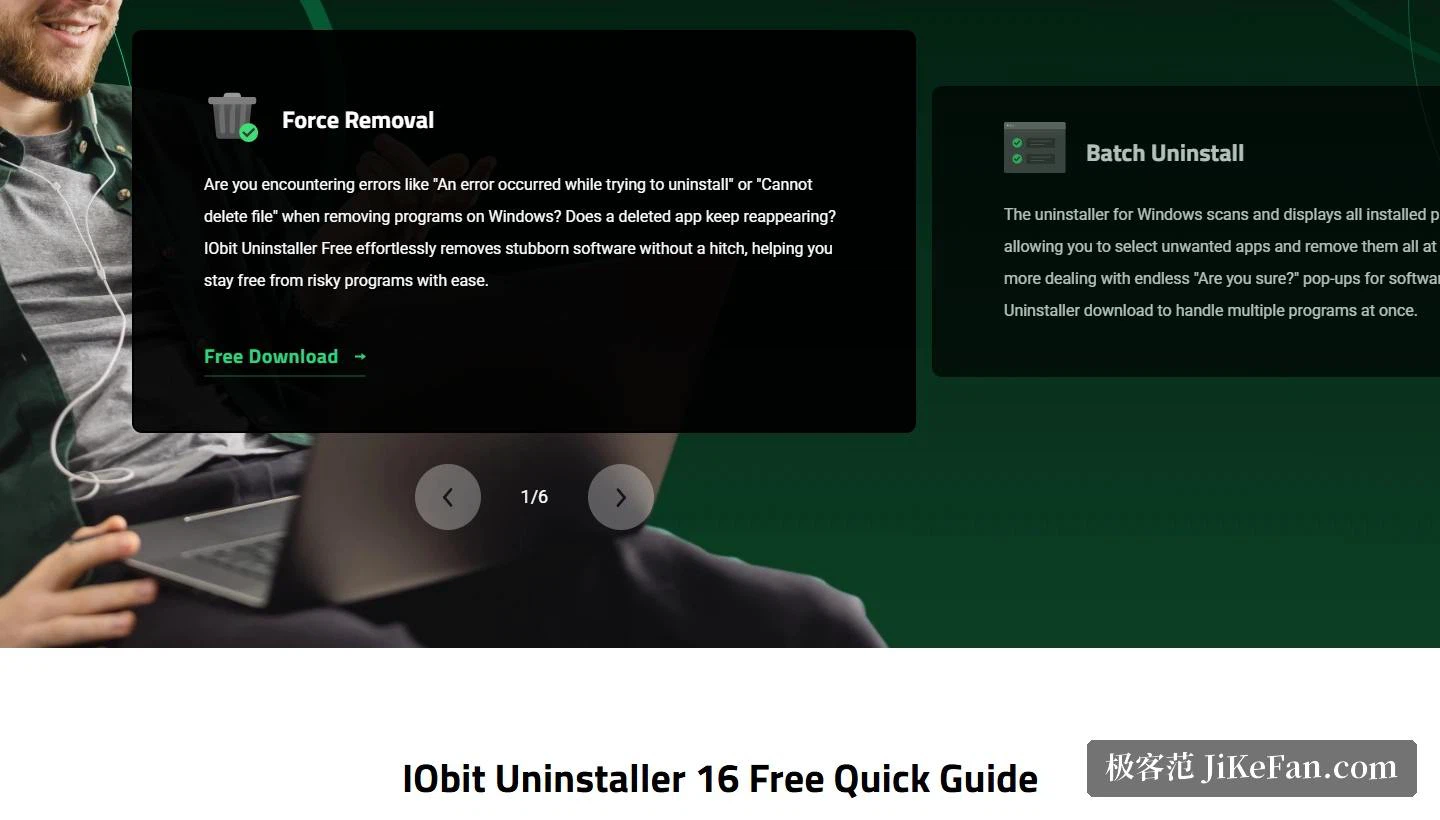
Forced removal is described concretely: when an uninstaller is damaged, when the control panel has lost the entry, or when leftover registry files stop a program from being removed normally, it locates such stubborn applications, identifies their remaining files, folders and hidden registry entries, creates a system restore point first so that the removal is safe, and then removes them by force and clears every trace. Taking the restore point first deserves credit, because the risk in forced deletion comes from not being able to go back, and a restore point lowers the cost of a wrong guess.
Batch removal saves effort on another axis. After a scan, every installed program is shown in one place, and ticking the unwanted ones removes them in one pass, without the confirmation dialogs coming round again and again. Together with search, finding a target on a machine with a great deal installed is quick.
Browser extensions and installation monitoring
The extension section gets real space on the page. It presents itself as an extension manager, using a large database to recognise extensions across the main browsers, so that installed plug-ins can be checked for trustworthiness and any of them removed at any time; blocking junk notifications and pop-ups is included too. Comparing the free and paid tiers, the page notes that the paid one distinguishes trusted plug-ins, plug-ins that inject advertising and malicious ones at a glance, and lets other users' ratings be consulted before acting.
Installation monitoring covers the other half, the before. The page states that it follows every change an installer makes to the system and keeps a detailed log, that an installation package can be dragged in to inspect its changes, and that a full advanced automatic snapshot can be switched on. Where a change turns out to be unnecessary or inappropriate, the program behind it can be removed directly. The result is a chain linking what happened before an install with what is left after a removal.
Software health, and how far it reaches
The software health module is called a one-stop arrangement: a single scan finds the things that affect a system's condition, among them outdated software, removal leftovers, redundant files, dormant software, unauthorised permissions and intrusive notifications, and one repair pass deals with all of them at once. Dormant software is an interesting category, meaning programs that were installed and then never opened for a long stretch, taking up room while their owner has usually forgotten them.
On coverage, the page says more than 39 kinds of preinstalled application can be scanned for and removed, along with applications installed from the store. So beyond ordinary desktop programs, store applications and built-in system components are within reach as well.
Where the free edition stops
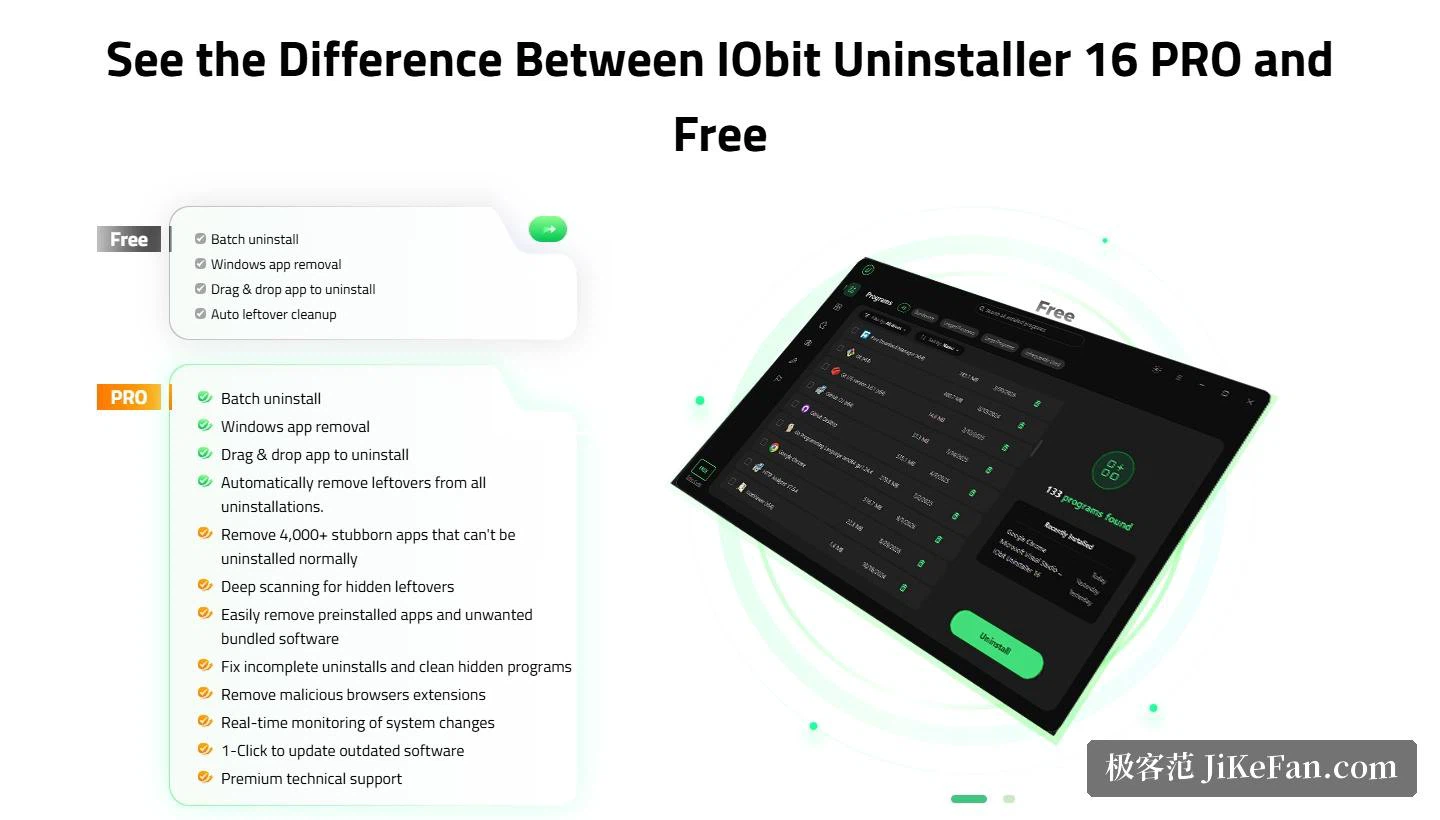
The two tiers sit side by side, with PRO sold as a yearly subscription covering one or three devices and carrying a 60-day refund guarantee. The line between them is depth rather than breadth. The free edition already includes complete removal, forced removal, batch removal, extension management and the health scan; what PRO emphasises is the restore point before forced removal, automatic clearing of leftovers and hidden remains, and the risk grading of plug-ins together with user ratings. For a few removals now and then the free edition covers what comes up, and the paid tier only earns its place when long-accumulated stubborn software has to be dealt with, or when several machines need maintaining.
Altogether, this generation pushes the definition of an uninstaller outwards a step. It is no longer only about getting software off the machine, but about moving it elsewhere, stripping out bundled components and bringing extensions under control. At 32.7 MB and with support running from XP to Windows 11, it stays usable on old machines as well.
Most maintenance tools answer the question of what to delete. This one adds a second question, whether the right answer is to delete at all. A drive that is full and a program that is unwanted are two different problems, and keeping them apart is a small piece of thinking that the category had been missing.