
Homebrew puts install, upgrade and uninstall behind one command, and every package gets its own keg in the Cellar
Summary
Homebrew folds install, upgrade and uninstall into one set of commands, gives each package a keg of its own and links it into the prefix; it spans macOS, Linux and WSL, and one Brewfile reproduces a whole machine.
Recommend- Name
- Homebrew
- Version
- 7.0.9
- Pricing
- Free
- Open source
- Open source
- Operating system
- macOSLinux
- Website
- https://brew.sh/
- Updated
- 2026-10-10 14:38
Dragging software into the applications folder one title at a time should have ended long ago.
What macOS ships with is limited, and the missing part used to mean hunting installers on vendor sites: download, unpack, drag, occasionally write a path into a configuration file by hand, and when the time comes to remove it, chase the traces back one by one wherever they landed. On Linux every distribution does it its own way, and anyone moving between a Mac and a server has to grow the habit twice.
The Homebrew answer is plain: gather install, upgrade and uninstall into one set of commands, and let software live in a managed directory instead of being scattered across the system.
Into its own cellar, not across the system directories
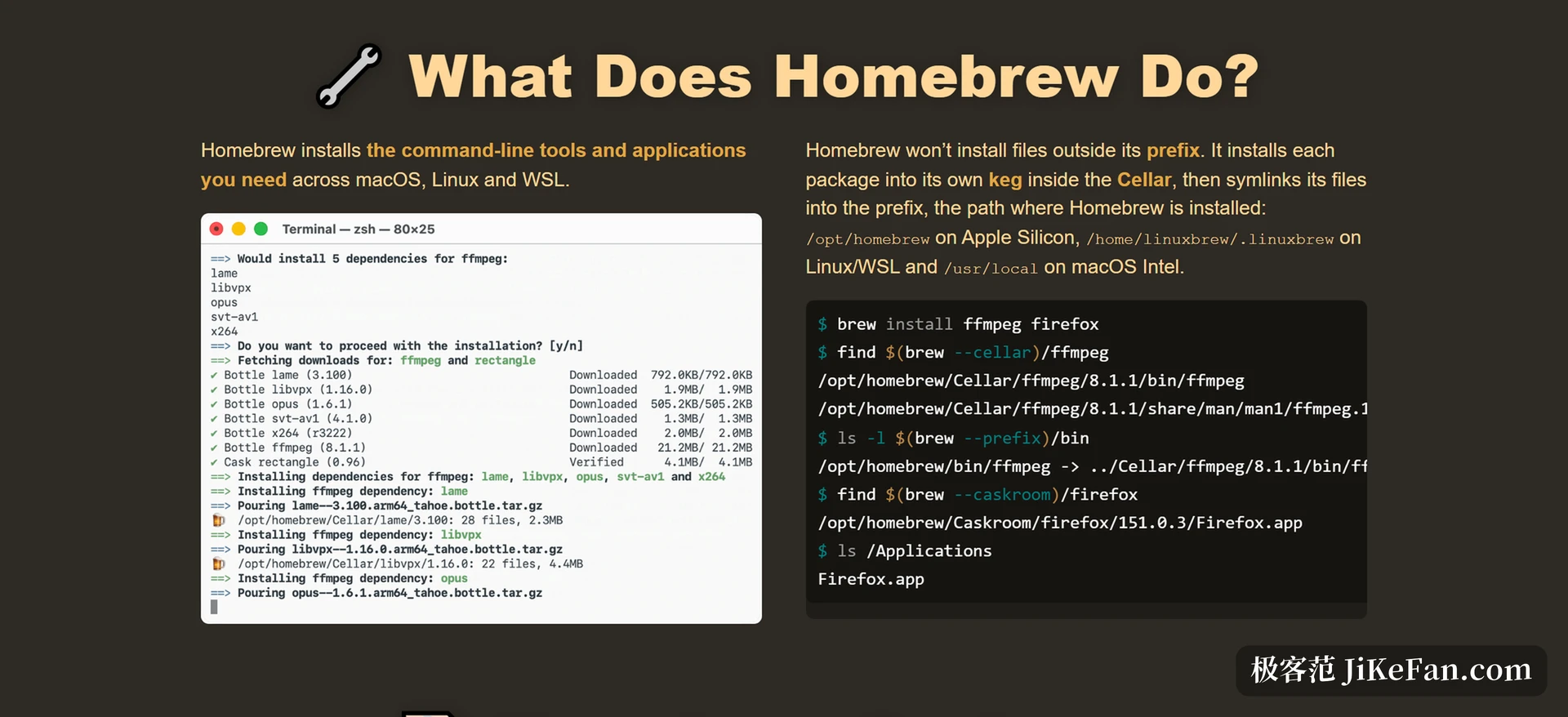
The vendor calls the install location the prefix: on an Apple silicon Mac it is /opt/homebrew, on Linux and WSL it is /home/linuxbrew/.linuxbrew, and on Intel macOS it is /usr/local.
What matters more is that it writes nothing outside the prefix. Every package is first installed into a keg of its own inside the Cellar, a complete standalone directory carrying a version number; what actually makes a command available is the set of symlinks created afterwards under the prefix. The benefit of that handover only shows at removal time: delete the keg and nothing unclaimed is left behind. When two versions have to coexist, the only thing that changes is which keg the symlink points at.
The vocabulary also has a word for keg-only: some packages, typically libraries other things depend on, are not linked into the prefix by default, so they do not fight the program of the same name that ships with the system, and whether to expose them and how is left to the user. That restraint, not deciding on someone else behalf, is what lets it claim it does not pollute the system directories.
Two lists: formulae that build, casks that install ready made
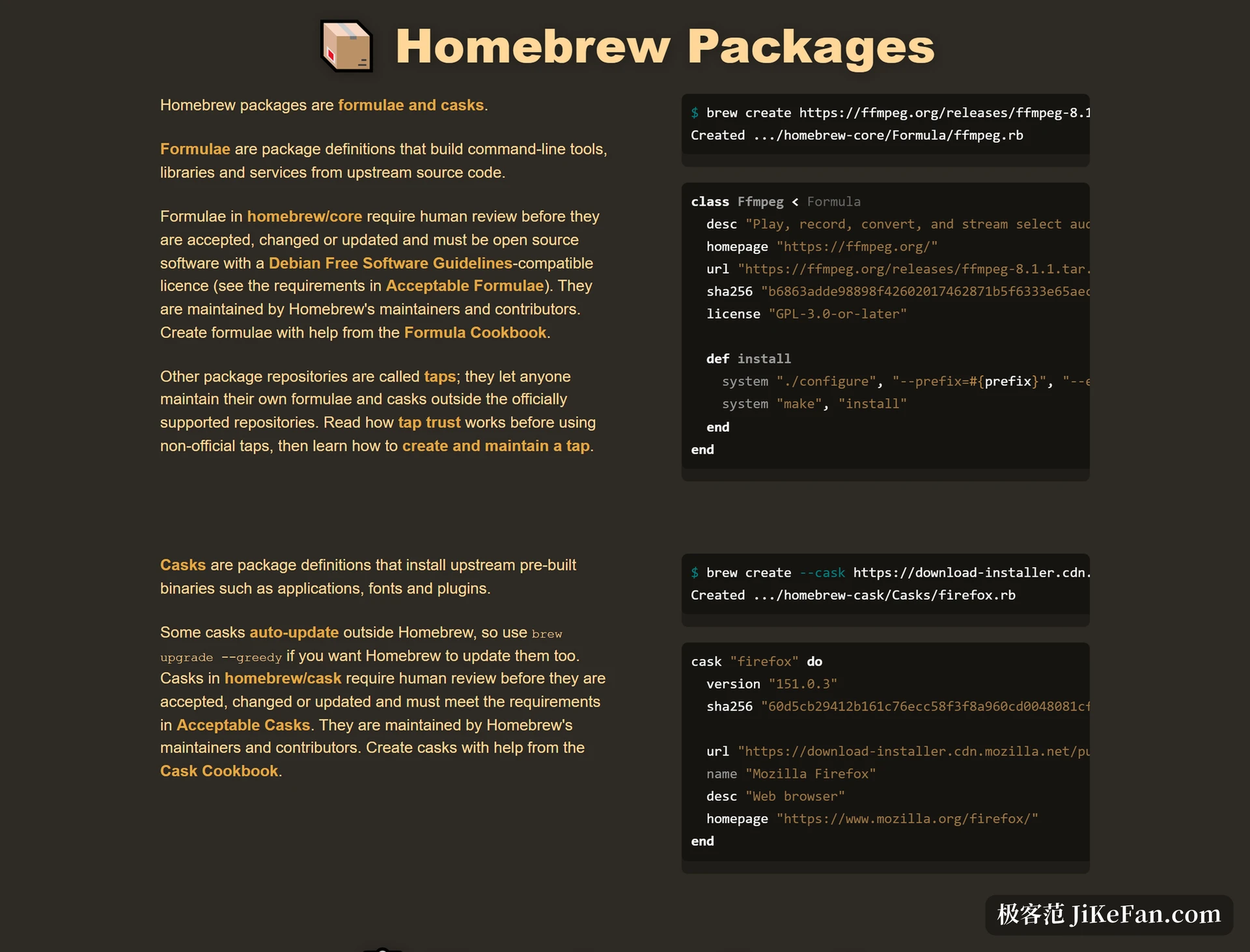
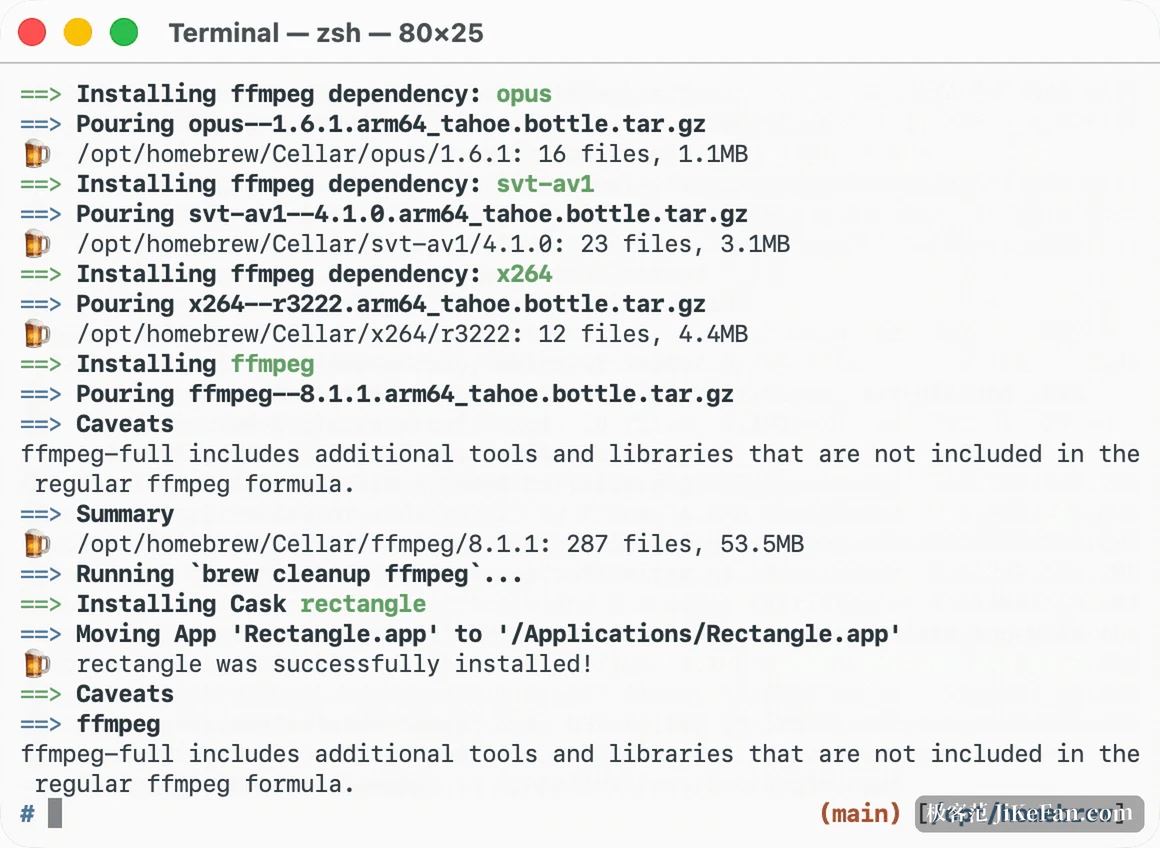
Packages come in two kinds. Formulae describe how to build a command line tool, a library or a service from upstream source; casks install what upstream has already compiled and signed, covering graphical applications, fonts and plugins. Command line tools and desktop applications end up on the same footing under the same commands.
The bar for the official repositories is stated bluntly: a formula in homebrew/core is reviewed by a person before it is accepted, changed or updated, and it has to be open source under a licence compatible with the Debian free software guidelines; casks get the same human pass. Anything outside the official lists can be added through a tap, a third party repository, at the price of skipping that review, and the documentation devotes a whole trust mechanism to it, reminding the user to look before allowing it through.
Move to another machine and pick the environment back up from one Brewfile
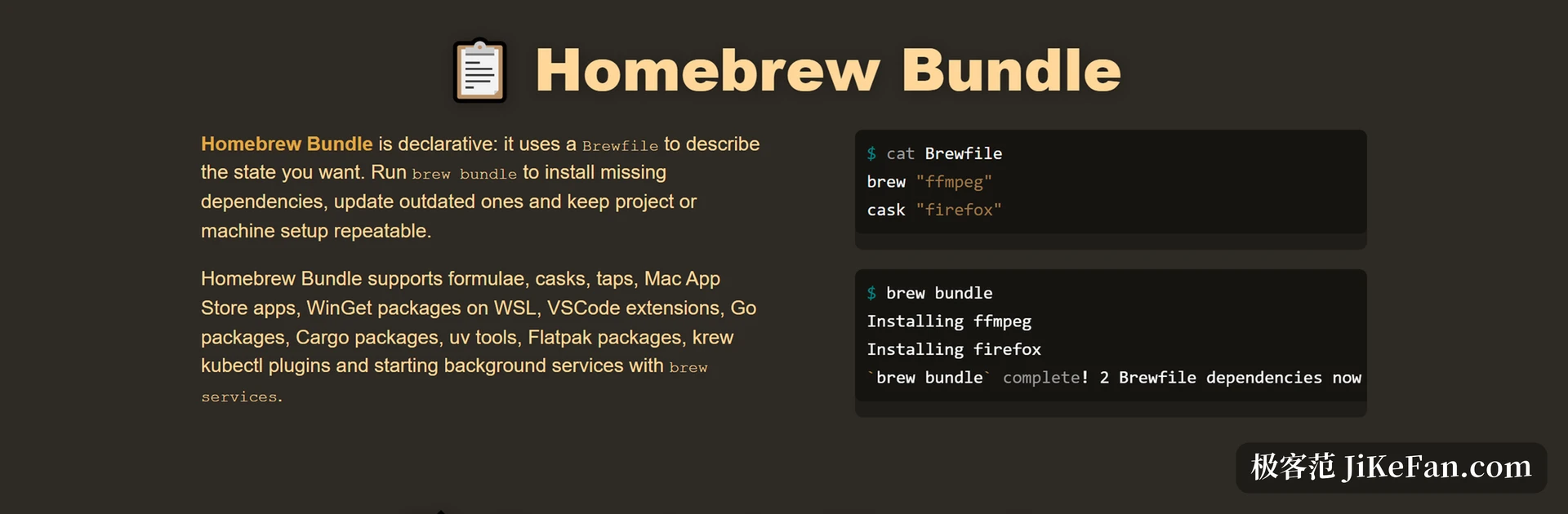
What turns Homebrew from something that installs software into part of the environment is Homebrew Bundle. It swaps configuration for state: a plain text Brewfile records what you want, and the rest follows, missing pieces installed, old ones raised, anything already satisfied left alone.
The list reaches wider than one expects: besides formulae, casks and taps it covers applications from the Mac App Store, WinGet packages inside WSL, editor extensions, packages for several languages, and background services started with brew services. It works the other way too, gathering what a machine currently has back into a Brewfile.
Put that file in a project repository and the effect is close to pinning a development environment: a new colleague no longer reads a hand written setup document, one command fills in whatever is missing; for one person, it saves half a day on a new machine.
One habit, three systems
Homebrew has long since stopped serving macOS alone. The site states support for macOS from Sequoia 15 onwards, for Linux, and for WSL on Windows. That makes it one of the few tools that keeps a single set of habits across Apple hardware and Linux, so muscle memory built on a Mac does not have to be rebuilt on a server.
The release rhythm says the project is still being invested in. Version 6.0.0 in June 2026 made explicit trust for third party taps a default requirement, added a sandbox on Linux, and made listing the dependencies before confirming the default behaviour; 7.0.0 that September tightened the sandbox further, split installation into a download stage and an install stage, and raised the minimum system to Big Sur. The current version is 7.0.9.
One more thing should be said plainly: as macOS itself retires Intel, Homebrew has moved Intel macOS down to a lower tier of maintenance, where old binary packages remain but new ones may have to be built from source; by the vendor timetable that support ends entirely in September 2027. Anyone still on an Intel machine should put that date somewhere visible.
Three things worth knowing before you use it
First, casks exist only on macOS. What Linux gets is the formula side; handing over desktop application installs as well is limited to Apple hardware.
Second, it is global. Everything lives under one prefix and one package keeps only one current version. If a project pins a language runtime very tightly, that need belongs to the version manager of that language, leaving the general purpose tools at system level to Homebrew.
Third, it carries the load without taking money. Homebrew is a non profit run entirely by volunteers and sustained by donations, and the vendor states plainly that it will stay free and open source; the code is under the BSD 2-clause licence, and the contributors across its repositories add up to more than ten thousand people. That is also why it reads more like public infrastructure: while you use it, you can fix one review warning on the way through.
What it changes was never the install step but the default state in which software scatters once installed: into its own cellar, exposed by symlinks, with the state written into a list that can be versioned. The same habits then carry across macOS, Linux and WSL, and across changing machines.